
Actium
Actium is a Fabric-based Minecraft modpack like Additive and Performium that boosts FPS and improves performance and graphics with mods such as Sodium, Lithium and much more.
Screenshots
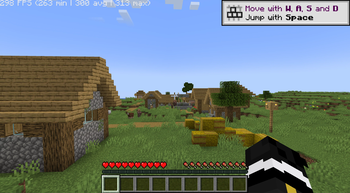
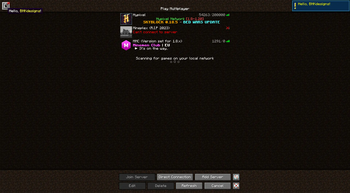
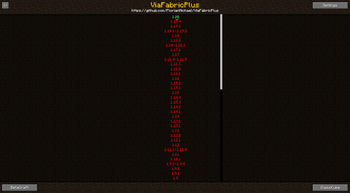

Über dieses Modpack

Actium is a Fabric-based Minecraft modpack that will take your gaming experience to the next level. It combines the best mods for FPS boosting and graphics enhancement, giving you a smooth and stunning gameplay.
🔥Performance
Get higher FPS thanks to mods that optimize the game engine, reduce lag, and fix bugs. Enjoy faster chunk loading, smoother animations, and less memory usage. Play with more mods without sacrificing performance.

🥨 Features
Shaders 🌿
Use shaders to make your game look more realistic and beautiful, with dynamic lighting, shadows, reflections, and more. Choose from a variety of shader packs or create your own. Customize the shader settings to suit your preferences and system capabilities.
Useful tweaks 🛠️
Actium has many useful tweaks that don't change the vanilla feel, for example: Longer chat history, Zoom, In-Game Account Switching, Bug and utility fixes and much more..
Cosmetics and Capes 🦹
Actium not only enhances gameplay with a variety of new features and improvements, but it also includes custom capes and cosmetics, allowing players to personalize their characters with unique and stylish designs, making every adventure in the blocky world even more exciting and visually appealing.
Better Screenshots 🖼️
Actium also enhances the screenshot system by providing higher quality screenshots and automatically copying them to your clipboard for easy access.
💮 Less Features
Delium is a more simple, lightweight and smoother version of Actium for users that want the original, pure optimization minecraft without adding new features.
Verfügbare Versionen
Actium Server einrichten
Server bestellen
Wähle mindestens 4 GB RAM (6 GB empfohlen für Actium). Je nach Spieleranzahl: +1 GB pro 5 Spieler.
Modpack im Dashboard installieren
Öffne den Modpack-Browser im Dashboard, suche nach "Actium" und klicke "Installieren". Der neoforge-Loader und Minecraft 26.2 werden automatisch konfiguriert.
Server starten & spielen
Starte den Server – alle Mods werden automatisch geladen. Teile die Server-IP mit Freunden und spielt zusammen!
Häufige Fragen
Actium Server crasht oder startet nicht – was tun?
Häufigste Ursachen: zu wenig RAM oder falscher neoforge-Loader. Prüfe latest.log auf "OutOfMemoryError" → erhöhe RAM auf mindestens 6 GB. Bei "Mixin" oder "ClassNotFoundException": Modpack-Version und Loader stimmen nicht überein. Bei Mado Hosting werden Loader und Minecraft-Version beim Modpack-Install automatisch konfiguriert – das verhindert die meisten Startprobleme.
Wie viel RAM braucht ein Actium Server wirklich?
Minimum 4 GB, empfohlen 6 GB für stabile Performance. +1 GB pro 5 Spieler. Wichtig: Minecraft-Modpacks brauchen mehr RAM als Vanilla – plane pro zusätzlichem Spieler extra ein. Bei Mado Hosting kannst du den RAM jederzeit live hochskalieren, ohne Datenverlust (ab €5.2/Monat).
Kann ich eigene Mods zu Actium hinzufügen, ohne Konflikte?
Ja, aber achte auf die Kompatibilität: Nutze nur Mods für den gleichen Loader (neoforge) und die gleiche Minecraft-Version (26.2). Häufige Probleme: ID-Konflikte bei Rezept-Mods und inkompatible Coremod-Versionen. Im Mado Dashboard zeigt der Mod-Browser nur kompatible Mods an und warnt bei bekannten Konflikten.
Actium Server laggt – Performance-Tipps
1) RAM auf 6 GB+ erhöhen. 2) Server-View-Distance auf 8 reduzieren (server.properties). 3) Pre-Generiere Chunks mit dem "Chunky" Plugin. 4) Prüfe mit /spark profiler welche Mods die meiste Tick-Time verbrauchen. Bei Mado Hosting laufen alle Server auf NVMe-SSDs mit dedizierten CPU-Kernen – das eliminiert Hardware als Engpass.
Ähnliche Modpacks

![Cobblemon Official Modpack [Fabric]](https://cdn.modrinth.com/data/5FFgwNNP/e7f9ee2e9d361623847853fe2ddce42f519ee64f.png)
![COBBLEVERSE - Pokemon Adventure [Cobblemon]](https://cdn.modrinth.com/data/Jkb29YJU/581ecf54530972afb18a04660afd820f2f24f6c7.png)
![Better MC [FABRIC] - BMC2](https://cdn.modrinth.com/data/shFhR8Vx/a19c2bcb51d38f32f138d3607e91cb2b7b8e387f_96.webp)


Actium Server mieten
Starte deinen eigenen Server mit automatischer Modpack-Installation.
Unterstützte Versionen
Starte deinen Actium Server jetzt
Ab €5.20/Monat; für die beste Performance werden 6 GB RAM empfohlen.
Server konfigurieren →