
Arcomua Lite
Lite version of Arcomua Modpack. Focus on optimization and some QoLs without compromising performance.
Screenshots

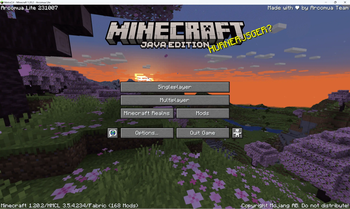
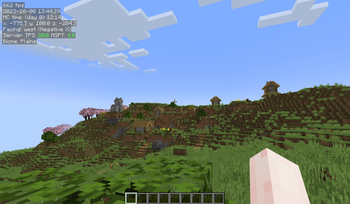
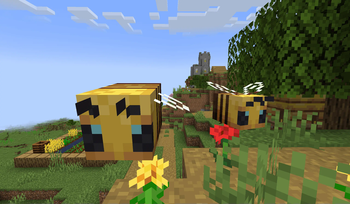
Über dieses Modpack
We don't have time to update this modpack any further, so if you need it, please use Arcomua Cloth instead.
Arcomua Lite is a fork from Arcomua Cloth mainly designed to reach higher FPS and more vanilla than the original modpack.
⚡ High Performance
Many optimization mods were included to ensure the game reaches the highest performance.
✨ QoL Improvements
Many QoL mods were featured in this modpack to make your gameplay more enjoyable and make your eyes comfortable, such as Tweakeroo, MiniHUD, Litematica, and Redstone display resource pack.
Advantages over the standard version
⚡ Higher efficiency
Removed most decorative mods, as they usually sacrificed some FPS for better visual effects. You deserve a higher frame rate.
⚖️ Performance Balancing
Compared to the Vanilla, this version has better bug fixes and game performance optimizations, your game won't eat a lot of memory in one breath, and the CPU won't warm up for you when the game starts up, so enjoy the gaming environment without the sound of fans!
🪄 Minimalist Design
Without some mods that provided unnecessary functionalities, like mini-map and world map. These mods cost a lot of FPS, removing them will also make the game closer to vanilla and easier to play.
Why choose us?
Compared to other more similar modpacks, our modpack has the following advantages:
🔁 Long-term Update
Rest assured that I will be diligently updating this modpack to ensure it remains fully compatible with the latest version of vanilla.
🆕 Adopting New Technologies
We continuously experiment with and utilize the latest technologies to provide a more efficient and improved user experience.
📖 Comprehensive Problem-solving Guidance
We want you to know that we genuinely care about your experience and are here to help with any issues you may encounter. We aim to provide clear and detailed instructions to make problem-solving a breeze. Don't hesitate to reach out if you need any assistance!
🍎 macOS and Apple Silicon Support
We made a series of optimizations for Mac users to make the game more playable on macOS.
Simplified Chinese introduction
Verfügbare Versionen
Arcomua Lite Server einrichten
Server bestellen
Wähle mindestens 4 GB RAM (6 GB empfohlen für Arcomua Lite). Je nach Spieleranzahl: +1 GB pro 8 Spieler.
Modpack im Dashboard installieren
Öffne den Modpack-Browser im Dashboard, suche nach "Arcomua Lite" und klicke "Installieren". Der fabric-Loader und Minecraft 1.20.4 werden automatisch konfiguriert.
Server starten & spielen
Starte den Server – alle Mods werden automatisch geladen. Teile die Server-IP mit Freunden und spielt zusammen!
Häufige Fragen
Arcomua Lite Server crasht oder startet nicht – was tun?
Häufigste Ursachen: zu wenig RAM oder falscher fabric-Loader. Prüfe latest.log auf "OutOfMemoryError" → erhöhe RAM auf mindestens 6 GB. Bei "Mixin" oder "ClassNotFoundException": Modpack-Version und Loader stimmen nicht überein. Bei Mado Hosting werden Loader und Minecraft-Version beim Modpack-Install automatisch konfiguriert – das verhindert die meisten Startprobleme.
Wie viel RAM braucht ein Arcomua Lite Server wirklich?
Minimum 4 GB, empfohlen 6 GB für stabile Performance. +1 GB pro 8 Spieler. Wichtig: Minecraft-Modpacks brauchen mehr RAM als Vanilla – plane pro zusätzlichem Spieler extra ein. Bei Mado Hosting kannst du den RAM jederzeit live hochskalieren, ohne Datenverlust (ab €5.2/Monat).
Kann ich eigene Mods zu Arcomua Lite hinzufügen, ohne Konflikte?
Ja, aber achte auf die Kompatibilität: Nutze nur Mods für den gleichen Loader (fabric) und die gleiche Minecraft-Version (1.20.4). Häufige Probleme: ID-Konflikte bei Rezept-Mods und inkompatible Coremod-Versionen. Im Mado Dashboard zeigt der Mod-Browser nur kompatible Mods an und warnt bei bekannten Konflikten.
Arcomua Lite Server laggt – Performance-Tipps
1) RAM auf 6 GB+ erhöhen. 2) Server-View-Distance auf 8 reduzieren (server.properties). 3) Pre-Generiere Chunks mit dem "Chunky" Plugin. 4) Prüfe mit /spark profiler welche Mods die meiste Tick-Time verbrauchen. Bei Mado Hosting laufen alle Server auf NVMe-SSDs mit dedizierten CPU-Kernen – das eliminiert Hardware als Engpass.
Ähnliche Modpacks

![Cobblemon Official Modpack [Fabric]](https://cdn.modrinth.com/data/5FFgwNNP/e7f9ee2e9d361623847853fe2ddce42f519ee64f.png)
![COBBLEVERSE - Pokemon Adventure [Cobblemon]](https://cdn.modrinth.com/data/Jkb29YJU/581ecf54530972afb18a04660afd820f2f24f6c7.png)
![Better MC [FABRIC] - BMC2](https://cdn.modrinth.com/data/shFhR8Vx/a19c2bcb51d38f32f138d3607e91cb2b7b8e387f_96.webp)


Arcomua Lite Server mieten
Starte deinen eigenen Server mit automatischer Modpack-Installation.
Details
- Lizenz
- Creative Commons Attribution Non Commercial Share Alike 4.0 International
- Server-seitig
- Nicht unterstützt
- Client-seitig
- Erforderlich
Unterstützte Versionen
Starte deinen Arcomua Lite Server jetzt
Ab €5.20/Monat; für die beste Performance werden 6 GB RAM empfohlen.
Server konfigurieren →