
Automation Of HBM's Nuclear Tech
This integrated package is a Tutorial for HBM Refer to Bilibili creators 瞳彩鹿454445
Screenshots
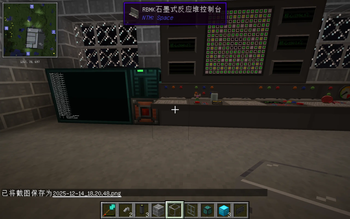
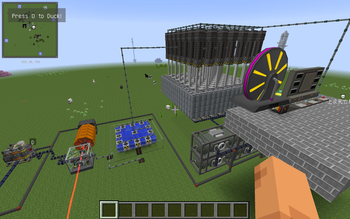
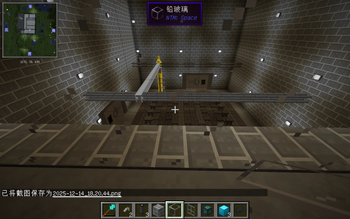
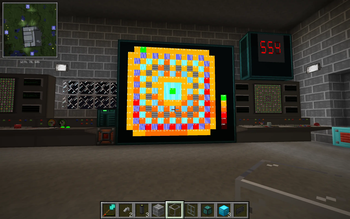
Über dieses Modpack
This integrated package contains multiple mods that can automate the entire industrial process
The content of modpack:
1.mixinbootstraplegacy:Without this mod, PCL cannot start
https://www.curseforge.com/minecraft/mc-mods/mixinbootstraplegacy
2.Better Builders Wands:This mod can help you quickly build buildings and is very practical
https://modrinth.com/mod/better-builders-wands
3.Better Fps&Foamfix:These two are rare performance mods in older versions that can make your gaming experience smoother
https://www.curseforge.com/minecraft/mc-mods/betterfps
https://modrinth.com/mod/foamfix
4.Chicken Chunks:When you go mining or collecting food, you will leave the area where your machine is working, which may cause your machine to stop working. The block loader will avoid this and can keep the area where your machine is located from stopping
https://modrinth.com/mod/chicken-chunks
5.NotEnoughItems Unofficial:Don't say too much about this mod, it's similar to the higher versions of JEI and EMI
https://modrinth.com/mod/notenoughitems-unofficial
6.Not Enough Characters:This mod adds the capability to search Chinese characters with Pinyin in NEI.
https://www.curseforge.com/minecraft/mc-mods/not-enough-characters
7.CraftGuide:CraftGuide is a fairly simple in-game recipe viewer for Minecraft with the goal of being able to display a lot of information at once, and have some fairly simple ways to quickly navigate it.
https://www.curseforge.com/minecraft/mc-mods/craftguide
8.Deconstruction Table:This mod adds a new kind of Crafting Table to minecraft, but not just any table... A table that is able to "undo" the work of a regular Crafting table
https://www.curseforge.com/minecraft/mc-mods/deconstruction-table
9.EasyLAN:A Minecraft Forge Mod for Custom LAN Servers Related settings for customizing the LAN server
https://modrinth.com/mod/easylan
10.Ender IO:This is the core mod that automates your machine
https://www.curseforge.com/minecraft/mc-mods/ender-io
11.GraveStone Mod:Every time you die, a grave is placed at your position. To retrieve your items just break the grave. There is also a config option to get your items back by sneaking on the grave
https://www.curseforge.com/minecraft/mc-mods/gravestone-mod
12.NTM Space:This is the core gameplay of this mod pack
https://modrinth.com/mod/ntmspace
13.InputFix&InputMethodBlocker (Legacy):It will benifit the player which use Chinese
https://www.curseforge.com/minecraft/mc-mods/inputfix
https://modrinth.com/mod/inputmethodblocker
14.Iron Backpacks:https://www.curseforge.com/minecraft/mc-mods/iron-backpacks
15.Iron Chests:https://www.curseforge.com/minecraft/mc-mods/iron-chests
16.OpenComputers:This mod adds computers that can be programmed in Lua 5.2 and 5.3. Computers persist across saves (i.e. execution resumes where the computer was saved when it is loaded again), they are highly modular (there are graphics cards, network cards, redstone cards, ...). If a compatible power generating mod is present, by default they will need power to run - however, like pretty much everything else about the mod, this can be changed in the config.
https://modrinth.com/mod/opencomputers
17.SecurityCraft:https://modrinth.com/mod/security-craft
18.Waila:Waila (What Am I Looking At) is a UI improvement mod aimed at providing block information directly ingame, without the need of opening an UI.
https://www.curseforge.com/minecraft/mc-mods/waila
19.Xaero's World Map&Xaero's Minimap:
https://modrinth.com/mod/xaeros-world-map
https://modrinth.com/mod/xaeros-world-map
Verfügbare Versionen
Automation Of HBM's Nuclear Tech Server einrichten
Server bestellen
Wähle mindestens 6 GB RAM (8 GB empfohlen für Automation Of HBM's Nuclear Tech). Je nach Spieleranzahl: +1 GB pro 5 Spieler.
Modpack im Dashboard installieren
Öffne den Modpack-Browser im Dashboard, suche nach "Automation Of HBM's Nuclear Tech" und klicke "Installieren". Der forge-Loader und Minecraft 1.7.10 werden automatisch konfiguriert.
Server starten & spielen
Starte den Server – alle Mods werden automatisch geladen. Teile die Server-IP mit Freunden und spielt zusammen!
Häufige Fragen
Automation Of HBM's Nuclear Tech Server crasht oder startet nicht – was tun?
Häufigste Ursachen: zu wenig RAM oder falscher forge-Loader. Prüfe latest.log auf "OutOfMemoryError" → erhöhe RAM auf mindestens 8 GB. Bei "Mixin" oder "ClassNotFoundException": Modpack-Version und Loader stimmen nicht überein. Bei Mado Hosting werden Loader und Minecraft-Version beim Modpack-Install automatisch konfiguriert – das verhindert die meisten Startprobleme.
Wie viel RAM braucht ein Automation Of HBM's Nuclear Tech Server wirklich?
Minimum 6 GB, empfohlen 8 GB für stabile Performance. +1 GB pro 5 Spieler. Wichtig: Minecraft-Modpacks brauchen mehr RAM als Vanilla – plane pro zusätzlichem Spieler extra ein. Bei Mado Hosting kannst du den RAM jederzeit live hochskalieren, ohne Datenverlust (ab €7.800000000000001/Monat).
Kann ich eigene Mods zu Automation Of HBM's Nuclear Tech hinzufügen, ohne Konflikte?
Ja, aber achte auf die Kompatibilität: Nutze nur Mods für den gleichen Loader (forge) und die gleiche Minecraft-Version (1.7.10). Häufige Probleme: ID-Konflikte bei Rezept-Mods und inkompatible Coremod-Versionen. Im Mado Dashboard zeigt der Mod-Browser nur kompatible Mods an und warnt bei bekannten Konflikten.
Automation Of HBM's Nuclear Tech Server laggt – Performance-Tipps
1) RAM auf 8 GB+ erhöhen. 2) Server-View-Distance auf 8 reduzieren (server.properties). 3) Pre-Generiere Chunks mit dem "Chunky" Plugin. 4) Prüfe mit /spark profiler welche Mods die meiste Tick-Time verbrauchen. Bei Mado Hosting laufen alle Server auf NVMe-SSDs mit dedizierten CPU-Kernen – das eliminiert Hardware als Engpass.
Ähnliche Modpacks


![Cobblemon Official Modpack [Fabric]](https://cdn.modrinth.com/data/5FFgwNNP/e7f9ee2e9d361623847853fe2ddce42f519ee64f.png)
![COBBLEVERSE - Pokemon Adventure [Cobblemon]](https://cdn.modrinth.com/data/Jkb29YJU/581ecf54530972afb18a04660afd820f2f24f6c7.png)

![Better MC [FABRIC] - BMC2](https://cdn.modrinth.com/data/shFhR8Vx/a19c2bcb51d38f32f138d3607e91cb2b7b8e387f_96.webp)
Automation Of HBM's Nuclear Tech Server mieten
Starte deinen eigenen Server mit automatischer Modpack-Installation.
Details
- Lizenz
- LicenseRef-All-Rights-Reserved
- Server-seitig
- Erforderlich
- Client-seitig
- Erforderlich
Unterstützte Versionen
Starte deinen Automation Of HBM's Nuclear Tech Server jetzt
Ab €7.80/Monat; für die beste Performance werden 8 GB RAM empfohlen.
Server konfigurieren →