Awesome ModPack
Vanilla and beyond using Create, wonderful mods and my owns!
Screenshots
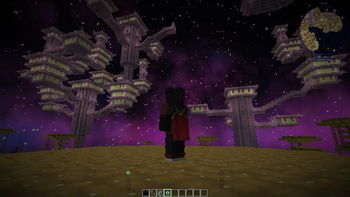
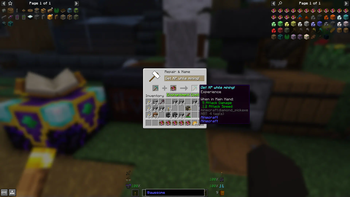
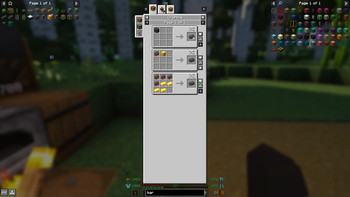
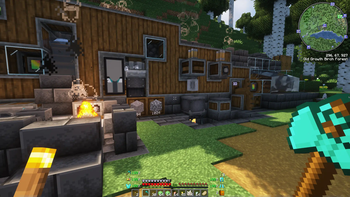
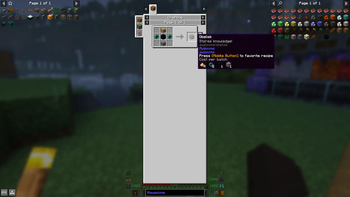
Über dieses Modpack
Awesome ModPack 1.18


A bit beyond Vanilla++ for maximum fun!
1.19 version incoming...
Vanilla lacks biomes and points-of-interest
- Overworld:
- Promenade + Tectonic
- YUNG's better structures
- Towns and Towers
- Nether: Better Nether
- End: Better End
Vanilla has a boring death mechanism
- Difficulty: HARD
- Keep Some Inventory: keep xp and tools upon death
- Alternative: You're In Grave Danger
Vanilla has an inventory problem
- Enchanted Shulkers: siphon & refill
- Extended Drawers
- Hotbar Swap
- Inventory Essentials + Mouse Tweaks: mouse improvements
- Inventory HUD
- Inventory Sorter: yes please
- Stack Refill
- Slotlink: centralized storage interface (with remote)
- Alternative: Tom's Simple Storage
Vanilla lacks awesome mods
- Create v0.5
- Awesome Commands: /sethome /home /back /enderchest...
- Awesome Crystals: yields crystal for all ores (infinite resources)
- Awesome Enchantments: critical, last stand, magnetism, sixth sense, unbreakable, vampirism, vein mining...
- Awesome Experience: experience enchantment, obelisk (to store & retrieve xp)...
- Awesome Extras: baguette, elevator, magic lilypad, rope, all-in-one tools, void block...
- Awesome Machines: breaker/placer, collector, crafter, cultivator, duplicator, factory, quarry, recycler, refinery & detectors...
- Awesome Pack (exclusive):
- bow with infinity does not require any arrow
- copper can replace iron in many crafts
- infinite villagers trading
- players drop heads
- totem of undying working from inventory
- uncraftable vanilla recipes now craftable & more drops (wither_skeleton, ender_dragon, shulker...)
- villagers follow emerald block
- Lootr: player-based chest loots
- Waystones: to teleport around
Vanilla lacks mandatory quality-of-life features
- Blur: blurs the background while an inventory is open
- Charmonium: ambient sounds
- EMI: recipes and block explorer
- Edit Sign: with a simple right click
- Elytra Protection: allows chest armor enchantments
- Jade: what am I looking at
- Mouse tweaks for inventories
- No hostiles around campfires
- Right Click Harvest
- Seamless Loading Screen
- Xaeros (mini)map (fair-play edition)
Additional mods
- Dark Enchanting: lets you choose enchantments for xp
- Forgiving Void: respawn at the top while hitting the bottom
- Homing Ender Eye: broken ones will appear on the portal frames
- Kelp Fertilizer: behaves like bone meal
- Chunks Fade In
- Grind Enchantments
- Cooperative Advancements
- Tax Free Levels: flattens anvil/enchantment costs
- Passive Shield: hides it but uses it automatically
- ...
And...
- Faithful x32 texturepack (https://faithful.team)
- VanillaTweaks(.net) texturepack (https://vanillatweaks.net)
- Complementary (v4) shaders (https://www.complementary.dev)
What about performances ?
- Fabric + Iris
- Entity Culling
- Exordium (GUIs)
- FerriteCore (Memory)
- Indium+Sodium (Rendering)
- Krypton (Networking)
- LazyDFU
- Lithium (Game Logic)
- Smooth Boot (CPU)
- Starlight + LambDynamicLights (Lightning)
Keybindings
- advancements: v
- auto-jump: OFF
- crouch: control
- list players: l
- sort inventory: z
- sprint: shift
- swap inventory: tab
License & Credits
This project is licensed under MIT.
Made by ShkSchneider with great help from open-sourced codes from the community of modders.
- Thanks to Kaupenjoe: https://github.com/Tutorials-By-Kaupenjoe
- Thanks to VanillaTweaks: https://vanillatweaks.net
- Packed using packwiz: https://packwiz.infra.link
Verfügbare Versionen
Awesome ModPack Server einrichten
Server bestellen
Wähle mindestens 6 GB RAM (8 GB empfohlen für Awesome ModPack). Je nach Spieleranzahl: +1 GB pro 5 Spieler.
Modpack im Dashboard installieren
Öffne den Modpack-Browser im Dashboard, suche nach "Awesome ModPack" und klicke "Installieren". Der fabric-Loader und Minecraft 1.18.2 werden automatisch konfiguriert.
Server starten & spielen
Starte den Server – alle Mods werden automatisch geladen. Teile die Server-IP mit Freunden und spielt zusammen!
Häufige Fragen
Awesome ModPack Server crasht oder startet nicht – was tun?
Häufigste Ursachen: zu wenig RAM oder falscher fabric-Loader. Prüfe latest.log auf "OutOfMemoryError" → erhöhe RAM auf mindestens 8 GB. Bei "Mixin" oder "ClassNotFoundException": Modpack-Version und Loader stimmen nicht überein. Bei Mado Hosting werden Loader und Minecraft-Version beim Modpack-Install automatisch konfiguriert – das verhindert die meisten Startprobleme.
Wie viel RAM braucht ein Awesome ModPack Server wirklich?
Minimum 6 GB, empfohlen 8 GB für stabile Performance. +1 GB pro 5 Spieler. Wichtig: Minecraft-Modpacks brauchen mehr RAM als Vanilla – plane pro zusätzlichem Spieler extra ein. Bei Mado Hosting kannst du den RAM jederzeit live hochskalieren, ohne Datenverlust (ab €7.800000000000001/Monat).
Kann ich eigene Mods zu Awesome ModPack hinzufügen, ohne Konflikte?
Ja, aber achte auf die Kompatibilität: Nutze nur Mods für den gleichen Loader (fabric) und die gleiche Minecraft-Version (1.18.2). Häufige Probleme: ID-Konflikte bei Rezept-Mods und inkompatible Coremod-Versionen. Im Mado Dashboard zeigt der Mod-Browser nur kompatible Mods an und warnt bei bekannten Konflikten.
Awesome ModPack Server laggt – Performance-Tipps
1) RAM auf 8 GB+ erhöhen. 2) Server-View-Distance auf 8 reduzieren (server.properties). 3) Pre-Generiere Chunks mit dem "Chunky" Plugin. 4) Prüfe mit /spark profiler welche Mods die meiste Tick-Time verbrauchen. Bei Mado Hosting laufen alle Server auf NVMe-SSDs mit dedizierten CPU-Kernen – das eliminiert Hardware als Engpass.
Ähnliche Modpacks


![Cobblemon Official Modpack [Fabric]](https://cdn.modrinth.com/data/5FFgwNNP/e7f9ee2e9d361623847853fe2ddce42f519ee64f.png)
![COBBLEVERSE - Pokemon Adventure [Cobblemon]](https://cdn.modrinth.com/data/Jkb29YJU/581ecf54530972afb18a04660afd820f2f24f6c7.png)

![Better MC [FABRIC] - BMC2](https://cdn.modrinth.com/data/shFhR8Vx/a19c2bcb51d38f32f138d3607e91cb2b7b8e387f_96.webp)
Awesome ModPack Server mieten
Starte deinen eigenen Server mit automatischer Modpack-Installation.
Unterstützte Versionen
Starte deinen Awesome ModPack Server jetzt
Ab €7.80/Monat; für die beste Performance werden 8 GB RAM empfohlen.
Server konfigurieren →