BigChadGuys Plus
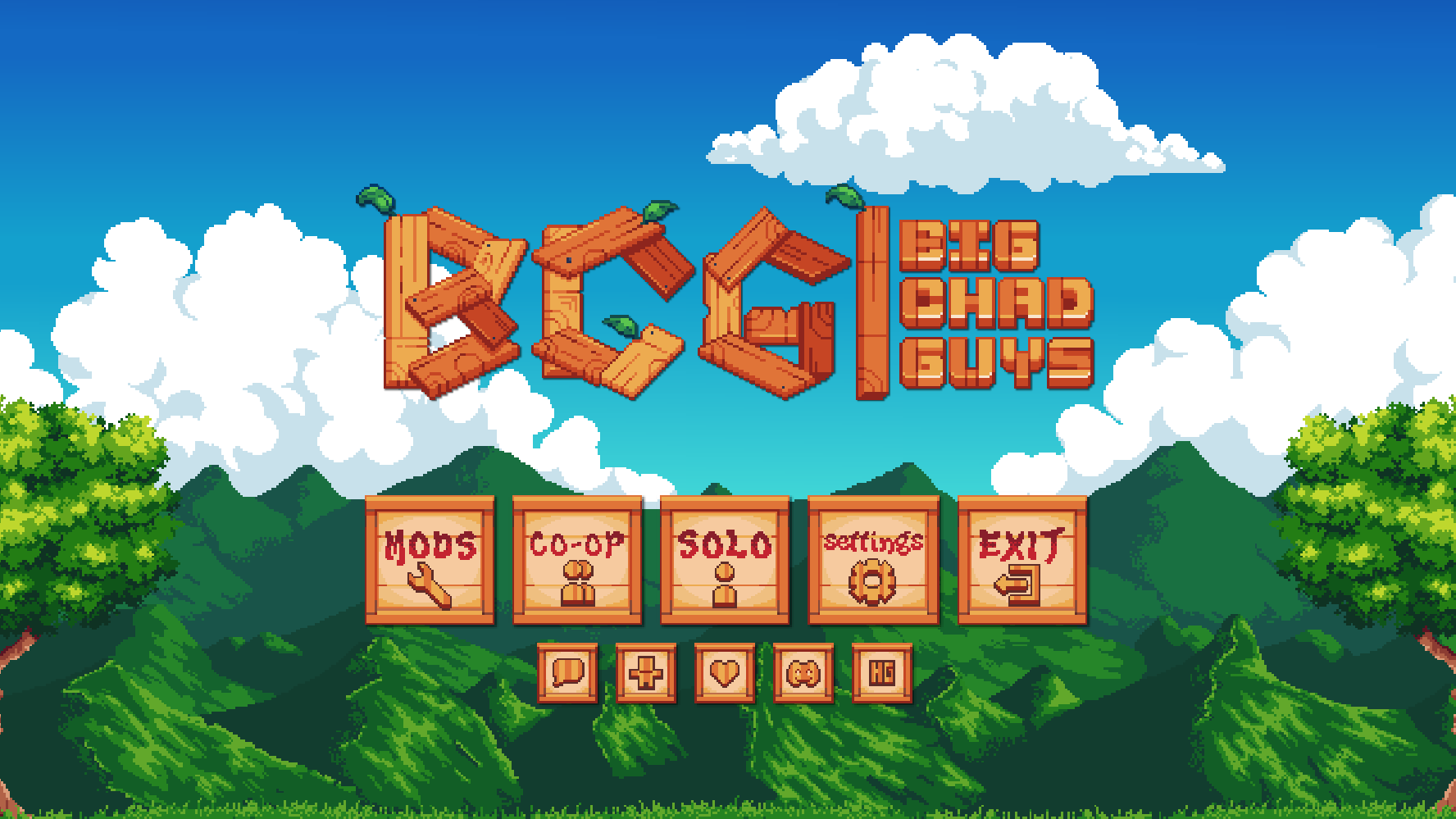
Stardew Valley meets Pokémon! Prepare for a cozy adventure with built-in shaders, multiplayer, quests, recipes, and more!
Screenshots
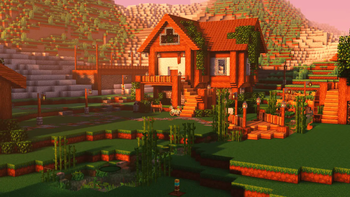
Über dieses Modpack
✨ Need a server? Choose ****! ✨
💞 Use code BIGCHADGUYS for 25% off your first month! 💞

✨ Think Stardew Valley with Pokémon! ✨
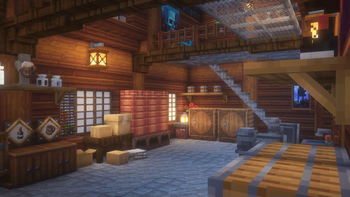
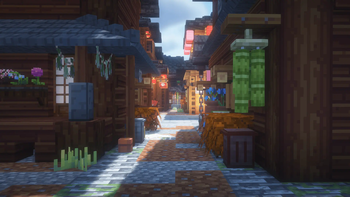
BigChadGuys Plus is a comfy and cozy Cobblemon adventure, inspired by the idea of everyday life with Pokémon. Hop into a beautiful world. Explore hundreds of decorations, from typewriters to televisions to toilets. Race your friends in planes, trains, and automobiles. Expand your diet with a huge variety of farming and cooking mods. Sell your crops and mob drops in the Selling Bin! And buy rare and unique items in the Daily Shop! BCG+ follows a progression system like Vanilla Minecraft, offering familiarity with exciting new twists.

✨ Wecommended Dedotated WAM: 6GB to 8GB for sublime performance!
✨ Beautiful World Generation: Powered by Terralith.
✨ Built-in Shaders: Experience beautiful visuals with custom Complementary.
✨ Engaging Quests: Jump into our comprehensive questing system that challenges you at every turn!
✨ Single/Multi-Player Economy: Navigate a unique economy with our custom Daily Shop and Selling Bin. Embrace your inner capitalist—build expansive farms to fuel your endless pursuit of knick-knacks and trinkets.
✨ Planes, Trains, and Automobiles: Explore an extensive collection of vehicles and travel in style! Never worry about being late again—and hey, now you've got the perfect reason to build that parking lot you've always wanted.
✨ New Decor Galore: Dive into a treasure trove of decorations! With hundreds of options, you'll constantly be surprised, thinking, No way, they have that too?!
✨ Fresh Take on Farming & Cooking: Get ready to explore an expanded world of culinary adventures! With a vast array of ingredients, the possibilities are endless—from crafting sushi rolls to baking pizzas, even whipping up a bacon sandwich. You'll never tire of cooking up something new!


A special thank you to the following authors for allowing redistribution outside of CurseForge:
CicadaBluw
Draylar1
MrCrayfish
nicky__21
someaddon
- Clickable Advancements
- Connectivity
- Cupboard
- Farsight
- Fix GPU Memory Leak
- Loot Integrations
- Recipe Essentials
- Savage Ender Dragon
- Structure Essentials
Stardust Labs

Verfügbare Versionen
BigChadGuys Plus Server einrichten
Server bestellen
Wähle mindestens 6 GB RAM (8 GB empfohlen für BigChadGuys Plus). Je nach Spieleranzahl: +1 GB pro 5 Spieler.
Modpack im Dashboard installieren
Öffne den Modpack-Browser im Dashboard, suche nach "BigChadGuys Plus" und klicke "Installieren". Der fabric-Loader und Minecraft 1.20.1 werden automatisch konfiguriert.
Server starten & spielen
Starte den Server – alle Mods werden automatisch geladen. Teile die Server-IP mit Freunden und spielt zusammen!
Häufige Fragen
BigChadGuys Plus Server crasht oder startet nicht – was tun?
Häufigste Ursachen: zu wenig RAM oder falscher fabric-Loader. Prüfe latest.log auf "OutOfMemoryError" → erhöhe RAM auf mindestens 8 GB. Bei "Mixin" oder "ClassNotFoundException": Modpack-Version und Loader stimmen nicht überein. Bei Mado Hosting werden Loader und Minecraft-Version beim Modpack-Install automatisch konfiguriert – das verhindert die meisten Startprobleme.
Wie viel RAM braucht ein BigChadGuys Plus Server wirklich?
Minimum 6 GB, empfohlen 8 GB für stabile Performance. +1 GB pro 5 Spieler. Wichtig: Minecraft-Modpacks brauchen mehr RAM als Vanilla – plane pro zusätzlichem Spieler extra ein. Bei Mado Hosting kannst du den RAM jederzeit live hochskalieren, ohne Datenverlust (ab €7.800000000000001/Monat).
Kann ich eigene Mods zu BigChadGuys Plus hinzufügen, ohne Konflikte?
Ja, aber achte auf die Kompatibilität: Nutze nur Mods für den gleichen Loader (fabric) und die gleiche Minecraft-Version (1.20.1). Häufige Probleme: ID-Konflikte bei Rezept-Mods und inkompatible Coremod-Versionen. Im Mado Dashboard zeigt der Mod-Browser nur kompatible Mods an und warnt bei bekannten Konflikten.
BigChadGuys Plus Server laggt – Performance-Tipps
1) RAM auf 8 GB+ erhöhen. 2) Server-View-Distance auf 8 reduzieren (server.properties). 3) Pre-Generiere Chunks mit dem "Chunky" Plugin. 4) Prüfe mit /spark profiler welche Mods die meiste Tick-Time verbrauchen. Bei Mado Hosting laufen alle Server auf NVMe-SSDs mit dedizierten CPU-Kernen – das eliminiert Hardware als Engpass.
Ähnliche Modpacks
![Cobblemon Official Modpack [Fabric]](https://cdn.modrinth.com/data/5FFgwNNP/e7f9ee2e9d361623847853fe2ddce42f519ee64f.png)
![COBBLEVERSE - Pokemon Adventure [Cobblemon]](https://cdn.modrinth.com/data/Jkb29YJU/581ecf54530972afb18a04660afd820f2f24f6c7.png)
![Better MC [FABRIC] - BMC2](https://cdn.modrinth.com/data/shFhR8Vx/a19c2bcb51d38f32f138d3607e91cb2b7b8e387f_96.webp)


![Better MC [FORGE] - BMC4](https://cdn.modrinth.com/data/4BV47HRn/7f5ef7cc61b2593609aabef3ed07a866a4f11b73_96.webp)
BigChadGuys Plus Server mieten
Starte deinen eigenen Server mit automatischer Modpack-Installation.
Details
- Lizenz
- LicenseRef-All-Rights-Reserved
- Server-seitig
- Erforderlich
- Client-seitig
- Erforderlich
Unterstützte Versionen
Starte deinen BigChadGuys Plus Server jetzt
Ab €7.80/Monat; für die beste Performance werden 8 GB RAM empfohlen.
Server konfigurieren →