
BeyondBerk 2
Train your dragons and take to the skies to be the best dragon trainer!
Über dieses Modpack
Soar the skies on your very own Dragon inspired by How To Train Your Dragon!
BeyondBerk 2 is the successor modpack for the original BeyondBerk, built for Minecraft 1.18.2- hours and hours worth of gameplay to explore, through taming your very own Dragon, to exploring dungeons and completing quests. PVP not your style? You can explore farming, building amazing builds with the integration of amazing building style mods!
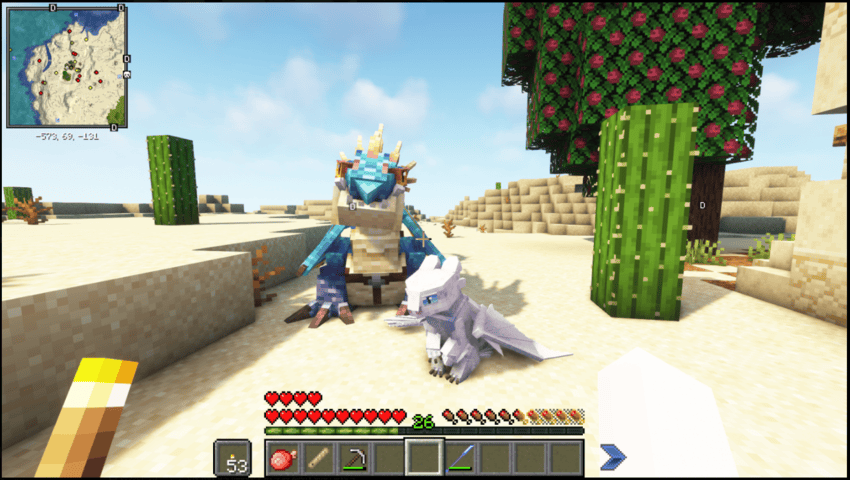
Tame HTTYD inspired Dragons!
- There are hundereds of Dragon Variants to find and tame as your own, plus many Dragon Breeds too- some are hostile while others look at you as their next snack!
- Breed Dragons to have a nursery of babies nipping at your ankles waiting for their next feed, learning how to fly and to play.
- Don't worry about how long you can fly, these lizards never run out of stamina and can take you all over Berk- be mindful as they are like big cats and love a good fuss too.
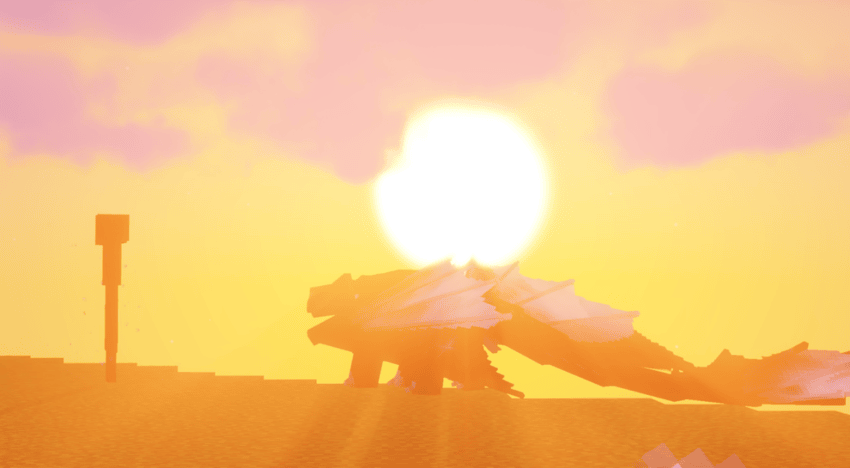
Take on Dungeons and Dragon Hunter Ships!
- Scattered across the world you will find dungeons and Dragon Hunters waiting for you to explore and conquer.
- Find Dragon Proof Egg Crates in ships guarded by the Hunters to find your next rare partner.
- Find high tiered loot scattered through dungeons to claim as your own.
Many more features include:
- Viking enemies to battle.
- Create: To build mechanical builds.
- Tinkers Construct: Build that Gobbers blacksmith you dreamt off.
- Overhauled Villages.
- Skill Trees: Explore and upgrade your skill tree to unlock new stats!
- And Many More...
BeyondBerk 2 has it's very own server, simply just install the modpack and the server is already preloaded- just hit multiplayer and come and join BeyondBerk!
IP : beyondberk2.mcserver.us

Need support or want to join the community? Join the discord above to get started!
All rights are reserved to BeyondBerk, you are not allowed to use this modpack in a different server other than the official BeyondBerk Server- failure to comply will be in breach of copyright.
!
Verfügbare Versionen
BeyondBerk 2 Server einrichten
Server bestellen
Wähle mindestens 6 GB RAM (8 GB empfohlen für BeyondBerk 2). Je nach Spieleranzahl: +1 GB pro 5 Spieler.
Modpack im Dashboard installieren
Öffne den Modpack-Browser im Dashboard, suche nach "BeyondBerk 2" und klicke "Installieren". Der forge-Loader und Minecraft 1.18.2 werden automatisch konfiguriert.
Server starten & spielen
Starte den Server – alle Mods werden automatisch geladen. Teile die Server-IP mit Freunden und spielt zusammen!
Häufige Fragen
BeyondBerk 2 Server crasht oder startet nicht – was tun?
Häufigste Ursachen: zu wenig RAM oder falscher forge-Loader. Prüfe latest.log auf "OutOfMemoryError" → erhöhe RAM auf mindestens 8 GB. Bei "Mixin" oder "ClassNotFoundException": Modpack-Version und Loader stimmen nicht überein. Bei Mado Hosting werden Loader und Minecraft-Version beim Modpack-Install automatisch konfiguriert – das verhindert die meisten Startprobleme.
Wie viel RAM braucht ein BeyondBerk 2 Server wirklich?
Minimum 6 GB, empfohlen 8 GB für stabile Performance. +1 GB pro 5 Spieler. Wichtig: Minecraft-Modpacks brauchen mehr RAM als Vanilla – plane pro zusätzlichem Spieler extra ein. Bei Mado Hosting kannst du den RAM jederzeit live hochskalieren, ohne Datenverlust (ab €7.800000000000001/Monat).
Kann ich eigene Mods zu BeyondBerk 2 hinzufügen, ohne Konflikte?
Ja, aber achte auf die Kompatibilität: Nutze nur Mods für den gleichen Loader (forge) und die gleiche Minecraft-Version (1.18.2). Häufige Probleme: ID-Konflikte bei Rezept-Mods und inkompatible Coremod-Versionen. Im Mado Dashboard zeigt der Mod-Browser nur kompatible Mods an und warnt bei bekannten Konflikten.
BeyondBerk 2 Server laggt – Performance-Tipps
1) RAM auf 8 GB+ erhöhen. 2) Server-View-Distance auf 8 reduzieren (server.properties). 3) Pre-Generiere Chunks mit dem "Chunky" Plugin. 4) Prüfe mit /spark profiler welche Mods die meiste Tick-Time verbrauchen. Bei Mado Hosting laufen alle Server auf NVMe-SSDs mit dedizierten CPU-Kernen – das eliminiert Hardware als Engpass.
Ähnliche Modpacks
![Cobblemon Official Modpack [Fabric]](https://cdn.modrinth.com/data/5FFgwNNP/e7f9ee2e9d361623847853fe2ddce42f519ee64f.png)
![COBBLEVERSE - Pokemon Adventure [Cobblemon]](https://cdn.modrinth.com/data/Jkb29YJU/581ecf54530972afb18a04660afd820f2f24f6c7.png)
![Better MC [FABRIC] - BMC2](https://cdn.modrinth.com/data/shFhR8Vx/a19c2bcb51d38f32f138d3607e91cb2b7b8e387f_96.webp)


![Better MC [FORGE] - BMC4](https://cdn.modrinth.com/data/4BV47HRn/7f5ef7cc61b2593609aabef3ed07a866a4f11b73_96.webp)
BeyondBerk 2 Server mieten
Starte deinen eigenen Server mit automatischer Modpack-Installation.
Details
- Lizenz
- LicenseRef-All-Rights-Reserved
- Server-seitig
- Erforderlich
- Client-seitig
- Nicht unterstützt
Unterstützte Versionen
Starte deinen BeyondBerk 2 Server jetzt
Ab €7.80/Monat; für die beste Performance werden 8 GB RAM empfohlen.
Server konfigurieren →