
Blood on the Clocktower
A made-for-Minecraft implementation of Steven Medway's Blood on the Clocktower.
Screenshots
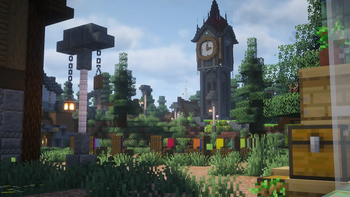
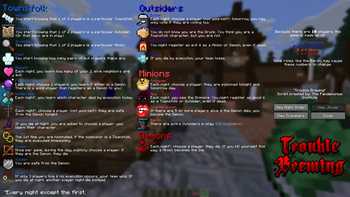
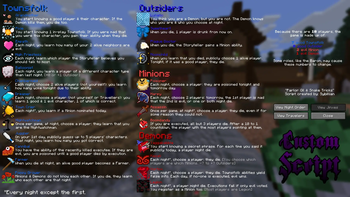
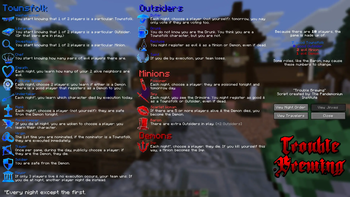
Über dieses Modpack

From The Pandemonium Institute:
In the quiet village of Ravenswood Bluff a demon walks amongst you, killing by night and disguised in human form by day. Will the good townsfolk put the puzzle together in time to execute the true demon, or will evil overrun this once peaceful village?
In Blood on the Clocktower dead players are never eliminated, every player knows something that can impact the outcome, players may enter a game after it starts, the Storyteller may give misinformation to players who are 'drunk' or 'poisoned', and the dynamic Storyteller role leads each game to a nail-biting outcome. No two games are ever the same and death is not the end...
"Clocktower" is a social deduction game that will remind you of games like Werewolf or Town of Salem. This modpack is an implementation of the game's mechanics, making it convenient to play with your friends in Minecraft.
How to Play:
The game rulebook can be found here.
‼️Installation
Adding this modpack to your server is slightly more involved than a regular modpack, and has changed in version v1.6.0! The Wiki's page on installing it can be found here, and on the sidebar you'll also find highly useful guides on running a game using the pack. Please feel free to pop into our Discord if you have any additional questions or issues!
Issues and Suggestions:
You can find a comprehensive list of known bugs, missing features, and planned QoL on the project's Issues page. Please submit any bugs here!
Credits:
- Blood on the Clocktower by The Pandemonium Instutute.
- Default character icons by tomozbot.
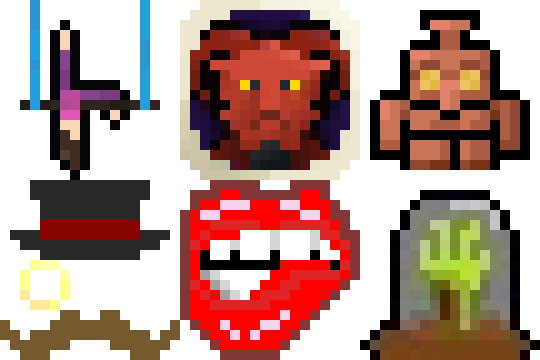
- Pixel icons for every single character in the game made by our Discord community. Thank you so much!

Verfügbare Versionen
Blood on the Clocktower Server einrichten
Server bestellen
Wähle mindestens 4 GB RAM (6 GB empfohlen für Blood on the Clocktower). Je nach Spieleranzahl: +1 GB pro 8 Spieler.
Modpack im Dashboard installieren
Öffne den Modpack-Browser im Dashboard, suche nach "Blood on the Clocktower" und klicke "Installieren". Der fabric-Loader und Minecraft 1.21.11 werden automatisch konfiguriert.
Server starten & spielen
Starte den Server – alle Mods werden automatisch geladen. Teile die Server-IP mit Freunden und spielt zusammen!
Häufige Fragen
Blood on the Clocktower Server crasht oder startet nicht – was tun?
Häufigste Ursachen: zu wenig RAM oder falscher fabric-Loader. Prüfe latest.log auf "OutOfMemoryError" → erhöhe RAM auf mindestens 6 GB. Bei "Mixin" oder "ClassNotFoundException": Modpack-Version und Loader stimmen nicht überein. Bei Mado Hosting werden Loader und Minecraft-Version beim Modpack-Install automatisch konfiguriert – das verhindert die meisten Startprobleme.
Wie viel RAM braucht ein Blood on the Clocktower Server wirklich?
Minimum 4 GB, empfohlen 6 GB für stabile Performance. +1 GB pro 8 Spieler. Wichtig: Minecraft-Modpacks brauchen mehr RAM als Vanilla – plane pro zusätzlichem Spieler extra ein. Bei Mado Hosting kannst du den RAM jederzeit live hochskalieren, ohne Datenverlust (ab €5.2/Monat).
Kann ich eigene Mods zu Blood on the Clocktower hinzufügen, ohne Konflikte?
Ja, aber achte auf die Kompatibilität: Nutze nur Mods für den gleichen Loader (fabric) und die gleiche Minecraft-Version (1.21.11). Häufige Probleme: ID-Konflikte bei Rezept-Mods und inkompatible Coremod-Versionen. Im Mado Dashboard zeigt der Mod-Browser nur kompatible Mods an und warnt bei bekannten Konflikten.
Blood on the Clocktower Server laggt – Performance-Tipps
1) RAM auf 6 GB+ erhöhen. 2) Server-View-Distance auf 8 reduzieren (server.properties). 3) Pre-Generiere Chunks mit dem "Chunky" Plugin. 4) Prüfe mit /spark profiler welche Mods die meiste Tick-Time verbrauchen. Bei Mado Hosting laufen alle Server auf NVMe-SSDs mit dedizierten CPU-Kernen – das eliminiert Hardware als Engpass.
Ähnliche Modpacks


![Cobblemon Official Modpack [Fabric]](https://cdn.modrinth.com/data/5FFgwNNP/e7f9ee2e9d361623847853fe2ddce42f519ee64f.png)
![COBBLEVERSE - Pokemon Adventure [Cobblemon]](https://cdn.modrinth.com/data/Jkb29YJU/581ecf54530972afb18a04660afd820f2f24f6c7.png)

![Better MC [FABRIC] - BMC2](https://cdn.modrinth.com/data/shFhR8Vx/a19c2bcb51d38f32f138d3607e91cb2b7b8e387f_96.webp)
Blood on the Clocktower Server mieten
Starte deinen eigenen Server mit automatischer Modpack-Installation.
Details
- Lizenz
- GNU General Public License v3.0 or later
- Server-seitig
- Erforderlich
- Client-seitig
- Erforderlich
Unterstützte Versionen
Starte deinen Blood on the Clocktower Server jetzt
Ab €5.20/Monat; für die beste Performance werden 6 GB RAM empfohlen.
Server konfigurieren →