
Boostify
Boostify is a lightweight Minecraft modpack that boosts performance while keeping the vanilla experience.
Screenshots
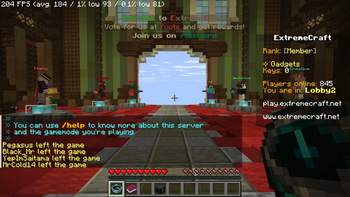
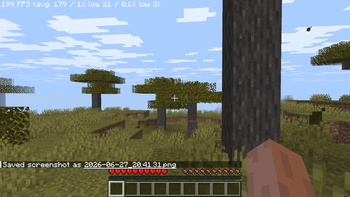
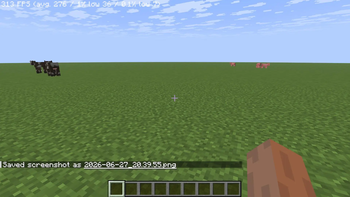
Über dieses Modpack
🚀 Boostify: The Pinnacle of Minecraft Performance
The Ultimate FPS-Boosting Modpack for Smooth, Lag-Free Gameplay
🔥 Why Choose Boostify?
✅ Unmatched Performance 🚀 – Experience supersonic frame rates and ultra-responsive gameplay, even in the most demanding situations.
✅ Instant World Loading ⚡ – Load into worlds in seconds, without lag or frustrating stutters.
✅ Optimized for Low-End PCs 💻 – Runs smoothly on all systems, from budget laptops to high-end setups.
✅ Vanilla-Friendly Enhancements 🎨 – Enjoy stunning visuals while keeping Minecraft’s original feel intact.
✅ Easy Installation & Seamless Compatibility 🔧 – Download from Modrinth and start playing instantly—no complicated setup required.
🎮 Best Video Settings for FPS
| Setting | 💎 High Graphics (Best Visuals, Lower FPS) | ⚖️ Recommended (Balanced Performance) | ⚡ Maximum FPS (For Low-End PCs) |
|---|---|---|---|
| Graphics | Fancy / Fabulous | Fast | Fast |
| Render Distance | 12-16 Chunks | 8-10 Chunks | 4-6 Chunks |
| Simulation Distance | 8+ Chunks | 6 Chunks | 4 Chunks |
| Smooth Lighting | Maximum | Minimum | Off |
| Dynamic Lights | Fancy | Fast | Off |
| Shadows | On | Off | Off |
| Particles | All | Decreased | Minimal |
| V-Sync | On | Off | Off |
| Max Framerate | 120 FPS | Unlimited | Unlimited |
| Entity Distance | 100% | 75% | 50% |
| Clouds | Fancy | Fast | Off |
| Mipmap Levels | 4 (Max) | 2 | 0 (Off) |
| Biome Blend | 15x15 | 5x5 | Off |
| Fullscreen | On | On | On |
| FOV Effects & Distortion | 100% | 75% | 50% |
📌 Click to expand: Extra Optimization Tips ⬇️
💡 Pro Tips for Maximum FPS
✔ Allocate 6-8GB RAM (Modded) or 4-6GB (Vanilla)
✔ Close background apps (Chrome, Discord, etc.)
✔ Use Low-Resolution Texture Packs (16x or 8x)
✔ Update GPU Drivers Regularly
✔ Enable Performance-Boosting Mods in Boostify
🌐 Compatibility & Installation
🔹 Supports Fabric & Forge & Now in NeoForge
🔹 Works on the latest Minecraft versions
🔹 Modrinth Exclusive – Download & install with just one click!
🎯 Inspired by Remarkably Optimized, but even better!
💬 Need help? Join our Discord for support and updates!
🔗 More Awesome Mods
Looking for more? Check out:
🔹 Action-HUD
Verfügbare Versionen
Boostify Server einrichten
Server bestellen
Wähle mindestens 6 GB RAM (8 GB empfohlen für Boostify). Je nach Spieleranzahl: +1 GB pro 5 Spieler.
Modpack im Dashboard installieren
Öffne den Modpack-Browser im Dashboard, suche nach "Boostify" und klicke "Installieren". Der fabric-Loader und Minecraft 26.3 werden automatisch konfiguriert.
Server starten & spielen
Starte den Server – alle Mods werden automatisch geladen. Teile die Server-IP mit Freunden und spielt zusammen!
Häufige Fragen
Boostify Server crasht oder startet nicht – was tun?
Häufigste Ursachen: zu wenig RAM oder falscher fabric-Loader. Prüfe latest.log auf "OutOfMemoryError" → erhöhe RAM auf mindestens 8 GB. Bei "Mixin" oder "ClassNotFoundException": Modpack-Version und Loader stimmen nicht überein. Bei Mado Hosting werden Loader und Minecraft-Version beim Modpack-Install automatisch konfiguriert – das verhindert die meisten Startprobleme.
Wie viel RAM braucht ein Boostify Server wirklich?
Minimum 6 GB, empfohlen 8 GB für stabile Performance. +1 GB pro 5 Spieler. Wichtig: Minecraft-Modpacks brauchen mehr RAM als Vanilla – plane pro zusätzlichem Spieler extra ein. Bei Mado Hosting kannst du den RAM jederzeit live hochskalieren, ohne Datenverlust (ab €7.800000000000001/Monat).
Kann ich eigene Mods zu Boostify hinzufügen, ohne Konflikte?
Ja, aber achte auf die Kompatibilität: Nutze nur Mods für den gleichen Loader (fabric) und die gleiche Minecraft-Version (26.3). Häufige Probleme: ID-Konflikte bei Rezept-Mods und inkompatible Coremod-Versionen. Im Mado Dashboard zeigt der Mod-Browser nur kompatible Mods an und warnt bei bekannten Konflikten.
Boostify Server laggt – Performance-Tipps
1) RAM auf 8 GB+ erhöhen. 2) Server-View-Distance auf 8 reduzieren (server.properties). 3) Pre-Generiere Chunks mit dem "Chunky" Plugin. 4) Prüfe mit /spark profiler welche Mods die meiste Tick-Time verbrauchen. Bei Mado Hosting laufen alle Server auf NVMe-SSDs mit dedizierten CPU-Kernen – das eliminiert Hardware als Engpass.
Ähnliche Modpacks

![Cobblemon Official Modpack [Fabric]](https://cdn.modrinth.com/data/5FFgwNNP/e7f9ee2e9d361623847853fe2ddce42f519ee64f.png)
![COBBLEVERSE - Pokemon Adventure [Cobblemon]](https://cdn.modrinth.com/data/Jkb29YJU/581ecf54530972afb18a04660afd820f2f24f6c7.png)
![Better MC [FABRIC] - BMC2](https://cdn.modrinth.com/data/shFhR8Vx/a19c2bcb51d38f32f138d3607e91cb2b7b8e387f_96.webp)


Boostify Server mieten
Starte deinen eigenen Server mit automatischer Modpack-Installation.
Unterstützte Versionen
Starte deinen Boostify Server jetzt
Ab €7.80/Monat; für die beste Performance werden 8 GB RAM empfohlen.
Server konfigurieren →