Cabricality
A Create centered challengable modpack inspired by 'Create: Above and Beyond'.
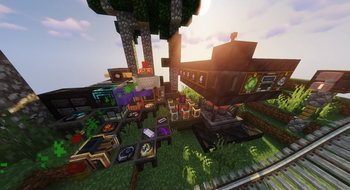
Screenshots
Über dieses Modpack
Please Install FTB Library | FTB Quests | FTB Teams | Quests Additions Manually!
Having problems? Feel free to check Cabricality Wiki!
Want to play with your friends? Get the server pack here!
Cabricality
Cabricality is a Create centered challengable Minecraft Modpack for Quilt 1.18.2.
With Cabricality, you can follow the quests and build your own factory along with Create and Industrial Revolution. From shoveling clays under valleys to voyaging inside space stations, you can develop the technologies diversely as you want.
Cabricality is inspired by Create: Above and Beyond, but reimplemented on the base of the original pack. Welcome, challenger, we hope you to enjoy our work!
Features
Thread Basing
As a technical modpack, Cabricality has a main thread of technology developments. Aside from it, there are sub threads of unnecessary technologies.
The well-described quests will surely set you up goals before every tech term. Don't worry, with us, you will be neither stressed out nor puzzled.
Quest Helpers
Lying on the left of the quest page, Overview is where you can unlock and review all the chapters and milestones at a glance. Every chapter has its unique assembly lines, and brand-new adventures.
Well, quests are just helpful tools we have prepared for you. It's absolutely at your will to choose to experience the pack in your own way!
Automata Era
Nearly all machine necessities are automatable. It may be painful to reasonably divide the occupied area and functions of machinery, but as the old saying goes, no pains no gains. After all, you'll be able to unlock milestones and have encompassing visions of your magnificent factory!
Trading Wonders
You will have the ability to produce trade stations when brass supply is sufficient. When you plug the precise instrument on with adequate energy, it roars. With the help of trade cards and profession cards, some rarely seen materials could be exchanged by coins, and the process can also be reversed. Ah, my precious!
The system is poorly needed during the produce of enderium materials. The queer material born in anotherland, combines silver coins in a mysterious way. If you aren't an alchemist, the only way to obtain them is through trade.
Chaotic Alchemies
Substrates caged in glass jars break into pieces of treasure at the presence of an alchemist. You can do it too! Infuse dusts to molten glass yields substrates, and after mixing and smelting and the help of catalysts, matters manufacture matters. It's magic!
Catalysts aren't that easy to obtain. Struct a laser emitter and let the particle ray combine right substrates into exact catalysts. The recipe is randomly different between worlds, so excite yourself to find the right ones!
Space Exploring
You might leave behind quests by landing on the moon, but your story never ends. Ad Astra! made exploring other planets and galaxies possible, what's more, you can build your space stations outside atmospheres!
Deeper adventure awaits, don't stop, Hitch Hiker!
Verfügbare Versionen
Cabricality Server einrichten
Server bestellen
Wähle mindestens 6 GB RAM (8 GB empfohlen für Cabricality). Je nach Spieleranzahl: +1 GB pro 5 Spieler.
Modpack im Dashboard installieren
Öffne den Modpack-Browser im Dashboard, suche nach "Cabricality" und klicke "Installieren". Der quilt-Loader und Minecraft 1.18.2 werden automatisch konfiguriert.
Server starten & spielen
Starte den Server – alle Mods werden automatisch geladen. Teile die Server-IP mit Freunden und spielt zusammen!
Häufige Fragen
Cabricality Server crasht oder startet nicht – was tun?
Häufigste Ursachen: zu wenig RAM oder falscher quilt-Loader. Prüfe latest.log auf "OutOfMemoryError" → erhöhe RAM auf mindestens 8 GB. Bei "Mixin" oder "ClassNotFoundException": Modpack-Version und Loader stimmen nicht überein. Bei Mado Hosting werden Loader und Minecraft-Version beim Modpack-Install automatisch konfiguriert – das verhindert die meisten Startprobleme.
Wie viel RAM braucht ein Cabricality Server wirklich?
Minimum 6 GB, empfohlen 8 GB für stabile Performance. +1 GB pro 5 Spieler. Wichtig: Minecraft-Modpacks brauchen mehr RAM als Vanilla – plane pro zusätzlichem Spieler extra ein. Bei Mado Hosting kannst du den RAM jederzeit live hochskalieren, ohne Datenverlust (ab €7.800000000000001/Monat).
Kann ich eigene Mods zu Cabricality hinzufügen, ohne Konflikte?
Ja, aber achte auf die Kompatibilität: Nutze nur Mods für den gleichen Loader (quilt) und die gleiche Minecraft-Version (1.18.2). Häufige Probleme: ID-Konflikte bei Rezept-Mods und inkompatible Coremod-Versionen. Im Mado Dashboard zeigt der Mod-Browser nur kompatible Mods an und warnt bei bekannten Konflikten.
Cabricality Server laggt – Performance-Tipps
1) RAM auf 8 GB+ erhöhen. 2) Server-View-Distance auf 8 reduzieren (server.properties). 3) Pre-Generiere Chunks mit dem "Chunky" Plugin. 4) Prüfe mit /spark profiler welche Mods die meiste Tick-Time verbrauchen. Bei Mado Hosting laufen alle Server auf NVMe-SSDs mit dedizierten CPU-Kernen – das eliminiert Hardware als Engpass.
Ähnliche Modpacks

![Cobblemon Official Modpack [Fabric]](https://cdn.modrinth.com/data/5FFgwNNP/e7f9ee2e9d361623847853fe2ddce42f519ee64f.png)
![COBBLEVERSE - Pokemon Adventure [Cobblemon]](https://cdn.modrinth.com/data/Jkb29YJU/581ecf54530972afb18a04660afd820f2f24f6c7.png)
![Better MC [FABRIC] - BMC2](https://cdn.modrinth.com/data/shFhR8Vx/a19c2bcb51d38f32f138d3607e91cb2b7b8e387f_96.webp)


Cabricality Server mieten
Starte deinen eigenen Server mit automatischer Modpack-Installation.
Details
- Lizenz
- GNU General Public License v3.0 only
- Server-seitig
- Erforderlich
- Client-seitig
- Erforderlich
Unterstützte Versionen
Starte deinen Cabricality Server jetzt
Ab €7.80/Monat; für die beste Performance werden 8 GB RAM empfohlen.
Server konfigurieren →