
Cacimbinhas Approved Bingo
A modpack that allows players to play bingo in Minecraft, with a huge focus on optimization and utilities.
Screenshots
Über dieses Modpack
This modpack is intended for multiplayer purposes, but it can be fun to play alone as a challenge.
Bingo
It uses the YetAnotherBingo mod to generate a bingo chart that the players must fight to complete. It allows for up to 8 players and many customizations, such as:
- Time limit
- Lockout mode
- Objectives (X lines, X items, whole card)
- Select the difficulty of items to catch based on an item tier list
- Start with some perks
- Spawn distant between teams
- And much more.
The mod also comes with a pre-built lobby that allows players to configure the bingo the way they deem it best.
Optimization
This modpack comes with a handful of optimization mods, such as:
- Sodium (and Sodium Extra)
- Lithium
- Indium
- Entity Culling
- FerriteCore
- ImmediatelyFast
- Dynamic FPS
- More Culling
- Clumps
- And much more.
All designed to improve on the optimization of the modpack in all fronts, be it rendering, logic, memory usage, resource usage, etc.
Utilities
The modpack also has some mods incorporated for utility purposes, such as:
- AppleSkin (Food HUD improvement)
- BetterF3 (Cleaner F3 screen)
- Food Effect Tooltips (More information about the food)
- Jade (Information about the block you're looking at)
- JourneyMap (Minimap)
- Just Enough Items (Crafting recipes for items)
- Mod Menu (Enables quick access to mod configs)
- Mouse Tweeks (Enhances inventory management)
- Status Effect Bars (Better active effects HUD)
- Zoomify (Zoom).
Graphics
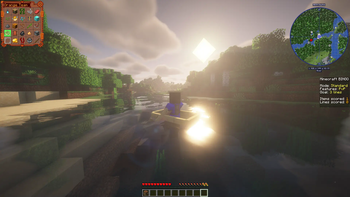
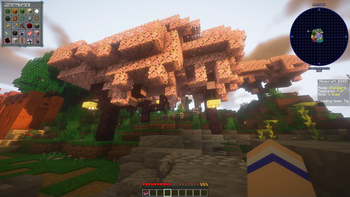
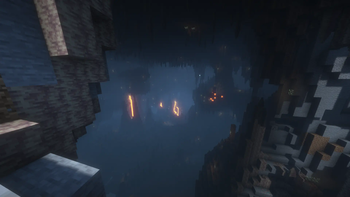
Even though this isn't the focus of the modpack, it comes with Iris and a pre-installed shader pack, aimed at making the lighting and overall feel of Minecraft a bit better. It also makes use of the Dynamic Lights mod to make the whole thing come alive better, allowing items and blocks, such as torches, to interact with the light in a better and smoother way.
Verfügbare Versionen
Cacimbinhas Approved Bingo Server einrichten
Server bestellen
Wähle mindestens 4 GB RAM (6 GB empfohlen für Cacimbinhas Approved Bingo). Je nach Spieleranzahl: +1 GB pro 8 Spieler.
Modpack im Dashboard installieren
Öffne den Modpack-Browser im Dashboard, suche nach "Cacimbinhas Approved Bingo" und klicke "Installieren". Der fabric-Loader und Minecraft 1.20.6 werden automatisch konfiguriert.
Server starten & spielen
Starte den Server – alle Mods werden automatisch geladen. Teile die Server-IP mit Freunden und spielt zusammen!
Häufige Fragen
Cacimbinhas Approved Bingo Server crasht oder startet nicht – was tun?
Häufigste Ursachen: zu wenig RAM oder falscher fabric-Loader. Prüfe latest.log auf "OutOfMemoryError" → erhöhe RAM auf mindestens 6 GB. Bei "Mixin" oder "ClassNotFoundException": Modpack-Version und Loader stimmen nicht überein. Bei Mado Hosting werden Loader und Minecraft-Version beim Modpack-Install automatisch konfiguriert – das verhindert die meisten Startprobleme.
Wie viel RAM braucht ein Cacimbinhas Approved Bingo Server wirklich?
Minimum 4 GB, empfohlen 6 GB für stabile Performance. +1 GB pro 8 Spieler. Wichtig: Minecraft-Modpacks brauchen mehr RAM als Vanilla – plane pro zusätzlichem Spieler extra ein. Bei Mado Hosting kannst du den RAM jederzeit live hochskalieren, ohne Datenverlust (ab €5.2/Monat).
Kann ich eigene Mods zu Cacimbinhas Approved Bingo hinzufügen, ohne Konflikte?
Ja, aber achte auf die Kompatibilität: Nutze nur Mods für den gleichen Loader (fabric) und die gleiche Minecraft-Version (1.20.6). Häufige Probleme: ID-Konflikte bei Rezept-Mods und inkompatible Coremod-Versionen. Im Mado Dashboard zeigt der Mod-Browser nur kompatible Mods an und warnt bei bekannten Konflikten.
Cacimbinhas Approved Bingo Server laggt – Performance-Tipps
1) RAM auf 6 GB+ erhöhen. 2) Server-View-Distance auf 8 reduzieren (server.properties). 3) Pre-Generiere Chunks mit dem "Chunky" Plugin. 4) Prüfe mit /spark profiler welche Mods die meiste Tick-Time verbrauchen. Bei Mado Hosting laufen alle Server auf NVMe-SSDs mit dedizierten CPU-Kernen – das eliminiert Hardware als Engpass.
Ähnliche Modpacks


![Cobblemon Official Modpack [Fabric]](https://cdn.modrinth.com/data/5FFgwNNP/e7f9ee2e9d361623847853fe2ddce42f519ee64f.png)
![COBBLEVERSE - Pokemon Adventure [Cobblemon]](https://cdn.modrinth.com/data/Jkb29YJU/581ecf54530972afb18a04660afd820f2f24f6c7.png)

![Better MC [FABRIC] - BMC2](https://cdn.modrinth.com/data/shFhR8Vx/a19c2bcb51d38f32f138d3607e91cb2b7b8e387f_96.webp)
Cacimbinhas Approved Bingo Server mieten
Starte deinen eigenen Server mit automatischer Modpack-Installation.
Unterstützte Versionen
Starte deinen Cacimbinhas Approved Bingo Server jetzt
Ab €5.20/Monat; für die beste Performance werden 6 GB RAM empfohlen.
Server konfigurieren →