
Create CityBuilder
A modpack designed for building a city using Create Mod.
Screenshots
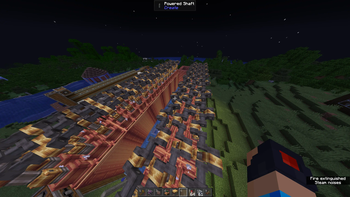
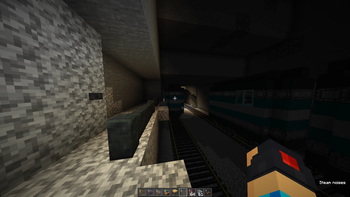
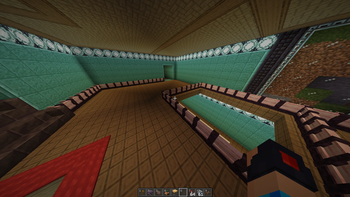
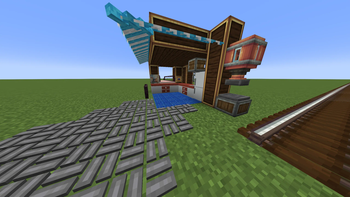
Über dieses Modpack
Create CityBuilder will soon receive a major rework! I am unsure whether this project will be updated under the same name or replaced, so please check this project page frequently for updates. Thank you!
Create CityBuilder is a modpack I made that has Create Mod and Addons, Chipped, and a bunch of SketchMacaw's mods, such as Bridges, Fences and Walls, and Roofs. It also has Essential so you can play with others! Many other optimization mods have been included as well.
Disclaimer: This pack should have at least 4GiB allocated, aka 4096 mebibytes, or what Modrinth uses in the Launcher. When it asks for Java Memory in settings, set it to 4096.
📋 Full Mod List
📚 Mod Libraries
| Mod Name | Author | Versions Implemented | Web Link |
|---|---|---|---|
| Architectury API | shedaniel | 1.3.0+ | Modrinth |
| Athena | CodexAdrian | 1.0.0+ | Modrinth |
| Cloth Config API | shedaniel | 1.0.0+ | Modrinth |
| Collective | Serilum | 1.0.0+ | Modrinth |
| Curios API | TheIllusiveC4👤 | 1.1.0+ | Modrinth |
| Framework | MrCrayfish | 1.0.0+ | Curseforge |
| Resourceful Lib | ThatGravyBoat | 1.0.0+ | Modrinth |
| Sophisticated Core | P3pp3rF1y | 1.1.0+ | Curseforge |
🔧 Create Mod & Extensions
| Mod Name | Author | Versions Implemented | Web Link | Create | simibubi | 1.0.0+ | Modrinth |
|---|---|---|---|
| Create Deco | talrey | 1.6.0+ | Modrinth |
| Create Enchantment Industry | MarbleGateKeeper | 1.0.0+ | Modrinth |
| Create Encased | iglee42 | 1.1.9.0+ | Modrinth |
| Create: Bells & Whistles | lev | 1.2.0+ | Modrinth |
| Create: Interiors | lev | 1.4.0+ | Modrinth |
| Create: Misc and Things | To0pa | 1.5.0+ | Modrinth |
| Create: Steam 'n' Rails | IThundxr | 1.0.0+ | Modrinth |
| Mod Name | Author | Versions Implemented | Web Link |
|---|---|---|---|
| 3D Skin Layers | tr7zw | 1.0.0+ | Modrinth |
| AppleSkin | squeek502 | 1.0.0+ | Modrinth |
| BetterF3 | treyruffy | 1.0.0+ | Modrinth |
| Chipped | Terrarium | 1.0.0+ | Modrinth |
| Croptopia | thethonk | 1.0.0+ | Curseforge |
| Decorative Blocks | lilypuree | 1.3.0+ | Modrinth |
| Embeddium | tr7zw | 1.1.8.0+ | Modrinth |
| Entity Culling | tr7zw | 1.0.0+ | Modrinth |
| ESSENTIAL Mod | SparkUniverse | 1.0.0+ | Modrinth |
| [EMF] Entity Model Features | Traben | 1.7.0+ | Modrinth |
| [ETF] Entity Texture Features | Traben | 1.7.0+ | Modrinth |
| Fast Backups | pcal43 | 1.2.1+ | Modrinth |
| GUI Clock | Serilum | 1.0.0+ | Modrinth |
| ImmediatelyFast | RaphiMC | 1.0.0+ | Modrinth |
| Immersive Paintings | Luke100000 | 1.0.0+ | Modrinth |
| Jade🔍 | Snownee | 1.0.0+ | Modrinth |
| Jade Addons (Forge) | Snownee | 1.0.0+ | Modrinth |
| Just Enough Items (JEI) | mezz | 1.0.0+ | Modrinth |
| Macaw's Bridges | sketchmacaw | 1.0.0+ | Curseforge |
| Macaw's Fences and Walls | sketchmacaw | 1.0.0+ | Curseforge |
| Macaw's Paths and Pavings | sketchmacaw | 1.0.0+ | Modrinth |
| Macaw's Roofs | sketchmacaw | 1.0.0+ | Curseforge |
| MrCrayfish's Furniture Mod | MrCrayfish | 1.0.0+ | Curseforge |
| Oculus | Asek3 | 1.0.0-1.1.8.0 | Modrinth |
| Oculus Flywheel Compat | leon_mout | 1.0.0-1.1.8.0 | Curseforge |
| Potions+ | NameGoesThere | 1.0.0-1.1.9.2a | Modrinth |
| Rubidium | Asek3 | 1.0.0-1.1.8.0 | Modrinth |
| Simple Voice Chat | henkelmax | 1.0.0+ | Modrinth |
| Sophisticated Backpacks | P3pp3rF1y | 1.1.0+ | Curseforge |
| Thirst Was Taken | ghen-git | 1.0.0+ | Modrinth |
| WorldEdit | sk89q | 1.0.0+ | Curseforge |
| WorldEdit CUI (Forge) | Zbx1425 | 1.0.0+ | Modrinth |
Verfügbare Versionen
Create CityBuilder Server einrichten
Server bestellen
Wähle mindestens 6 GB RAM (8 GB empfohlen für Create CityBuilder). Je nach Spieleranzahl: +1 GB pro 5 Spieler.
Modpack im Dashboard installieren
Öffne den Modpack-Browser im Dashboard, suche nach "Create CityBuilder" und klicke "Installieren". Der forge-Loader und Minecraft 1.20.1 werden automatisch konfiguriert.
Server starten & spielen
Starte den Server – alle Mods werden automatisch geladen. Teile die Server-IP mit Freunden und spielt zusammen!
Häufige Fragen
Create CityBuilder Server crasht oder startet nicht – was tun?
Häufigste Ursachen: zu wenig RAM oder falscher forge-Loader. Prüfe latest.log auf "OutOfMemoryError" → erhöhe RAM auf mindestens 8 GB. Bei "Mixin" oder "ClassNotFoundException": Modpack-Version und Loader stimmen nicht überein. Bei Mado Hosting werden Loader und Minecraft-Version beim Modpack-Install automatisch konfiguriert – das verhindert die meisten Startprobleme.
Wie viel RAM braucht ein Create CityBuilder Server wirklich?
Minimum 6 GB, empfohlen 8 GB für stabile Performance. +1 GB pro 5 Spieler. Wichtig: Minecraft-Modpacks brauchen mehr RAM als Vanilla – plane pro zusätzlichem Spieler extra ein. Bei Mado Hosting kannst du den RAM jederzeit live hochskalieren, ohne Datenverlust (ab €7.800000000000001/Monat).
Kann ich eigene Mods zu Create CityBuilder hinzufügen, ohne Konflikte?
Ja, aber achte auf die Kompatibilität: Nutze nur Mods für den gleichen Loader (forge) und die gleiche Minecraft-Version (1.20.1). Häufige Probleme: ID-Konflikte bei Rezept-Mods und inkompatible Coremod-Versionen. Im Mado Dashboard zeigt der Mod-Browser nur kompatible Mods an und warnt bei bekannten Konflikten.
Create CityBuilder Server laggt – Performance-Tipps
1) RAM auf 8 GB+ erhöhen. 2) Server-View-Distance auf 8 reduzieren (server.properties). 3) Pre-Generiere Chunks mit dem "Chunky" Plugin. 4) Prüfe mit /spark profiler welche Mods die meiste Tick-Time verbrauchen. Bei Mado Hosting laufen alle Server auf NVMe-SSDs mit dedizierten CPU-Kernen – das eliminiert Hardware als Engpass.
Ähnliche Modpacks


![Cobblemon Official Modpack [Fabric]](https://cdn.modrinth.com/data/5FFgwNNP/e7f9ee2e9d361623847853fe2ddce42f519ee64f.png)
![COBBLEVERSE - Pokemon Adventure [Cobblemon]](https://cdn.modrinth.com/data/Jkb29YJU/581ecf54530972afb18a04660afd820f2f24f6c7.png)

![Better MC [FABRIC] - BMC2](https://cdn.modrinth.com/data/shFhR8Vx/a19c2bcb51d38f32f138d3607e91cb2b7b8e387f_96.webp)
Create CityBuilder Server mieten
Starte deinen eigenen Server mit automatischer Modpack-Installation.
Unterstützte Versionen
Starte deinen Create CityBuilder Server jetzt
Ab €7.80/Monat; für die beste Performance werden 8 GB RAM empfohlen.
Server konfigurieren →