
Modrinth · Fabric, NeoForge
Cobblemon Clumpy Bros Modpack Server mieten
Dein eigener Cobblemon Clumpy Bros Modpack Server auf AMD Ryzen 9 ohne Thread-Limit. Der Server ist in der Regel unter 60 Sekunden bereit, das Pack installierst du danach mit einem Klick im Modpack-Browser.
Modpack used in the Clumpy Bros Cobblemon series! Fabric and NeoForge versions are available!
- Downloads
- 67.2K
- Follower
- 0
- Loader
- Fabric, NeoForge
- Minecraft
- 1.21.1
- Aktualisiert
- –
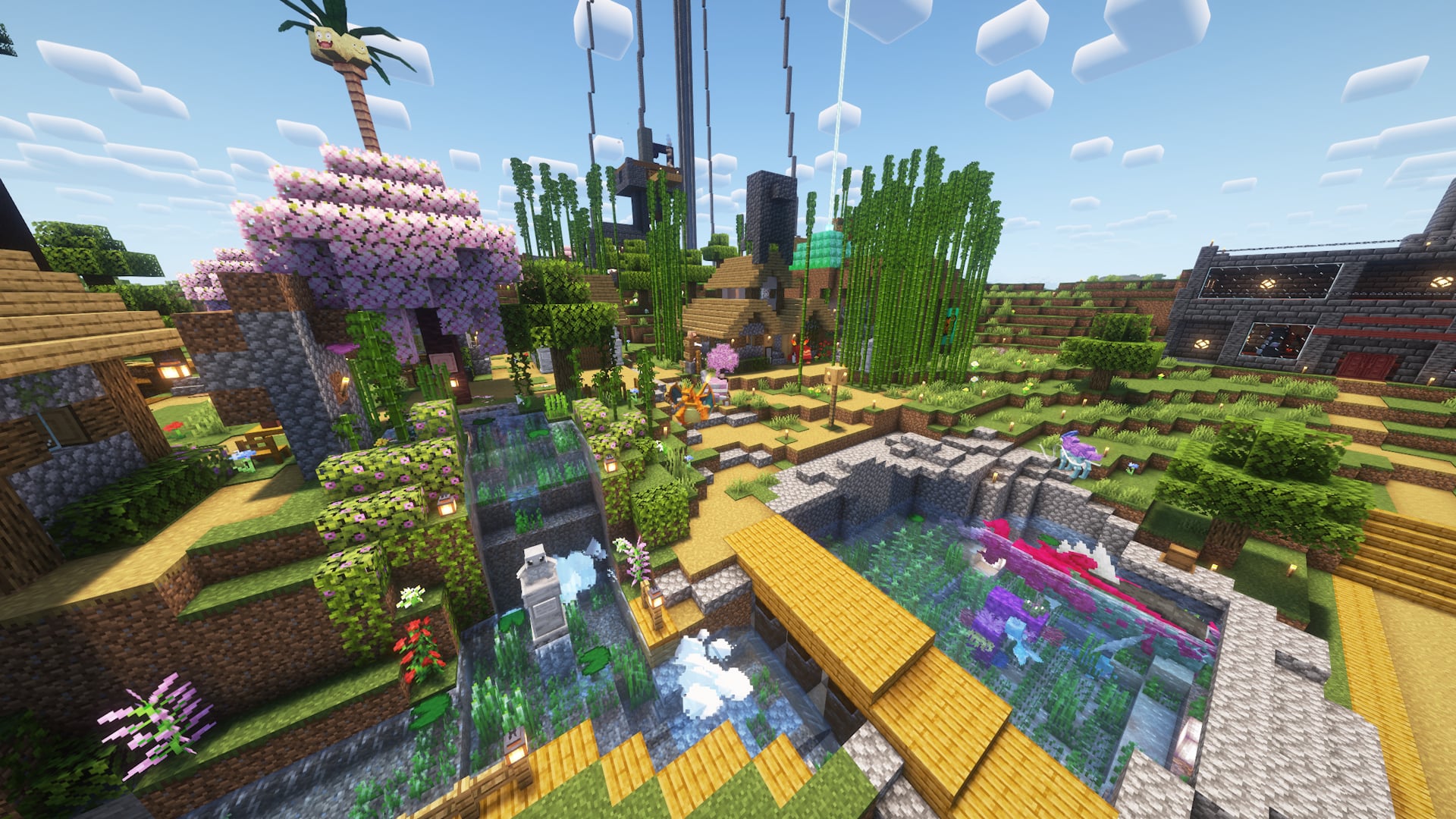
Screenshots
So sieht Cobblemon Clumpy Bros Modpack aus

Bilder: Cobblemon Clumpy Bros Modpack auf Modrinth, vom Projektteam veröffentlicht.
Einrichtung
In vier Schritten zum Cobblemon Clumpy Bros Modpack Server
Prüfe bei Fehlern zuerst Startprotokoll, Java-Version, Loader und Abhängigkeiten. Erhöhe RAM nur bei Hinweisen auf Speichermangel. Behalte vor Updates eine Kopie der funktionierenden Installation.
- 01
Konfigurieren
8 GB RAM sind vorausgewählt und Cobblemon Clumpy Bros Modpack ist im Konfigurator vorgemerkt. Laufzeit und Add-ons wählst du selbst.
- 02
Bezahlen
Per Kreditkarte oder PayPal. Der Server ist in der Regel unter 60 Sekunden bereit.
- 03
Pack installieren
Öffne den Modpack-Browser im Panel, wähle Modrinth, prüfe die Projekt-ID und installiere die gewünschte Pack-Version. Sichere eine bestehende Welt vorher.
- 04
Verbinden
Alle Spieler installieren dieselbe Pack-Version in einem kompatiblen Launcher und verbinden sich über die Serveradresse aus dem Panel.
Modrinth-Projekt-ID: I8jSQm3a
Das Panel
Pack installieren, Fehler finden.
Echte Screenshots aus dem Mado Panel. Beides ist bei jedem Minecraft Server enthalten.
Modpack-Browser
Modrinth und CurseForge direkt im Panel.
Pack suchen, Version wählen, installieren. Loader und Serverdateien musst du nicht von Hand hochladen.

KI-Crash-Analyse
Wenn ein Mod crasht, liest die Analyse das Log.
Große Modpacks scheitern oft an einer einzelnen Mod, Java-Version oder fehlenden Abhängigkeit. Die Analyse nennt eine wahrscheinliche Ursache und einen Lösungsvorschlag.

Versionen
Veröffentlichte Pack-Versionen
Server und Spieler brauchen dieselbe Pack-Version. Wähle sie im Modpack-Browser passend zu den Clients deiner Gruppe.
Cobblemon Clumpy Bros Modpack · ModrinthOriginalbeschreibung des Projektautors

These are all of the mods used in the Clumpy Bros Cobblemon series! It includes almost all of the Pokemon thanks to AllTheMons x Mega Showdown, various addons such as Bloo's Gacha Machine and Cobbleworkers, QoL additions such as LambDynamicLights - Dynamic Lights and Quick Shulker Boxes, and much more!
This pack will continue to be updated as more episodes are released. You can choose between Fabric or NeoForge. NeoForge was included starting with Version 1.7.1e. Our series is made using a fabric modpack so you will see different mods in NeoForge. We recommend a minimum memory allocation of 4GB (4096MB). Enjoy!
Seen in Videos but Not Included in This Pack
Mods/Packs
NOTE: The following mods/packs may appear in videos, but are currently not included as they are used for video creation, may not be wanted by the average user, or are in development by us. This list does not include removed mods from old versions of this modpack. See the changlogs for that information:
- Carpet
- Chunk loaders
- Cobblepastas [Cobblemon]
- Kilt (Used for adding NeoForge mods to Fabric)
- Pehkui
- ReplayMod
- Silence Mobs
- SlimyFloor (Only on Curseforge)
- Our mods in development (Space, Mega Lechonk, and a few others)
- Yes Steve Model
Pokémon
NOTE: The following Pokémon are not included in this modpack as of version 1.7.3e. They appear in videos due to these packs:
- Complete Cobblemon Collection Myths and Legends Compat - (Seismitoad, Tympole, Palpitoad, and Ting-Lu)
- Planeta Cobblemon's Pokémon Pack - (Iron Boulder, Iron Jugulis, and Celesteela)
- E19 Cobblemon ONLY Minimap Icons - (Not on Modrinth)
FPS Drops or Hardware Limitations Click Here
- Try increasing your ram in settings. Click the gear icon located in the bottom left of your modrinth app. It is under the Synced settings tab. Scroll down and you will see a section labeled Memory allocation. Here you can input whatever ram your system can afford to use on the game.
Disabled by default for performance reasons
Complementary Shaders - Reimagined (Disabled by Default as of update 1.6.0)
Distant Horizons (Disabled by Default as of update 1.0.3)
- Concurrent Chunk Management Engine (Fabric) (Disabled by Default as of update 1.0.3)
- NoisiumForked (Disabled by Default as of update 1.0.3 and removed as of 1.8.1)
Installation Instructions Click Here
Singleplayer (Only needed if you have a version that is before update 1.0.3. This is not needed if you have 1.0.3+):
- Once the modpack is installed on the Modrinth app click the ⋮ symbol in the top right of the screen on your installation of the modpack.
- There should be two options that show up. Click on Open Folder.
- Once the folder is open, double click on the folder labeled datapacks.
- The contents in the datapacks folder need to be copied and pasted into the save folder of your world.
- Copy and paste the datapacks into the /saves/[WORLDNAME]/datapacks ([WORLDNAME] will not be your world's name, this is an example).
Server:
- If you are hosting a server most mods and all datapacks need to be on the server.
- If you are not sure how to do this we suggest looking up a tutorial.
- If you are using a public hosting site follow their instructions on how to install a modpack.
Having Issues? Click Here
Worlds crashing:
"Errors in currently selected datapacks prevented the world from loading"
If your world if from our 1.7.3d modpack or prior and you have updated to a 1.7.3e or newer modpack version there is a good chance it is nothing datapack related. The issue is likely due to the Biome Replacer mod. This mod had an issue prior to their 3.0 version that messed up entries in the level.dat file. Luckily there is a fix and they provided a step by step guide to fix the issue. The link below will take you to their github. Follow their steps and your world should be fine. Make sure to make a backup so there is no chance of losing your world if you make a mistake.
https://github.com/WerDei/Biome-Replacer/blob/master/docs/RECOVERY-26.1.md
Legendary Spawning Myths and Legends
NOTE: This mod is only on the 1.0.0-1.6.0 versions of the modpack Starting at 1.7.1 this mod is not installed.
The items and spawns are a part of the Myths and Legends mod/datapack. For more information visit 0Skill Wiki.
Legendaries will not spawn when right clicking with the item: Ensure you are in the proper biome. If you are unsure of the biome it would spawn in when using the item go to the 0Skill Wiki.
Other Issues
If you experience other issues feel free to report them in our discords issue reporting section or help and support section.



Ähnliche Packs
Weitere server-fähige Modpacks
 Server-fähig

Cobblemon Official Modpack [Fabric]
von CobbledStudios
The official modpack of the Cobblemon mod, for Fabric!
 Server-fähig

COBBLEVERSE - Pokemon Adventure [Cobblemon]
von LUMYVERSE
Start a true Pokémon adventure in Minecraft: Cobblemon 1.8.4 | ALL 1025 Pokémon! | Mega Evolutions | Gyms & Badges | Starter Kit | Unique Structures | Custom Music | Shaders | Optimized | So much more! [1.21.1]
 Server-fähig

Better MC [FABRIC] - BMC2
von SHXRKIE
Version 1.20 | A Proper Vanilla+ Modpack | Don't play Vanilla play this!
 Server-fähig

Vanilla Perfected
von demonjoeTV
A compilation of Vanilla Plus mods & packs to perfect the Minecraft experience without drifting too far from the feel of the base game!
Bereit für deinen Cobblemon Clumpy Bros Modpack Server?
8 GB RAM ab 16,00 € im Monat. 35 % auf den 1. Monat mit MADO35.