
Cobbled Chaos
The official modpack for the Cobbled Chaos private server. A cozy pack geared for as much integration between Cobblemon and Minecraft as possible, with the addition of QOL, technology and optimization features.
Screenshots
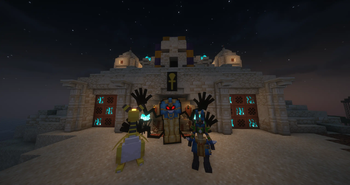
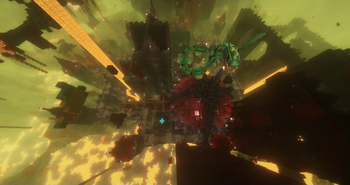
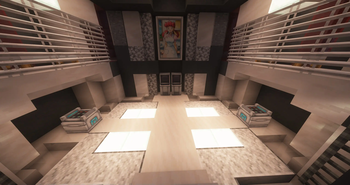
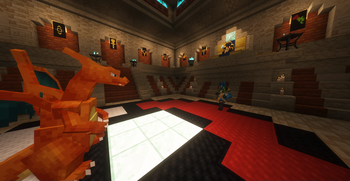
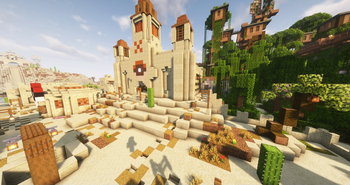
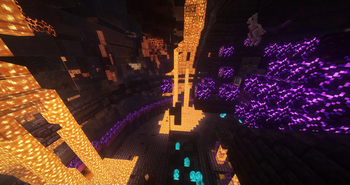
Über dieses Modpack
The Official Modpack of the Cobbled Together Private Server
for Fabric 1.20.1
This is the official modpack for the Cobbled Together private server. Your gameplay experience will not be the same / will probably not function if you try to take this modpack into single player (though you could build a reasonable copy by adding in the server-side mods we've listed underneath features -- like Yung's, Terralith, etc). I may consider publishing a separate pack in the future that has all the server-only mods incorporated back in in their entirety, but this present pack is specifically tailored for the players' clients connecting to our server.
Features
Welcome to a cozy gameplay experience, tooled and tinkered for incrased integration between Cobblemon and Minecraft, intending to bring as much immersion to the combination as possible, while fleshing out concepts that the official Cobblemon release hasn't quite gotten to on its own.
Performance and Optimization
- Basic culling improvements from More Culling and Entity Culling
- Comprehensive suite of essential performance mods to speed up the rendering API (Indium), replace the rendering engine (Sodium and add additional features (Sodium Extra)), overhaul optimization and memory (Lithium,ModernFix and Memory Leak Fix), and rewrite the lighting engine (Starlight)
- Pregenerate your world with Chunky to remove exploration lag
- And track down any bugs / lag problems / performance issues thanks to spark and its amazing profiling, with CraftTweaker to patch up any inconsistencies in the modpack
QOL
- Better sound handling to reduce sound gaps with Audio Engine Tweaks
- No more floating eyesores left as you clear-cut a forest, removing trees conveniently and in an immerse way with HT's TreeChop and Accelerated Decay
- HUD improvements with AppleSkin and Better Mount HUD
- Information at your fingertips/tooltips with Enchantment Descriptions, Cooking for Blockheads, Item Highlighter, Jade, Just Enough Items, Nature's Compass, Peek, Pick Up Notifier, Polymorph to handle recipe conflicts, Searchables, and of course, JourneyMap
- With Mouse Tweaks to improve ease of inventory control and Music Control to ease music control and give easy ways to pause it while you're in a conversation with someone.
Graphical and Audio Enhancements
- Experience the world in diverse seasons and biomes thanks to Fabric Seasons and Ambient Environment, with Euphonium, Bedrock Water, and Sound Physics Remastered (with custom settings to play nice with Simple Voice Chat and Cobblemon's Battle Music events) to give sound to your travels
- Smooth your builds with Connected Textures (CTM Overhaul), Shuffle, and Continuity
- Iris Shaders and Complementary Shaders bring modern features to the game, with Iris Flywheel Compat helping Iris play nice with Create (at least with Complementary) until it fixes its own issues with Flywheel.
- Simple but meaningful ways to customize and enjoy your avatar with 3D Skin Layers, Better Third Person, Show Me Your Skin!, Cosmetic Armor, Wavey Capes, and Not Enough Animations
- Smoother, immersive world and light loading with Chunks fade in and LambDynamicLights
- And some improved animations with Better Animations Collection to add a bit of cherry to the whipped cream
Gameplay - Traditional
- Greatly improved terrain and structure worldgen brought to you by Terralith, Incendium, Nullscape, Immersive Structures, Towns & Towers, Tidal Towns, BetterEnd, BetterNether, Structory, Choice Theorem's Overhauled Villages, The Graveyard, and all of Yung's Amazingly Better Overhauls!
- Full suite of construction/decorative blocks to bring out your building potential, including Another Furniture, Beautify: Refabricated, Chipped, Decorative Blocks, Every Compat, Couplings, Handcrafted, Macaw's Bridges, Macaw's Paintings, Infinity Buttons, Macaw's Paths and Pavings, Macaw's Trapdoors, Magic Vibe Decorations - Halloween additions, Night Lights, More Slabs, Stairs & Walls, Twigs, Diagonal Windows, Diagonal Fences, AutoSlabs, and Supplementaries.
- Upload your own audio / images with AudioPlayer, and Immersive Paintings
- Expands in interesting ways upon vanilla systems with mods like Better Combat, Illager Invasion, Create (and sub-mods Create: Steam 'n' Rails, Create Crafts & Additions, and Create Slice & Dice), Create: Bells and Whistles, Farmer's Delight, MCA Reborn, as well as powerful overhauls to vanilla storage with Traveler's Backpack, Tom's Simple Storage, and Expanded Storage
- Further diversity in balanced armor and interesting animals with Immersive Armors and Naturalist
- And a new dimension that's fairly well integrated with several Cobblemon features, with The Bumblezone, as well as Bewitchment (with some removed features) to add a little magic in the world.
Gameplay - Cobblemon
- Over three hundred additional pokemon/"fakemon" not yet realized in the base Cobblemon mod, from the mods MoreMons, HiddenMons, Missing Mons, Pigeon's Poke Pack, DeCubes MoMons Pack, GenoMons (which have all been compiled into UltiMons and incorporated into the server), Alola-Mons, Gravelmon, MysticMons, SaltMons, and the Wurmple Pack, CloudMons (with external permissions), DracoMon, Lugia for Cobblemon, The Jewel Pokemon, Cobble Cats, Cobblemon Alatia's Fakemon Pack, LackingMons and Cobblemon Swap Pokeball to put all these extra mons in the balls you want and bling out your team. As well as some overhauls and exclusive bugfixes to make them play nice with the 1.4.1 version of Cobblemon as well as each other. This includes a complete rewrite of the spawning system from the ground up to make for a more balanced gameplay experience.
- Utilities like Cobbledex/Cobblepedia that provide immersive in-game help and guide functions to the mod.
- Cobblemon Integrations (and a couple mods it integrates with Cobblemon: Waystones and Lunar, Create: Cobblemon Industrialized (with permissions), Cobblemon: Fortune-able Evo Stones, Pokemon Fishing, JigglyRadio, and Cobblemon - Fight or Flight in order to better meld the world of minecraft and pokemon into a cohesive whole.
- Cobblemon Unchained, Pokemon Fishing, Cobblemon Counter, Where Are My TMs? Cobblemore in order to bring in pokemon mechanics like shiny streaks and items like ability capsules, which Cobblemon hasn't gotten to implementing officially yet.
- Graphical improvements like Lucario Overhaul and Cuter 'Mons to improve on existing models.
- Original Pokemon Battle Music and Vidya Poke Cries for Cobblemon (Permission) to further engage your nostalgia, as well as the previously mentioned, completely overhauled spawn system and several exclusive models/animations for a growing number of pokemon.
Multiplayer Features
- Anti-cheat functions with AntiGhost
- Anti-grief protection with claims from Open Parties and Claims as well as additional mapping labeling and tools with Areas and MapFrontiers
- Immersive communication features from Chat Heads, Simple Voice Chat and Walkie-Talkie
- Personalized loot to prevent First Come First Served, thanks to Lootr
- Curb lag (and give weight to other methods of transportation) with No Rocket Boosting as well as additional player support with Very Many Players
Technical Details
Recommended to run with a minimum of 4GB. 8GB is preferred for optimum performance. Fabric handles a lot of the heavy lifting alongside its various optimization mods, but this modpack puts a lot of stress on it (particularly the graphical enhancements implemented client-side.) Further performance can be gained by optimizing your java arguments to tailor them for whichever garbage collector your jvm supports. If you have a reasonable computer and are having performance issues, googling this is potentially your route to fixing it.
Overrides / Licensing
All individual mods can be founded hosted in the Modrinth launcher, except for Macaw's Bridges (https://www.curseforge.com/minecraft/mc-mods/macaws-bridges, which has open modpack permissions), CloudMons (with external permissions), Create: Cobblemon Industrialized (with permissions), Vidya Poke Cries for Cobblemon (Permission), and the Iris & Oculus Flywheel Compatibility Patch (https://www.curseforge.com/minecraft/mc-mods/iris-flywheel-compat) which is kind enough to also have an MIT license and is essential for anyone currently running a shader on a server dependent on Flywheel (ie. running the Create mod). We have also removed the spawn and species files (where species_additions files would prevent conflicts instead) from all of the pokemon datapacks, made several of them compatible with Cobblemon 1.4.1 that otherwise weren't, and removed several pokemon implementations that conflicted with pokemon already in the base mod, or in other included datapacks. See changelogs for further specifics. Extra thanks to all of these mods as well.
Verfügbare Versionen
Cobbled Chaos Server einrichten
Server bestellen
Wähle mindestens 6 GB RAM (8 GB empfohlen für Cobbled Chaos). Je nach Spieleranzahl: +1 GB pro 5 Spieler.
Modpack im Dashboard installieren
Öffne den Modpack-Browser im Dashboard, suche nach "Cobbled Chaos" und klicke "Installieren". Der fabric-Loader und Minecraft 1.20.1 werden automatisch konfiguriert.
Server starten & spielen
Starte den Server – alle Mods werden automatisch geladen. Teile die Server-IP mit Freunden und spielt zusammen!
Häufige Fragen
Cobbled Chaos Server crasht oder startet nicht – was tun?
Häufigste Ursachen: zu wenig RAM oder falscher fabric-Loader. Prüfe latest.log auf "OutOfMemoryError" → erhöhe RAM auf mindestens 8 GB. Bei "Mixin" oder "ClassNotFoundException": Modpack-Version und Loader stimmen nicht überein. Bei Mado Hosting werden Loader und Minecraft-Version beim Modpack-Install automatisch konfiguriert – das verhindert die meisten Startprobleme.
Wie viel RAM braucht ein Cobbled Chaos Server wirklich?
Minimum 6 GB, empfohlen 8 GB für stabile Performance. +1 GB pro 5 Spieler. Wichtig: Minecraft-Modpacks brauchen mehr RAM als Vanilla – plane pro zusätzlichem Spieler extra ein. Bei Mado Hosting kannst du den RAM jederzeit live hochskalieren, ohne Datenverlust (ab €7.800000000000001/Monat).
Kann ich eigene Mods zu Cobbled Chaos hinzufügen, ohne Konflikte?
Ja, aber achte auf die Kompatibilität: Nutze nur Mods für den gleichen Loader (fabric) und die gleiche Minecraft-Version (1.20.1). Häufige Probleme: ID-Konflikte bei Rezept-Mods und inkompatible Coremod-Versionen. Im Mado Dashboard zeigt der Mod-Browser nur kompatible Mods an und warnt bei bekannten Konflikten.
Cobbled Chaos Server laggt – Performance-Tipps
1) RAM auf 8 GB+ erhöhen. 2) Server-View-Distance auf 8 reduzieren (server.properties). 3) Pre-Generiere Chunks mit dem "Chunky" Plugin. 4) Prüfe mit /spark profiler welche Mods die meiste Tick-Time verbrauchen. Bei Mado Hosting laufen alle Server auf NVMe-SSDs mit dedizierten CPU-Kernen – das eliminiert Hardware als Engpass.
Ähnliche Modpacks
![Cobblemon Official Modpack [Fabric]](https://cdn.modrinth.com/data/5FFgwNNP/e7f9ee2e9d361623847853fe2ddce42f519ee64f.png)
![COBBLEVERSE - Pokemon Adventure [Cobblemon]](https://cdn.modrinth.com/data/Jkb29YJU/581ecf54530972afb18a04660afd820f2f24f6c7.png)
![Better MC [FABRIC] - BMC2](https://cdn.modrinth.com/data/shFhR8Vx/a19c2bcb51d38f32f138d3607e91cb2b7b8e387f_96.webp)


![Better MC [FORGE] - BMC4](https://cdn.modrinth.com/data/4BV47HRn/7f5ef7cc61b2593609aabef3ed07a866a4f11b73_96.webp)
)

Cobbled Chaos Server mieten
Starte deinen eigenen Server mit automatischer Modpack-Installation.
Details
- Lizenz
- LicenseRef-All-Rights-Reserved
- Server-seitig
- Nicht unterstützt
- Client-seitig
- Erforderlich
Unterstützte Versionen
Starte deinen Cobbled Chaos Server jetzt
Ab €7.80/Monat; für die beste Performance werden 8 GB RAM empfohlen.
Server konfigurieren →