![[1.8.1] Cobblemon Cobbletwo - Best Cobblemon Experience](https://cdn.modrinth.com/data/7RdFar5Z/4fb0cfe4f1f35c856443ea33323e234f0d400d5d.png)
[1.8.1] Cobblemon Cobbletwo - Best Cobblemon Experience
Pokemon Cobblemon Pack - QoL and Performance mods! The server included in the pack has Every Pokemon, Mega Evolution and Legendary Spawns, Player Gyms, Raids, GTS, Pokemon Fishing, Races and more!
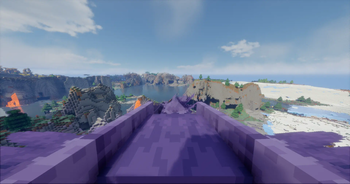
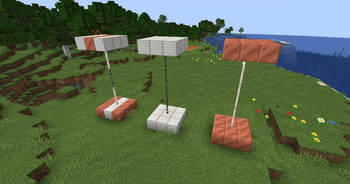
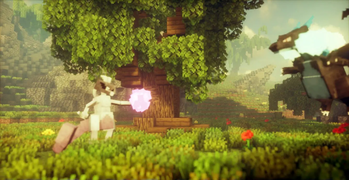
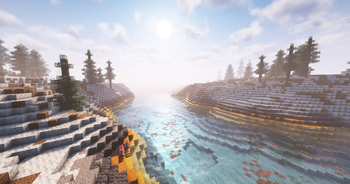
Screenshots

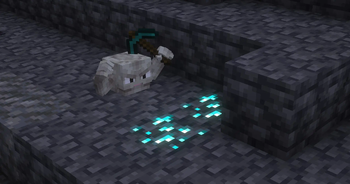
Über dieses Modpack

Server Features
- Take your Shiny Starter, your backpack and your Pokédex today!
- Mount your favorite Pokémon, and increase your friendship with it.
- Battle against Gym leaders to get every medal and become the Pokémon Champion!
- Get Free ranks and crate keys by voting and being active on the server!
- D-did you hear that r-roar? Yeah, legendary Pokémon spawns here and there.
- Join the Pokémon GO-style Raids to catch the Boss and get yummy rewards!
QoL Mods
- Better Statistics Screen: Enhances Minecraft's statistics screen with a more user-friendly UI, filters, and a search field for easier navigation and tracking of numerous entries.
- Bobby: Allows for render distances beyond the server's view-distance setting.
- Continue Button: Creates a button on the main menu screen that allows you to quickly load into the previous world or server you were playing on.
- Durability Plus: Adds simple and elegant item durability tooltips.
- Continuity: Allows for efficient connected textures
- Dynamic FPS: Reduce resource usage while Minecraft is in the background or idle.
- Dynamic Crosshair: Hides or changes the crosshair dependent on context
- Emoji Type: Allows you to easily type emoji and emoticons in game.
- Iris Shaders : A modern shaders mod for Minecraft intended to be compatible with existing OptiFine shader packs.
- Falling Leaves: Adds a neat little particle effect to leaf blocks.
- Xaero's Minimap: Displays a map of the nearby world terrain, players, mobs, entities in the corner of your screen. Lets you create waypoints which help you find the locations you've marked.
- Xaero's World Map: Adds a full screen world map which shows you what you have explored in the world.
- Roughly Enough Items (REI): Alternative to Just Enough Items/JEI.
- Zoomify: A zoom mod with infinite customizability.
- Simple Voice Chat: A working voice chat in Minecraft!
- Crafting Tweaks: Allows you to rotate, balance or clear the crafting matrix by the press of a button.
- Inventory Essentials: Basic inventory tweaks. Lightweight and compatible.
- Wakes: Adds splashes and wakes while traveling on water.
- Advancement Plaques: Replace the advancement popups with fancy glowing plaques.
- InvMove: Adds the ability to walk around while in inventories.
- Better Advancements: Improve the UI and UX for the advancements system.
- Symbol Chat: Adds a symbol/emoji menu as well as writing in different unicode fonts.
- Dark Loading Screen: Makes the loading screen darker.
- Jade: Shows information about what you are looking at.
- Better Third Person: Improves third person camera view.
- AppleSkin: Food/hunger-related HUD improvements
- CraftPresence: Completely customize the way others see you play in Discord!
- Visuality: Little visual improvements by adding a bunch of new particles.
Performance & Fixes Mods
- Adaptive Tooltips: Highly configurable tooltip rendering, so you can always read them!
- Entity Culling: Using async path-tracing to hide Block-/Entities that are not visible.
- Enhanced Block Entities:
- Sodium: A modern rendering engine for Minecraft which greatly improves performance.
- Sodium Extra: A Sodium addon that adds features that shouldn't be in Sodium.
- Lithium: No-compromises game logic/server optimization mod.
- Indium: Sodium addon providing support for the Fabric Rendering API, based on Indigo
- FerriteCore: Memory usage optimizations
- ImmediatelyFast: Speed up immediate mode rendering in Minecraft
- More Culling: Changes how multiple types of culling are handled in order to improve performance
- Title Fix Mod: When exiting a world or server, the in game title overlay will be cleared to prevent transferring to the next world.
- Item Model Fix: Fixes gaps in generated item models.
- Chat Patches: Touches up a few aspects of Minecraft's mundane chat, with as much configurability as possible!
- Krypton: Mod to optimize the Minecraft networking stack.
- LazyDFU: Makes the game boot faster by deferring non-essential initialization.
Resource/Shader Packs
- Cobblemon Interface: Makes Minecraft's interface and sounds fit the Cobblemon mod aesthetics.
- Cobblemon Emissive Ores: Help you find those tough-to-see ores lurking in water, or on the cave roof.
- Cobblemon Classic Grass Pack: Replaces the grass to a more inspired in Pokémon.
and the minecraft tall grass replacement texture is highly inspired by
the long grass from Pokémon Ruby & Sapphire & Emerald. - Cobblemon - GS Apricorn Leaves: Replaces the Cobblemon Apricorn leaves with a softer texture.
- 3D Crops Revamped: Simply turns your crops into 3D blocks!
- PokePlaques: Integrates with the Advancement Plaques mod bringing a new Pokémon themed achievements GUI.
- Round Trees: Trees are round in real life, why aren't they in Minecraft?
- Motschen's Better Leaves: Makes the leaves bushy.
- BSL Shaders: Shaderpack for Minecraft: Java Edition. It's bright, colorful, and distinct.
- Complementary Shaders - Unbound: Transforming the visuals of Minecraft with exceptional quality, detail, and performance.
- Complementary Shaders - Reimagined: Preserving the elements of Minecraft with exceptional quality, detail, and performance.
- Kappa Shader: A high-quality realistic, yet also somewhat stylized shaderpack.
SUMMARY
- Pokédex
- Gyms
- Mega Evos
- Battle Tower
- Raids
- Breeding System
- Wondertrades
- GTS
- Mass Outbreaks
- Tournaments
- Hunting Bounties
- Fishing
- Land Claiming
- Server Shop
- Custom Terrain Gen.
- Custom Enchantments
Server Features
- Better Statistics Screen
- Bobby
- Continue Button
- Durability Tool Tips
- Continuity
- Dynamic FPS
- Dynamic Crosshair
- Emoji Type
- Iris Shaders
- Falling Leaves
- Mod Menu
- Xaeros World and Mini Map
- Roughly Enough Items
- Simple Voice Chat
- Crafting Tweaks
- Inventory Essentials
- Wakes
- Advancement Plaques
- InvMove
- Better Advancements
- Symbol Chat
- Dark Loading Screens
- Jade
- Better Third Person
- AppleSkin
- CraftPresence
- Visuality
QoL Mods
- Adaptive Tool Tips
- Entity Culling
- Enhanced Block Entities
- Sodium
- Sodium Extra
- Lithium
- Indium
- FerriteCore
- Immediately Fast
- More Culling
- Title Fixer
- Item Model Fixer
- Chat Patches
Performance/Fixes Mods
- 3D Crops Revamped(Disabled Default)
- Kiece Cobblemon Minimap Icons (Enabled Default)
- Kiece Icons v4.1 VCompat (Enabled Default)
- Cobblemon Emissive Ores (Disabled Default)
- Poke Plaques (Enabled Default)
- Held Item Descriptions (Enabled Default)
- TPC Vitamin Descriptions (Enabled Default)
- Motschen's Better Leaves (not enabled by default) -
- Round Trees (not enabled by default)
- Complementary Shaders - Reimagined
Resource/Shader Packs

Verfügbare Versionen
[1.8.1] Cobblemon Cobbletwo - Best Cobblemon Experience Server einrichten
Server bestellen
Wähle mindestens 6 GB RAM (8 GB empfohlen für [1.8.1] Cobblemon Cobbletwo - Best Cobblemon Experience). Je nach Spieleranzahl: +1 GB pro 5 Spieler.
Modpack im Dashboard installieren
Öffne den Modpack-Browser im Dashboard, suche nach "[1.8.1] Cobblemon Cobbletwo - Best Cobblemon Experience" und klicke "Installieren". Der fabric-Loader und Minecraft 1.21.1 werden automatisch konfiguriert.
Server starten & spielen
Starte den Server – alle Mods werden automatisch geladen. Teile die Server-IP mit Freunden und spielt zusammen!
Häufige Fragen
[1.8.1] Cobblemon Cobbletwo - Best Cobblemon Experience Server crasht oder startet nicht – was tun?
Häufigste Ursachen: zu wenig RAM oder falscher fabric-Loader. Prüfe latest.log auf "OutOfMemoryError" → erhöhe RAM auf mindestens 8 GB. Bei "Mixin" oder "ClassNotFoundException": Modpack-Version und Loader stimmen nicht überein. Bei Mado Hosting werden Loader und Minecraft-Version beim Modpack-Install automatisch konfiguriert – das verhindert die meisten Startprobleme.
Wie viel RAM braucht ein [1.8.1] Cobblemon Cobbletwo - Best Cobblemon Experience Server wirklich?
Minimum 6 GB, empfohlen 8 GB für stabile Performance. +1 GB pro 5 Spieler. Wichtig: Minecraft-Modpacks brauchen mehr RAM als Vanilla – plane pro zusätzlichem Spieler extra ein. Bei Mado Hosting kannst du den RAM jederzeit live hochskalieren, ohne Datenverlust (ab €7.800000000000001/Monat).
Kann ich eigene Mods zu [1.8.1] Cobblemon Cobbletwo - Best Cobblemon Experience hinzufügen, ohne Konflikte?
Ja, aber achte auf die Kompatibilität: Nutze nur Mods für den gleichen Loader (fabric) und die gleiche Minecraft-Version (1.21.1). Häufige Probleme: ID-Konflikte bei Rezept-Mods und inkompatible Coremod-Versionen. Im Mado Dashboard zeigt der Mod-Browser nur kompatible Mods an und warnt bei bekannten Konflikten.
[1.8.1] Cobblemon Cobbletwo - Best Cobblemon Experience Server laggt – Performance-Tipps
1) RAM auf 8 GB+ erhöhen. 2) Server-View-Distance auf 8 reduzieren (server.properties). 3) Pre-Generiere Chunks mit dem "Chunky" Plugin. 4) Prüfe mit /spark profiler welche Mods die meiste Tick-Time verbrauchen. Bei Mado Hosting laufen alle Server auf NVMe-SSDs mit dedizierten CPU-Kernen – das eliminiert Hardware als Engpass.
Ähnliche Modpacks
![Cobblemon Official Modpack [Fabric]](https://cdn.modrinth.com/data/5FFgwNNP/e7f9ee2e9d361623847853fe2ddce42f519ee64f.png)
![COBBLEVERSE - Pokemon Adventure [Cobblemon]](https://cdn.modrinth.com/data/Jkb29YJU/581ecf54530972afb18a04660afd820f2f24f6c7.png)
![Better MC [FABRIC] - BMC2](https://cdn.modrinth.com/data/shFhR8Vx/a19c2bcb51d38f32f138d3607e91cb2b7b8e387f_96.webp)


![Better MC [FORGE] - BMC4](https://cdn.modrinth.com/data/4BV47HRn/7f5ef7cc61b2593609aabef3ed07a866a4f11b73_96.webp)
[1.8.1] Cobblemon Cobbletwo - Best Cobblemon Experience Server mieten
Starte deinen eigenen Server mit automatischer Modpack-Installation.
Details
- Lizenz
- Creative Commons Attribution 4.0 International
- Server-seitig
- Optional
- Client-seitig
- Erforderlich
Unterstützte Versionen
Starte deinen [1.8.1] Cobblemon Cobbletwo - Best Cobblemon Experience Server jetzt
Ab €7.80/Monat; für die beste Performance werden 8 GB RAM empfohlen.
Server konfigurieren →