
Modrinth · Forge
Community Server mieten
Dein eigener Community Server auf AMD Ryzen 9 ohne Thread-Limit. Der Server ist in der Regel unter 60 Sekunden bereit, das Pack installierst du danach mit einem Klick im Modpack-Browser.
Simple modpack for fun with friends! - Minecraft was meant to be played together; Adding mods just dials it up a notch!
- Downloads
- 11.9K
- Follower
- 0
- Loader
- Forge
- Minecraft
- 1.18.2 – 1.20.1
- Aktualisiert
- –
Screenshots
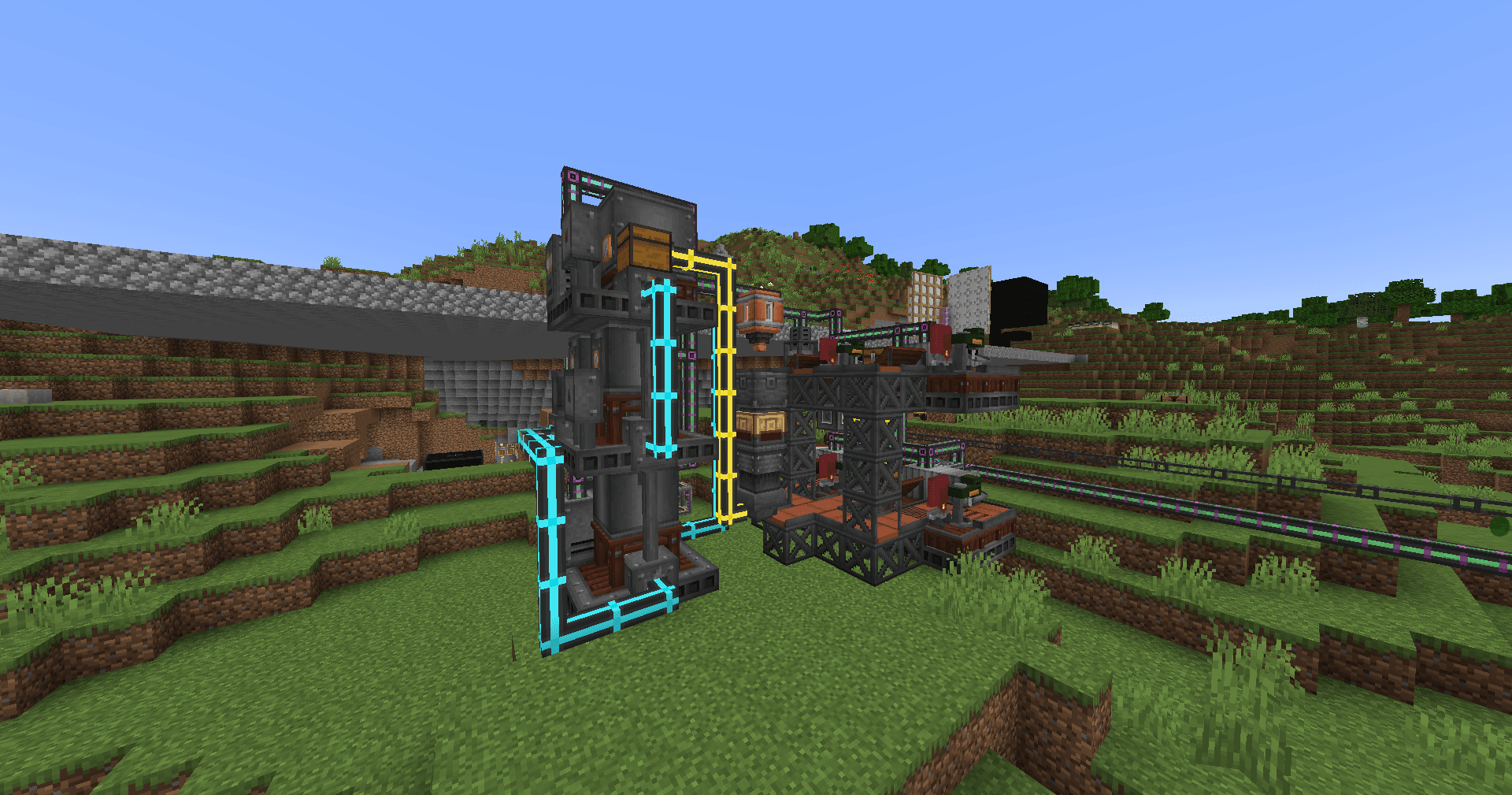
So sieht Community aus

Bilder: Community auf Modrinth, vom Projektteam veröffentlicht.
Einrichtung
In vier Schritten zum Community Server
Prüfe bei Fehlern zuerst Startprotokoll, Java-Version, Loader und Abhängigkeiten. Erhöhe RAM nur bei Hinweisen auf Speichermangel. Behalte vor Updates eine Kopie der funktionierenden Installation.
- 01
Konfigurieren
8 GB RAM sind vorausgewählt und Community ist im Konfigurator vorgemerkt. Laufzeit und Add-ons wählst du selbst.
- 02
Bezahlen
Per Kreditkarte oder PayPal. Der Server ist in der Regel unter 60 Sekunden bereit.
- 03
Pack installieren
Öffne den Modpack-Browser im Panel, wähle Modrinth, prüfe die Projekt-ID und installiere die gewünschte Pack-Version. Sichere eine bestehende Welt vorher.
- 04
Verbinden
Alle Spieler installieren dieselbe Pack-Version in einem kompatiblen Launcher und verbinden sich über die Serveradresse aus dem Panel.
Modrinth-Projekt-ID: xWL27C3I
Das Panel
Pack installieren, Fehler finden.
Echte Screenshots aus dem Mado Panel. Beides ist bei jedem Minecraft Server enthalten.
Modpack-Browser
Modrinth und CurseForge direkt im Panel.
Pack suchen, Version wählen, installieren. Loader und Serverdateien musst du nicht von Hand hochladen.

KI-Crash-Analyse
Wenn ein Mod crasht, liest die Analyse das Log.
Große Modpacks scheitern oft an einer einzelnen Mod, Java-Version oder fehlenden Abhängigkeit. Die Analyse nennt eine wahrscheinliche Ursache und einen Lösungsvorschlag.

Versionen
Veröffentlichte Pack-Versionen
Server und Spieler brauchen dieselbe Pack-Version. Wähle sie im Modpack-Browser passend zu den Clients deiner Gruppe.
Community · Modrinth- Community 1.11.02. Juli 2024Minecraft 1.18.2 · Forge
- Community 1.11.0 (Slim)2. Juli 2024Minecraft 1.18.2 · Forge
- Community 1.11.0 (Server Only)2. Juli 2024Minecraft 1.18.2 · Forge
- Community 1.10.019. Mai 2024Minecraft 1.18.2 · Forge
- Community 1.10.0 (Slim)19. Mai 2024Minecraft 1.18.2 · Forge
Originalbeschreibung des Projektautors
Overview
This modpack allows players to enjoy modded skyblock while not having to wait and grind for several hours to get into the fun parts of modded Minecraft. It does this by easing the starting processes of several mods, making it fun for new players.
We designed this pack to be played with friends on a dedicated server, but you can play solo or on LAN as well.
It was meant to be played as a skyblock, but you can play it with normal terrain too!
My Discord
Join my Discord for support!
Object of Play
The goal in this modpack is to grind your way through the quests to eventually craft a full set of Infinity armor and tools/weapons. There is even 1 extra bonus quest for those who want to do that.
Length of Play
This modpack should take advanced players 1 to 2 months to fully complete depending on how active they are and how much they already know about the mods included in the pack.
For players who are new to modded Minecraft or for players who are new to the mods inside this pack, it might take a little bit longer, but we aim to include a lot of good information inside the modpack to get players started (done via quests).
Helpful Tips for Playing
Get yourself set up with a Refined Storage or Applied Energistics storage system as fast as possible and grind setting up auto crafting. There is going to be a lot of crafting you need to do in this modpack, so getting set up with a good way to automate this as fast as possible would help a lot.
Getting Mystical Aggriculture seeds set up as fast as possible will also allow you to get a quick start on needed materials. The quest book will guide you through which seeds you should craft first. Resource Essences (gotten from Mystical Aggriculture seeds) is probably one of the biggest parts of the modpack, so getting this automated will be very helpful.
Also, try to get to the nether as fast as possible so you can get your hands on copious amounts of nether quartz. The nether is default so you do not need to worry about not having resources and this is intended behavior to help progress the modpack.
And getting a backpack that has a feeding upgrade and having a hopper botany pot with carrots for golden carrots will go a long way to ensure peak efficiency.
Mods
We focus mainly on the Tech, Magic, and Exploration mods in the modpack; but there are still other mods that we dive into.
Sample of Provided Tech Mods
- Applied Energistics
- Refined Storage
- Mekanism
- Ender IO
- Thermal
- Create
- Powah!
- Pipez
Sample of Provided Magic Mods
- Botania
- Elemental Craft
Other Notable Mods
- (Fork of) Ex Nihilo
- FTB Modset
- FTB Quests
- FTB Teams
- FTB Chunks
- FTB Essentials
- And more…
- Botania: Garden of Glass
Performance is Key
We have also provided quite a few performance mods in this modpack.
Why install Community?
The simplicity of the questline along with key mods like Refined Storage and Mekanism make this modpack great for both new and returning modded Minecraft players. And the performance improvements this pack provides allow you to enjoy it even more!
Set Up
Quick Note about the Server Pack downloads (SRV zip files)
Please note that when downloading the Server Packs, you need to download the Server Pack that is for your use-case.
Use-Cases
Curseforge Installer: Use the Curseforge Installer SRV pack if and ONLY if you are installing the Server Pack with the Curseforge installer (which is typical if you are using a host or self-hosting with a Pterodactyl instance running a Curseforge Egg)
Standalone: Use the Standalone SRV pack if you are using this for anything else.
The Standalone pack is a good fallback if you are unsure which is the proper use-case for you.
To be able to play this as a skyblock (which is the intended play-style), please follow the following:
Skyblock Builder Method (This is the Intended Way)
- Install the modpack.
- If on a Singleplayer / LAN playthrough:
- Create a world with the generator of
Skyblock.
- Create a world with the generator of
- If on a Server:
- Delete the
worldfolder. (Make a backup first!) - In the
server.propertiesfile: - Change the line
level-type=minecraft\:normaltolevel-type=skyblockbuilder\:skyblock - Restart the server.
- Delete the
Garden of Glass Method
- Install the modpack.
- If on a Singleplayer / LAN playthrough:
- Create a world with the generator of
Garden of Glass.
- Create a world with the generator of
- If on a Server:
- Delete the
worldfolder. (Make a backup first!) - In the
server.propertiesfile: - Change the line
level-type=minecraft\:normaltolevel-type=gardenofglass\:gardenofglass - Restart the server.
- Delete the
NOTE: If you are making this as a server, make sure to have a way for players to get a new island after joining. This is because by default, when a player joins for the first time, they will be sent to the Spawn island which looks like a normal player island. So, unless you want all players to play on one island (the Spawn island), then do this.
Authors
- Drak (Developer and Pack Manager)
- Legor (Quest and Crafting Manager)
- Included Mods' Developers.
Special Thanks
Beta Testers
- jp067
- TheEnderNight2
- Ferno_Liar
- Flaming_Thunder_
- Topothetop
Notice / Credits
All Mods
We do not own or maintain any of these mods.
Scripts
Scripts for KubeJS and CraftTweaker are heavily inspired by Sky Factory and Not Too Complicated 2, but we are the original authors of these scripts.
Ähnliche Packs
Weitere server-fähige Modpacks
 Server-fähig

Zombie Invade 100 Days
von FlameFire
僵尸入侵 100 天(高版本惊变重制)—— Same as Forge Labs 100 Days Zombie Apocalypse in new Minecraft
 Server-fähig

Cobblemon Official Modpack [Fabric]
von CobbledStudios
The official modpack of the Cobblemon mod, for Fabric!
 Server-fähig

COBBLEVERSE - Pokemon Adventure [Cobblemon]
von LUMYVERSE
Start a true Pokémon adventure in Minecraft: Cobblemon 1.8.4 | ALL 1025 Pokémon! | Mega Evolutions | Gyms & Badges | Starter Kit | Unique Structures | Custom Music | Shaders | Optimized | So much more! [1.21.1]
 Server-fähig

BattleArmory TACZ
von JZ_zhenmeng
厌倦了每次开局都是一样的钻石剑和弓?BattleArmory 让你每场重生都像开盲盒——400+ 现代枪械随机配发,从使命召唤的经典步枪到赛博朋克科幻杀器,配上 CS 经典地图和战术投掷物,开局就是 80 帧+丝滑刚枪。** 这不是模组体验卡,这是完全免费的 1.20.1 战术枪战整合包,下载启动,直接开战。
Bereit für deinen Community Server?
8 GB RAM ab 16,00 € im Monat. 35 % auf den 1. Monat mit MADO35.