
Create Ultimate Pack - The Industrial Age
The ULTIMATE modpack for Create mod is here. Filled with many many mods. I mean MANY mods!
Screenshots

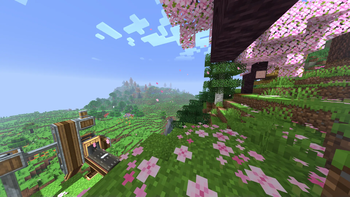
Über dieses Modpack
❗ About
❔ Create mod is one of the best mods ever made in Minecraft. But just Create mod is not going to cut it. So I made a modpack to make the experience better.
✔️ This modpack is mostly compatible with the worlds in other Create mod modpacks because of the mass amount of mods. Meaning you should be able to continue playing if you have played another modpack before (with some block losses) and you don't have to reset your world. I tested Create Haven Adventures (is on Curseforge) and it loads fine.
🧑💻 This modpack is just in Modrinth and won't be ported to Curseforge.
💻 Hardware Specifications Needed to Run This Modpack:
💻 This modpack needs about 6GB of RAM to run properly. This is a versatile and heavy modpack and needs a good hardware to run well, mid-range devices can run this on 60fps, but ~75 degrees celcius temperature on GPU is expected. (This amount of temperature is tested on my laptop: ASUS VivoBook X515EP-EJ743 with following specifications: Intel Core i7 1165G7 - Nvidia Geforce MX330 - 16GB RAM DDR4 - 1TB SSD - 1080p 60hz)
💡 Check Out My Other Modpacks
Ultimately Optimized - Vanilla but Better! : Vanilla, but with tons and tons of client-side features, visual improvements and quality of life changes.
Low on Water! The Ultimate Realism : A realistic modpack which relies on physics and realism. Probably not more dragons, because it isn't RLCraft! Currently in Alpha stage.
📃 Things Included
- Create mod and its addons
- Farmer's Delight and its addons
- Framed Blocks
- Biome generation mods like: Biomes O'Planty - Good Ending
- Structure generation mods like: MVS - Dungeons And Taverns - Most of YUNG's Mods
- More mobs thanks to Alex's Mobs
- Backpack Mods including: Sophisticated Backpacks - Traveler's Backpack
- Storage Mods like: Applied Enegestics 2 - Storage Drawers - Tom's Simple Storage - Sophisticated Storage
- Xaero's Minimap and Xaero's World Map
- QoL mods like: Quark - Supplementaries - Construction Wand - Easy Emerald Tools and More - Twigs - Easy Anvils - Easy Magic - Waystones
- Misc. mods like: Falling Tree - Chipped
- And many, many, many optimization mods...
🎫 Licencing
This modpack is licensed under Creative Commons Attribution Non Commercial No Derivatives 4.0 International. A summary of it means that you, as a user of this project, can redistributable my project as long as it isn't modified, it isn't for commercial use, and you credit me and my project.
Verfügbare Versionen
Create Ultimate Pack - The Industrial Age Server einrichten
Server bestellen
Wähle mindestens 6 GB RAM (8 GB empfohlen für Create Ultimate Pack - The Industrial Age). Je nach Spieleranzahl: +1 GB pro 5 Spieler.
Modpack im Dashboard installieren
Öffne den Modpack-Browser im Dashboard, suche nach "Create Ultimate Pack - The Industrial Age" und klicke "Installieren". Der forge-Loader und Minecraft 1.20.1 werden automatisch konfiguriert.
Server starten & spielen
Starte den Server – alle Mods werden automatisch geladen. Teile die Server-IP mit Freunden und spielt zusammen!
Häufige Fragen
Create Ultimate Pack - The Industrial Age Server crasht oder startet nicht – was tun?
Häufigste Ursachen: zu wenig RAM oder falscher forge-Loader. Prüfe latest.log auf "OutOfMemoryError" → erhöhe RAM auf mindestens 8 GB. Bei "Mixin" oder "ClassNotFoundException": Modpack-Version und Loader stimmen nicht überein. Bei Mado Hosting werden Loader und Minecraft-Version beim Modpack-Install automatisch konfiguriert – das verhindert die meisten Startprobleme.
Wie viel RAM braucht ein Create Ultimate Pack - The Industrial Age Server wirklich?
Minimum 6 GB, empfohlen 8 GB für stabile Performance. +1 GB pro 5 Spieler. Wichtig: Minecraft-Modpacks brauchen mehr RAM als Vanilla – plane pro zusätzlichem Spieler extra ein. Bei Mado Hosting kannst du den RAM jederzeit live hochskalieren, ohne Datenverlust (ab €7.800000000000001/Monat).
Kann ich eigene Mods zu Create Ultimate Pack - The Industrial Age hinzufügen, ohne Konflikte?
Ja, aber achte auf die Kompatibilität: Nutze nur Mods für den gleichen Loader (forge) und die gleiche Minecraft-Version (1.20.1). Häufige Probleme: ID-Konflikte bei Rezept-Mods und inkompatible Coremod-Versionen. Im Mado Dashboard zeigt der Mod-Browser nur kompatible Mods an und warnt bei bekannten Konflikten.
Create Ultimate Pack - The Industrial Age Server laggt – Performance-Tipps
1) RAM auf 8 GB+ erhöhen. 2) Server-View-Distance auf 8 reduzieren (server.properties). 3) Pre-Generiere Chunks mit dem "Chunky" Plugin. 4) Prüfe mit /spark profiler welche Mods die meiste Tick-Time verbrauchen. Bei Mado Hosting laufen alle Server auf NVMe-SSDs mit dedizierten CPU-Kernen – das eliminiert Hardware als Engpass.
Ähnliche Modpacks
![Cobblemon Official Modpack [Fabric]](https://cdn.modrinth.com/data/5FFgwNNP/e7f9ee2e9d361623847853fe2ddce42f519ee64f.png)
![COBBLEVERSE - Pokemon Adventure [Cobblemon]](https://cdn.modrinth.com/data/Jkb29YJU/581ecf54530972afb18a04660afd820f2f24f6c7.png)
![Better MC [FABRIC] - BMC2](https://cdn.modrinth.com/data/shFhR8Vx/a19c2bcb51d38f32f138d3607e91cb2b7b8e387f_96.webp)


![Better MC [FORGE] - BMC4](https://cdn.modrinth.com/data/4BV47HRn/7f5ef7cc61b2593609aabef3ed07a866a4f11b73_96.webp)
Create Ultimate Pack - The Industrial Age Server mieten
Starte deinen eigenen Server mit automatischer Modpack-Installation.
Details
- Lizenz
- Creative Commons Attribution Non Commercial No Derivatives 4.0 International
- Server-seitig
- Erforderlich
- Client-seitig
- Erforderlich
Unterstützte Versionen
Starte deinen Create Ultimate Pack - The Industrial Age Server jetzt
Ab €7.80/Monat; für die beste Performance werden 8 GB RAM empfohlen.
Server konfigurieren →