
Createopolis
A Fabric Modpack that contains Create Mod and many addons.
Screenshots
Über dieses Modpack
Createopolis
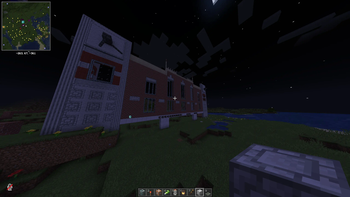
A Fabric Modpack that contains the Create Mod and some extensions and tools that can be used for building a city in Minecraft!
『📋』Mod List
『✅』Dependencies
| Mod Name | Creator | Versions Implemented | URL |
|---|---|---|---|
| Athena | 🏢Terrarium | 1.0.0.00+ | 🔗| Modrinth |
| Botarium | 🏢Terrarium | 1.0.0.00+ | 🔗| Modrinth |
| Cloth Config API | 👤shedaniel | 1.0.0.00+ | 🔗| Modrinth |
| Collective | 👤Serilum | 1.0.0.00+ | 🔗| Modrinth |
| Fabric API | 👤modmuss50 | 1.0.0.00+ | 🔗| Modrinth |
| Fabric Language Kotlin | 👤modmuss50 | 1.0.0.00+ | 🔗| Modrinth |
| Geckolib | 👤Gecko | 1.0.3.06+ | 🔗| Modrinth |
| Indium | 👤comp500 | 1.0.0.00+ | 🔗| Modrinth |
| Iris Shaders | 👤coderbot | 1.0.1.00+ | 🔗| Modrinth |
| Mod Menu | 🏢Terraformers | 1.0.0.00+ | 🔗| Modrinth |
| Resourceful Lib | 🏢Team Resourceful | 1.0.0.00+ | 🔗| Modrinth |
| YetAnotherConfigLib | 👤isxander | 1.0.0.00+ | 🔗| Modrinth |
『🚀』Optimizations
| Mod Name | Creator | Versions Implemented | URL |
|---|---|---|---|
| Clumps | 👤jaredlll08 | 1.0.0.00+ | 🔗| Modrinth |
| Dynamic FPS | 👤juliand665 | 1.0.0.00+ | 🔗| Modrinth |
| Enhanced Block Entities | 👤FoundationGames | 1.0.0.00+ | 🔗| Modrinth |
| Entity Culling | 👤tr7zw | 1.0.0.00+ | 🔗| Modrinth |
| FerriteCore | 👤malte0811 | 1.0.0.00+ | 🔗| Modrinth |
| ImmediatelyFast | 👤RaphiMC | 1.0.0.00+ | 🔗| Modrinth |
| Krypton | 👤astei | 1.0.0.00+ | 🔗| Modrinth |
| LazyDFU | 👤astei | 1.0.0.00+ | 🔗| Modrinth |
| Lithium | 👤jellysquid3 | 1.0.0.00+ | 🔗| Modrinth |
| Memory Leak Fix | 👤FX | 1.0.0.00+ | 🔗| Modrinth |
| More Culling | 👤FX | 1.0.0.00+ | 🔗| Modrinth |
| Sodium | 👤jellysquid3 | 1.0.0.00+ | 🔗| Modrinth |
| Sodium Extra | 👤FlashyReese | 1.0.0.00+ | 🔗| Modrinth |
| Starlight (Fabric) | 👤spottedleaf | 1.0.0.00+ | 🔗| Modrinth |
『🔧』Create Mod & Addons
| Mod Name | Creator | Versions Implemented | URL |
|---|---|---|---|
| Create Fabric | 👤tropheusj | 1.0.0.00+ | 🔗| Modrinth |
| Create: Bells and Whistles | 👤talrey | 1.0.0.00+ | 🔗| Modrinth |
| Create: Bitterballen | 👤sieyva | 1.0.3.00+ | 🔗| Modrinth |
| Create: Copycats | 🏢copycats-plus | 1.0.0.00+ | 🔗| Modrinth |
| Create Crafts & Additions | 👤mrh0 | 1.0.0.00+ | 🔗| Modrinth |
| Create Deco | 👤talrey | 1.0.0.00+ | 🔗| Modrinth |
| Create Enchantment Industry Fabric | 👤MarbleGateKeeper | 1.0.0.00+ | 🔗| Modrinth |
| Create: Interiors | 👤lev | 1.0.0.00+ | 🔗| Modrinth |
| Create Jetpack | 👤possible_triangle | 1.0.3.00+ | 🔗| Modrinth |
| Create: New Age | 🏢Antarctic Gardens | 1.0.0.00+ | 🔗| Modrinth |
| Create: Numismatics | 👤IThundxr | 1.0.0.00+ | 🔗| Modrinth |
| Create: Power Loader (Fabric) | 👤Lysine | 1.0.0.00+ | 🔗| Modrinth | Create Railways Navigator | 👤MrJulsen | 1.0.2.00+ | 🔗| Modrinth |
| Create Slice & Dice | 👤possible_triangle | 1.0.0.00+ | 🔗| Modrinth |
| Create: Steam 'n' Rails | 👤IThundxr | 1.0.0.00+ | 🔗| Modrinth |
| Create Track Map | 👤littlechasiu | 1.0.0.00+ | 🔗| Modrinth |
| Create: Train Perspective Fix | 👤MrJulsen | 1.0.0.00+ | 🔗| Modrinth |
| Create: TrainUtilities | 👤ProgrammerLP | 1.0.3.04a+ | 🔗| Modrinth |
| Modern Train Parts | 👤Dugske | 1.0.3.06+ | 🔗| Modrinth |
『🖥️』Vanilla+ Upgrades
| Mod Name | Creator | Versions Implemented | URL |
|---|---|---|---|
| 3D Skin Layers | 👤tr7zw | 1.0.0.00+ | 🔗| Modrinth |
| Appleskin | 👤squeek502 | 1.0.0.00+ | 🔗| Modrinth |
| BetterF3 | 👤TreyRuffy | 1.0.0.00+ | 🔗| Modrinth |
| Chat Heads | 👤dzwdz | 1.0.0.00+ | 🔗| Modrinth |
| Continuity | 👤PepperCode1 | 1.0.0.00+ | 🔗| Modrinth |
| Debugify | 👤isxander | 1.0.0.00+ | 🔗| Modrinth |
| Distant Horizons | 👤jeseibel | 1.0.2.00-1.0.2.01, 1.0.3.03+ | 🔗| Modrinth |
| Eating Animation | 👤theoness1 | 1.0.0.00+ | 🔗| Modrinth |
| [EMF] Entity Model Features | 👤Traben | 1.0.0.00+ | 🔗| Modrinth |
| EMI | 👤Emi | 1.0.0.00+ | 🔗| Modrinth |
| [ETF] Entity Texture Features | 👤Traben | 1.0.0.00+ | 🔗| Modrinth |
| Fast Backups | 👤pcal43 | 1.0.0.00+ | 🔗| Modrinth |
| Falling Leaves | 👤randommcsomething | 1.0.0.00+ | 🔗| Modrinth |
| Jade🔍 | 👤Snownee | 1.0.0.00+ | 🔗| Modrinth |
| Jade Addons | 👤Snownee | 1.0.0.00+ | 🔗| Modrinth |
| Just Enough Items | 👤mezz | 1.0.0.00+ | 🔗| Modrinth |
| Lamb Dynamic Lights | 👤LambdAurora | 1.0.0.00+ | 🔗| Modrinth |
| Presence Footsteps | 👤Sollace | 1.0.0.00+ | 🔗| Modrinth |
| Reese's Sodium Options | 👤FlashyReese | 1.0.0.00+ | 🔗| Modrinth |
| Shulker Box Tooltip | 👤MisterPeModder | 1.0.0.00+ | 🔗| Modrinth |
| Wavey Capes | 👤tr7zw | 1.0.0.00+ | 🔗| Modrinth |
| Zoomify | 👤isxander | 1.0.3.06a+ | 🔗| Modrinth |
『🗺️』Exploration Addons
| Mod Name | Creator | Versions Implemented | URL |
|---|---|---|---|
| Full Brightness Toggle | 👤Serilum | 1.0.0.00+ | 🔗| Modrinth |
| GUI Clock | 👤Serilum | 1.0.0.00+ | 🔗| Modrinth |
| Xaero's Minimap | 👤thexaero | 1.0.0.00+ | 🔗| Modrinth |
| Xaero's World Map | 👤thexaero | 1.0.0.00+ | 🔗| Modrinth |
『👥』Multiplayer Addons
| Mod Name | Creator | Versions Implemented | URL |
|---|---|---|---|
| CraftPresence | 👤CDAGaming | 1.0.0.00+ | 🔗| Modrinth |
| e4mc | 👤vgskye | 1.0.3.06+ | 🔗| Modrinth |
| ESSENTIAL Mod | 👤SparkUniverse | 1.0.0.00-1.0.3.06 | 🔗| Modrinth |
| Simple Voice Chat | 👤henkelmax | 1.0.0.00+ | 🔗| Modrinth |
『🔨』Construction Mods
| Mod Name | Creator | Versions Implemented | URL |
|---|---|---|---|
| Chipped | 🏢Terrarium | 1.0.0.00+ | 🔗| Modrinth |
| Immersive Paintings | 👤Luke100000 | 1.0.0.00+ | 🔗| Modrinth |
| Macaw's Bridges | 👤sketchmacaw | 1.0.0.00+ | 🔗| Modrinth |
| Macaw's Fences and Walls | 👤sketchmacaw | 1.0.0.00+ | 🔗| Modrinth |
| Macaw's Lights and Lamps | 👤sketchmacaw | 1.0.0.00+ | 🔗| Modrinth |
| Macaw's Paths and Pavings | 👤sketchmacaw | 1.0.0.00+ | 🔗| Modrinth |
| Macaw's Roofs | 👤sketchmacaw | 1.0.0.00+ | 🔗| Modrinth |
Createopolis recommends at least 4GiB (4096MiB) of RAM allocated to Minecraft.
Verfügbare Versionen
Createopolis Server einrichten
Server bestellen
Wähle mindestens 6 GB RAM (8 GB empfohlen für Createopolis). Je nach Spieleranzahl: +1 GB pro 5 Spieler.
Modpack im Dashboard installieren
Öffne den Modpack-Browser im Dashboard, suche nach "Createopolis" und klicke "Installieren". Der fabric-Loader und Minecraft 1.20.1 werden automatisch konfiguriert.
Server starten & spielen
Starte den Server – alle Mods werden automatisch geladen. Teile die Server-IP mit Freunden und spielt zusammen!
Häufige Fragen
Createopolis Server crasht oder startet nicht – was tun?
Häufigste Ursachen: zu wenig RAM oder falscher fabric-Loader. Prüfe latest.log auf "OutOfMemoryError" → erhöhe RAM auf mindestens 8 GB. Bei "Mixin" oder "ClassNotFoundException": Modpack-Version und Loader stimmen nicht überein. Bei Mado Hosting werden Loader und Minecraft-Version beim Modpack-Install automatisch konfiguriert – das verhindert die meisten Startprobleme.
Wie viel RAM braucht ein Createopolis Server wirklich?
Minimum 6 GB, empfohlen 8 GB für stabile Performance. +1 GB pro 5 Spieler. Wichtig: Minecraft-Modpacks brauchen mehr RAM als Vanilla – plane pro zusätzlichem Spieler extra ein. Bei Mado Hosting kannst du den RAM jederzeit live hochskalieren, ohne Datenverlust (ab €7.800000000000001/Monat).
Kann ich eigene Mods zu Createopolis hinzufügen, ohne Konflikte?
Ja, aber achte auf die Kompatibilität: Nutze nur Mods für den gleichen Loader (fabric) und die gleiche Minecraft-Version (1.20.1). Häufige Probleme: ID-Konflikte bei Rezept-Mods und inkompatible Coremod-Versionen. Im Mado Dashboard zeigt der Mod-Browser nur kompatible Mods an und warnt bei bekannten Konflikten.
Createopolis Server laggt – Performance-Tipps
1) RAM auf 8 GB+ erhöhen. 2) Server-View-Distance auf 8 reduzieren (server.properties). 3) Pre-Generiere Chunks mit dem "Chunky" Plugin. 4) Prüfe mit /spark profiler welche Mods die meiste Tick-Time verbrauchen. Bei Mado Hosting laufen alle Server auf NVMe-SSDs mit dedizierten CPU-Kernen – das eliminiert Hardware als Engpass.
Ähnliche Modpacks


Createopolis Server mieten
Starte deinen eigenen Server mit automatischer Modpack-Installation.
Details
- Lizenz
- Creative Commons Attribution Non Commercial Share Alike 4.0 International
- Server-seitig
- Erforderlich
- Client-seitig
- Erforderlich
Unterstützte Versionen
Starte deinen Createopolis Server jetzt
Ab €7.80/Monat; für die beste Performance werden 8 GB RAM empfohlen.
Server konfigurieren →