
Homestead
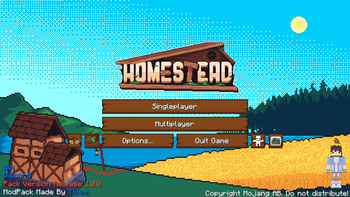
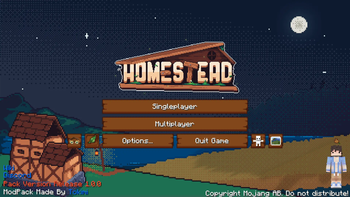
Welcome to Homestead, a hand-crafted world brimming with quests to embark on, vibrant landscapes and endless building possibilities. Settle in, explore, and create the cozy life you've always dreamed of!
Screenshots
Über dieses Modpack
!
The Official Homestead Modpack


!
!
🌎 A Rich, Handcrafted World:
- Custom World Generation with lush forests, sprawling fields, rugged mountains, and serene rivers thanks to mods like Tectonic and Geophilic
- Hand-placed Structures and procedural ruins blending into the landscape with the help of mods like Repurposed Structures and all of the mods by YUNG
- Biome Diversity using enhanced terrain mods without losing the cozy, Vanilla+ feeling like Nature's Spirit and Oh The Biomes We've Gone
📖 Guided Yet Free Gameplay:
- Extensive Questbook that rewards exploration, creativity, and survival mastery
- Chapters Organized Around Themes (homesteading, wild exploration, deep mining, magical secrets)
- No Forced Path — explore at your own pace, in your own way
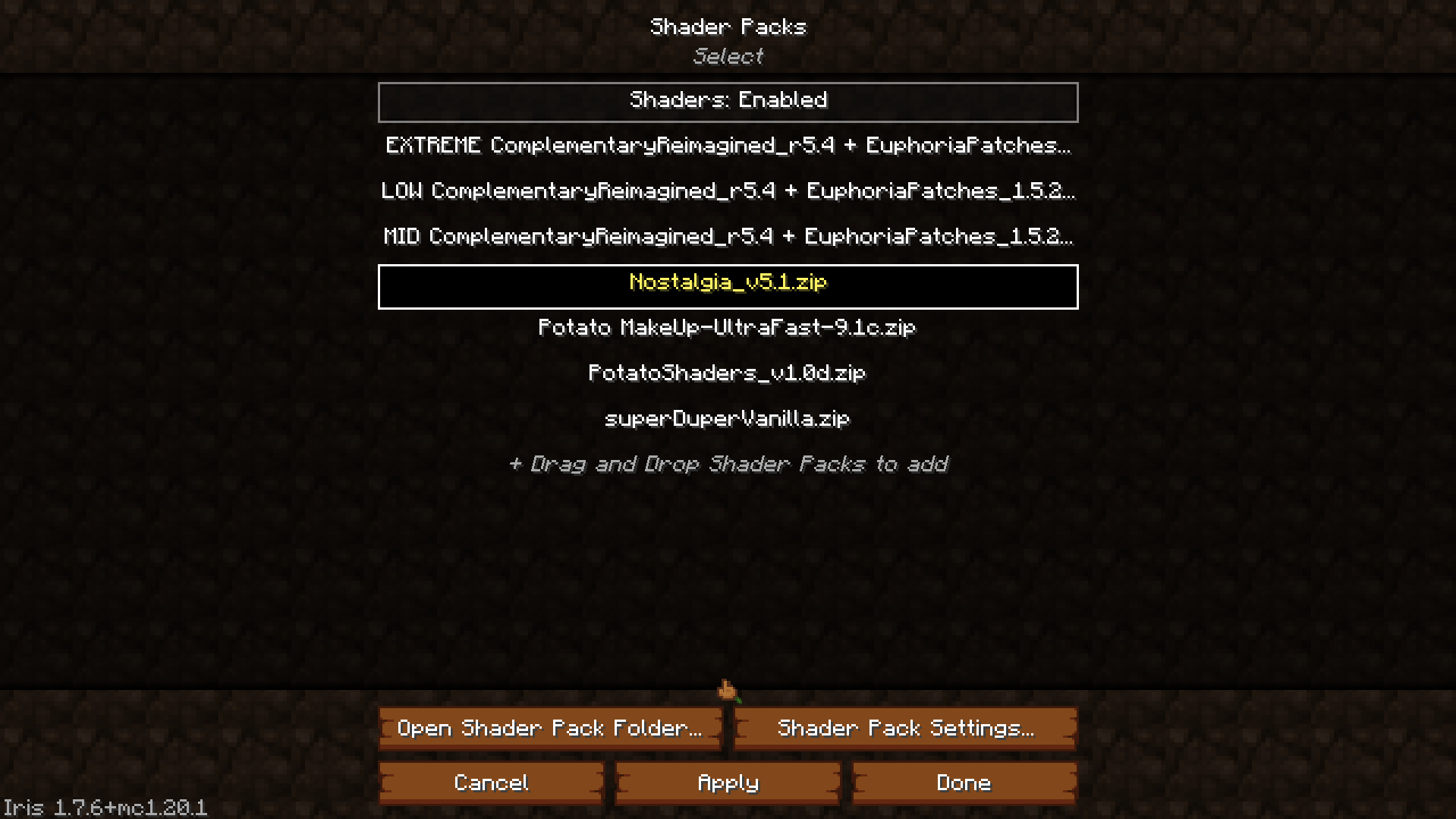
🎨 Built-in Shaders for the Ultimate Cinematic Experience:
Homestead comes bundled with beautiful shaders already installed — no extra downloads needed!
- Complimentary Reimagined — with 3 presets: Low, Mid, and Extreme
- Nostalgia Shader — for a soft, dreamy atmosphere
- MakeUp - UltraFast — lightweight and highly customizable
- Potato Shaders — perfect for lower-end PCs
- Super Duper Vanilla — beautiful lighting with a classic Minecraft look
🛠️ Expanded Survival Experience:
- New Tools and Armors made from custom gems like Ruby, Topaz, Peridot, Sapphire, Jade, Aquamarine, and Ametrine thanks to the Mythic Upgrades mod
- Custom Crafting Recipes and rebalanced Vanilla progression for a slower, rewarding survival
- More Realistic Farming with crops, trees, and livestock enhancements with mods like Farmer's Delight and the Let's Do Mods
🐾 New Wildlife and Creatures:
- Custom Mobs like Mushlings and Fernlings — friendly companions you can tame and adventure with from our Custom Homestead Mod
- Unique Mounts and Rideable Creatures integrated naturally into the world
- Mob Variants and Mini-Bosses lurking in caves, forests, and hidden groves
🧭 Exploration and Adventure:
- Ancient Structures, ruins, shrines, and secrets scattered across the land
- Treasure Hunts and Rare Artifacts like the Golden Leaf that grant special powers
- Mystical Biomes housing rare creatures, magical plants, and powerful relics
🏡 Cozy Building and Homesteading:
- Hundreds of Building Blocks including wood types, stones, shingles, beams, and cozy decor thanks to mods like Chipped and Twigs
- Furniture, Lighting, and Decorative Mods to build your perfect cottage, castle, or cabin thank to mods like Cluttered and Beautify: Refabricated
- Advanced Storage Solutions (chests, crates, backpacks, and more!) thanks to mods like Sophisticated Backpacks and Iron Chests: Restocked
⚙️ Mechanical and Magical Enhancements:
- Vanilla-style Automation with Create mod enhancements tailored to Homestead
- Optional Tech that's balanced to fit the rustic atmosphere (no high-tech clutter) such as Tom's Simple Storage and Wireless Redstone
🧡 A Labor of Love:
- Over 4 months of development, hand-tuning every system to create a warm, inviting survival experience
- Perfect for solo adventurers, small friend groups, or community servers alike
Check out the wiki for more information and to track issues or bugs that you may find!



💞 Special Thank You's
Thank you to everyone who beta tested the pack, finding all the bugs and issues that we could.
- Meleon (Secondary Dev)
- Xodk
- Army
- Lyn
- Alexelle
- Nylon
- Gonzo
- Cobra
- Mama Native
- Snowylasvegas
- Wistericle
- Yuki
- Navinor
- Salad (Backend Dev)
Thank you to the mod developers who helped us with coding our very own mod and bringing to life our crazy ideas.
- Javivi (Developer)
- Raboy (Animator)
- Flash (Model/Texture)
- Bret06 (Developer)
- Artmanoil (Custom GUI/TexturePack Guy)
- Gigoe (Main Menu/Loading Screen Artist)
And thank you to Slugv for making the best logo and icon for this beautiful modpack. This could not have come to life more without you.
Verfügbare Versionen
Homestead Server einrichten
Server bestellen
Wähle mindestens 6 GB RAM (8 GB empfohlen für Homestead). Je nach Spieleranzahl: +1 GB pro 5 Spieler.
Modpack im Dashboard installieren
Öffne den Modpack-Browser im Dashboard, suche nach "Homestead" und klicke "Installieren". Der fabric-Loader und Minecraft 1.20.1 werden automatisch konfiguriert.
Server starten & spielen
Starte den Server – alle Mods werden automatisch geladen. Teile die Server-IP mit Freunden und spielt zusammen!
Häufige Fragen
Homestead Server crasht oder startet nicht – was tun?
Häufigste Ursachen: zu wenig RAM oder falscher fabric-Loader. Prüfe latest.log auf "OutOfMemoryError" → erhöhe RAM auf mindestens 8 GB. Bei "Mixin" oder "ClassNotFoundException": Modpack-Version und Loader stimmen nicht überein. Bei Mado Hosting werden Loader und Minecraft-Version beim Modpack-Install automatisch konfiguriert – das verhindert die meisten Startprobleme.
Wie viel RAM braucht ein Homestead Server wirklich?
Minimum 6 GB, empfohlen 8 GB für stabile Performance. +1 GB pro 5 Spieler. Wichtig: Minecraft-Modpacks brauchen mehr RAM als Vanilla – plane pro zusätzlichem Spieler extra ein. Bei Mado Hosting kannst du den RAM jederzeit live hochskalieren, ohne Datenverlust (ab €7.800000000000001/Monat).
Kann ich eigene Mods zu Homestead hinzufügen, ohne Konflikte?
Ja, aber achte auf die Kompatibilität: Nutze nur Mods für den gleichen Loader (fabric) und die gleiche Minecraft-Version (1.20.1). Häufige Probleme: ID-Konflikte bei Rezept-Mods und inkompatible Coremod-Versionen. Im Mado Dashboard zeigt der Mod-Browser nur kompatible Mods an und warnt bei bekannten Konflikten.
Homestead Server laggt – Performance-Tipps
1) RAM auf 8 GB+ erhöhen. 2) Server-View-Distance auf 8 reduzieren (server.properties). 3) Pre-Generiere Chunks mit dem "Chunky" Plugin. 4) Prüfe mit /spark profiler welche Mods die meiste Tick-Time verbrauchen. Bei Mado Hosting laufen alle Server auf NVMe-SSDs mit dedizierten CPU-Kernen – das eliminiert Hardware als Engpass.
Ähnliche Modpacks
![Cobblemon Official Modpack [Fabric]](https://cdn.modrinth.com/data/5FFgwNNP/e7f9ee2e9d361623847853fe2ddce42f519ee64f.png)
![COBBLEVERSE - Pokemon Adventure [Cobblemon]](https://cdn.modrinth.com/data/Jkb29YJU/581ecf54530972afb18a04660afd820f2f24f6c7.png)
![Better MC [FABRIC] - BMC2](https://cdn.modrinth.com/data/shFhR8Vx/a19c2bcb51d38f32f138d3607e91cb2b7b8e387f_96.webp)


![Better MC [FORGE] - BMC4](https://cdn.modrinth.com/data/4BV47HRn/7f5ef7cc61b2593609aabef3ed07a866a4f11b73_96.webp)
Homestead Server mieten
Starte deinen eigenen Server mit automatischer Modpack-Installation.
Details
- Lizenz
- LicenseRef-All-Rights-Reserved
- Server-seitig
- Erforderlich
- Client-seitig
- Erforderlich
Unterstützte Versionen
Starte deinen Homestead Server jetzt
Ab €7.80/Monat; für die beste Performance werden 8 GB RAM empfohlen.
Server konfigurieren →