
Create: Resurrect
Resurrecting in a new world, you must use your smarts, wits, and a bit of luck to navigate the technologies and magicks in order to navigate the new world
Screenshots
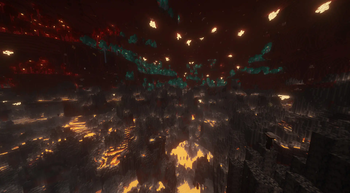
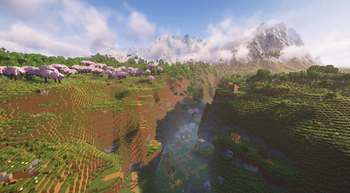
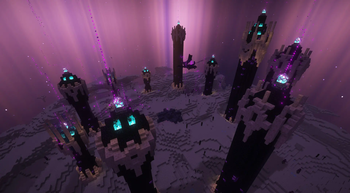
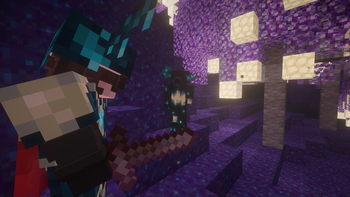
Über dieses Modpack
Resurrecting in a new world, you must use your smarts, wits, and a bit of luck to navigate the technologies and magicks in order to navigate the new world.
From Outer Space to the inner Deepest Dark, from the dysfunctional nether to the treacherous overworld, the world has stored away the means to get back to the real world through key ender eyes. But even if one manages to get all the eyes, the ender dragon will require a strong set of armor and good team coordination to have a chance at beating it and getting back once and for all.
- Born into a new world, you get to choose what kind of Origin you want, with over 100 species in all sizes from which to choose
- The Overworld has an overhaul world generation to bring out a brand new world to explore in
- Explore Space and expand the borders beyond the overworld
- Amplified Nether means nowhere in the nether is safe, but it also means a higher chance to recover some nether ores for further expansion
- Bounty boards in Villages lets you do side quests when in between building, expanding, and upgrading your gear and base
- Create machinery with Create to really push development for your base
- New weaponry to tackle the hazards of the new world
- Store your items more efficiently through network piping to help organize the amount of resources gained
- Go even Deeper into the Deep Dark and discover / exploit the world of the Deepest Dark
- For those that want to stay at home, there's additional food and recipes for those that want to dive into RP
- The Journey to the end requires searching for unique Eyes in order to enter the end
- All of which to fight the Ender Dragon who is now the Big Bad Evil Boss with harder cycles and attack patterns.
- And now has Backpacks!
Verfügbare Versionen
Create: Resurrect Server einrichten
Server bestellen
Wähle mindestens 6 GB RAM (8 GB empfohlen für Create: Resurrect). Je nach Spieleranzahl: +1 GB pro 5 Spieler.
Modpack im Dashboard installieren
Öffne den Modpack-Browser im Dashboard, suche nach "Create: Resurrect" und klicke "Installieren". Der fabric-Loader und Minecraft 1.20.1 werden automatisch konfiguriert.
Server starten & spielen
Starte den Server – alle Mods werden automatisch geladen. Teile die Server-IP mit Freunden und spielt zusammen!
Häufige Fragen
Create: Resurrect Server crasht oder startet nicht – was tun?
Häufigste Ursachen: zu wenig RAM oder falscher fabric-Loader. Prüfe latest.log auf "OutOfMemoryError" → erhöhe RAM auf mindestens 8 GB. Bei "Mixin" oder "ClassNotFoundException": Modpack-Version und Loader stimmen nicht überein. Bei Mado Hosting werden Loader und Minecraft-Version beim Modpack-Install automatisch konfiguriert – das verhindert die meisten Startprobleme.
Wie viel RAM braucht ein Create: Resurrect Server wirklich?
Minimum 6 GB, empfohlen 8 GB für stabile Performance. +1 GB pro 5 Spieler. Wichtig: Minecraft-Modpacks brauchen mehr RAM als Vanilla – plane pro zusätzlichem Spieler extra ein. Bei Mado Hosting kannst du den RAM jederzeit live hochskalieren, ohne Datenverlust (ab €7.800000000000001/Monat).
Kann ich eigene Mods zu Create: Resurrect hinzufügen, ohne Konflikte?
Ja, aber achte auf die Kompatibilität: Nutze nur Mods für den gleichen Loader (fabric) und die gleiche Minecraft-Version (1.20.1). Häufige Probleme: ID-Konflikte bei Rezept-Mods und inkompatible Coremod-Versionen. Im Mado Dashboard zeigt der Mod-Browser nur kompatible Mods an und warnt bei bekannten Konflikten.
Create: Resurrect Server laggt – Performance-Tipps
1) RAM auf 8 GB+ erhöhen. 2) Server-View-Distance auf 8 reduzieren (server.properties). 3) Pre-Generiere Chunks mit dem "Chunky" Plugin. 4) Prüfe mit /spark profiler welche Mods die meiste Tick-Time verbrauchen. Bei Mado Hosting laufen alle Server auf NVMe-SSDs mit dedizierten CPU-Kernen – das eliminiert Hardware als Engpass.
Ähnliche Modpacks
![Cobblemon Official Modpack [Fabric]](https://cdn.modrinth.com/data/5FFgwNNP/e7f9ee2e9d361623847853fe2ddce42f519ee64f.png)
![COBBLEVERSE - Pokemon Adventure [Cobblemon]](https://cdn.modrinth.com/data/Jkb29YJU/581ecf54530972afb18a04660afd820f2f24f6c7.png)
![Better MC [FABRIC] - BMC2](https://cdn.modrinth.com/data/shFhR8Vx/a19c2bcb51d38f32f138d3607e91cb2b7b8e387f_96.webp)


![Better MC [FORGE] - BMC4](https://cdn.modrinth.com/data/4BV47HRn/7f5ef7cc61b2593609aabef3ed07a866a4f11b73_96.webp)
Create: Resurrect Server mieten
Starte deinen eigenen Server mit automatischer Modpack-Installation.
Details
- Lizenz
- GNU Lesser General Public License v3.0 only
- Server-seitig
- Erforderlich
- Client-seitig
- Erforderlich
Unterstützte Versionen
Starte deinen Create: Resurrect Server jetzt
Ab €7.80/Monat; für die beste Performance werden 8 GB RAM empfohlen.
Server konfigurieren →