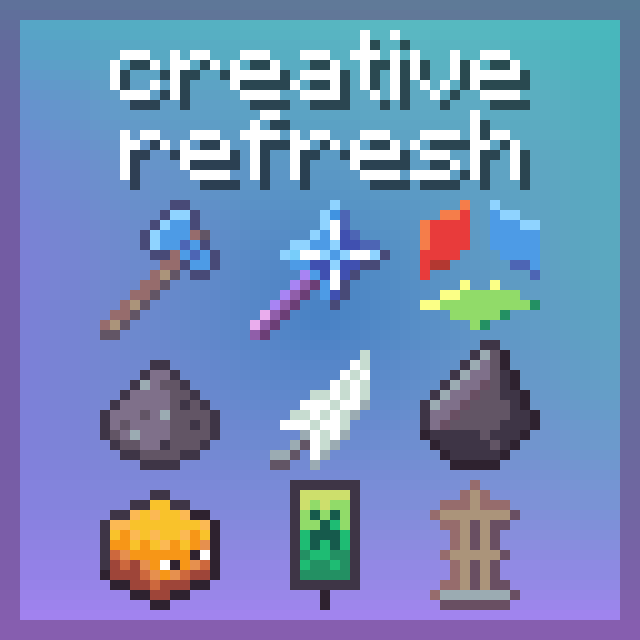
Creative Refresh
Axiom + MagicWand + FAWE + 8 tools & in-game local server!
Screenshots


Über dieses Modpack
Creative Refresh: Full professional suite featuring Axiom, 7 battle-tested plugins, and a groundbreaking new tool that completes Axiom.


Purpose
This pack exists because builders deserve access without paywalls, complexity or moderation – all credit to original creators.
How it works
Spoiler
Installs as a modpack with Axiom + QoL mods and a portable self-hosted server. Join the pre-configured "Singleplayer world" to access all tools instantly.
Value
In this modpack, you get:
- Axiom, an in-game worldeditor studio.
- 7 essential plugins.
- A new plugin completing Axiom.
- Zero setup and Self-hosted server.
- True privacy, nobody can steal your work.
- No staff controlling your artistic/speech-freedom (big servers are spying on your /msg commands, if your opinion is different they will ban you, they also ban people for speaking other languages).
Indirect benefits for the community:
See all benefits
- Paid servers must offer more value and fair monetization.
- Free servers unable to meet the demands shouldn't result in you not having all the tools.
- You get real privacy, if you turn on airplane mode everything keeps working.
- Engagement should be optional, if you don't feel like joining a Discord and align with its rules, you don't have to.
For all these reasons, consider keeping Discord RPC turned on so more Builders can find out about this professional suite.
Key mods
- Axiom (world editing)
- WorldEditCUI (WorldEdit selection visualization)
- WeCuiFix (WorldEditCUI fix for 1.21.5)
- Litematica (paste works in local server)
- Freecam (build inspection)
- ReplayMod (recording)
- Resourcify (shader/texture management)
- Controlify (control accessibility)
- Bridging Mod (Bedrock accessibility)
- More Chat History (command tracking)
Key plugins
- MagicWand Effortless Building PaperMC port (2x tools)
- Axiom-Paper (server Axiom support)
- FAWE (fast WorldEdit + 200+ commands)
- FAVS (VoxelSniper-based editing with 100 tools)
- goPaint (GUI painting)
- goBrush (GUI terraforming)
- HeadDB (100K+ heads)
- BannerMaker (custom banners)
- ArmorStandTools (pose editing)
Quick Start
- Install via Modrinth.
- Launch the game.
- Go to Singleplayer > Join existing world (Local Server).
Create more worlds
(Optional) Create new worlds: Singleplayer > Create World > More > Server Type > MagicWand.
Important Notes
- MagicWand: Standalone SpigotMC plugin (works for Java/Bedrock). Not an Axiom add-on.
- Permissions: Secured from Moulberry (Axiom) and Arcaniax (goPaint/goBrush) to avoid conflicts, they were approached first.
Redistribution and modification
See details
You may redistribute this modpack as-is, without any modifications. Creating derivative works is not permitted, mainly to avoid fragmentation of an already small community. You may create derivates for your own use alone or a group of friends. This modpack was created to make MagicWand — an excellent tool more accessible by packaging it in a simple, ready-to-use format.
If you genuinely want to contribute by adding a valuable mod, plugin or configuration, or if you're running a public server and would like to be featured in the modpack default server list, please join our Discord and open a support ticket.
Verfügbare Versionen
Creative Refresh Server einrichten
Server bestellen
Wähle mindestens 6 GB RAM (8 GB empfohlen für Creative Refresh). Je nach Spieleranzahl: +1 GB pro 5 Spieler.
Modpack im Dashboard installieren
Öffne den Modpack-Browser im Dashboard, suche nach "Creative Refresh" und klicke "Installieren". Der fabric-Loader und Minecraft 1.21.5 werden automatisch konfiguriert.
Server starten & spielen
Starte den Server – alle Mods werden automatisch geladen. Teile die Server-IP mit Freunden und spielt zusammen!
Häufige Fragen
Creative Refresh Server crasht oder startet nicht – was tun?
Häufigste Ursachen: zu wenig RAM oder falscher fabric-Loader. Prüfe latest.log auf "OutOfMemoryError" → erhöhe RAM auf mindestens 8 GB. Bei "Mixin" oder "ClassNotFoundException": Modpack-Version und Loader stimmen nicht überein. Bei Mado Hosting werden Loader und Minecraft-Version beim Modpack-Install automatisch konfiguriert – das verhindert die meisten Startprobleme.
Wie viel RAM braucht ein Creative Refresh Server wirklich?
Minimum 6 GB, empfohlen 8 GB für stabile Performance. +1 GB pro 5 Spieler. Wichtig: Minecraft-Modpacks brauchen mehr RAM als Vanilla – plane pro zusätzlichem Spieler extra ein. Bei Mado Hosting kannst du den RAM jederzeit live hochskalieren, ohne Datenverlust (ab €7.800000000000001/Monat).
Kann ich eigene Mods zu Creative Refresh hinzufügen, ohne Konflikte?
Ja, aber achte auf die Kompatibilität: Nutze nur Mods für den gleichen Loader (fabric) und die gleiche Minecraft-Version (1.21.5). Häufige Probleme: ID-Konflikte bei Rezept-Mods und inkompatible Coremod-Versionen. Im Mado Dashboard zeigt der Mod-Browser nur kompatible Mods an und warnt bei bekannten Konflikten.
Creative Refresh Server laggt – Performance-Tipps
1) RAM auf 8 GB+ erhöhen. 2) Server-View-Distance auf 8 reduzieren (server.properties). 3) Pre-Generiere Chunks mit dem "Chunky" Plugin. 4) Prüfe mit /spark profiler welche Mods die meiste Tick-Time verbrauchen. Bei Mado Hosting laufen alle Server auf NVMe-SSDs mit dedizierten CPU-Kernen – das eliminiert Hardware als Engpass.
Ähnliche Modpacks

![Cobblemon Official Modpack [Fabric]](https://cdn.modrinth.com/data/5FFgwNNP/e7f9ee2e9d361623847853fe2ddce42f519ee64f.png)
![COBBLEVERSE - Pokemon Adventure [Cobblemon]](https://cdn.modrinth.com/data/Jkb29YJU/581ecf54530972afb18a04660afd820f2f24f6c7.png)
![Better MC [FABRIC] - BMC2](https://cdn.modrinth.com/data/shFhR8Vx/a19c2bcb51d38f32f138d3607e91cb2b7b8e387f_96.webp)


Creative Refresh Server mieten
Starte deinen eigenen Server mit automatischer Modpack-Installation.
Details
- Lizenz
- LicenseRef-All-Rights-Reserved
- Server-seitig
- Optional
- Client-seitig
- Optional
Unterstützte Versionen
Starte deinen Creative Refresh Server jetzt
Ab €7.80/Monat; für die beste Performance werden 8 GB RAM empfohlen.
Server konfigurieren →