
DB's Farmtopia
A modpack that enhances farming in Minecraft with new crops, cooking recipes, building blocks, QOL and more.
Screenshots
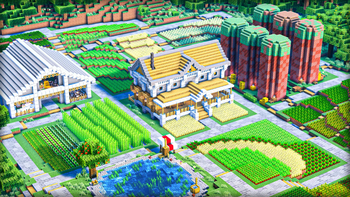
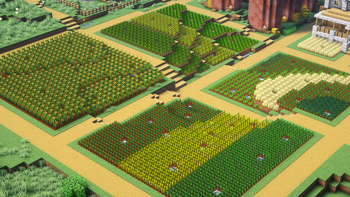
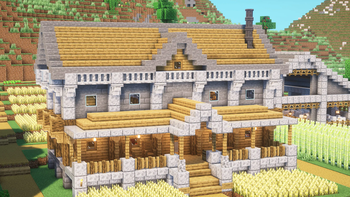
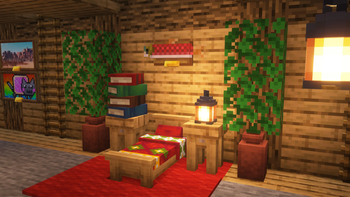
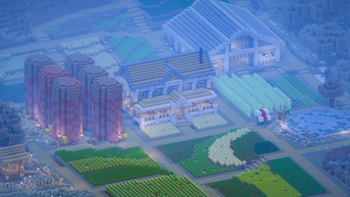
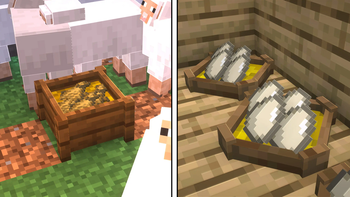
Über dieses Modpack
This modpack builds upon my previous one (DB's Minecraft Plus) by adding several mods to expand the farming, building and more.
FARMING
- Farming is completely overhauled with the croptopia mod, adding 58 new crops, 26 new trees to harvest and 250 new foods in total
- Serene Seasons adds seasons to the game, affecting crop growth, grass and foliage colours and even allowing snow to fall in the winter in all biomes
- Right Click Harvest makes farming a whole lot easier by auto replating crops when they're right clicked
- Animal Feeding Trough adds a block that automatically breeds animals
COOKING
- Cooking for blockheads adds several new kitchen items like a stove to quickly cook food, a fridge, sink and heaps more
BUILDING
- Macaw's Mods adds several new fence types, doors, trapdoors, paths and more
- Enchanted Vertical Slabs adds, well, vertical slabs, to expand building even further
- Handcrafted adds over 250 furniture items for interior decorating
STORAGE
- More Chest Variants add chests & barrels in all wood types
- Simple Copper Pipes adds a way of sorting and moving items
- Compact Storage adds storage blocks with way more space
Mods that require a link in description:
https://www.curseforge.com/minecraft/mc-mods/falling-leaves-fabric
Verfügbare Versionen
DB's Farmtopia Server einrichten
Server bestellen
Wähle mindestens 6 GB RAM (8 GB empfohlen für DB's Farmtopia). Je nach Spieleranzahl: +1 GB pro 5 Spieler.
Modpack im Dashboard installieren
Öffne den Modpack-Browser im Dashboard, suche nach "DB's Farmtopia" und klicke "Installieren". Der fabric-Loader und Minecraft 1.21 werden automatisch konfiguriert.
Server starten & spielen
Starte den Server – alle Mods werden automatisch geladen. Teile die Server-IP mit Freunden und spielt zusammen!
Häufige Fragen
DB's Farmtopia Server crasht oder startet nicht – was tun?
Häufigste Ursachen: zu wenig RAM oder falscher fabric-Loader. Prüfe latest.log auf "OutOfMemoryError" → erhöhe RAM auf mindestens 8 GB. Bei "Mixin" oder "ClassNotFoundException": Modpack-Version und Loader stimmen nicht überein. Bei Mado Hosting werden Loader und Minecraft-Version beim Modpack-Install automatisch konfiguriert – das verhindert die meisten Startprobleme.
Wie viel RAM braucht ein DB's Farmtopia Server wirklich?
Minimum 6 GB, empfohlen 8 GB für stabile Performance. +1 GB pro 5 Spieler. Wichtig: Minecraft-Modpacks brauchen mehr RAM als Vanilla – plane pro zusätzlichem Spieler extra ein. Bei Mado Hosting kannst du den RAM jederzeit live hochskalieren, ohne Datenverlust (ab €7.800000000000001/Monat).
Kann ich eigene Mods zu DB's Farmtopia hinzufügen, ohne Konflikte?
Ja, aber achte auf die Kompatibilität: Nutze nur Mods für den gleichen Loader (fabric) und die gleiche Minecraft-Version (1.21). Häufige Probleme: ID-Konflikte bei Rezept-Mods und inkompatible Coremod-Versionen. Im Mado Dashboard zeigt der Mod-Browser nur kompatible Mods an und warnt bei bekannten Konflikten.
DB's Farmtopia Server laggt – Performance-Tipps
1) RAM auf 8 GB+ erhöhen. 2) Server-View-Distance auf 8 reduzieren (server.properties). 3) Pre-Generiere Chunks mit dem "Chunky" Plugin. 4) Prüfe mit /spark profiler welche Mods die meiste Tick-Time verbrauchen. Bei Mado Hosting laufen alle Server auf NVMe-SSDs mit dedizierten CPU-Kernen – das eliminiert Hardware als Engpass.
Ähnliche Modpacks
![Cobblemon Official Modpack [Fabric]](https://cdn.modrinth.com/data/5FFgwNNP/e7f9ee2e9d361623847853fe2ddce42f519ee64f.png)
![COBBLEVERSE - Pokemon Adventure [Cobblemon]](https://cdn.modrinth.com/data/Jkb29YJU/581ecf54530972afb18a04660afd820f2f24f6c7.png)
![Better MC [FABRIC] - BMC2](https://cdn.modrinth.com/data/shFhR8Vx/a19c2bcb51d38f32f138d3607e91cb2b7b8e387f_96.webp)


![Better MC [FORGE] - BMC4](https://cdn.modrinth.com/data/4BV47HRn/7f5ef7cc61b2593609aabef3ed07a866a4f11b73_96.webp)
DB's Farmtopia Server mieten
Starte deinen eigenen Server mit automatischer Modpack-Installation.
Unterstützte Versionen
Starte deinen DB's Farmtopia Server jetzt
Ab €7.80/Monat; für die beste Performance werden 8 GB RAM empfohlen.
Server konfigurieren →