
EZ FPS And The Features For Pojav/Mojo/Zalith
EZ FPS & Features enhances Minecraft performance with needed features, specially designed for PojavLauncher/Mojo/Zalith(Minecraft Java For Mobile Devices)
Screenshots
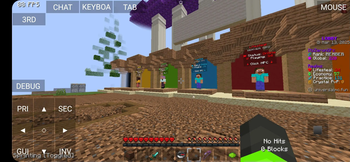
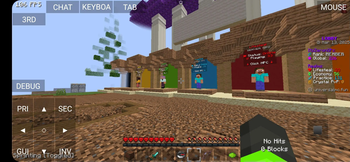
Über dieses Modpack
EZ FPS & Features For Pojav📱 🚀
Tired of lag? Get smoother gameplay with EZ FPS & Features, designed for low-end Phones Also For High-end Phones who want more fps:)!
Plug & play — jump straight into PvP or survival with instant performance and pre-built resource packs.
If Are You Are PC/Laptop/Desktop User Kindly Dont Use This One!!:>
For PC/Laptop/Desktop Users EZ FPS And Features For PC/Laptop/Desktop
Why Choose EZ FPS And Features For Pojav📱?
- Based on Simply Optimized & Remarkably Optimized
- Perfect for FPS boost pack
- Optimized settings for maximum performance
- Includes PvP-enhancing mods for better gameplay
- This Version Is Specialy Desgined For Pojav(Pojav Launcher is a playable minecraft launcher suitable for playing Minecraft on your phone)
Performance Gains
Tested on: Redmi Note 7 Pro
📱 Octa Core Max 2.02GHz CPU
🛠️ 4GB RAM Allocated Ram 1444mb
🎮 ANDROID 10 - 2019
✅ 80+ FPS Achieved! Stable
⚡ What are you waiting for? Download EZ FPS & Features for Pojav today!
How To Install Guide
Make Sure You Have Gladious Version Or Latest Updated Pojav
- You Follow These Steps Till Then
- Versions Tab

- Create New Profile
- Create ModPack Profile

- In Serach Tab Type
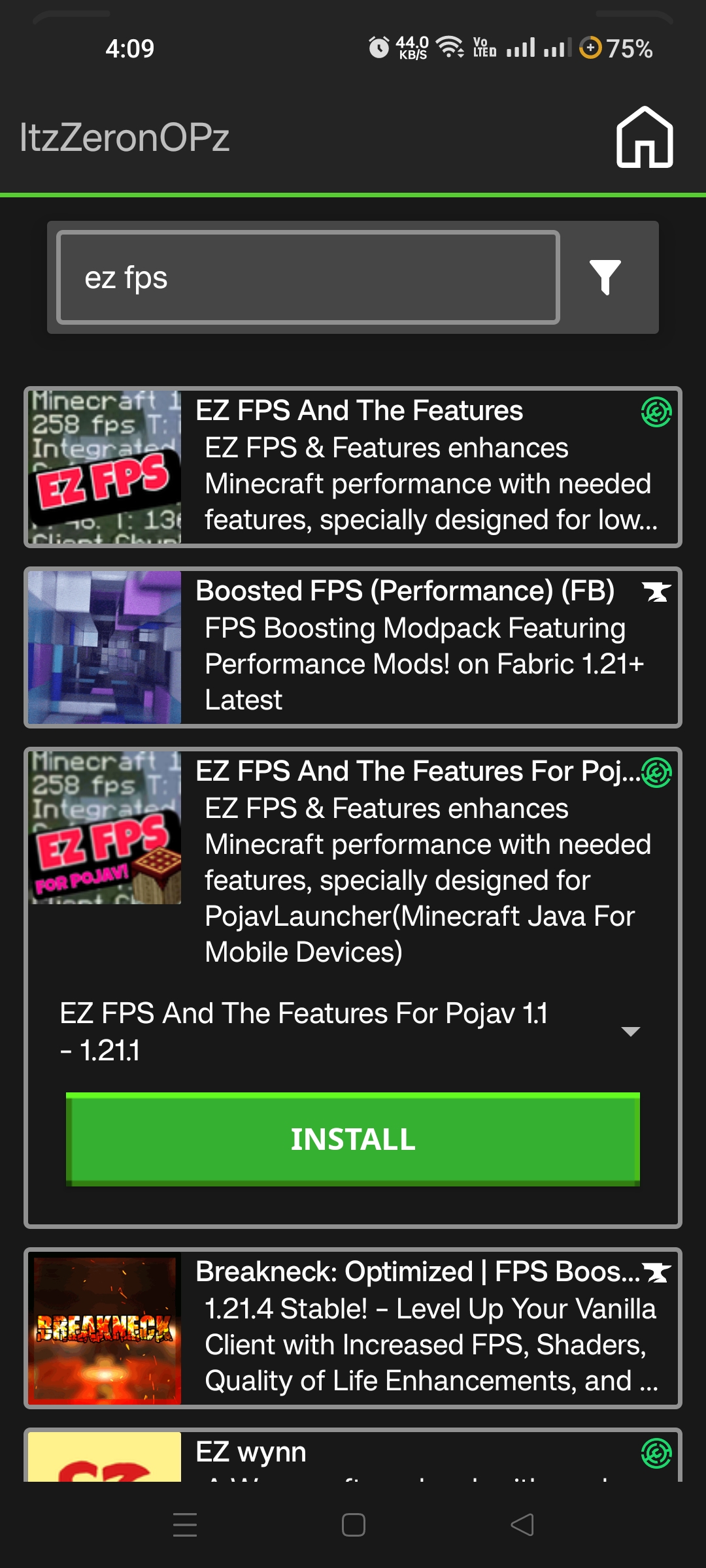
- EZ FPS And The Features For Pojav Select
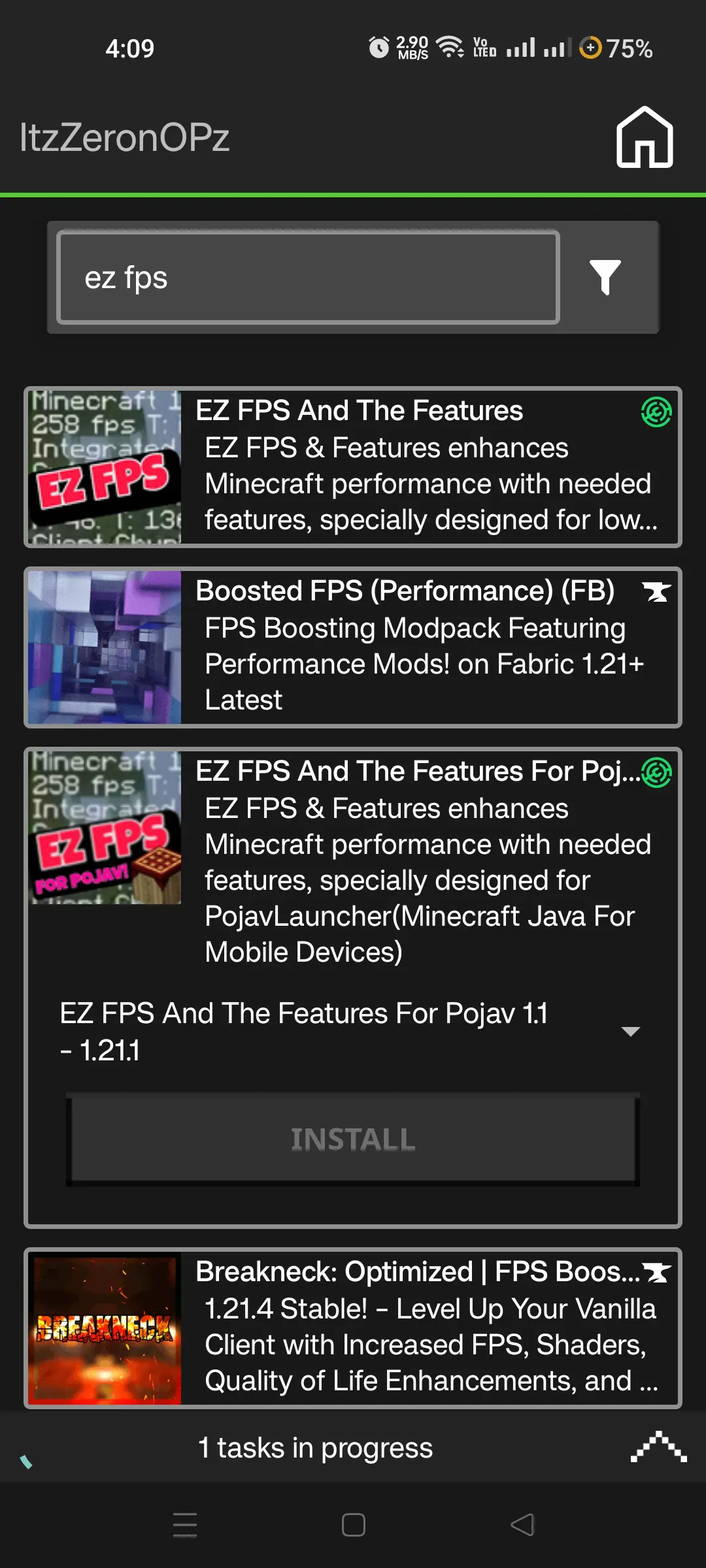
- Install The Version U Want For Example
1.2 1.21.1 & 1.5 1.21.1 (Kindly Select Latest/Biggest Value Of ModPack Version Than Minecraft Version - Then Click At That Version Installed In Version Tab
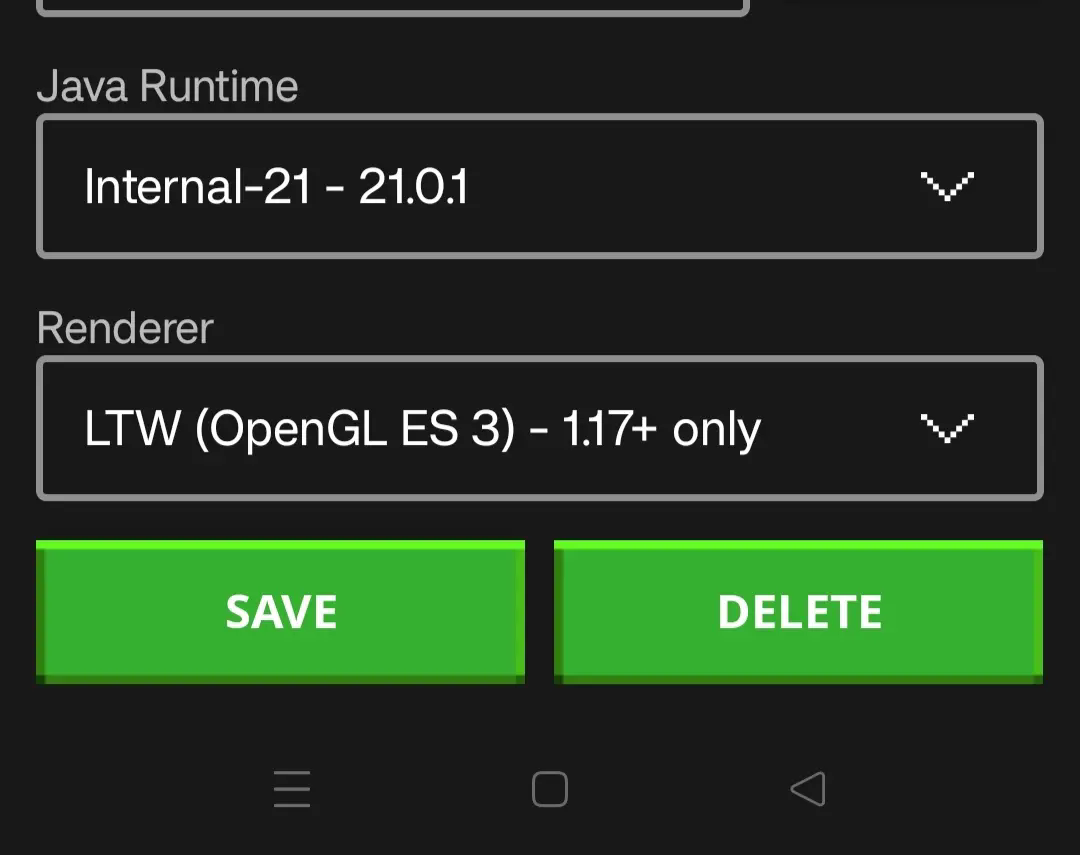
- Click At Pencil/EDit

- Select Renderer To LTW OPEN GL ES 3 1.17+
Known Issues
You Can Cleary See The Red Box At Top Left
It Will Be Automatically Removed After Few Secs Ingame/menu
To Prevent Crash Follow Some Tips
Kindly Dont On Discord RPC in Axotol Client Mod
Custom Name Window Dont On
Is PojavLauncher legal and safe to use?
PojavLauncher is now legal in Microsoft’s eyes, even though it may not have been in the past. They ensure their launcher doesn’t support piracy and only provide support for those who already own the game.
PojavLauncher follows the Minecraft EULA by offering a free, open-source launcher that doesn’t share game files with other servers.
All authentication and downloads happen directly with Mojang’s servers. PojavLauncher doesn’t collect your information, login details, or data. Everything is stored on your device, where only you can access it.
PojavLauncher is safe to use and doesn’t harm your device or distribute harmful programs.
Please note, this can’t be guaranteed if you get PojavLauncher from unofficial sources.
For iOS users: Jailbreaking can be a security risk, so be cautious if your device is jailbroken.
Other apps claiming to be PojavLauncher for Minecraft: Java Edition on Android or iOS are not connected to the PojavLauncher team.
Planed Version For Launch
- 1.16.5
- 1.18.2
- 1.19.4
- 1.20.1
- 1.21.4
THINGS YOU MUST CHANGE THAT MAY INCREASE OR DECREASE FPS
Kindly set the CPU Ahead Limit to your preferred value between 1 and 9. Try adjusting it and see which setting gives the best FPS.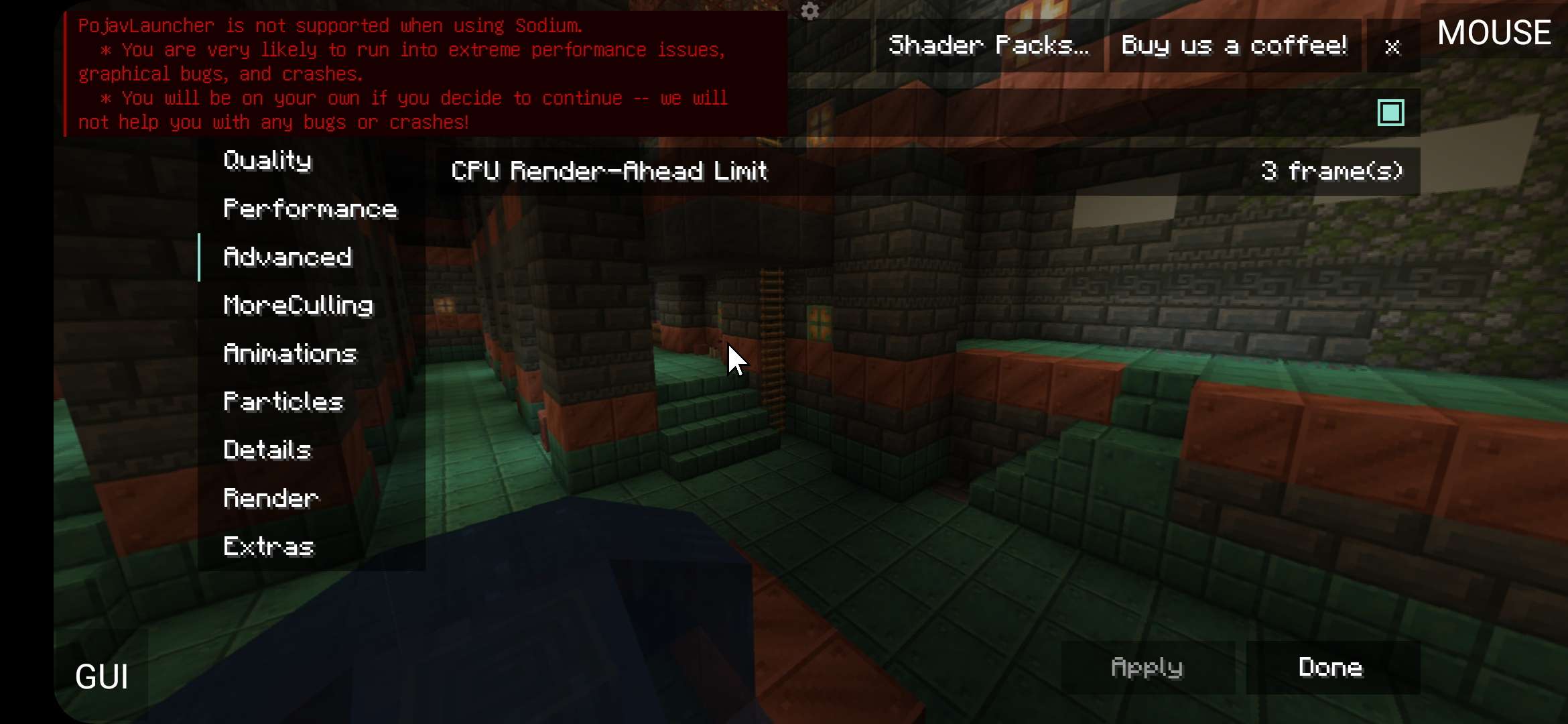
Verfügbare Versionen
EZ FPS And The Features For Pojav/Mojo/Zalith Server einrichten
Server bestellen
Wähle mindestens 4 GB RAM (6 GB empfohlen für EZ FPS And The Features For Pojav/Mojo/Zalith). Je nach Spieleranzahl: +1 GB pro 8 Spieler.
Modpack im Dashboard installieren
Öffne den Modpack-Browser im Dashboard, suche nach "EZ FPS And The Features For Pojav/Mojo/Zalith" und klicke "Installieren". Der fabric-Loader und Minecraft 26.2 werden automatisch konfiguriert.
Server starten & spielen
Starte den Server – alle Mods werden automatisch geladen. Teile die Server-IP mit Freunden und spielt zusammen!
Häufige Fragen
EZ FPS And The Features For Pojav/Mojo/Zalith Server crasht oder startet nicht – was tun?
Häufigste Ursachen: zu wenig RAM oder falscher fabric-Loader. Prüfe latest.log auf "OutOfMemoryError" → erhöhe RAM auf mindestens 6 GB. Bei "Mixin" oder "ClassNotFoundException": Modpack-Version und Loader stimmen nicht überein. Bei Mado Hosting werden Loader und Minecraft-Version beim Modpack-Install automatisch konfiguriert – das verhindert die meisten Startprobleme.
Wie viel RAM braucht ein EZ FPS And The Features For Pojav/Mojo/Zalith Server wirklich?
Minimum 4 GB, empfohlen 6 GB für stabile Performance. +1 GB pro 8 Spieler. Wichtig: Minecraft-Modpacks brauchen mehr RAM als Vanilla – plane pro zusätzlichem Spieler extra ein. Bei Mado Hosting kannst du den RAM jederzeit live hochskalieren, ohne Datenverlust (ab €5.2/Monat).
Kann ich eigene Mods zu EZ FPS And The Features For Pojav/Mojo/Zalith hinzufügen, ohne Konflikte?
Ja, aber achte auf die Kompatibilität: Nutze nur Mods für den gleichen Loader (fabric) und die gleiche Minecraft-Version (26.2). Häufige Probleme: ID-Konflikte bei Rezept-Mods und inkompatible Coremod-Versionen. Im Mado Dashboard zeigt der Mod-Browser nur kompatible Mods an und warnt bei bekannten Konflikten.
EZ FPS And The Features For Pojav/Mojo/Zalith Server laggt – Performance-Tipps
1) RAM auf 6 GB+ erhöhen. 2) Server-View-Distance auf 8 reduzieren (server.properties). 3) Pre-Generiere Chunks mit dem "Chunky" Plugin. 4) Prüfe mit /spark profiler welche Mods die meiste Tick-Time verbrauchen. Bei Mado Hosting laufen alle Server auf NVMe-SSDs mit dedizierten CPU-Kernen – das eliminiert Hardware als Engpass.
Ähnliche Modpacks


![Better MC [FABRIC] - BMC2](https://cdn.modrinth.com/data/shFhR8Vx/a19c2bcb51d38f32f138d3607e91cb2b7b8e387f_96.webp)
![Better MC [FORGE] - BMC4](https://cdn.modrinth.com/data/4BV47HRn/7f5ef7cc61b2593609aabef3ed07a866a4f11b73_96.webp)


EZ FPS And The Features For Pojav/Mojo/Zalith Server mieten
Starte deinen eigenen Server mit automatischer Modpack-Installation.
Unterstützte Versionen
Starte deinen EZ FPS And The Features For Pojav/Mojo/Zalith Server jetzt
Ab €5.20/Monat; für die beste Performance werden 6 GB RAM empfohlen.
Server konfigurieren →