
FemCraft Client
Utility & FPS Boost Client for FemBoys and Trans Girls
Screenshots
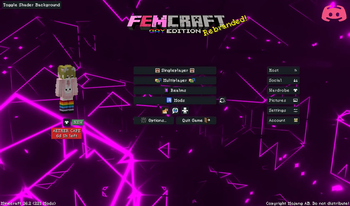
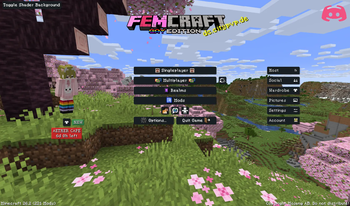
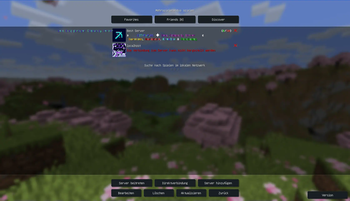
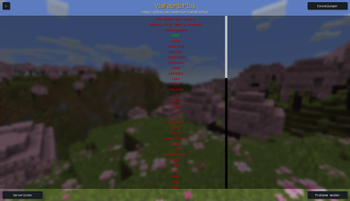


Über dieses Modpack
The FemCraft Client is a Fabric-based client modpack focused on performance, usability, and expressive visual customization. It combines massive performance optimizations with a clean integration of the Essential mod and a curated collection of high-quality utilities that players actually use in everyday gameplay.
Beyond performance, FemCraft introduces a wide range of visual upgrades: GLSL Shader Backgrounds, smooth animations, custom 3D models that bring previously flat elements to life, and a cohesive femboy & LGBTQ-themed aesthetic that gives the client a distinct identity. The interface is designed to be clear, modern, and highly customizable, making the overall experience more intuitive and thoughtfully structured than traditional competitors.
All-in-one, FemCraft aims to deliver a faster, cleaner, and more flexible Minecraft client without sacrificing style.
IMPORTANT: ONLY RELEASE VERSIONS OF FEMCRAFT CONTAIN ALL FEATURES. BETA/ALPHA VERSIONS MISS ALL MODS THAT HAVE NOT YET UPDATED!
Outdated Showcases
FAQ
Why is there Meteor in the Modpack? Isnt that a Cheat?
This isnt Meteor, but Asteroid wich is a fork / distribution of the Meteor Client, a fabric based utility client mod. It has had most of Meteor's anarchy modules removed, in order to focus entirely on the utilities. The few modules remaining that could be considered cheats can only be used when the player is OP, or in singleplayer.
Can I combine FemCraft with clients?
No, we strongly advise against using obfuscated clients (e.g., LabyMod, Lunar, NoRisk) and do not support combining FemCraft with them (such as placing the mods into their Fabric integrations). In 99% of cases, these clients act as privacy-invasive software designed to collect your private data while profiting off overpriced cosmetics. Please use the Essential Mod Instead! (wich is integrated in our Modpack)
Why do you use this versioning system (e.g. B1.12.4)?
The "B" stands for Build.
- The 1 indicates this is the first major version (V1) of the FemCraft Client.
- The 12 refers to the Minecraft version (1.12).
- The 4 represents the 4th build for that specific Minecraft version.
"Build" here does not refer to compiling a JAR file. It means a manually assembled and tested version of the entire modpack (mod selection, configurations, optimizations, and tweaks). Each new build is an improved iteration.
Why doesn't the latest version look like the screenshots?
Because many versions are Beta or Alpha builds. These versions automatically exclude all mods that have not yet been updated to the current Minecraft version.
Only the final Release versions contain the complete feature set. Always check the version label and changelog before expecting everything shown in the showcase videos.
Feature XYZ annoys me / A mod or feature is missing!
FemCraft is a modpack — you have full control. You can:
- Enable or disable almost any mod
- Change settings
- Swap resource packs and shaders
If something is missing or bothering you, feel free to open a ticket on our Discord and suggest the mod or feature. We review reasonable suggestions and consider adding them to future builds.
Verfügbare Versionen
FemCraft Client Server einrichten
Server bestellen
Wähle mindestens 4 GB RAM (6 GB empfohlen für FemCraft Client). Je nach Spieleranzahl: +1 GB pro 8 Spieler.
Modpack im Dashboard installieren
Öffne den Modpack-Browser im Dashboard, suche nach "FemCraft Client" und klicke "Installieren". Der fabric-Loader und Minecraft 26.3 werden automatisch konfiguriert.
Server starten & spielen
Starte den Server – alle Mods werden automatisch geladen. Teile die Server-IP mit Freunden und spielt zusammen!
Häufige Fragen
FemCraft Client Server crasht oder startet nicht – was tun?
Häufigste Ursachen: zu wenig RAM oder falscher fabric-Loader. Prüfe latest.log auf "OutOfMemoryError" → erhöhe RAM auf mindestens 6 GB. Bei "Mixin" oder "ClassNotFoundException": Modpack-Version und Loader stimmen nicht überein. Bei Mado Hosting werden Loader und Minecraft-Version beim Modpack-Install automatisch konfiguriert – das verhindert die meisten Startprobleme.
Wie viel RAM braucht ein FemCraft Client Server wirklich?
Minimum 4 GB, empfohlen 6 GB für stabile Performance. +1 GB pro 8 Spieler. Wichtig: Minecraft-Modpacks brauchen mehr RAM als Vanilla – plane pro zusätzlichem Spieler extra ein. Bei Mado Hosting kannst du den RAM jederzeit live hochskalieren, ohne Datenverlust (ab €5.2/Monat).
Kann ich eigene Mods zu FemCraft Client hinzufügen, ohne Konflikte?
Ja, aber achte auf die Kompatibilität: Nutze nur Mods für den gleichen Loader (fabric) und die gleiche Minecraft-Version (26.3). Häufige Probleme: ID-Konflikte bei Rezept-Mods und inkompatible Coremod-Versionen. Im Mado Dashboard zeigt der Mod-Browser nur kompatible Mods an und warnt bei bekannten Konflikten.
FemCraft Client Server laggt – Performance-Tipps
1) RAM auf 6 GB+ erhöhen. 2) Server-View-Distance auf 8 reduzieren (server.properties). 3) Pre-Generiere Chunks mit dem "Chunky" Plugin. 4) Prüfe mit /spark profiler welche Mods die meiste Tick-Time verbrauchen. Bei Mado Hosting laufen alle Server auf NVMe-SSDs mit dedizierten CPU-Kernen – das eliminiert Hardware als Engpass.
Ähnliche Modpacks


![Better MC [FABRIC] - BMC2](https://cdn.modrinth.com/data/shFhR8Vx/a19c2bcb51d38f32f138d3607e91cb2b7b8e387f_96.webp)
![Better MC [FORGE] - BMC4](https://cdn.modrinth.com/data/4BV47HRn/7f5ef7cc61b2593609aabef3ed07a866a4f11b73_96.webp)


FemCraft Client Server mieten
Starte deinen eigenen Server mit automatischer Modpack-Installation.
Details
- Lizenz
- LicenseRef-All-Rights-Reserved
- Server-seitig
- Nicht unterstützt
- Client-seitig
- Erforderlich
Unterstützte Versionen
Starte deinen FemCraft Client Server jetzt
Ab €5.20/Monat; für die beste Performance werden 6 GB RAM empfohlen.
Server konfigurieren →