
Modrinth · NeoForge
Forge & Fables II Server mieten
Dein eigener Forge & Fables II Server auf AMD Ryzen 9 ohne Thread-Limit. Der Server ist in der Regel unter 60 Sekunden bereit, das Pack installierst du danach mit einem Klick im Modpack-Browser.
Tech meets Pokémon: automate, survive, and catch 'em all!
- Downloads
- 2.2K
- Follower
- 0
- Loader
- NeoForge
- Minecraft
- 1.21.1
- Aktualisiert
- –
Screenshots
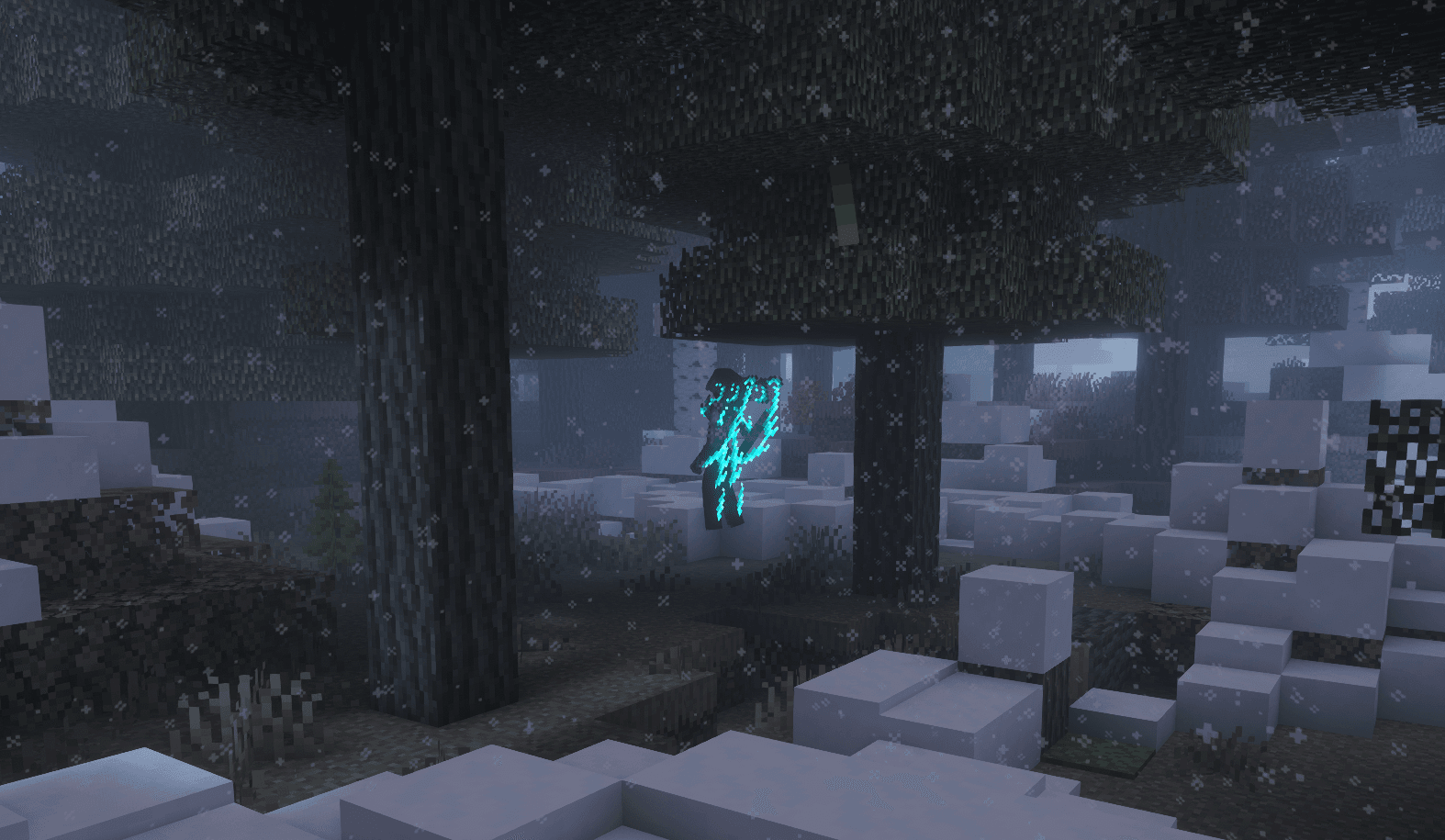
So sieht Forge & Fables II aus


Bilder: Forge & Fables II auf Modrinth, vom Projektteam veröffentlicht.
Einrichtung
In vier Schritten zum Forge & Fables II Server
Prüfe bei Fehlern zuerst Startprotokoll, Java-Version, Loader und Abhängigkeiten. Erhöhe RAM nur bei Hinweisen auf Speichermangel. Behalte vor Updates eine Kopie der funktionierenden Installation.
- 01
Konfigurieren
8 GB RAM sind vorausgewählt und Forge & Fables II ist im Konfigurator vorgemerkt. Laufzeit und Add-ons wählst du selbst.
- 02
Bezahlen
Per Kreditkarte oder PayPal. Der Server ist in der Regel unter 60 Sekunden bereit.
- 03
Pack installieren
Öffne den Modpack-Browser im Panel, wähle Modrinth, prüfe die Projekt-ID und installiere die gewünschte Pack-Version. Sichere eine bestehende Welt vorher.
- 04
Verbinden
Alle Spieler installieren dieselbe Pack-Version in einem kompatiblen Launcher und verbinden sich über die Serveradresse aus dem Panel.
Modrinth-Projekt-ID: 806TE3km
Das Panel
Pack installieren, Fehler finden.
Echte Screenshots aus dem Mado Panel. Beides ist bei jedem Minecraft Server enthalten.
Modpack-Browser
Modrinth und CurseForge direkt im Panel.
Pack suchen, Version wählen, installieren. Loader und Serverdateien musst du nicht von Hand hochladen.

KI-Crash-Analyse
Wenn ein Mod crasht, liest die Analyse das Log.
Große Modpacks scheitern oft an einer einzelnen Mod, Java-Version oder fehlenden Abhängigkeit. Die Analyse nennt eine wahrscheinliche Ursache und einen Lösungsvorschlag.

Versionen
Veröffentlichte Pack-Versionen
Server und Spieler brauchen dieselbe Pack-Version. Wähle sie im Modpack-Browser passend zu den Clients deiner Gruppe.
Forge & Fables II · ModrinthOriginalbeschreibung des Projektautors
Welcome to [WIP] 'Forge & Fables II'!
Modpack Features

🌍 Worldgen & Exploration 🌎
Explore, Explore, Explore!
- Experience & Explore Larger, More Layed out Biomes to get a Fresh & Unique experience every time thanks to our World Generation Mods like Terralith, Biomes O' Plenty and Continents!
- While exploring you will also be encountering many new Plants & Crops from mods like Farmer's Delight (+ Add-ons) that you will be able to Farm, which are integrated with Serene Seasons to more effectively grow certain Crops depending on the Season!
- There are plenty of non-vanilla Dimensions for you to explore! A good example of relatively new one would be The Other Side from Deeper and Darker, as well as some of the more classic ones; The Twilight Forest and The Aether!
 Pokémon & Custom 'Mons

Gotta catch 'em all!
- We use the very beloved and easily customizable Cobblemon mod in order to give players the best Pokémon experience within Minecraft!
- There are also plenty of add-on to build upon the foundation of base Cobblemon, such as Mega Showdown which adds Mega Evolution and many other features from other Pokémon games, while something like Raid Dens expand on ways to obtain Pokémon!
- We also couldn't exclude some amazing Datapacks such as ATM x MSD to expand even more upon available Pokémon & their Variants, and even ATM x MSD - Radiants to expand even more upon that idea!
- Lastly, we have our own mod called Cobbleworks which adds a few Custom 'Mons inspired by various things, including one Custom Mega Evolution!
⚔️ Weapons & Tools 🛠️
Craft Some Trusty Tools!
- The Combat Experience has been completely overhauled by the Better Combat Mod, allowing for easier, more consistent hits and being able hold down your Attack Button as well as introducing more Strengths & Weaknesses depending on what type of Weapon you are wielding!
- There's also plenty of Craftable and Upgradables Weapons & Tools to extend progression and give you as the player more options, like Immersive Ores that adds unique craftable Tools & Weapons that expand upon Netherite!
- Lastly, there are new Mobs, as well as Mob Variants to test out your new arsenal on!
⚙️ Machinery & Quality of Life ⛏️
Become a self-proclaimed Engineer!
- With Create (+ Add-ons) you will be able to make very complex machinery and set up automations that vanilla won't allow you to do, all while keeping it looking and feeling interesting!
- The Carpet Mod is also included within the modpack, changing a lot of the game from a technical perspective, most notably being able to move certain Entities with Pistons (such as Chests!)
- You can't have a Modpack without any Quality of Life. We have added mods to make your experience more enjoyable, seemless & immersive!
- The Performance of the Modpack remains (relatively) stable thanks to mods like Sodium!
🏡 Building Blocks & Decoration 🏮
Build away!
- We have added Stoneworks to expand on Vanilla Blocks (Variants), giving you many more Vanilla-friendly options to build with!
- Other than the Lots & Lots of Building Blocks that have been added, there are also a few new Decoration Blocks available, such as the Magical Lanterns from Arcane Lanterns or Functional Trash Cans from the Trash Cans Mod!
- Every Compat (Wood) and Every Compat (Stone) have also been included, automatically implementing a lot of recipes with custom wood & stone types!
🖼️ Textures & Shaders ☀️
Prettifying your game since 2026!
- Our Modpack makes use of Iris Shaders to the best Minecraft Shaders experience to you!
- By Default, you will have access to the Complementary - Reimagined & Solas Shader Packs, but you can always import any Shader Packs of your own choosing!
- We also use Colorwheel to optimize supported Modpacks to increase performance drastically when rendering moving parts from mods like Create!
- Our Pack also comes with Unique Dark - Lite, ATM x MSD, Cobblemon Minimap Icons, Emissive Cobblemon Ores and Just Expressions Enabled by Default to give players a Clean Dark-mode Experience and a few great Quality of Life Features right out the box!
(Unique Dark - Lite can be toggled within the Resource Pack menu in-game!)
Additional Information
📈 Memory Settings 📉
Where did my frames go?
- Make sure you Allocate plenty of Memory (RAM) to your Minecraft instance!
- Unsure how to do that? It's easy:
- Open up the Modrinth App
- Head to your 'Forge & Fables II' Instance (where you Launch the Modpack!)
- Press the Big Cogwheel (⚙️) in the Top-Right Corner
- Head to the (🍵) 'Java and memory' Tab
- Check (✅) the 'Custom memory allocation' box
- Change the value to '6144' (MB), or to '10240' (MB) for beefier PC's!
- Enjoy!
👥 Public Server 👥
Time to build a community!
- This Modpack comes with a Ready-to-Play Multiplayer Experience right from the moment you first launch the game! Within this server we like to chill, host events, battle, be a helping hand and so much more, so if you're up to meet some new people make sure to come on down so we can help you get started right away!
(This Public Server of ours is hosted by fableworks.eu)
Credits
This Modpack Page & All used Assets have been done by me (anne/kirbee/kirbdoublee) and will also be maintained by me!
Ähnliche Packs
Weitere server-fähige Modpacks
 Server-fähig

Cobblemon Official Modpack [Fabric]
von CobbledStudios
The official modpack of the Cobblemon mod, for Fabric!
 Server-fähig

COBBLEVERSE - Pokemon Adventure [Cobblemon]
von LUMYVERSE
Start a true Pokémon adventure in Minecraft: Cobblemon 1.8.4 | ALL 1025 Pokémon! | Mega Evolutions | Gyms & Badges | Starter Kit | Unique Structures | Custom Music | Shaders | Optimized | So much more! [1.21.1]
 Server-fähig

Better MC [FABRIC] - BMC2
von SHXRKIE
Version 1.20 | A Proper Vanilla+ Modpack | Don't play Vanilla play this!
 Server-fähig

Vanilla Perfected
von demonjoeTV
A compilation of Vanilla Plus mods & packs to perfect the Minecraft experience without drifting too far from the feel of the base game!
Bereit für deinen Forge & Fables II Server?
8 GB RAM ab 16,00 € im Monat. 35 % auf den 1. Monat mit MADO35.