
Freshly Textured
A Texture pack to enhance your vanilla experience. Couple it with some animation add-ons and it will look fabulous!
Screenshots
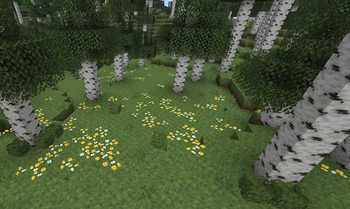
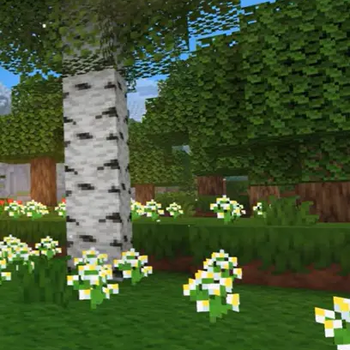
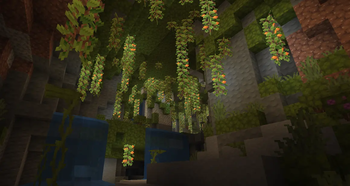
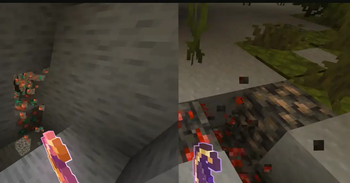
Über dieses Modpack
**This is a singleplayer-focused texture pack that refreshes Minecraft’s blocks and items while keeping them instantly recognizable. Inspired by the clean style of Actions & Stuff, the textures look fresher, smoother, and more consistent—without drifting away from the classic vanilla identity. Inspired by actions and stuff. For those who want an Action-and-Stuff-in-java textures feel, this should be a good alternative. Enjoy!
This goes far ahead from being inspired by Actions and Stuff by things such as even revamped textures and colorful GUI's
Nothing gameplay-related is touched. No mechanics, no changes that affect how the game works. It’s purely a visual upgrade designed to make the world feel cleaner and more modern while still looking like Minecraft.
The links for the packs and mods used for this is listed below on the dependencies folders. So please do not frame me for violating ARR license. Mod or pack authors that has created the mods are respected. But I am still mentioning them.
https://modrinth.com/resourcepack/mobs-stuff and https://modrinth.com/resourcepack/colourful-containers-gui
What To expect
Refreshed block, animations, item textures
Vanilla look preserved — everything stays easy to identify
Built for singleplayer immersion
Lightweight and smooth
Perfect base for animation packs
Simple, clean, and flexible—this pack is made for players who want vanilla Minecraft to look fresh today and stunning when combined with animations. ✨
Verfügbare Versionen
Freshly Textured Server einrichten
Server bestellen
Wähle mindestens 6 GB RAM (8 GB empfohlen für Freshly Textured). Je nach Spieleranzahl: +1 GB pro 5 Spieler.
Modpack im Dashboard installieren
Öffne den Modpack-Browser im Dashboard, suche nach "Freshly Textured" und klicke "Installieren". Der fabric-Loader und Minecraft 1.21.9 werden automatisch konfiguriert.
Server starten & spielen
Starte den Server – alle Mods werden automatisch geladen. Teile die Server-IP mit Freunden und spielt zusammen!
Häufige Fragen
Freshly Textured Server crasht oder startet nicht – was tun?
Häufigste Ursachen: zu wenig RAM oder falscher fabric-Loader. Prüfe latest.log auf "OutOfMemoryError" → erhöhe RAM auf mindestens 8 GB. Bei "Mixin" oder "ClassNotFoundException": Modpack-Version und Loader stimmen nicht überein. Bei Mado Hosting werden Loader und Minecraft-Version beim Modpack-Install automatisch konfiguriert – das verhindert die meisten Startprobleme.
Wie viel RAM braucht ein Freshly Textured Server wirklich?
Minimum 6 GB, empfohlen 8 GB für stabile Performance. +1 GB pro 5 Spieler. Wichtig: Minecraft-Modpacks brauchen mehr RAM als Vanilla – plane pro zusätzlichem Spieler extra ein. Bei Mado Hosting kannst du den RAM jederzeit live hochskalieren, ohne Datenverlust (ab €7.800000000000001/Monat).
Kann ich eigene Mods zu Freshly Textured hinzufügen, ohne Konflikte?
Ja, aber achte auf die Kompatibilität: Nutze nur Mods für den gleichen Loader (fabric) und die gleiche Minecraft-Version (1.21.9). Häufige Probleme: ID-Konflikte bei Rezept-Mods und inkompatible Coremod-Versionen. Im Mado Dashboard zeigt der Mod-Browser nur kompatible Mods an und warnt bei bekannten Konflikten.
Freshly Textured Server laggt – Performance-Tipps
1) RAM auf 8 GB+ erhöhen. 2) Server-View-Distance auf 8 reduzieren (server.properties). 3) Pre-Generiere Chunks mit dem "Chunky" Plugin. 4) Prüfe mit /spark profiler welche Mods die meiste Tick-Time verbrauchen. Bei Mado Hosting laufen alle Server auf NVMe-SSDs mit dedizierten CPU-Kernen – das eliminiert Hardware als Engpass.
Ähnliche Modpacks
![Cobblemon Official Modpack [Fabric]](https://cdn.modrinth.com/data/5FFgwNNP/e7f9ee2e9d361623847853fe2ddce42f519ee64f.png)
![COBBLEVERSE - Pokemon Adventure [Cobblemon]](https://cdn.modrinth.com/data/Jkb29YJU/581ecf54530972afb18a04660afd820f2f24f6c7.png)
![Better MC [FABRIC] - BMC2](https://cdn.modrinth.com/data/shFhR8Vx/a19c2bcb51d38f32f138d3607e91cb2b7b8e387f_96.webp)


![Better MC [FORGE] - BMC4](https://cdn.modrinth.com/data/4BV47HRn/7f5ef7cc61b2593609aabef3ed07a866a4f11b73_96.webp)
Freshly Textured Server mieten
Starte deinen eigenen Server mit automatischer Modpack-Installation.
Details
- Lizenz
- LicenseRef-All-Rights-Reserved
- Server-seitig
- Nicht unterstützt
- Client-seitig
- Erforderlich
Unterstützte Versionen
Starte deinen Freshly Textured Server jetzt
Ab €7.80/Monat; für die beste Performance werden 8 GB RAM empfohlen.
Server konfigurieren →