
Galaxy Quest
Galaxy Quest is a modpack based around Ad Astra and a plethora of modified tech mods and custom made items featuring over 120 quests to guide your progress.
Screenshots
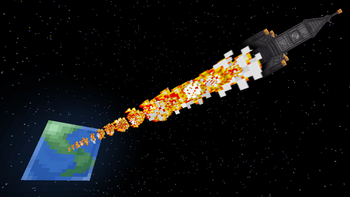
Über dieses Modpack

Remember the old Moon Quest or Mars Quest series on YouTube? Remember those old Space Race modpacks? No? Just me?
Galaxy Quest is a modpack based around Ad Astra and a plethora of modified tech mods and custom made items featuring over 120 quests to guide your progress. With progression tightly tied to Ad Astra, you're sure to need to spend an ample amount of time on Ad Astra's planets.
Make complex contraptions with Create, huge reactors with Extreme Reactors, and mind-boggling resource processing with Mekanism and Industrial Foregoing! Conquer the Earth, and then the Galaxy!
Check out the Release 1.0.0 notes for a full list of mods used in the pack, and important changes made from the 'vanilla' versions of the mods.
Huge thanks to my friends who playtested early versions of the pack for me and found lots of issues for me to fix!
Credits:
FAQ
Q: I am using Prism, why is my game crashing saying something about paxels?
A: For some reason, PaxelJS doesn't seem to get imported all the time into Prism. Please manually add that mod.
Q: Ok, I did that, but now it is saying I have the wrong version of Cucumber Lib?
A: Make sure you ONLY have Cucumber Library 7.0.7 installed. Sometimes Prism will install 7.0.7 and a newer version. Please delete the newer version.
Q: How can I make a multiplayer server with this pack?
A: Simply make your forge server the same way you would with any server pack, but remove oculus and embeddium from the mods folder. You may have to specify a port for the Voice Chat mod as well in the appropriate config.
Verfügbare Versionen
Galaxy Quest Server einrichten
Server bestellen
Wähle mindestens 6 GB RAM (8 GB empfohlen für Galaxy Quest). Je nach Spieleranzahl: +1 GB pro 5 Spieler.
Modpack im Dashboard installieren
Öffne den Modpack-Browser im Dashboard, suche nach "Galaxy Quest" und klicke "Installieren". Der forge-Loader und Minecraft 1.20.1 werden automatisch konfiguriert.
Server starten & spielen
Starte den Server – alle Mods werden automatisch geladen. Teile die Server-IP mit Freunden und spielt zusammen!
Häufige Fragen
Galaxy Quest Server crasht oder startet nicht – was tun?
Häufigste Ursachen: zu wenig RAM oder falscher forge-Loader. Prüfe latest.log auf "OutOfMemoryError" → erhöhe RAM auf mindestens 8 GB. Bei "Mixin" oder "ClassNotFoundException": Modpack-Version und Loader stimmen nicht überein. Bei Mado Hosting werden Loader und Minecraft-Version beim Modpack-Install automatisch konfiguriert – das verhindert die meisten Startprobleme.
Wie viel RAM braucht ein Galaxy Quest Server wirklich?
Minimum 6 GB, empfohlen 8 GB für stabile Performance. +1 GB pro 5 Spieler. Wichtig: Minecraft-Modpacks brauchen mehr RAM als Vanilla – plane pro zusätzlichem Spieler extra ein. Bei Mado Hosting kannst du den RAM jederzeit live hochskalieren, ohne Datenverlust (ab €7.800000000000001/Monat).
Kann ich eigene Mods zu Galaxy Quest hinzufügen, ohne Konflikte?
Ja, aber achte auf die Kompatibilität: Nutze nur Mods für den gleichen Loader (forge) und die gleiche Minecraft-Version (1.20.1). Häufige Probleme: ID-Konflikte bei Rezept-Mods und inkompatible Coremod-Versionen. Im Mado Dashboard zeigt der Mod-Browser nur kompatible Mods an und warnt bei bekannten Konflikten.
Galaxy Quest Server laggt – Performance-Tipps
1) RAM auf 8 GB+ erhöhen. 2) Server-View-Distance auf 8 reduzieren (server.properties). 3) Pre-Generiere Chunks mit dem "Chunky" Plugin. 4) Prüfe mit /spark profiler welche Mods die meiste Tick-Time verbrauchen. Bei Mado Hosting laufen alle Server auf NVMe-SSDs mit dedizierten CPU-Kernen – das eliminiert Hardware als Engpass.
Ähnliche Modpacks
![Cobblemon Official Modpack [Fabric]](https://cdn.modrinth.com/data/5FFgwNNP/e7f9ee2e9d361623847853fe2ddce42f519ee64f.png)
![COBBLEVERSE - Pokemon Adventure [Cobblemon]](https://cdn.modrinth.com/data/Jkb29YJU/581ecf54530972afb18a04660afd820f2f24f6c7.png)
![Better MC [FABRIC] - BMC2](https://cdn.modrinth.com/data/shFhR8Vx/a19c2bcb51d38f32f138d3607e91cb2b7b8e387f_96.webp)


![Better MC [FORGE] - BMC4](https://cdn.modrinth.com/data/4BV47HRn/7f5ef7cc61b2593609aabef3ed07a866a4f11b73_96.webp)
Galaxy Quest Server mieten
Starte deinen eigenen Server mit automatischer Modpack-Installation.
Unterstützte Versionen
Starte deinen Galaxy Quest Server jetzt
Ab €7.80/Monat; für die beste Performance werden 8 GB RAM empfohlen.
Server konfigurieren →