
Inside the Darkness - Horror
Optimized Horror and Realistic Modpack with multiple horror mods
Screenshots
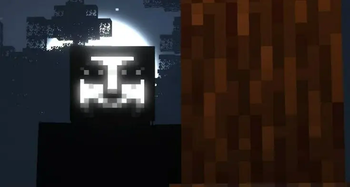
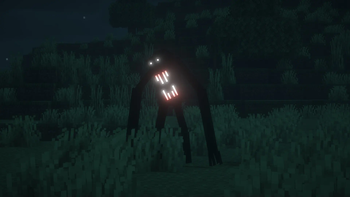
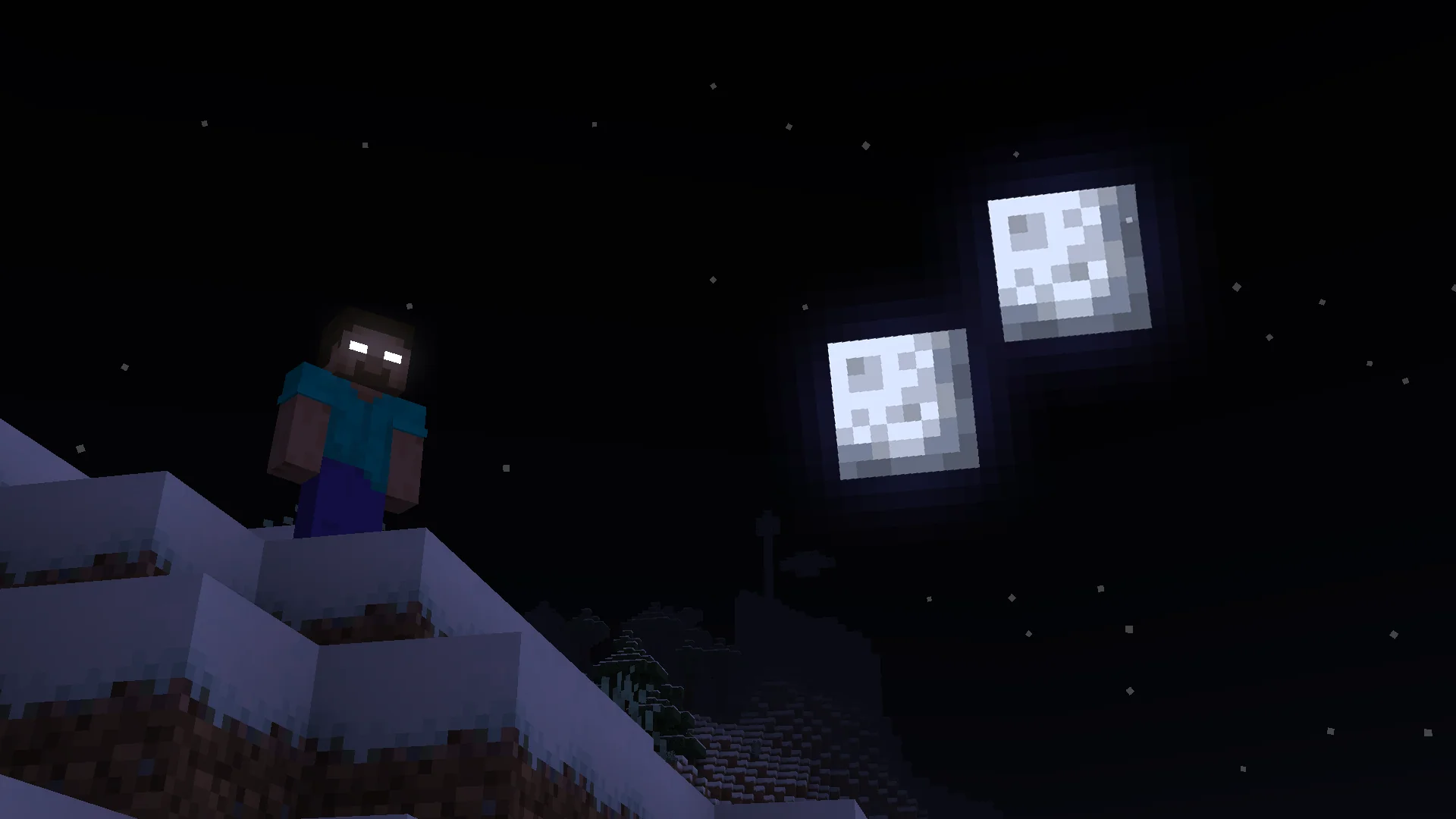
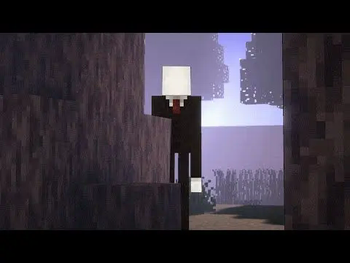
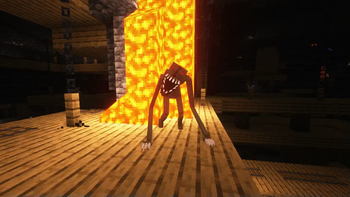
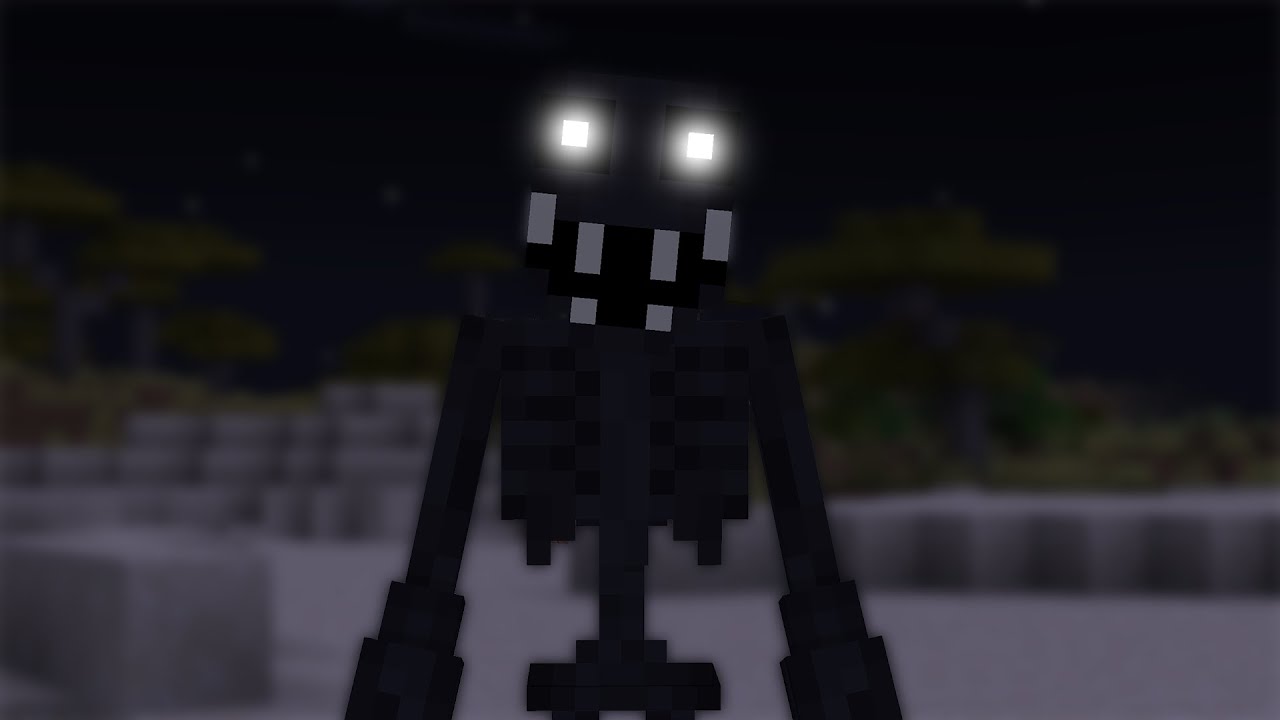
Über dieses Modpack






You are never alone in the dark.
Inside the Dark is a paranoia-based modpack. Unknown entities can attack you at any moment, and some are only here to drive you crazy. To survive, protect yourself and stay on your guard.
⚠️ 1.3 version is coming soon! ⚠️

- Paranoia-based gameplay
- Multiple horror entities (Slenderman, SCP-096, Herobrine, Cave Dweller, and more)
- Entities designed to scare and drive you crazy
- Horror and realistic shaders included
- Optimized for performance
- Multiplayer compatible

| Minecraft | Loader | Status |
|---|---|---|
| 1.20.1 | Forge | ✅ Supported |
| 1.19.2 | Forge | ✅ Supported |
| New version | ? | ⌛ Soon |
System Requirements
- RAM: 16 GB recommended on the PC, 6–8 GB allocated to the game.
- CPU: Ryzen 5 3600 / i5-10400 or better.
- Without shaders: GTX 1650 / RX 570 or better.
- With shaders: RTX 2060 / RX 6600 for 1080p, low to medium settings.

Credits
Credits — mods, resource packs, shaders & music
Thank you to all the creators whose work brings Inside the Darkness to life.
These credits cover the Minecraft 1.20.1 rework currently in development. Earlier releases may include different content. Each project keeps its own license and original notices; the links below point to its project page or license reference.
Mods & libraries (145)
- (Sodium) Chloride — All Rights Reserved · SrRapero720
- Advancement Plaques — CC-BY-NC-ND-4.0 · Grend
- AmbientSounds — LGPL-3.0-only · CreativeMD
- Amendments — Custom license · MehVahdJukaar
- Animated Doors — MIT · Miraculixx
- AnimaticaReforged — LGPL v3 · TeamPotato
- Anvil Repairing — LGPL-2.1-only · Darkhax
- AppleSkin — Unlicense · squeek
- Architectury API — LGPL-3.0-only · shedaniel
- AttributeFix — LGPL-2.1-only · Darkhax
- BadOptimizations — MIT · Thosea
- Balm — All Rights Reserved · BlayTheNinth
- Better Advancements — Custom license · way2muchnoise
- Better Animations Collection — MPL-2.0 · KodaichiZero, Fuzs
- Better Cave Dweller — MIT · Cadentem
- Better Than Mending — LGPL-3.0-only · Legobmw99
- Better Third Person — All Rights Reserved · Socolio
- BetterF3 — MIT · TreyRuffy and cominixo
- Biomas Vanilla Renovados | Renovated Vanilla Biomes — GPL-3.0-or-later · Cangrejoide
- Bookshelf — LGPL-2.1-only · Darkhax
- Boss Music Mod/Datapack — MIT · TheExiledFellow
- Camera Overhaul — GPL-3.0-or-later · Mirsario
- Catalogue — MIT · MrCrayfish
- Cave Dust — MPL-2.0 · LizIsTired
- Chat Heads — MPL-2.0 · dzwdz, Fourmisain
- Chat Impressive Animation — MIT · Wulian233, TexTrue
- Citadel — LGPL-3.0-only · Alexthe666
- Cloth Config API — LGPL-3.0-only
- Clumps — MIT · Jaredlll08
- Collective — All Rights Reserved · Serilum
- Combat Roll — GPL-3.0-only · Daedelus
- Continuity — LGPL-3.0-only · PepperCode1
- Cooking for Blockheads — All Rights Reserved · BlayTheNinth
- CreativeCore — LGPL-3.0-only · CreativeMD
- Cull Leaves — MIT · Motschen, TeamMidnightDust
- Curios API — LGPL-3.0-or-later · C4
- Curious Lanterns — LGPL-3.0-or-later · Psilocke
- Decorative Blocks — MIT · Lilypuree, Stohun
- Drip Sounds — LGPL-3.0-only · PieKing1215
- Drippy Loading Screen — Custom license · Keksuccino
- Durability Tooltip — All Rights Reserved · SuperMartijn642
- Dynamic FPS — MIT · juliand665 & LostLuma
- Eating Animations — MIT · Matyrobbrt
- Embeddium — LGPL-3.0-only · embeddedt
- Enchantment Descriptions — LGPL-2.1-only · Darkhax
- Enhanced Boss Bars — All Rights Reserved · Nakuring
- EnlightenedBlockEntities — GPL-3.0-only · Mr.Toad
- Entity Culling — Custom license · tr7zw
- Exposure — MIT · mortuusars
- Exposure Catalog — MIT · Mortuusars
- ExtraSounds Next — MIT · Arbor, stashymane
- FancyMenu — Custom license · Keksuccino
- Farmer's Delight — MIT · vectorwing
- FerriteCore — MIT · malte0811
- Fog — All Rights Reserved
- Fog Looks Modern Now — CC0-1.0
- Forgified Fabric API — Apache-2.0 · FabricMC, Sinytra
- From The Fog — CC-BY-NC-SA-4.0 · Bret06
- Fusion (Connected Textures) — All Rights Reserved · SuperMartijn642
- Fzzy Config — Custom license · fzzyhmstrs
- Geckolib — MIT · Gecko, Eliot, AzureDoom, DerToaster, Tslat, Witixin
- GlitchCore — All Rights Reserved · Adubbz
- GPUBooster — GPL-3.0-only · mr_toad
- GraveStone Mod — All Rights Reserved · Max Henkel
- GroovyModLoader (GML) — MIT
- Guard Villagers — Custom license · TallestEgg, HadeZ/SadNya69 for the textures.
- Handcrafted — Custom license · Alex Nijjar, Kekie6
- Iceberg — CC-BY-NC-ND-4.0 · Grend
- Icterine — GPL-3.0-or-later · Mephodio
- ImmediatelyFast — LGPL-3.0-or-later · RK_01
- Iron Chests — GPL-3.0-only · cpw, alexbegt, progwml6
- Item Borders — CC-BY-NC-ND-4.0 · Grend
- Item Highlighter — CC-BY-NC-ND-4.0 · Grend
- Jade — CC-BY-NC-SA-4.0 · Snownee
- Just Enough Items (JEI) — MIT · mezz
- Konkrete — Apache-2.0 · Keksuccino
- Kotlin for Forge — LGPL-2.1-only
- Legendary Tooltips — CC-BY-NC-ND-4.0 · Grend
- Lithostitched — MIT · Apollo
- Make Bubbles Pop — Custom license · Tschipcraft
- Melody — MIT · Keksuccino
- Memory Leak Fix — LGPL-2.1-only · FX - PR0CESS
- MidnightLib — MIT · TeamMidnightDust, Motschen
- Model Gap Fix — GPL-3.0-only · MehVahdJukaar
- ModernFix — LGPL-3.0-only · embeddedt
- Moonlight Lib — Custom license · MehVahdJukaar
- Mouse Tweaks — BSD-3-Clause · Ivan Molodetskikh (YaLTeR)
- MRU — All Rights Reserved
- Neruina — MIT · Bawnorton
- Nether Chested — MPL-2.0 · Fuzs
- NetherPortalFix — All Rights Reserved · BlayTheNinth
- No Chat Reports — WTFPL · Aizistral
- Noisium — LGPL-3.0-only · Steveplays28
- Not Enough Animations — Custom license · tr7zw
- Not Enough Crashes — MIT · Fudge
- Oculus — LGPL-3.0-only · NanoLive, dima_dencep, coderbot, IMS212, Justsnoopy30, FoundationGames
- Particle Core — MIT · fzzyhmstrs
- playerAnimator — MIT · KosmX
- Potacore — LGPL v3 · TeamPotato
- Presence Footsteps (Forge) — MIT · Hurricaaane, Sollace, Paint_Ninja
- Prism — CC-BY-NC-ND-4.0 · Grend
- Puzzles Lib — MPL-2.0 · Fuzs
- Quality Sounds — MIT · RKeblawi, Sydokiddo (base code from Auditory Mod)
- Radiant Gear — LGPL-3.0-or-later · Illusive Soulworks
- Realm RPG: Fallen Adventurers — All Rights Reserved · NoCube
- Resourceful Config — MIT
- Resourceful Lib — MIT · ThatGravyBoat, Epic_Oreo
- Saturn — LGPL-3.0-only · AbdElAziz
- SCP-096, The Shy Guy — ARR + permission modpack · User, MCreator
- SecurityCraft — MIT · Geforce132, bl4ckscor3, Redstone_Dubstep
- Serene Seasons — All Rights Reserved · Adubbz, Forstride
- Shield Expansion — Apache-2.0 · Infernal Studios
- Simple Voice Chat — All Rights Reserved · Max Henkel, Max Henkel
- Sinytra Connector — MIT
- Slenderman: The Revival — All Rights Reserved · Hqrvester
- Smarter Farmers (farmers replant) — All Rights Reserved · MehVahdJukaar
- Smooth Boot (Reloaded) — MIT · AbdElAziz
- Sodium Dynamic Lights — MIT · toni, LambdAurora
- Sound Physics Remastered — GPL-3.0-only · Sonic Ether, vlad2305m, Max Henkel, Saint
- spark — GPL-3.0-only
- SuperMartijn642's Config Lib — All Rights Reserved · SuperMartijn642
- SuperMartijn642's Core Lib — All Rights Reserved · SuperMartijn642
- Supplementaries — Custom license · MehVahdJukaar, Plantkillable
- Supplementaries Squared — All Rights Reserved · MehVahdJukaar, Plantkillable
- Tectonic — MIT · Apollo
- Tense Ambience — All Rights Reserved · Cyberking42
- The Anomaly Rephased — All Rights Reserved · Clorofite
- The Knocker — All Rights Reserved · Ma_Do
- The Man From The Fog — All Rights Reserved · M Productions
- The Midnight Lurker — MIT · Voxla
- The One Who Watches — All Rights Reserved · Pixel Coder
- The Pale Hound — MIT · TheSpukuz, Llamii_Llama.
- ToadLib — GPL-3.0-or-later · Mr.Toad
- Toni's Immersive Lanterns — Custom license · Toni
- Tool Stats — LGPL-2.1-only · Darkhax
- Tool Trims — All Rights Reserved · JoeFly
- True Ending - Ender Dragon Overhaul — Custom license · limesplatus
- Twigs — All Rights Reserved · Ninni
- TxniLib — MIT · Toni
- WI Zoom — GPL-3.0-or-later · Alexander01998
- YetAnotherConfigLib (YACL) — LGPL-3.0-or-later · isXander
- YUNG's API — LGPL-3.0-only · YUNGNICKYOUNG
- YUNG's Better Dungeons — LGPL-3.0-only · YUNGNICKYOUNG, Acarii
- YUNG's Better Mineshafts — LGPL-3.0-only · YUNGNICKYOUNG
- YUNG's Better Strongholds — LGPL-3.0-only · YUNGNICKYOUNG, Acarii
- 3D Skin Layers by tr7zw — tr7zw Protective License
- CraftPresence by CDAGaming — MIT.
- UniLib by CDAGaming — MIT.
Resource packs (7)
- Even Better Enchants — Apache-2.0
- Just Fancy Torches — All Rights Reserved
- More Cave Sounds — All Rights Reserved
- Motschen's Better Leaves — MIT
- New Hearts — Apache-2.0
- No More Clouds! — MIT
- SE Vanilla Consistency — Apache 2.0 / contenu de Shield Expansion
- Fast Better Grass — robotkoer · MIT
- Zero’s Dot Crosshair Aytug / Makber · All Rights Reserved
Shaders (4)
Previous content & additional credits
Inside the Darkness evolves between releases. We also thank the creators of content removed from the development profile or credited in earlier descriptions. Each project retains its own rights and license.
Previously used mods and libraries
- Better Compatibility Checker
- Better McDonald's Mod
- Blur Forge (Unofficial)
- Born in Chaos 1.6.3
- CraftPresence
- Cupboard 2.7
- Fast Async World Save 2.3
- fix GPU memory leak 1.8
- Mowzie's Delight
- Mowzie's Mobs
- ObsidianUI
- RyoamicLights
- Serious Player Animations
- Siren Head: The Arrival
- The Anomaly 1.1.5
- The Silence
Other earlier mod credit
- The Hybrid — credited in a previous README; not included in the current development profile.
Previous shader credits
Resource pack credit
- More Cave Sounds — MCS remains included. Its locally modified copy was replaced with the author's original release.
Content varies by version; this historical list is separate from the current rework's inventory.
License
All Rights Reserved — pack content & third-party licenses
All Rights Reserved applies to the original content owned by the pack author and distributed under this notice.
- You may play the pack and modify your own installation for personal use.
- Redistributing or publishing the author's original pack content requires permission.
- Third-party mods, libraries, resource packs, shaders, music and assets retain their own licenses and permissions. This notice does not override their terms.
- Material previously distributed under MIT remains covered by that license.
Verfügbare Versionen
Inside the Darkness - Horror Server einrichten
Server bestellen
Wähle mindestens 4 GB RAM (6 GB empfohlen für Inside the Darkness - Horror). Je nach Spieleranzahl: +1 GB pro 5 Spieler.
Modpack im Dashboard installieren
Öffne den Modpack-Browser im Dashboard, suche nach "Inside the Darkness - Horror" und klicke "Installieren". Der forge-Loader und Minecraft 1.20.1 werden automatisch konfiguriert.
Server starten & spielen
Starte den Server – alle Mods werden automatisch geladen. Teile die Server-IP mit Freunden und spielt zusammen!
Häufige Fragen
Inside the Darkness - Horror Server crasht oder startet nicht – was tun?
Häufigste Ursachen: zu wenig RAM oder falscher forge-Loader. Prüfe latest.log auf "OutOfMemoryError" → erhöhe RAM auf mindestens 6 GB. Bei "Mixin" oder "ClassNotFoundException": Modpack-Version und Loader stimmen nicht überein. Bei Mado Hosting werden Loader und Minecraft-Version beim Modpack-Install automatisch konfiguriert – das verhindert die meisten Startprobleme.
Wie viel RAM braucht ein Inside the Darkness - Horror Server wirklich?
Minimum 4 GB, empfohlen 6 GB für stabile Performance. +1 GB pro 5 Spieler. Wichtig: Minecraft-Modpacks brauchen mehr RAM als Vanilla – plane pro zusätzlichem Spieler extra ein. Bei Mado Hosting kannst du den RAM jederzeit live hochskalieren, ohne Datenverlust (ab €5.2/Monat).
Kann ich eigene Mods zu Inside the Darkness - Horror hinzufügen, ohne Konflikte?
Ja, aber achte auf die Kompatibilität: Nutze nur Mods für den gleichen Loader (forge) und die gleiche Minecraft-Version (1.20.1). Häufige Probleme: ID-Konflikte bei Rezept-Mods und inkompatible Coremod-Versionen. Im Mado Dashboard zeigt der Mod-Browser nur kompatible Mods an und warnt bei bekannten Konflikten.
Inside the Darkness - Horror Server laggt – Performance-Tipps
1) RAM auf 6 GB+ erhöhen. 2) Server-View-Distance auf 8 reduzieren (server.properties). 3) Pre-Generiere Chunks mit dem "Chunky" Plugin. 4) Prüfe mit /spark profiler welche Mods die meiste Tick-Time verbrauchen. Bei Mado Hosting laufen alle Server auf NVMe-SSDs mit dedizierten CPU-Kernen – das eliminiert Hardware als Engpass.
Ähnliche Modpacks

![COBBLEVERSE - Pokemon Adventure [Cobblemon]](https://cdn.modrinth.com/data/Jkb29YJU/581ecf54530972afb18a04660afd820f2f24f6c7.png)




Inside the Darkness - Horror Server mieten
Starte deinen eigenen Server mit automatischer Modpack-Installation.
Details
- Lizenz
- LicenseRef-All-Rights-Reserved
- Server-seitig
- Erforderlich
- Client-seitig
- Optional
Unterstützte Versionen
Starte deinen Inside the Darkness - Horror Server jetzt
Ab €5.20/Monat; für die beste Performance werden 6 GB RAM empfohlen.
Server konfigurieren →