
Inside the Trailer
Experience Minecraft as if you were inside the trailers
Screenshots
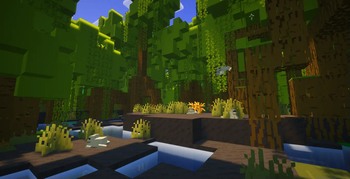
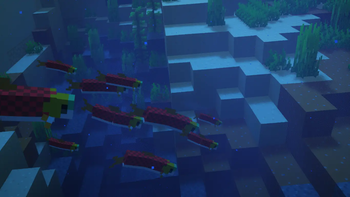
Über dieses Modpack
Enter the Minecraft trailers | Only in Theaters your PC.
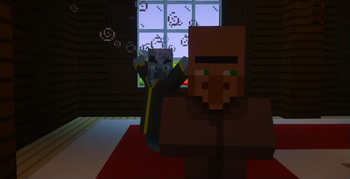
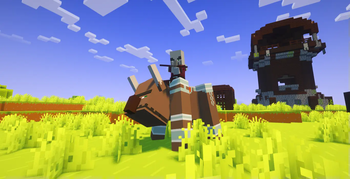
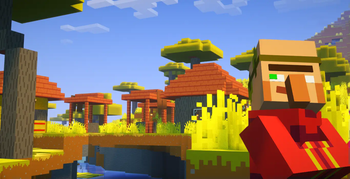
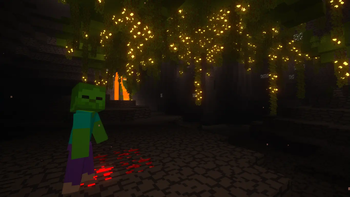
Inside the Trailer aims to bring vanilla Minecraft as close as possible to the atmosphere and feel of Minecraft trailers, so that you really feel like you're inside one.
This is done by modifying the visuals, audio, animations and other minor aspects, without adding any changes to the gameplay and thus keeping the modpack client-side, meaning you can use it on your favorite servers, even if it doesn't have the modpack installed.
Gameplay footage
All the gameplay footage is available on the Gallery tab.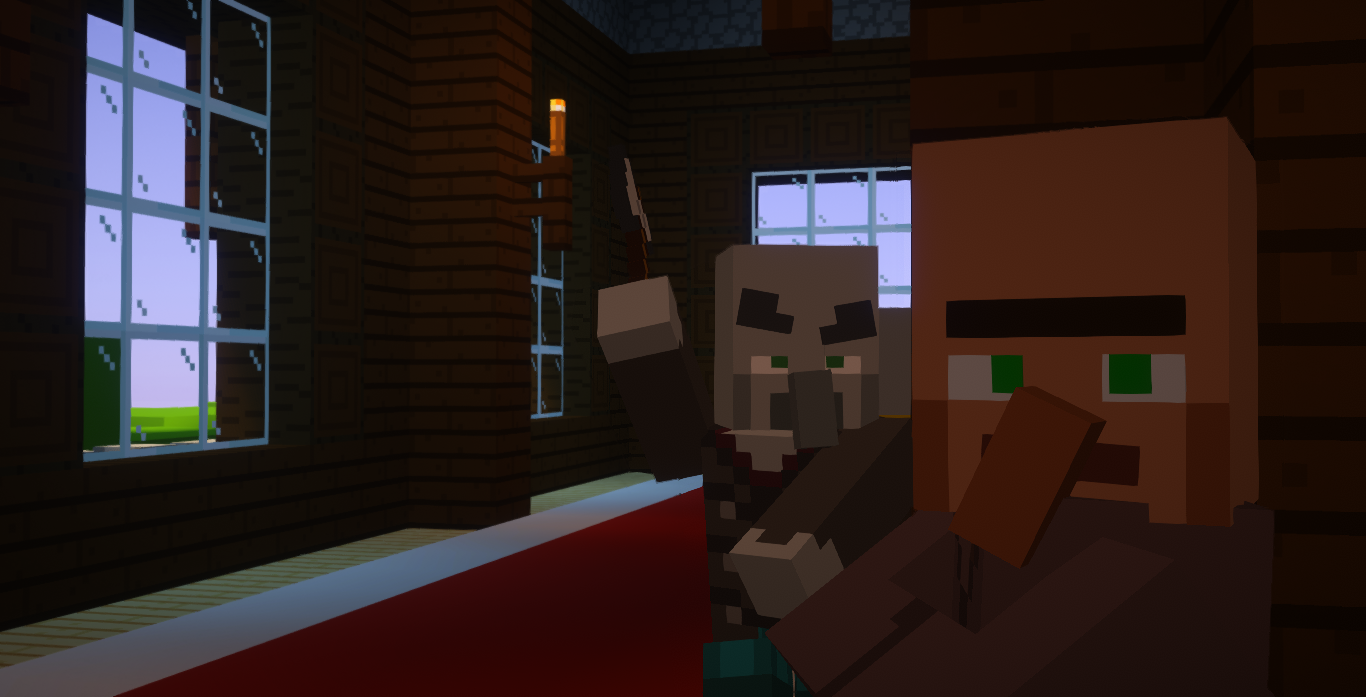
Features
The following list of features applies to the latest version of the modpack (2.0.0):
★ Main
- Shaders with customized by hand settings to make the gameplay as similar as possible to the Minecraft trailers
- Textures inspired by the trailers
- 88% of mobs with animations inspired by the trailers
- Great performance
👁 Visual
- New particles for ambience, cave dust and others
- New water effects (splashes, droplets, ripples, waterfall clouds and mist, ...)
- Bubble particles in the water rise to the surface of the water and pop
- Chests open underwater emit bubbles
Glow squids hypnotize (attract the cursor)(temporarily removed in 2.0.0)- First-person camera more realistic (toggleable)
- You can see your body on first-person view (toggleable by pressing F6)
- Screen shakes effects (for explosions, Warden roars and sonic booms, Ravager roars and Ender Dragon roars)
- Snow under the trees
- Cloud formations similar to those in trailers
- Soul fire appears correctly when a player is on fire
- Arrows with 2D model similarly to the trailers
Mobs don't flash red when hitted, as in the trailers(temporarily removed in 2.0.0)- Fluids fade in the void
- Animated chunk generation
♫ Audio
- Sounds physics
- New ambient and footstep sounds
- New sound effects when opening interfaces, moving items in inventories, changing the active hotbar slot, dropping items, typing in chat, earning achievements...
- More Villager speech sounds
〰 Animations
- Player with more animations
- Animations for block placement inspired by the trailers
- Animations for block breaking
- Eating animations
- Boats,
chestsand minecarts with animations Doors, gates, trapdoors and levers with animations(temporarily removed in 1.1.0)- Interfaces with animations when opened and closed
- Items are animated when carried and hovered over in the inventory
- Falling blocks are rotated to the direction they're falling towards
☰ Other
- Dynamic hotbar, allowing an appreciation of the game's visuals (toggleable by pressing H)
- Enhanced 3rd person view
- Main Menu background is now an animation, based on the Minecraft official videos outro
- Animated intro when you enter the game, based on the official Mojang Studios logo animation
- Fish swim in schools
- Better bossbars textures
- Armor is rendered in first-person view
- Details about armor in the armor bar
- Potency indicator and countdown overlay in status effect icons
- Controller support
- LAN servers can be opened for anyone you want
- Chat is animated and has new features such as being able to copy messages.
- Messages are indicated with player heads
- Resource packs, datapacks, servers and worlds are now draggable
- Searchable keybinds
- OptiFine capes support
- Z-fighting fixes
- And more...
In addition to the shaders, other mods have their configurations customized by hand to better fit the modpack.
Inside the Trailer is currently only available on Modrinth. Don't download it from another source.
Verfügbare Versionen
Inside the Trailer Server einrichten
Server bestellen
Wähle mindestens 6 GB RAM (8 GB empfohlen für Inside the Trailer). Je nach Spieleranzahl: +1 GB pro 5 Spieler.
Modpack im Dashboard installieren
Öffne den Modpack-Browser im Dashboard, suche nach "Inside the Trailer" und klicke "Installieren". Der quilt-Loader und Minecraft 1.21.1 werden automatisch konfiguriert.
Server starten & spielen
Starte den Server – alle Mods werden automatisch geladen. Teile die Server-IP mit Freunden und spielt zusammen!
Häufige Fragen
Inside the Trailer Server crasht oder startet nicht – was tun?
Häufigste Ursachen: zu wenig RAM oder falscher quilt-Loader. Prüfe latest.log auf "OutOfMemoryError" → erhöhe RAM auf mindestens 8 GB. Bei "Mixin" oder "ClassNotFoundException": Modpack-Version und Loader stimmen nicht überein. Bei Mado Hosting werden Loader und Minecraft-Version beim Modpack-Install automatisch konfiguriert – das verhindert die meisten Startprobleme.
Wie viel RAM braucht ein Inside the Trailer Server wirklich?
Minimum 6 GB, empfohlen 8 GB für stabile Performance. +1 GB pro 5 Spieler. Wichtig: Minecraft-Modpacks brauchen mehr RAM als Vanilla – plane pro zusätzlichem Spieler extra ein. Bei Mado Hosting kannst du den RAM jederzeit live hochskalieren, ohne Datenverlust (ab €7.800000000000001/Monat).
Kann ich eigene Mods zu Inside the Trailer hinzufügen, ohne Konflikte?
Ja, aber achte auf die Kompatibilität: Nutze nur Mods für den gleichen Loader (quilt) und die gleiche Minecraft-Version (1.21.1). Häufige Probleme: ID-Konflikte bei Rezept-Mods und inkompatible Coremod-Versionen. Im Mado Dashboard zeigt der Mod-Browser nur kompatible Mods an und warnt bei bekannten Konflikten.
Inside the Trailer Server laggt – Performance-Tipps
1) RAM auf 8 GB+ erhöhen. 2) Server-View-Distance auf 8 reduzieren (server.properties). 3) Pre-Generiere Chunks mit dem "Chunky" Plugin. 4) Prüfe mit /spark profiler welche Mods die meiste Tick-Time verbrauchen. Bei Mado Hosting laufen alle Server auf NVMe-SSDs mit dedizierten CPU-Kernen – das eliminiert Hardware als Engpass.
Ähnliche Modpacks
![Cobblemon Official Modpack [Fabric]](https://cdn.modrinth.com/data/5FFgwNNP/e7f9ee2e9d361623847853fe2ddce42f519ee64f.png)
![COBBLEVERSE - Pokemon Adventure [Cobblemon]](https://cdn.modrinth.com/data/Jkb29YJU/581ecf54530972afb18a04660afd820f2f24f6c7.png)
![Better MC [FABRIC] - BMC2](https://cdn.modrinth.com/data/shFhR8Vx/a19c2bcb51d38f32f138d3607e91cb2b7b8e387f_96.webp)


![Better MC [FORGE] - BMC4](https://cdn.modrinth.com/data/4BV47HRn/7f5ef7cc61b2593609aabef3ed07a866a4f11b73_96.webp)
Inside the Trailer Server mieten
Starte deinen eigenen Server mit automatischer Modpack-Installation.
Details
- Lizenz
- LicenseRef-All-Rights-Reserved
- Server-seitig
- Nicht unterstützt
- Client-seitig
- Erforderlich
Unterstützte Versionen
Starte deinen Inside the Trailer Server jetzt
Ab €7.80/Monat; für die beste Performance werden 8 GB RAM empfohlen.
Server konfigurieren →