
Just Play Autumn
Just Play in the Autumn — a Halloween-themed modpack with spooky biomes, eerie creatures, and haunting ambience. 🍂🎃
Screenshots
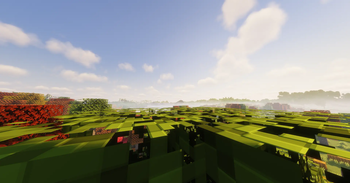
Über dieses Modpack
🍂 Just Play in the Autumn 🍂
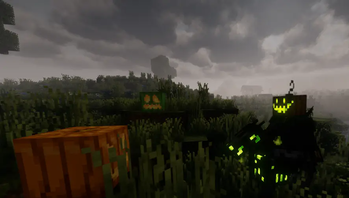
Leaves are falling, pumpkins are glowing, and something spooky is always waiting around the corner… This pack turns Minecraft into an autumn wonderland full of creepy nights, festive foods, haunted landscapes, and a pinch of Halloween magic.
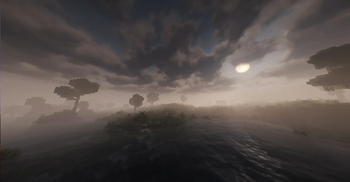
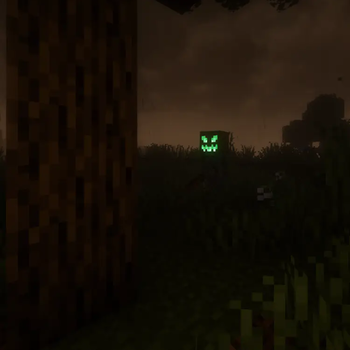
Every step feels alive with the season: the crunch of leaves beneath your feet, the flicker of jack-o’-lanterns lighting the path, the sound of eerie whispers when the fog rolls in. Days feel cozy and calm as you harvest, cook, and decorate, but nights turn tense and thrilling with strange noises, glowing eyes in the dark, and the fear of what’s waiting behind the next tree. It’s a world that’s as inviting as it is unsettling, perfect for players who love both warmth and fright.
✨ Features
Spooky Mobs & Bosses 👹
Born in Chaos, Vampirism, Nyctophobia, Ghosts, Gourd Guards, Pumpkillager’s Quest, Unlucky Ghost, Sleepy Hollows and more add vampires, spirits, undead knights, cursed pumpkins, and terrifying bosses.
Haunted World Generation 🌍
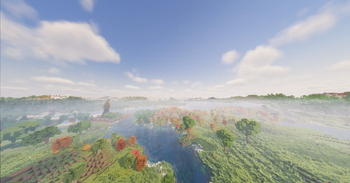
Autumnity, Haunted Harvest, The Graveyard, Ghostlands, Spooky Trees, Gardens of the Dead, Wilderness create eerie forests, pumpkin patches, crypts, ghostly biomes, and foggy landscapes.
Atmospheric Events & Weather 🌙
Enhanced Celestials, Zombie Moon, Spider Moon, Hunters Moon, Blood Moons, Immersive Weathering, Fog bring creepy skies, spooky lunar events, storms, and chilling atmospheres.
Seasonal Foods & Festivities 🥧
Farmer’s Delight, Vampires Delight, Silents Delight, Diabolical Delights, LS Spooky Foods add autumn feasts, Halloween candies, eerie brews, and cozy meals.
Dark Magic & Adventure 🔮
Necronomicon, Blood Magic, Forbidden Arcanus, Majrusz’s Difficulty introduce cursed rituals, new bosses, challenging enemies, and dark fantasy progression.
Exploration & Immersion 🧭
Antique Atlas, Waystones, Exposure (camera), Gravestones, Missing Wilds, Create make exploration dangerous but rewarding, while keeping things immersive and creative.
Sound & Music 🎶
Leon’s Spooky Music, Drip Sounds, Sounds add eerie ambient music, creepy noises in caves, and spooky soundscapes for the perfect Halloween vibe.
Performance Boosts ⚡
Embeddium, Rubidium Extra, FerriteCore, ModernFix, Starlight, Cull Leaves, Oculus (shaders), FpsReducer, Fastload keep the frights smooth even with shaders and huge worldgen.
❓ FAQ
Q: Can I play this in multiplayer?
A: Yes! The pack works in both singleplayer and multiplayer (environment: Client & Server – required on both).
Q: Do I need a powerful PC?
A: Not necessarily. The pack includes performance mods like Embeddium, FerriteCore, and ModernFix, which make it smoother even with shaders.
Q: Does it work with shaders?
A: Yes – Oculus and shader-friendly optimizations are included.
⚠️ Known Issues / Tips
Some bosses (e.g., from Born in Chaos) can be very strong at night – make sure to gear up early!
If you use heavy shaders with Distant Horizons, adjust settings to avoid FPS drops.
Optifine is not recommended – Oculus + Embeddium works better here.
🎃 Credits
Huge thanks to all mod authors who made this spooky adventure possible.
Special thanks to:
Born in Chaos – by mongoose_artist
👉 CurseForge link https://www.curseforge.com/minecraft/mc-mods/born-in-chaos
And many more amazing creators (see full modlist in the pack).
Verfügbare Versionen
Just Play Autumn Server einrichten
Server bestellen
Wähle mindestens 6 GB RAM (8 GB empfohlen für Just Play Autumn). Je nach Spieleranzahl: +1 GB pro 5 Spieler.
Modpack im Dashboard installieren
Öffne den Modpack-Browser im Dashboard, suche nach "Just Play Autumn" und klicke "Installieren". Der forge-Loader und Minecraft 1.20.1 werden automatisch konfiguriert.
Server starten & spielen
Starte den Server – alle Mods werden automatisch geladen. Teile die Server-IP mit Freunden und spielt zusammen!
Häufige Fragen
Just Play Autumn Server crasht oder startet nicht – was tun?
Häufigste Ursachen: zu wenig RAM oder falscher forge-Loader. Prüfe latest.log auf "OutOfMemoryError" → erhöhe RAM auf mindestens 8 GB. Bei "Mixin" oder "ClassNotFoundException": Modpack-Version und Loader stimmen nicht überein. Bei Mado Hosting werden Loader und Minecraft-Version beim Modpack-Install automatisch konfiguriert – das verhindert die meisten Startprobleme.
Wie viel RAM braucht ein Just Play Autumn Server wirklich?
Minimum 6 GB, empfohlen 8 GB für stabile Performance. +1 GB pro 5 Spieler. Wichtig: Minecraft-Modpacks brauchen mehr RAM als Vanilla – plane pro zusätzlichem Spieler extra ein. Bei Mado Hosting kannst du den RAM jederzeit live hochskalieren, ohne Datenverlust (ab €7.800000000000001/Monat).
Kann ich eigene Mods zu Just Play Autumn hinzufügen, ohne Konflikte?
Ja, aber achte auf die Kompatibilität: Nutze nur Mods für den gleichen Loader (forge) und die gleiche Minecraft-Version (1.20.1). Häufige Probleme: ID-Konflikte bei Rezept-Mods und inkompatible Coremod-Versionen. Im Mado Dashboard zeigt der Mod-Browser nur kompatible Mods an und warnt bei bekannten Konflikten.
Just Play Autumn Server laggt – Performance-Tipps
1) RAM auf 8 GB+ erhöhen. 2) Server-View-Distance auf 8 reduzieren (server.properties). 3) Pre-Generiere Chunks mit dem "Chunky" Plugin. 4) Prüfe mit /spark profiler welche Mods die meiste Tick-Time verbrauchen. Bei Mado Hosting laufen alle Server auf NVMe-SSDs mit dedizierten CPU-Kernen – das eliminiert Hardware als Engpass.
Ähnliche Modpacks


Just Play Autumn Server mieten
Starte deinen eigenen Server mit automatischer Modpack-Installation.
Details
- Lizenz
- GNU General Public License v3.0 or later
- Server-seitig
- Erforderlich
- Client-seitig
- Erforderlich
Unterstützte Versionen
Starte deinen Just Play Autumn Server jetzt
Ab €7.80/Monat; für die beste Performance werden 8 GB RAM empfohlen.
Server konfigurieren →