
Last Day
You are the last hope in this world. Will this be your last day?
Screenshots
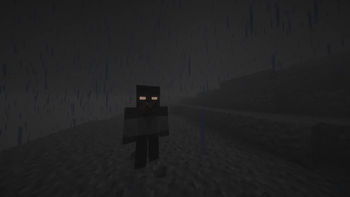

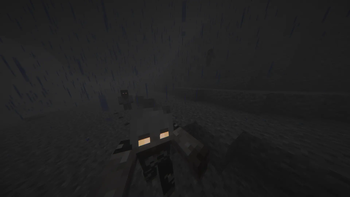
Über dieses Modpack


Danger awaits you everywhere...
The world won't be the same anymore.
Zombies do not spare anyone, living flesh has invaded the world. Will this be your last day?
Try to survive in an unusual Minecraft for you, where monsters are chasing you.
Features
- 🧊 Body Temperature - stock up on warm clothes and cold water!
- 💧 Thirst - another danger in a harsh world. Carry bottles with you!
- 🧟♂️ New zombies - new zombies will be the first danger in your world. Beware of the first night!
- ⚔️ New combat system - the new combat system goes well with various new weapons.
- 👟 Parkour system - jump high, run, cling to blocks, run along walls. Will this help you escape from danger?
- 🏰 New structures - explore dungeons and buildings in your world. Bunkers, villages, abandoned towns and houses.
- 🔫 Guns - powerful weapons will help you fight off all kinds of monsters. Try to craft them!
- 💎 Realistic - new tree felling system, animals, realistic animations, 4 seasons, stamina.
- 🥗 More food - the variety of food will not make you bored. Try to build your own farm!
- 🌄 New generation - explore the diversity of biomes in your world. Travel!
Thanks
❗IF I HAVE NOT MENTIONED ANY OF THE MOD DEVELOPERS WHO ARE IN THE MODPACK, PLEASE WRITE TO ME IN THE DISCORD❗
WARNING
The modpack uses the Sinytra Connector for some Fabric mods. If you want to add your mod to the modpack, be aware of the possibility of incompatibility.
Verfügbare Versionen
Last Day Server einrichten
Server bestellen
Wähle mindestens 6 GB RAM (8 GB empfohlen für Last Day). Je nach Spieleranzahl: +1 GB pro 5 Spieler.
Modpack im Dashboard installieren
Öffne den Modpack-Browser im Dashboard, suche nach "Last Day" und klicke "Installieren". Der forge-Loader und Minecraft 1.20.1 werden automatisch konfiguriert.
Server starten & spielen
Starte den Server – alle Mods werden automatisch geladen. Teile die Server-IP mit Freunden und spielt zusammen!
Häufige Fragen
Last Day Server crasht oder startet nicht – was tun?
Häufigste Ursachen: zu wenig RAM oder falscher forge-Loader. Prüfe latest.log auf "OutOfMemoryError" → erhöhe RAM auf mindestens 8 GB. Bei "Mixin" oder "ClassNotFoundException": Modpack-Version und Loader stimmen nicht überein. Bei Mado Hosting werden Loader und Minecraft-Version beim Modpack-Install automatisch konfiguriert – das verhindert die meisten Startprobleme.
Wie viel RAM braucht ein Last Day Server wirklich?
Minimum 6 GB, empfohlen 8 GB für stabile Performance. +1 GB pro 5 Spieler. Wichtig: Minecraft-Modpacks brauchen mehr RAM als Vanilla – plane pro zusätzlichem Spieler extra ein. Bei Mado Hosting kannst du den RAM jederzeit live hochskalieren, ohne Datenverlust (ab €7.800000000000001/Monat).
Kann ich eigene Mods zu Last Day hinzufügen, ohne Konflikte?
Ja, aber achte auf die Kompatibilität: Nutze nur Mods für den gleichen Loader (forge) und die gleiche Minecraft-Version (1.20.1). Häufige Probleme: ID-Konflikte bei Rezept-Mods und inkompatible Coremod-Versionen. Im Mado Dashboard zeigt der Mod-Browser nur kompatible Mods an und warnt bei bekannten Konflikten.
Last Day Server laggt – Performance-Tipps
1) RAM auf 8 GB+ erhöhen. 2) Server-View-Distance auf 8 reduzieren (server.properties). 3) Pre-Generiere Chunks mit dem "Chunky" Plugin. 4) Prüfe mit /spark profiler welche Mods die meiste Tick-Time verbrauchen. Bei Mado Hosting laufen alle Server auf NVMe-SSDs mit dedizierten CPU-Kernen – das eliminiert Hardware als Engpass.
Ähnliche Modpacks
![Cobblemon Official Modpack [Fabric]](https://cdn.modrinth.com/data/5FFgwNNP/e7f9ee2e9d361623847853fe2ddce42f519ee64f.png)
![COBBLEVERSE - Pokemon Adventure [Cobblemon]](https://cdn.modrinth.com/data/Jkb29YJU/581ecf54530972afb18a04660afd820f2f24f6c7.png)
![Better MC [FABRIC] - BMC2](https://cdn.modrinth.com/data/shFhR8Vx/a19c2bcb51d38f32f138d3607e91cb2b7b8e387f_96.webp)


![Better MC [FORGE] - BMC4](https://cdn.modrinth.com/data/4BV47HRn/7f5ef7cc61b2593609aabef3ed07a866a4f11b73_96.webp)
Last Day Server mieten
Starte deinen eigenen Server mit automatischer Modpack-Installation.
Unterstützte Versionen
Starte deinen Last Day Server jetzt
Ab €7.80/Monat; für die beste Performance werden 8 GB RAM empfohlen.
Server konfigurieren →