
LiteCraft
An optimised, vanilla Minecraft.
Screenshots
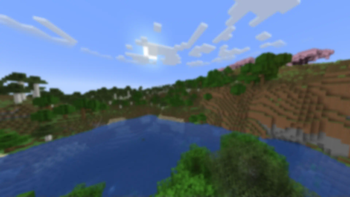
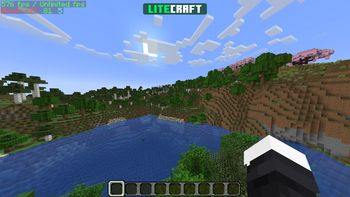
Über dieses Modpack
⚡ LiteCraft
A mod-pack which aims to optimise Minecraft by adding multiple mods which alter the games mechanics - the Essential mod is also added by default so you can instantly start playing with your friends, without any custom set-up, and with working voice chat.
🖥️ Installation Guide
Note: These are just recommended steps - of course, there are other methods of installing this.
1. Install the Modrinth App
Get the Modrinth App and ensure it's installed.
2. Login to your Microsoft Account
Ensure that you are logged in, add your Microsoft Account from the top-left menu on the application.
3. Install LiteCraft
Click the search icon on the sidebar, make sure the Modpacks tab is selected, and search for "LiteCraft"; once you find it, press Install.
4. Launch LiteCraft
Click on the books icon on the sidebar, and you can see if the mod-pack is available; once it is, you may launch it and start playing.
⌨️ In-Game Key Binds
See All Key Binds
Movement
- Space Jump
- Left Control Sneak
- Left Shift Sprint
- W Walk Forwards
- S Walk Backwards
- A Strafe Left
- D Strafe Right
Gameplay
- Mouse Button 1 Attack/Destroy
- Mouse Button 2 Use Item/Place Block
- Mouse Button 3 Pick Block
Inventory
- G Drop Selected Item
- 1-9 Switch Hotbar Slot
- E Toggle Inventory
- F Swap Item With Offhand
Multiplayer
- Tab List Players
- T Open Chat
- / Open Command
Miscellaneous
- L Advancements
- F2 Take Screenshot
- V Toggle First/Third Person
Voice Chat
- H Voice Chat GUI
- J Mute Microphone
Iris
- N Toggle Shaders
Essential
- C Zoom
- P Open Friends GUI
- Q Open Emote Wheel
- I Screenshot Manager
⛏️ Want something more realistic?
Try RealCraft, a realistic mod-pack primarily focused on graphical and quality-of-life additions.
Verfügbare Versionen
LiteCraft Server einrichten
Server bestellen
Wähle mindestens 4 GB RAM (6 GB empfohlen für LiteCraft). Je nach Spieleranzahl: +1 GB pro 8 Spieler.
Modpack im Dashboard installieren
Öffne den Modpack-Browser im Dashboard, suche nach "LiteCraft" und klicke "Installieren". Der fabric-Loader und Minecraft 1.20.6 werden automatisch konfiguriert.
Server starten & spielen
Starte den Server – alle Mods werden automatisch geladen. Teile die Server-IP mit Freunden und spielt zusammen!
Häufige Fragen
LiteCraft Server crasht oder startet nicht – was tun?
Häufigste Ursachen: zu wenig RAM oder falscher fabric-Loader. Prüfe latest.log auf "OutOfMemoryError" → erhöhe RAM auf mindestens 6 GB. Bei "Mixin" oder "ClassNotFoundException": Modpack-Version und Loader stimmen nicht überein. Bei Mado Hosting werden Loader und Minecraft-Version beim Modpack-Install automatisch konfiguriert – das verhindert die meisten Startprobleme.
Wie viel RAM braucht ein LiteCraft Server wirklich?
Minimum 4 GB, empfohlen 6 GB für stabile Performance. +1 GB pro 8 Spieler. Wichtig: Minecraft-Modpacks brauchen mehr RAM als Vanilla – plane pro zusätzlichem Spieler extra ein. Bei Mado Hosting kannst du den RAM jederzeit live hochskalieren, ohne Datenverlust (ab €5.2/Monat).
Kann ich eigene Mods zu LiteCraft hinzufügen, ohne Konflikte?
Ja, aber achte auf die Kompatibilität: Nutze nur Mods für den gleichen Loader (fabric) und die gleiche Minecraft-Version (1.20.6). Häufige Probleme: ID-Konflikte bei Rezept-Mods und inkompatible Coremod-Versionen. Im Mado Dashboard zeigt der Mod-Browser nur kompatible Mods an und warnt bei bekannten Konflikten.
LiteCraft Server laggt – Performance-Tipps
1) RAM auf 6 GB+ erhöhen. 2) Server-View-Distance auf 8 reduzieren (server.properties). 3) Pre-Generiere Chunks mit dem "Chunky" Plugin. 4) Prüfe mit /spark profiler welche Mods die meiste Tick-Time verbrauchen. Bei Mado Hosting laufen alle Server auf NVMe-SSDs mit dedizierten CPU-Kernen – das eliminiert Hardware als Engpass.
Ähnliche Modpacks

![Cobblemon Official Modpack [Fabric]](https://cdn.modrinth.com/data/5FFgwNNP/e7f9ee2e9d361623847853fe2ddce42f519ee64f.png)
![COBBLEVERSE - Pokemon Adventure [Cobblemon]](https://cdn.modrinth.com/data/Jkb29YJU/581ecf54530972afb18a04660afd820f2f24f6c7.png)
![Better MC [FABRIC] - BMC2](https://cdn.modrinth.com/data/shFhR8Vx/a19c2bcb51d38f32f138d3607e91cb2b7b8e387f_96.webp)


LiteCraft Server mieten
Starte deinen eigenen Server mit automatischer Modpack-Installation.
Unterstützte Versionen
Starte deinen LiteCraft Server jetzt
Ab €5.20/Monat; für die beste Performance werden 6 GB RAM empfohlen.
Server konfigurieren →