
LiteSpeed
LiteSpeed is a modpack aimed at making Lower-end pc's experience while playing Minecraft better.
Screenshots
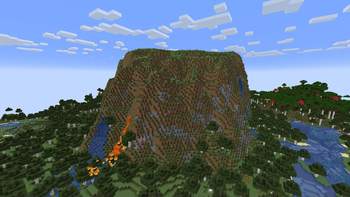
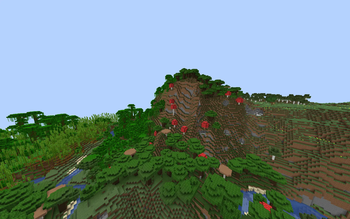
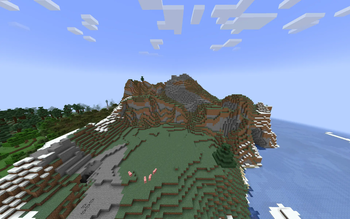
Über dieses Modpack
What LiteSpeed Does:
Boost FPS: LiteSpeed significantly improves your frames per second (FPS), resulting in smoother gameplay and a more immersive experience. Say goodbye to stuttering and lag, even in the most demanding situations.
Reduce Load Times: Get into the game faster with streamlined world loading. LiteSpeed optimizes resource management, allowing your world to load quicker so you can spend less time waiting and more time playing.
Optimize Graphics: LiteSpeed intelligently adjusts graphical settings to prioritize performance without sacrificing visual quality. Enjoy a balanced experience that looks great and runs smoothly.
Lightweight and Customizable: LiteSpeed is designed to be as lightweight as possible, minimizing its impact on your system resources. Additionally, it offers a range of customization options, allowing you to tailor its performance boost to your specific needs and preferences.
Who Should Use LiteSpeed:
Players with Lower-End Systems: If you're struggling to run Minecraft smoothly on your older or less powerful computer, LiteSpeed can make a world of difference.
Modded Minecraft Enthusiasts: LiteSpeed is compatible with many popular mods, so you can enjoy a performance boost even with a heavily modded game.
Anyone Who Wants a Smoother Experience: Even if your computer can handle Minecraft, LiteSpeed can make it even better by enhancing performance and eliminating lag.
Disclaimer:
LiteSpeed is not a magic bullet. The amount of performance improvement you experience will depend on your system specifications and other factors. However, we are confident that LiteSpeed will significantly enhance your Minecraft experience for most players.
Verfügbare Versionen
LiteSpeed Server einrichten
Server bestellen
Wähle mindestens 4 GB RAM (6 GB empfohlen für LiteSpeed). Je nach Spieleranzahl: +1 GB pro 8 Spieler.
Modpack im Dashboard installieren
Öffne den Modpack-Browser im Dashboard, suche nach "LiteSpeed" und klicke "Installieren". Der fabric-Loader und Minecraft 1.21.1 werden automatisch konfiguriert.
Server starten & spielen
Starte den Server – alle Mods werden automatisch geladen. Teile die Server-IP mit Freunden und spielt zusammen!
Häufige Fragen
LiteSpeed Server crasht oder startet nicht – was tun?
Häufigste Ursachen: zu wenig RAM oder falscher fabric-Loader. Prüfe latest.log auf "OutOfMemoryError" → erhöhe RAM auf mindestens 6 GB. Bei "Mixin" oder "ClassNotFoundException": Modpack-Version und Loader stimmen nicht überein. Bei Mado Hosting werden Loader und Minecraft-Version beim Modpack-Install automatisch konfiguriert – das verhindert die meisten Startprobleme.
Wie viel RAM braucht ein LiteSpeed Server wirklich?
Minimum 4 GB, empfohlen 6 GB für stabile Performance. +1 GB pro 8 Spieler. Wichtig: Minecraft-Modpacks brauchen mehr RAM als Vanilla – plane pro zusätzlichem Spieler extra ein. Bei Mado Hosting kannst du den RAM jederzeit live hochskalieren, ohne Datenverlust (ab €5.2/Monat).
Kann ich eigene Mods zu LiteSpeed hinzufügen, ohne Konflikte?
Ja, aber achte auf die Kompatibilität: Nutze nur Mods für den gleichen Loader (fabric) und die gleiche Minecraft-Version (1.21.1). Häufige Probleme: ID-Konflikte bei Rezept-Mods und inkompatible Coremod-Versionen. Im Mado Dashboard zeigt der Mod-Browser nur kompatible Mods an und warnt bei bekannten Konflikten.
LiteSpeed Server laggt – Performance-Tipps
1) RAM auf 6 GB+ erhöhen. 2) Server-View-Distance auf 8 reduzieren (server.properties). 3) Pre-Generiere Chunks mit dem "Chunky" Plugin. 4) Prüfe mit /spark profiler welche Mods die meiste Tick-Time verbrauchen. Bei Mado Hosting laufen alle Server auf NVMe-SSDs mit dedizierten CPU-Kernen – das eliminiert Hardware als Engpass.
Ähnliche Modpacks

![Cobblemon Official Modpack [Fabric]](https://cdn.modrinth.com/data/5FFgwNNP/e7f9ee2e9d361623847853fe2ddce42f519ee64f.png)
![COBBLEVERSE - Pokemon Adventure [Cobblemon]](https://cdn.modrinth.com/data/Jkb29YJU/581ecf54530972afb18a04660afd820f2f24f6c7.png)

![Better MC [FABRIC] - BMC2](https://cdn.modrinth.com/data/shFhR8Vx/a19c2bcb51d38f32f138d3607e91cb2b7b8e387f_96.webp)

LiteSpeed Server mieten
Starte deinen eigenen Server mit automatischer Modpack-Installation.
Details
- Lizenz
- GNU General Public License v2.0 or later
- Server-seitig
- Nicht unterstützt
- Client-seitig
- Erforderlich
Unterstützte Versionen
Starte deinen LiteSpeed Server jetzt
Ab €5.20/Monat; für die beste Performance werden 6 GB RAM empfohlen.
Server konfigurieren →