
Military Conflict I
A pvp-oriented minecraft modpack with firearms and custom maps (in plans).
Screenshots
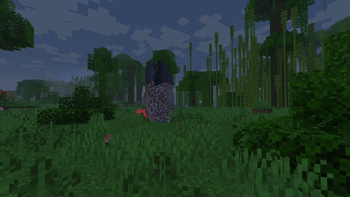
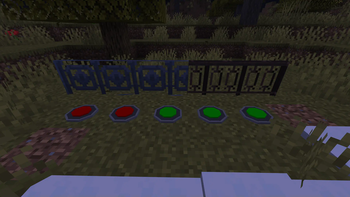
Über dieses Modpack
Military Conflict I
In develop 1.20.1 Fabric only
- Based on Neon
About
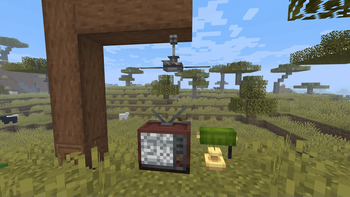
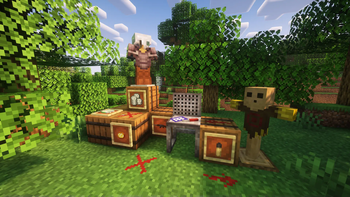
Modpaсk on the theme of the global world conflict, most of the world has been destroyed. You have to survive in this hard world together with other players, join groups and fight for resources. The modpack is also suitable for the competition between players and will soon include different maps. In default, the world is created by continents.
Open wiki
You can edit our modpack wiki!
Do it!
Community
We are an open community, always ready to help. We have our own discord server with a forum, a github page where you can leave noticed bugs or your suggestions.
Steam deck and controllers compatibility
- Using Controlify
- Controlify comes with a huge range of settings to fine-tune each of your controllers individually, including vibration strength, every single controller input bind (no hardcoding!) and more.
Performance
We recommend allocate minimum 5GB of ram for singleplayer game and 3GB for playing on server. And dual core cpu is strongly recommended.
Community servers
Do you want to add your server to the official list of servers? Send us a message on the discord for this! But there are some rules: 1. No donation, which can affect the gameplay. 2. There is no territory private system. 3. Mods and configs on the server are identical to mods and configs on the client.
Main modpack features
In development
Mod loader
This modpack works only on fabric!
Go to the official fabric website
Social




Other
Tip: install our icon to install in the launcher (launcher_logo.png)
Tip: use Aikar´s launch options, they will help you to be more efficient :)
Tip: use the latest version of fabric
Tip: this modpack will be work better if you using Linux. But MacOS/Windows still compatible
Also: We prefer the Foss mods.
Other mods
Verfügbare Versionen
Military Conflict I Server einrichten
Server bestellen
Wähle mindestens 4 GB RAM (6 GB empfohlen für Military Conflict I). Je nach Spieleranzahl: +1 GB pro 8 Spieler.
Modpack im Dashboard installieren
Öffne den Modpack-Browser im Dashboard, suche nach "Military Conflict I" und klicke "Installieren". Der fabric-Loader und Minecraft 1.20.1 werden automatisch konfiguriert.
Server starten & spielen
Starte den Server – alle Mods werden automatisch geladen. Teile die Server-IP mit Freunden und spielt zusammen!
Häufige Fragen
Military Conflict I Server crasht oder startet nicht – was tun?
Häufigste Ursachen: zu wenig RAM oder falscher fabric-Loader. Prüfe latest.log auf "OutOfMemoryError" → erhöhe RAM auf mindestens 6 GB. Bei "Mixin" oder "ClassNotFoundException": Modpack-Version und Loader stimmen nicht überein. Bei Mado Hosting werden Loader und Minecraft-Version beim Modpack-Install automatisch konfiguriert – das verhindert die meisten Startprobleme.
Wie viel RAM braucht ein Military Conflict I Server wirklich?
Minimum 4 GB, empfohlen 6 GB für stabile Performance. +1 GB pro 8 Spieler. Wichtig: Minecraft-Modpacks brauchen mehr RAM als Vanilla – plane pro zusätzlichem Spieler extra ein. Bei Mado Hosting kannst du den RAM jederzeit live hochskalieren, ohne Datenverlust (ab €5.2/Monat).
Kann ich eigene Mods zu Military Conflict I hinzufügen, ohne Konflikte?
Ja, aber achte auf die Kompatibilität: Nutze nur Mods für den gleichen Loader (fabric) und die gleiche Minecraft-Version (1.20.1). Häufige Probleme: ID-Konflikte bei Rezept-Mods und inkompatible Coremod-Versionen. Im Mado Dashboard zeigt der Mod-Browser nur kompatible Mods an und warnt bei bekannten Konflikten.
Military Conflict I Server laggt – Performance-Tipps
1) RAM auf 6 GB+ erhöhen. 2) Server-View-Distance auf 8 reduzieren (server.properties). 3) Pre-Generiere Chunks mit dem "Chunky" Plugin. 4) Prüfe mit /spark profiler welche Mods die meiste Tick-Time verbrauchen. Bei Mado Hosting laufen alle Server auf NVMe-SSDs mit dedizierten CPU-Kernen – das eliminiert Hardware als Engpass.
Ähnliche Modpacks

![COBBLEVERSE - Pokemon Adventure [Cobblemon]](https://cdn.modrinth.com/data/Jkb29YJU/581ecf54530972afb18a04660afd820f2f24f6c7.png)




Military Conflict I Server mieten
Starte deinen eigenen Server mit automatischer Modpack-Installation.
Unterstützte Versionen
Starte deinen Military Conflict I Server jetzt
Ab €5.20/Monat; für die beste Performance werden 6 GB RAM empfohlen.
Server konfigurieren →