
Minecraft Jade
Jade (FK Timbos V++) is a modpack designed to elevate your Minecraft experience to a whole new level. Inspired by what Minecraft could have become with continuous updates, Jade expands and deepens the game world far beyond traditional vanilla extensions.
Screenshots
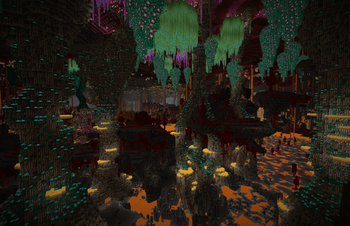
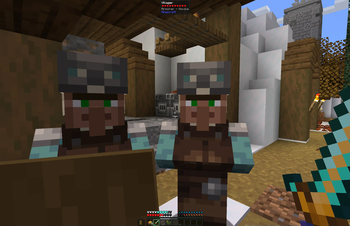
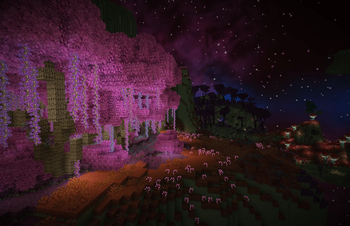
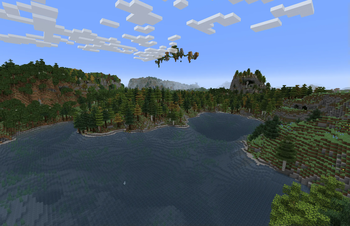
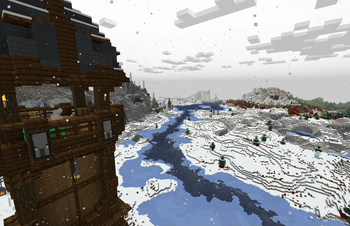
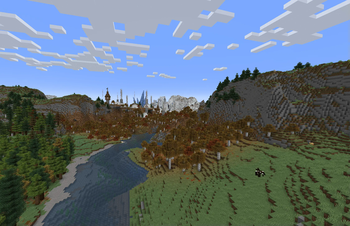
Über dieses Modpack
Jade

Jade (Formerly called Timbo`s Vanilla++) is a modpack designed to elevate your Minecraft experience to a whole new level. Inspired by what Minecraft could have become with continuous updates in my envisioned direction, Jade offers an expanded and deepened game world that goes far beyond traditional vanilla extensions. While staying true to the Minecraft theme, it opens the doors to endless discoveries and adventures that continue to captivate even after prolonged playtime.
Features
- Performance Boosters: Enjoy smoother gameplay with optimized performance mods that reduce lag and enhance stability.
- Quality of Life Improvements: Experience Minecraft with improved UI, better inventory management, and handy tools that make everyday tasks easier.
- Expanded Biomes and Structures: Discover new biomes, explore additional dungeons, and uncover unique structures that blend seamlessly with the world.
- Enhanced Crafting and Automation: Streamline your resource gathering and crafting processes with mods that introduce new machines, tools, and automation options.
- New Mobs and Creatures: Encounter a variety of new mobs and animals that enrich the ecosystem and offer fresh gameplay challenges.
- Improved Building Options: Access a wider range of building materials, decorative blocks, and design tools to unleash your creativity.
- Adventure and Exploration: Embark on thrilling new adventures with additional quests, expanded dimensions, and even more rewarding exploration experiences.
- Multiplayer Friendly: Optimized for server play with balanced mods that ensure fair and enjoyable gameplay for all players.
Whether you're a seasoned builder, a daring adventurer, or a resourceful farmer, Jade offers something for everyone. Dive into a world where every corner holds new possibilities, and every journey is an adventure waiting to happen.
Feedback and Support
We value your feedback! If you encounter any issues or have suggestions for future updates, please reach out through our support channels on Discord.
Enjoy the Enhanced Minecraft Experience!
Embark on your next Minecraft journey with Jade and discover the perfect blend of familiarity and innovation. Download now and start your adventure today!
Verfügbare Versionen
Minecraft Jade Server einrichten
Server bestellen
Wähle mindestens 6 GB RAM (8 GB empfohlen für Minecraft Jade). Je nach Spieleranzahl: +1 GB pro 5 Spieler.
Modpack im Dashboard installieren
Öffne den Modpack-Browser im Dashboard, suche nach "Minecraft Jade" und klicke "Installieren". Der fabric-Loader und Minecraft 1.19.2 werden automatisch konfiguriert.
Server starten & spielen
Starte den Server – alle Mods werden automatisch geladen. Teile die Server-IP mit Freunden und spielt zusammen!
Häufige Fragen
Minecraft Jade Server crasht oder startet nicht – was tun?
Häufigste Ursachen: zu wenig RAM oder falscher fabric-Loader. Prüfe latest.log auf "OutOfMemoryError" → erhöhe RAM auf mindestens 8 GB. Bei "Mixin" oder "ClassNotFoundException": Modpack-Version und Loader stimmen nicht überein. Bei Mado Hosting werden Loader und Minecraft-Version beim Modpack-Install automatisch konfiguriert – das verhindert die meisten Startprobleme.
Wie viel RAM braucht ein Minecraft Jade Server wirklich?
Minimum 6 GB, empfohlen 8 GB für stabile Performance. +1 GB pro 5 Spieler. Wichtig: Minecraft-Modpacks brauchen mehr RAM als Vanilla – plane pro zusätzlichem Spieler extra ein. Bei Mado Hosting kannst du den RAM jederzeit live hochskalieren, ohne Datenverlust (ab €7.800000000000001/Monat).
Kann ich eigene Mods zu Minecraft Jade hinzufügen, ohne Konflikte?
Ja, aber achte auf die Kompatibilität: Nutze nur Mods für den gleichen Loader (fabric) und die gleiche Minecraft-Version (1.19.2). Häufige Probleme: ID-Konflikte bei Rezept-Mods und inkompatible Coremod-Versionen. Im Mado Dashboard zeigt der Mod-Browser nur kompatible Mods an und warnt bei bekannten Konflikten.
Minecraft Jade Server laggt – Performance-Tipps
1) RAM auf 8 GB+ erhöhen. 2) Server-View-Distance auf 8 reduzieren (server.properties). 3) Pre-Generiere Chunks mit dem "Chunky" Plugin. 4) Prüfe mit /spark profiler welche Mods die meiste Tick-Time verbrauchen. Bei Mado Hosting laufen alle Server auf NVMe-SSDs mit dedizierten CPU-Kernen – das eliminiert Hardware als Engpass.
Ähnliche Modpacks
![Cobblemon Official Modpack [Fabric]](https://cdn.modrinth.com/data/5FFgwNNP/e7f9ee2e9d361623847853fe2ddce42f519ee64f.png)
![COBBLEVERSE - Pokemon Adventure [Cobblemon]](https://cdn.modrinth.com/data/Jkb29YJU/581ecf54530972afb18a04660afd820f2f24f6c7.png)
![Better MC [FABRIC] - BMC2](https://cdn.modrinth.com/data/shFhR8Vx/a19c2bcb51d38f32f138d3607e91cb2b7b8e387f_96.webp)


![Better MC [FORGE] - BMC4](https://cdn.modrinth.com/data/4BV47HRn/7f5ef7cc61b2593609aabef3ed07a866a4f11b73_96.webp)
Minecraft Jade Server mieten
Starte deinen eigenen Server mit automatischer Modpack-Installation.
Unterstützte Versionen
Starte deinen Minecraft Jade Server jetzt
Ab €7.80/Monat; für die beste Performance werden 8 GB RAM empfohlen.
Server konfigurieren →