
Minimalism
A minimal modpack focused on performance and quality of life features.
Screenshots
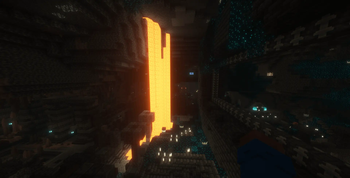
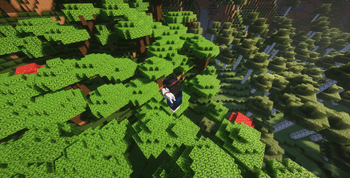
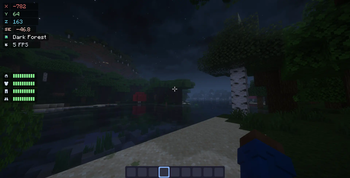
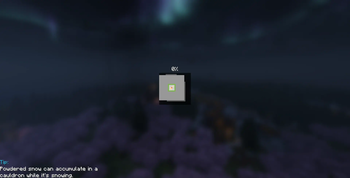
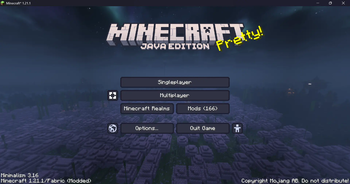
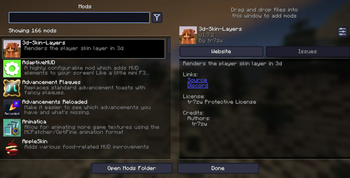
Über dieses Modpack







✤ ABOUT
A modpack focused on improving performance, adding quality of life features and giving an easy way for OptiFine users to transition to Quilt.
✧ FEATURES
» OptiFine features, such as connected textures, custom item textures, custom skies, shaders etc.
» Improved FPS with mods such as sodium, lithium, starlight, very many players etc.
» Quality of life features such as zoom, an inbuilt screenshot viewer, perspective mod, emojis (type ":" in chat for a list of options), in-game resourcepack and shaderpack downloader etc.
» Made to play on servers - most features are client side and are allowed on most servers (with the exception of perspective mod and freecam which are disallowed on hypixel and some other servers!)
𑁍 TUTORIAL
⚠️ DISCLAIMERS
Your first time loading the modpack will likely be much slower than how it is supposed to be. Do not worry, it just needs to generate caches and then it will launch faster from the next time.
If you use render distances below 4, custom sky resource packs might be glitchy and you may see triangles in the sky. Anything above or equal to 4 should be fine.
WARNING: If you will be using this modpack on hypixel (or other servers where it's not allowed), make sure to remove Perspektive (in versions below 3.0), Freelook (in versions 3.0 and above) and Freecam (in versions 1.5 and above) from the mods folder!
©️ CREDITS
Credit to the mods and mod developers is always given in the latest release of the modpack.
Verfügbare Versionen
Minimalism Server einrichten
Server bestellen
Wähle mindestens 4 GB RAM (6 GB empfohlen für Minimalism). Je nach Spieleranzahl: +1 GB pro 8 Spieler.
Modpack im Dashboard installieren
Öffne den Modpack-Browser im Dashboard, suche nach "Minimalism" und klicke "Installieren". Der fabric-Loader und Minecraft 1.21.1 werden automatisch konfiguriert.
Server starten & spielen
Starte den Server – alle Mods werden automatisch geladen. Teile die Server-IP mit Freunden und spielt zusammen!
Häufige Fragen
Minimalism Server crasht oder startet nicht – was tun?
Häufigste Ursachen: zu wenig RAM oder falscher fabric-Loader. Prüfe latest.log auf "OutOfMemoryError" → erhöhe RAM auf mindestens 6 GB. Bei "Mixin" oder "ClassNotFoundException": Modpack-Version und Loader stimmen nicht überein. Bei Mado Hosting werden Loader und Minecraft-Version beim Modpack-Install automatisch konfiguriert – das verhindert die meisten Startprobleme.
Wie viel RAM braucht ein Minimalism Server wirklich?
Minimum 4 GB, empfohlen 6 GB für stabile Performance. +1 GB pro 8 Spieler. Wichtig: Minecraft-Modpacks brauchen mehr RAM als Vanilla – plane pro zusätzlichem Spieler extra ein. Bei Mado Hosting kannst du den RAM jederzeit live hochskalieren, ohne Datenverlust (ab €5.2/Monat).
Kann ich eigene Mods zu Minimalism hinzufügen, ohne Konflikte?
Ja, aber achte auf die Kompatibilität: Nutze nur Mods für den gleichen Loader (fabric) und die gleiche Minecraft-Version (1.21.1). Häufige Probleme: ID-Konflikte bei Rezept-Mods und inkompatible Coremod-Versionen. Im Mado Dashboard zeigt der Mod-Browser nur kompatible Mods an und warnt bei bekannten Konflikten.
Minimalism Server laggt – Performance-Tipps
1) RAM auf 6 GB+ erhöhen. 2) Server-View-Distance auf 8 reduzieren (server.properties). 3) Pre-Generiere Chunks mit dem "Chunky" Plugin. 4) Prüfe mit /spark profiler welche Mods die meiste Tick-Time verbrauchen. Bei Mado Hosting laufen alle Server auf NVMe-SSDs mit dedizierten CPU-Kernen – das eliminiert Hardware als Engpass.
Ähnliche Modpacks

![Cobblemon Official Modpack [Fabric]](https://cdn.modrinth.com/data/5FFgwNNP/e7f9ee2e9d361623847853fe2ddce42f519ee64f.png)
![COBBLEVERSE - Pokemon Adventure [Cobblemon]](https://cdn.modrinth.com/data/Jkb29YJU/581ecf54530972afb18a04660afd820f2f24f6c7.png)
![Better MC [FABRIC] - BMC2](https://cdn.modrinth.com/data/shFhR8Vx/a19c2bcb51d38f32f138d3607e91cb2b7b8e387f_96.webp)


Minimalism Server mieten
Starte deinen eigenen Server mit automatischer Modpack-Installation.
Unterstützte Versionen
Starte deinen Minimalism Server jetzt
Ab €5.20/Monat; für die beste Performance werden 6 GB RAM empfohlen.
Server konfigurieren →