
Neon
A lightweight and extremely optimized modpack for vanilla minecraft
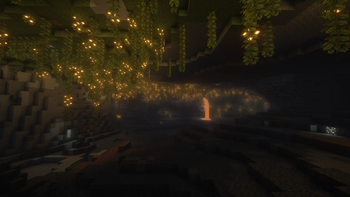
Screenshots
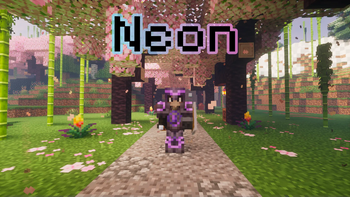
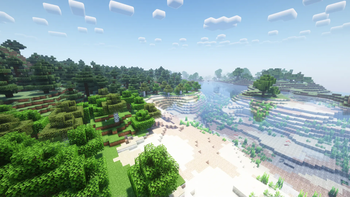
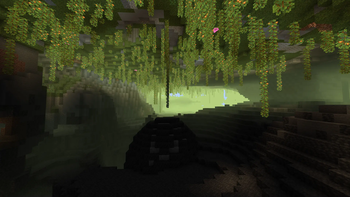
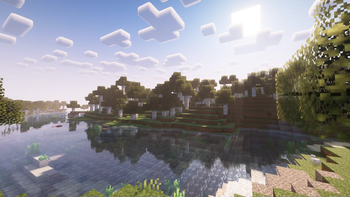
Über dieses Modpack
Neon
Stable 26.2 1.21.11 1.21.1 neoforged (LTS) 1.20.1 1.20.4
Unstable 1.21.4 1.21.5 1.21.8
About
A lightweight modpack for vanilla minecraft, with some nice tweaks and seriously raised performance. Made to play on vanilla (no mods) servers or you can create your own modpack based on this.
Steam deck and controllers compatibility
- Using Controlify
- Controlify comes with a huge range of settings to fine-tune each of your controllers individually, including vibration strength, every single controller input bind (no hardcoding!) and more.
Perfomance
We recommend allocate minimum 3GB of ram for singleplayer game and 1GB for playing on server. And dual core cpu is strongly recommended.
What exactly does this modpack include?
- Automatic screenshot copy
- Shulker box tooltip
- Immediate mode rendering optimization
- Cleaner F3
- Rendering optimization
- FPS counter
- Steam Deck support (and controllers)
- Saturation display
- Chunk fade animation
- Noise optimization
- Fixes GPU-related memory leaks
- Fixes random memory leaks for both the client and server
- Advanced blur
- Entity culling system
- Fast language loader
- Enhance block entities
- Improve the UI and UX for the advancements system
- Adds marking system (only if server support this)
- Fixes gaps in models
- Fixes various Minecraft bugs
- Disables telemetry
- Adds more advanced online mod configuration screen
- Random Generator optimization
- Adds Concurrent Chunk Management Engine
- Improves the visualization of specific blocks
- XP orbs optimization
- Advanced configuration for falling leaves effect
- Shader pack loader (and some shaders included)
- Dynamic crosshair
- Enhances inventory management by adding various functions to the mouse buttons
- Solves various problems with packets
- Adds a customizable (bedrock like) preview of yourself
- Minecraft networking stack optimization
- Game logic optimization
- More detail about armor in Armor bar
- Automatic log cleaner
- Mod menu
- Improves the statistics screen
- Allows you to easily type emoji and emoticons in game
- Makes chat unreportable
- Redstone dust optimization
- Little visual improvements by adding a bunch of new particles
- Improve footsteps sounds
- Memory usage optimizations
- Improve server performance at high playercounts
- Adds a search bar to the Key-Bindings menu
- Adds way to log into your account in game
- Render the player skin layer in 3d
- Connected textures support
Verfügbare Versionen
Neon Server einrichten
Server bestellen
Wähle mindestens 4 GB RAM (6 GB empfohlen für Neon). Je nach Spieleranzahl: +1 GB pro 5 Spieler.
Modpack im Dashboard installieren
Öffne den Modpack-Browser im Dashboard, suche nach "Neon" und klicke "Installieren". Der fabric-Loader und Minecraft 26.2 werden automatisch konfiguriert.
Server starten & spielen
Starte den Server – alle Mods werden automatisch geladen. Teile die Server-IP mit Freunden und spielt zusammen!
Häufige Fragen
Neon Server crasht oder startet nicht – was tun?
Häufigste Ursachen: zu wenig RAM oder falscher fabric-Loader. Prüfe latest.log auf "OutOfMemoryError" → erhöhe RAM auf mindestens 6 GB. Bei "Mixin" oder "ClassNotFoundException": Modpack-Version und Loader stimmen nicht überein. Bei Mado Hosting werden Loader und Minecraft-Version beim Modpack-Install automatisch konfiguriert – das verhindert die meisten Startprobleme.
Wie viel RAM braucht ein Neon Server wirklich?
Minimum 4 GB, empfohlen 6 GB für stabile Performance. +1 GB pro 5 Spieler. Wichtig: Minecraft-Modpacks brauchen mehr RAM als Vanilla – plane pro zusätzlichem Spieler extra ein. Bei Mado Hosting kannst du den RAM jederzeit live hochskalieren, ohne Datenverlust (ab €5.2/Monat).
Kann ich eigene Mods zu Neon hinzufügen, ohne Konflikte?
Ja, aber achte auf die Kompatibilität: Nutze nur Mods für den gleichen Loader (fabric) und die gleiche Minecraft-Version (26.2). Häufige Probleme: ID-Konflikte bei Rezept-Mods und inkompatible Coremod-Versionen. Im Mado Dashboard zeigt der Mod-Browser nur kompatible Mods an und warnt bei bekannten Konflikten.
Neon Server laggt – Performance-Tipps
1) RAM auf 6 GB+ erhöhen. 2) Server-View-Distance auf 8 reduzieren (server.properties). 3) Pre-Generiere Chunks mit dem "Chunky" Plugin. 4) Prüfe mit /spark profiler welche Mods die meiste Tick-Time verbrauchen. Bei Mado Hosting laufen alle Server auf NVMe-SSDs mit dedizierten CPU-Kernen – das eliminiert Hardware als Engpass.
Ähnliche Modpacks

![Cobblemon Official Modpack [Fabric]](https://cdn.modrinth.com/data/5FFgwNNP/e7f9ee2e9d361623847853fe2ddce42f519ee64f.png)
![COBBLEVERSE - Pokemon Adventure [Cobblemon]](https://cdn.modrinth.com/data/Jkb29YJU/581ecf54530972afb18a04660afd820f2f24f6c7.png)
![Better MC [FABRIC] - BMC2](https://cdn.modrinth.com/data/shFhR8Vx/a19c2bcb51d38f32f138d3607e91cb2b7b8e387f_96.webp)


Neon Server mieten
Starte deinen eigenen Server mit automatischer Modpack-Installation.
Unterstützte Versionen
Starte deinen Neon Server jetzt
Ab €5.20/Monat; für die beste Performance werden 6 GB RAM empfohlen.
Server konfigurieren →