
OptiFab
Implement Optifine function on Fabric
Screenshots
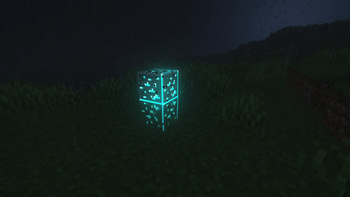
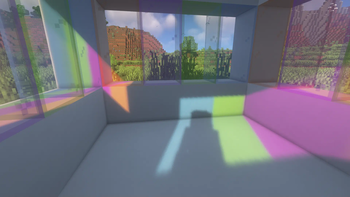
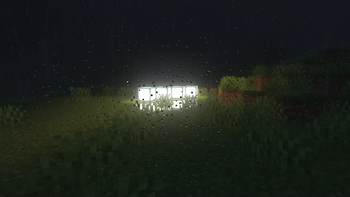

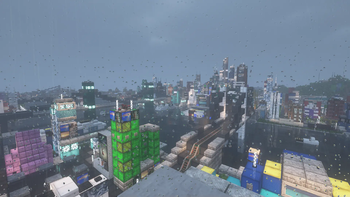
Über dieses Modpack
简体中文
OptiFab
在 Fabric 上实现 OptiFine 功能
什么是 OptiFine?
OptiFine 为 Minecraft 提供图形渲染优化及多种附加功能。
例如:
- 许多高清资源包和自定义纹理需依赖 OptiFine 才能正常运行。
- 原版无法加载光影,必须通过 OptiFine 实现。
- 支持动态光源。
OptiFine 功能丰富,过去几乎是游戏不可或缺的一部分。但随着版本更新,其渲染优势逐渐减弱,且 OptiFine 本身不兼容 Fabric 模组加载器,给 Fabric 玩家带来诸多不便。尽管存在 OptiFabric 以使 OptiFine 兼容 Fabric,但它具有侵入性、稳定性差,并可能与其他模组冲突。
得益于 Fabric 社区开发者的努力,如今已有大量可替代 OptiFine 功能的 Fabric 模组。然而,这些模组大多仅实现 OptiFine 的某一项功能。虽然替代模组数量已相当可观,但逐一手动收集仍十分繁琐。对于因版本更新而需重新配置模组的玩家而言,这一过程尤为麻烦。为此,整合包 OptiFab 应运而生——它汇集了目前能找到的、用于替代 OptiFine 功能的主流 Fabric 模组,希望能为你提供便利!
完整模组列表请参见:OptiFab 模组列表
English
OptiFab
Implementing OptiFine Features on Fabric
What is OptiFine?
OptiFine provides Minecraft with graphics rendering optimizations and various additional features.
For example:
- Many HD resource packs and custom textures require OptiFine to function properly.
- Shaders cannot be loaded in vanilla Minecraft and need OptiFine to work.
- Dynamic lighting is supported.
OptiFine is feature-rich and was once nearly indispensable for Minecraft players. However, as the game updates, its rendering advantages have gradually diminished. Moreover, OptiFine is inherently incompatible with the Fabric mod loader, causing inconvenience for Fabric users. Although OptiFabric exists to bridge this gap, it remains invasive, unstable, and prone to conflicts with other mods.
Thanks to the efforts of the Fabric community, numerous Fabric mods now replicate individual OptiFine features. Most of these mods, however, only implement a single aspect of OptiFine’s functionality. While there are already many such alternatives available, manually collecting them one by one is tedious—especially for players who must reconfigure their setups after version updates. To streamline this process, the modpack OptiFab was created. It bundles most of the currently available Fabric mods that replace OptiFine features, offering a convenient solution for players.
For the full mod list, visit: OptiFab Mod List
Verfügbare Versionen
OptiFab Server einrichten
Server bestellen
Wähle mindestens 4 GB RAM (6 GB empfohlen für OptiFab). Je nach Spieleranzahl: +1 GB pro 8 Spieler.
Modpack im Dashboard installieren
Öffne den Modpack-Browser im Dashboard, suche nach "OptiFab" und klicke "Installieren". Der fabric-Loader und Minecraft 1.21.11 werden automatisch konfiguriert.
Server starten & spielen
Starte den Server – alle Mods werden automatisch geladen. Teile die Server-IP mit Freunden und spielt zusammen!
Häufige Fragen
OptiFab Server crasht oder startet nicht – was tun?
Häufigste Ursachen: zu wenig RAM oder falscher fabric-Loader. Prüfe latest.log auf "OutOfMemoryError" → erhöhe RAM auf mindestens 6 GB. Bei "Mixin" oder "ClassNotFoundException": Modpack-Version und Loader stimmen nicht überein. Bei Mado Hosting werden Loader und Minecraft-Version beim Modpack-Install automatisch konfiguriert – das verhindert die meisten Startprobleme.
Wie viel RAM braucht ein OptiFab Server wirklich?
Minimum 4 GB, empfohlen 6 GB für stabile Performance. +1 GB pro 8 Spieler. Wichtig: Minecraft-Modpacks brauchen mehr RAM als Vanilla – plane pro zusätzlichem Spieler extra ein. Bei Mado Hosting kannst du den RAM jederzeit live hochskalieren, ohne Datenverlust (ab €5.2/Monat).
Kann ich eigene Mods zu OptiFab hinzufügen, ohne Konflikte?
Ja, aber achte auf die Kompatibilität: Nutze nur Mods für den gleichen Loader (fabric) und die gleiche Minecraft-Version (1.21.11). Häufige Probleme: ID-Konflikte bei Rezept-Mods und inkompatible Coremod-Versionen. Im Mado Dashboard zeigt der Mod-Browser nur kompatible Mods an und warnt bei bekannten Konflikten.
OptiFab Server laggt – Performance-Tipps
1) RAM auf 6 GB+ erhöhen. 2) Server-View-Distance auf 8 reduzieren (server.properties). 3) Pre-Generiere Chunks mit dem "Chunky" Plugin. 4) Prüfe mit /spark profiler welche Mods die meiste Tick-Time verbrauchen. Bei Mado Hosting laufen alle Server auf NVMe-SSDs mit dedizierten CPU-Kernen – das eliminiert Hardware als Engpass.
Ähnliche Modpacks

![Cobblemon Official Modpack [Fabric]](https://cdn.modrinth.com/data/5FFgwNNP/e7f9ee2e9d361623847853fe2ddce42f519ee64f.png)
![COBBLEVERSE - Pokemon Adventure [Cobblemon]](https://cdn.modrinth.com/data/Jkb29YJU/581ecf54530972afb18a04660afd820f2f24f6c7.png)
![Better MC [FABRIC] - BMC2](https://cdn.modrinth.com/data/shFhR8Vx/a19c2bcb51d38f32f138d3607e91cb2b7b8e387f_96.webp)


OptiFab Server mieten
Starte deinen eigenen Server mit automatischer Modpack-Installation.
Unterstützte Versionen
Starte deinen OptiFab Server jetzt
Ab €5.20/Monat; für die beste Performance werden 6 GB RAM empfohlen.
Server konfigurieren →