
Optimus
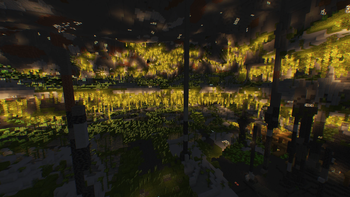
Improve your graphics and performance with this simple modpack. OptiFine functions. 26.3!
Screenshots
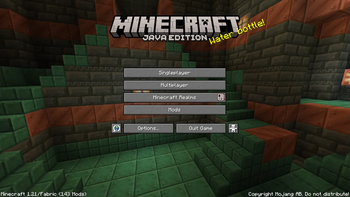
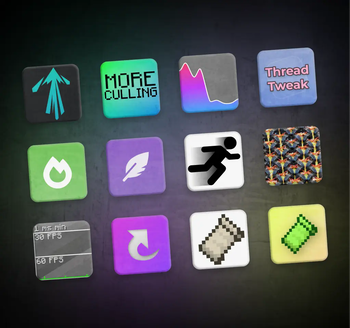
Über dieses Modpack
A simple Minecraft modpack focused on improving performance and graphics.
Try the server optimization modpack too! Link
🎯Goals
🔥 Performance improvement
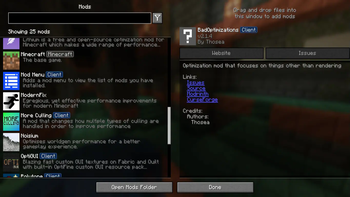
Optimus runs faster than competing game clients thanks to modern performance modifications such as Sodium, Lithium and more. The included mods have been carefully selected to keep your worlds safe and provide noticeable speed boosts on any device.
🔍 OptiFine parity
Optimus supports most OptiFine features, including shaders, connected textures, and zoom. If your resource pack states "OptiFine required," it will probably function here as well.
List of functions
Video Options
- Shaders
- Anti-Aliasing (Available via shaders, such as the TAA Project)
- Dynamic lighting
- Zoom
- Custom sky
Custom Resource Pack features
- Capes
- Custom Item
- Animated Textures
- Custom Entity Models
- Custom Colors
- Random Entities
- HD Fonts
- Connected Textures
🔮 Up to date
Optimus receives fast updates and stands as one of the first modpacks to upgrade to newer Minecraft versions. Updating the modpack is easy and will preserve your mod settings, where possible.
🪧 Built on Fabric
Optimus uses the Fabric mod loader, which is lightweight, fast, and supports a lot of mods. You can use the modpack as a base to add your favorite mods to.
💡 Other features
Optimus also includes some additional features not associated with OptiFine. Mods are suitable for the "other features" section if they are light and unobtrusive.
⭕ Why OptiFine?
OptiFine used to be the ideal solution for improving productivity in Minecraft and offered many additional features that users loved. However, recent events have changed the situation. OptiFine functions as an all-in-one mod, making it impossible to disable certain features that are incompatible with other mods. Additionally, its closed source code poses a challenge for modders who are unable to resolve compatibility issues. OptiFine is not natively compatible with Fabric or Quilt and requires a separate OptiFabric mod, which is difficult to keep up to date. This has led to the creation of alternative mods that work just as well, if not better, and are easier to update. Optimus usually updates much faster than OptiFine. While the transition may take some getting used to, the overall experience is a significant improvement over OptiFine.
✅ Hardware compatibility
Optimus supports the use of video cards with drivers compatible with OpenGL 4.6. Most graphics cards released in 2010 or later are compatible. This includes the following equipment:
- Intel HD Graphics 500 series (Skylake) or later
- Nvidia GeForce 400 series (Fermi) or later
- AMD Radeon HD 7000 series (GCN 1) or later
In some cases, older video cards may also work (provided they have drivers that support OpenGL 3.3), but they are not officially supported and may not be compatible in the future.
If you are running into problems, you should make sure that your graphics drivers are up-to-date. I also recommend taking a look at this page on the Sodium wiki.
Most of the information was taken from Sodium's hardware compatibility section. I'll update this accordingly if anything.
Verfügbare Versionen
Optimus Server einrichten
Server bestellen
Wähle mindestens 4 GB RAM (6 GB empfohlen für Optimus). Je nach Spieleranzahl: +1 GB pro 8 Spieler.
Modpack im Dashboard installieren
Öffne den Modpack-Browser im Dashboard, suche nach "Optimus" und klicke "Installieren". Der fabric-Loader und Minecraft 26.3 werden automatisch konfiguriert.
Server starten & spielen
Starte den Server – alle Mods werden automatisch geladen. Teile die Server-IP mit Freunden und spielt zusammen!
Häufige Fragen
Optimus Server crasht oder startet nicht – was tun?
Häufigste Ursachen: zu wenig RAM oder falscher fabric-Loader. Prüfe latest.log auf "OutOfMemoryError" → erhöhe RAM auf mindestens 6 GB. Bei "Mixin" oder "ClassNotFoundException": Modpack-Version und Loader stimmen nicht überein. Bei Mado Hosting werden Loader und Minecraft-Version beim Modpack-Install automatisch konfiguriert – das verhindert die meisten Startprobleme.
Wie viel RAM braucht ein Optimus Server wirklich?
Minimum 4 GB, empfohlen 6 GB für stabile Performance. +1 GB pro 8 Spieler. Wichtig: Minecraft-Modpacks brauchen mehr RAM als Vanilla – plane pro zusätzlichem Spieler extra ein. Bei Mado Hosting kannst du den RAM jederzeit live hochskalieren, ohne Datenverlust (ab €5.2/Monat).
Kann ich eigene Mods zu Optimus hinzufügen, ohne Konflikte?
Ja, aber achte auf die Kompatibilität: Nutze nur Mods für den gleichen Loader (fabric) und die gleiche Minecraft-Version (26.3). Häufige Probleme: ID-Konflikte bei Rezept-Mods und inkompatible Coremod-Versionen. Im Mado Dashboard zeigt der Mod-Browser nur kompatible Mods an und warnt bei bekannten Konflikten.
Optimus Server laggt – Performance-Tipps
1) RAM auf 6 GB+ erhöhen. 2) Server-View-Distance auf 8 reduzieren (server.properties). 3) Pre-Generiere Chunks mit dem "Chunky" Plugin. 4) Prüfe mit /spark profiler welche Mods die meiste Tick-Time verbrauchen. Bei Mado Hosting laufen alle Server auf NVMe-SSDs mit dedizierten CPU-Kernen – das eliminiert Hardware als Engpass.
Ähnliche Modpacks

![Cobblemon Official Modpack [Fabric]](https://cdn.modrinth.com/data/5FFgwNNP/e7f9ee2e9d361623847853fe2ddce42f519ee64f.png)
![COBBLEVERSE - Pokemon Adventure [Cobblemon]](https://cdn.modrinth.com/data/Jkb29YJU/581ecf54530972afb18a04660afd820f2f24f6c7.png)
![Better MC [FABRIC] - BMC2](https://cdn.modrinth.com/data/shFhR8Vx/a19c2bcb51d38f32f138d3607e91cb2b7b8e387f_96.webp)


Optimus Server mieten
Starte deinen eigenen Server mit automatischer Modpack-Installation.
Details
- Lizenz
- GNU General Public License v2.0 or later
- Server-seitig
- Nicht unterstützt
- Client-seitig
- Erforderlich
Unterstützte Versionen
Starte deinen Optimus Server jetzt
Ab €5.20/Monat; für die beste Performance werden 6 GB RAM empfohlen.
Server konfigurieren →