
PVP Vitals
A modpack with all mods and resource packs for PVP
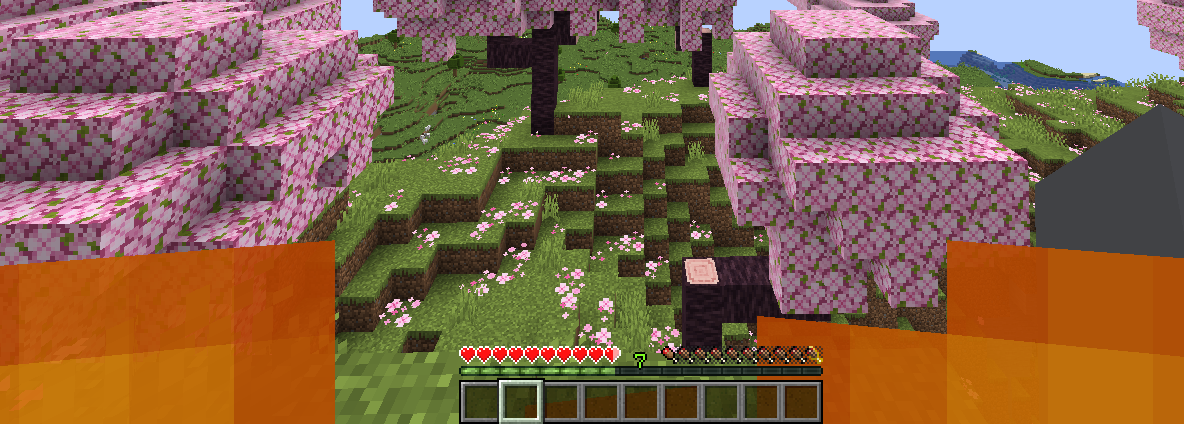
Screenshots


Über dieses Modpack
PVP Vitals
Currently in alpha
A minimalistic PVP Modpack containing everything for new players!
Tested with ATLauncher, Modrinth Launcher, Prism Launcher and GDLauncher
Tested on Windows and Linux with NVIDIA drivers
Supported versions: 1.21.1, 1.21.4, 1.21.5, 1.21.7, 1.21.8
1.21.11 news!
1.21.11 has been released after 11 months of no release, version for 26.2 will also drop soon!! I've replaced Model Gap fix with No gaps in yo items and due to the controversy surrounding Marlowww I replaced "her" crystal optimizer with Kind's.
IMPORTANT
Currently on some setups 1.21.1 and 1.21.8 might not work and I'm trying to fix that, disable some mods and troubleshoot yourself until I fix it! Send me a DM on discord if having issues!
Mods and Texture packs:
- 3D skin layers
- Appleskin
- Concurrent chunk management Engine
- Dynamic FPS
- BactroMod
- Effect Timer Plus
- Freelook
- Marlow's crystal optimizer
- ImmediatelyFast
- Lithium
- Sodium
- Low on fire
- Low Shield
- Model gap fix
- Mod menu
- Packet fixer
- Sodium extra
- Reese's Sodium options
- Resourcify
- Shulker Box Tooltips
- uku's Armor HUD
- Zoomify
- Very many players
NOTE: in newer versions BactroMod replaced the resource packs, Model Gap Fix was replaced with No gaps in yo items and Marlowww's crystal optimizer was replaced by Kind's, if you need info as to why you can search for the issues going on in the PVP community!
Using Resourcify you can browse texture packs.
FOV: Recommended 80-110,
Recommended to change keybinds!
For Crystal PVP Players, turn off Explosions in the video settings!
If you want to support me:
https://ko-fi.com/luxymillian
If you need help in any way with the modpack or want to send feedback send me a dm on discord - luxymillian.
Added info about the modpack
This modpack doesnt't have all the solutions for mainstream pvp. The user has the opportunity to add any mods necessary. This modpack is meant for people who like to play regular Minecraft and don't want a bunch of fixes. If you play "chill" PVP, maybe with some friends and not really into PVP this is the modpack for you. (or if you preffer simplicity) If that's not the case I recommend either adding extra mods and resource packs or using a different PVP modpack or custom client.
I, Luxymillian am not responsible for any issues you encounter playing on servers with this modpack. My advice is to double check the mods and see if they give an unfair advantage on servers you play.
Images of Resource packs, Armor HUD & Appleskin.

Verfügbare Versionen
PVP Vitals Server einrichten
Server bestellen
Wähle mindestens 4 GB RAM (6 GB empfohlen für PVP Vitals). Je nach Spieleranzahl: +1 GB pro 8 Spieler.
Modpack im Dashboard installieren
Öffne den Modpack-Browser im Dashboard, suche nach "PVP Vitals" und klicke "Installieren". Der fabric-Loader und Minecraft 1.21.11 werden automatisch konfiguriert.
Server starten & spielen
Starte den Server – alle Mods werden automatisch geladen. Teile die Server-IP mit Freunden und spielt zusammen!
Häufige Fragen
PVP Vitals Server crasht oder startet nicht – was tun?
Häufigste Ursachen: zu wenig RAM oder falscher fabric-Loader. Prüfe latest.log auf "OutOfMemoryError" → erhöhe RAM auf mindestens 6 GB. Bei "Mixin" oder "ClassNotFoundException": Modpack-Version und Loader stimmen nicht überein. Bei Mado Hosting werden Loader und Minecraft-Version beim Modpack-Install automatisch konfiguriert – das verhindert die meisten Startprobleme.
Wie viel RAM braucht ein PVP Vitals Server wirklich?
Minimum 4 GB, empfohlen 6 GB für stabile Performance. +1 GB pro 8 Spieler. Wichtig: Minecraft-Modpacks brauchen mehr RAM als Vanilla – plane pro zusätzlichem Spieler extra ein. Bei Mado Hosting kannst du den RAM jederzeit live hochskalieren, ohne Datenverlust (ab €5.2/Monat).
Kann ich eigene Mods zu PVP Vitals hinzufügen, ohne Konflikte?
Ja, aber achte auf die Kompatibilität: Nutze nur Mods für den gleichen Loader (fabric) und die gleiche Minecraft-Version (1.21.11). Häufige Probleme: ID-Konflikte bei Rezept-Mods und inkompatible Coremod-Versionen. Im Mado Dashboard zeigt der Mod-Browser nur kompatible Mods an und warnt bei bekannten Konflikten.
PVP Vitals Server laggt – Performance-Tipps
1) RAM auf 6 GB+ erhöhen. 2) Server-View-Distance auf 8 reduzieren (server.properties). 3) Pre-Generiere Chunks mit dem "Chunky" Plugin. 4) Prüfe mit /spark profiler welche Mods die meiste Tick-Time verbrauchen. Bei Mado Hosting laufen alle Server auf NVMe-SSDs mit dedizierten CPU-Kernen – das eliminiert Hardware als Engpass.
Ähnliche Modpacks


![Better MC [FABRIC] - BMC2](https://cdn.modrinth.com/data/shFhR8Vx/a19c2bcb51d38f32f138d3607e91cb2b7b8e387f_96.webp)
![Better MC [FORGE] - BMC4](https://cdn.modrinth.com/data/4BV47HRn/7f5ef7cc61b2593609aabef3ed07a866a4f11b73_96.webp)


PVP Vitals Server mieten
Starte deinen eigenen Server mit automatischer Modpack-Installation.
Details
- Lizenz
- LicenseRef-All-Rights-Reserved
- Server-seitig
- Nicht unterstützt
- Client-seitig
- Erforderlich
Unterstützte Versionen
Starte deinen PVP Vitals Server jetzt
Ab €5.20/Monat; für die beste Performance werden 6 GB RAM empfohlen.
Server konfigurieren →