
PVPify
Minimalist PVP modpack, optimized, vanilla-look, no bannable mods
Screenshots
Über dieses Modpack

Designed for only the Modrinth Launcher, not to be imported into Lunar Client or Feather/Dawn Client.
What is it?
PVPify is a minimalist PVP Modpack that just works, optimized, preconfigured settings, some QoL, & a vanilla-look
No bannable mods used. Updating the modpack to a newer version will not change your current settings.
Version 1.21.11 is HIGHLY recommended due to stability.
⚠️Note: Marlow's Crystal Optimizer and other optimizers are not included due to it being bannable on certain servers. Also, Shield Statuses is banned on some tierlists. Add them to the modpack at your own risk.
Officially distributed only on Modrinth. Other downloads are not supported and may be unsafe.
Default Settings
90 FOV (very common range for PVPers)View Bobbing -> Off
Damage Tilt -> 5%
FOV Effects -> 0%
Toggle Sprint -> On (necessity!)
Keybinds & Sensitivity -> Your Preference!
Main Features
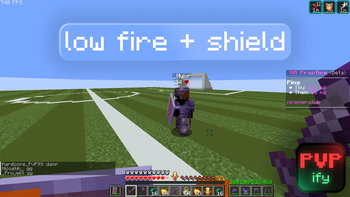
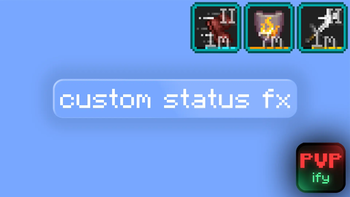
Low Shields/Fire
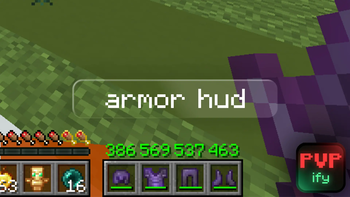
Armor Durability/HUD
Crosshair addons (Elytra and Crosshair Indicators)
Shield Fixes
Preconfigured and Optimized Settings
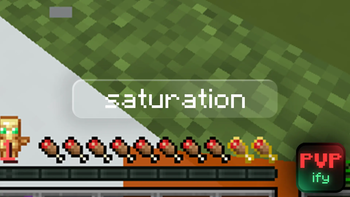
Saturation
Tiers
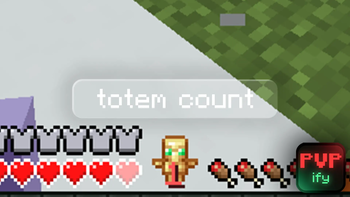
Totem Count
Shulkerbox Preview
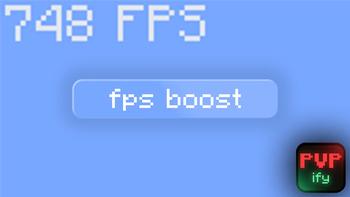
Great Preformance
Why Should I Choose PVPify Over Lunar Client/Other Modpacks?
Other modpacks use bannable mods.
Significantly more preformance (FPS) for lower-end PC's than Lunar Client.
More compatibility than Lunar Client.
More flexible than Lunar Client because you can add mods more effortlessly.
No weird, shady override mods you see in other modpacks.
It looks cooler than other modpacks.
Many modpacks are just pure lazy, they don't do research, have AI generated descriptions, and they arent as carefully crafted.
Its made by Ceyoh (check out my channel!)
FPS on a low-end laptop
| Vanilla | PVPify | Lunar Client | Fabulously Optimized | |
|---|---|---|---|---|
| FPS | ~30-40 | ~100 | ~50-60 | its worse trust |
Compatibility
To use Flashback Mod: Remove C2ME & the Very Many Players mod because they break it.
Any problems or bugs? Join the discord server!
Verfügbare Versionen
PVPify Server einrichten
Server bestellen
Wähle mindestens 4 GB RAM (6 GB empfohlen für PVPify). Je nach Spieleranzahl: +1 GB pro 8 Spieler.
Modpack im Dashboard installieren
Öffne den Modpack-Browser im Dashboard, suche nach "PVPify" und klicke "Installieren". Der fabric-Loader und Minecraft 26.2 werden automatisch konfiguriert.
Server starten & spielen
Starte den Server – alle Mods werden automatisch geladen. Teile die Server-IP mit Freunden und spielt zusammen!
Häufige Fragen
PVPify Server crasht oder startet nicht – was tun?
Häufigste Ursachen: zu wenig RAM oder falscher fabric-Loader. Prüfe latest.log auf "OutOfMemoryError" → erhöhe RAM auf mindestens 6 GB. Bei "Mixin" oder "ClassNotFoundException": Modpack-Version und Loader stimmen nicht überein. Bei Mado Hosting werden Loader und Minecraft-Version beim Modpack-Install automatisch konfiguriert – das verhindert die meisten Startprobleme.
Wie viel RAM braucht ein PVPify Server wirklich?
Minimum 4 GB, empfohlen 6 GB für stabile Performance. +1 GB pro 8 Spieler. Wichtig: Minecraft-Modpacks brauchen mehr RAM als Vanilla – plane pro zusätzlichem Spieler extra ein. Bei Mado Hosting kannst du den RAM jederzeit live hochskalieren, ohne Datenverlust (ab €5.2/Monat).
Kann ich eigene Mods zu PVPify hinzufügen, ohne Konflikte?
Ja, aber achte auf die Kompatibilität: Nutze nur Mods für den gleichen Loader (fabric) und die gleiche Minecraft-Version (26.2). Häufige Probleme: ID-Konflikte bei Rezept-Mods und inkompatible Coremod-Versionen. Im Mado Dashboard zeigt der Mod-Browser nur kompatible Mods an und warnt bei bekannten Konflikten.
PVPify Server laggt – Performance-Tipps
1) RAM auf 6 GB+ erhöhen. 2) Server-View-Distance auf 8 reduzieren (server.properties). 3) Pre-Generiere Chunks mit dem "Chunky" Plugin. 4) Prüfe mit /spark profiler welche Mods die meiste Tick-Time verbrauchen. Bei Mado Hosting laufen alle Server auf NVMe-SSDs mit dedizierten CPU-Kernen – das eliminiert Hardware als Engpass.
Ähnliche Modpacks


![Better MC [FABRIC] - BMC2](https://cdn.modrinth.com/data/shFhR8Vx/a19c2bcb51d38f32f138d3607e91cb2b7b8e387f_96.webp)
![Better MC [FORGE] - BMC4](https://cdn.modrinth.com/data/4BV47HRn/7f5ef7cc61b2593609aabef3ed07a866a4f11b73_96.webp)


PVPify Server mieten
Starte deinen eigenen Server mit automatischer Modpack-Installation.
Unterstützte Versionen
Starte deinen PVPify Server jetzt
Ab €5.20/Monat; für die beste Performance werden 6 GB RAM empfohlen.
Server konfigurieren →