
Modrinth · Fabric
RaftCraft Server mieten
Dein eigener RaftCraft Server auf AMD Ryzen 9 ohne Thread-Limit. Der Server ist in der Regel unter 60 Sekunden bereit, das Pack installierst du danach mit einem Klick im Modpack-Browser.
RaftCraft is a lightweight modpack that combines exploration, survival, and creation. Sail customized ships with Create contraptions
- Downloads
- 3.8K
- Follower
- 0
- Loader
- Fabric
- Minecraft
- 1.20.1
- Aktualisiert
- –
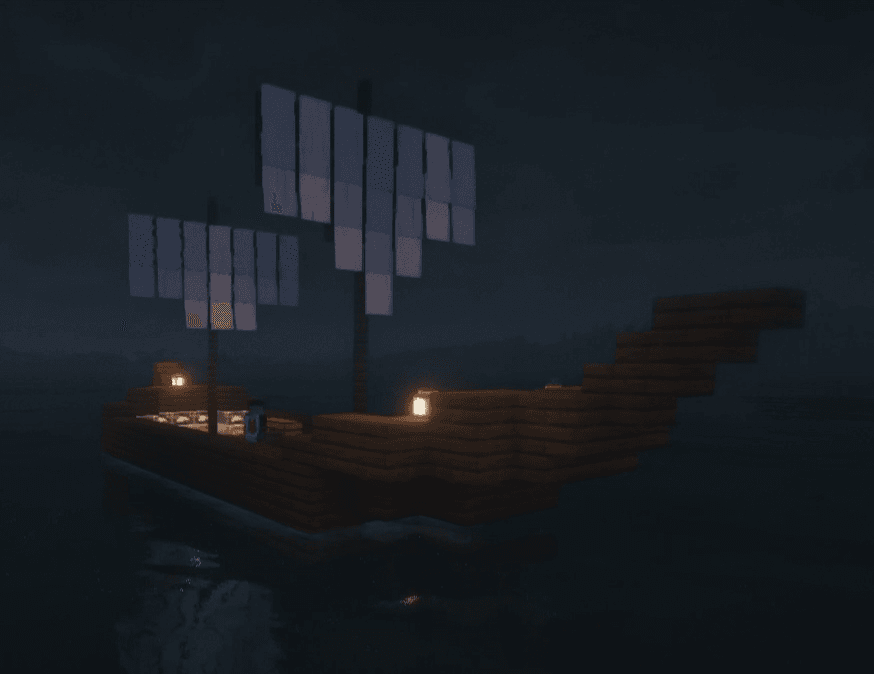
Screenshots
So sieht RaftCraft aus


Bilder: RaftCraft auf Modrinth, vom Projektteam veröffentlicht.
Einrichtung
In vier Schritten zum RaftCraft Server
Prüfe bei Fehlern zuerst Startprotokoll, Java-Version, Loader und Abhängigkeiten. Erhöhe RAM nur bei Hinweisen auf Speichermangel. Behalte vor Updates eine Kopie der funktionierenden Installation.
- 01
Konfigurieren
8 GB RAM sind vorausgewählt und RaftCraft ist im Konfigurator vorgemerkt. Laufzeit und Add-ons wählst du selbst.
- 02
Bezahlen
Per Kreditkarte oder PayPal. Der Server ist in der Regel unter 60 Sekunden bereit.
- 03
Pack installieren
Öffne den Modpack-Browser im Panel, wähle Modrinth, prüfe die Projekt-ID und installiere die gewünschte Pack-Version. Sichere eine bestehende Welt vorher.
- 04
Verbinden
Alle Spieler installieren dieselbe Pack-Version in einem kompatiblen Launcher und verbinden sich über die Serveradresse aus dem Panel.
Modrinth-Projekt-ID: FUt2bDJx
Das Panel
Pack installieren, Fehler finden.
Echte Screenshots aus dem Mado Panel. Beides ist bei jedem Minecraft Server enthalten.
Modpack-Browser
Modrinth und CurseForge direkt im Panel.
Pack suchen, Version wählen, installieren. Loader und Serverdateien musst du nicht von Hand hochladen.

KI-Crash-Analyse
Wenn ein Mod crasht, liest die Analyse das Log.
Große Modpacks scheitern oft an einer einzelnen Mod, Java-Version oder fehlenden Abhängigkeit. Die Analyse nennt eine wahrscheinliche Ursache und einen Lösungsvorschlag.

Versionen
Veröffentlichte Pack-Versionen
Server und Spieler brauchen dieselbe Pack-Version. Wähle sie im Modpack-Browser passend zu den Clients deiner Gruppe.
RaftCraft · ModrinthOriginalbeschreibung des Projektautors
RaftCraft is a modpack that combines exploration, survival, and creation. Sail customized ships with Valkyrie Skies 2 and Eureka. Build machines and automated systems with Create.

✅ Valkyrien Skies 2 + Eureka + Create
✅ Overhauled World Vanilla+ (Towns and Towers, Complementary Shaders, Terralith, YUNG's Mods)
✅ +++ Optimization and QOL Mods such as Mod Menu, Jei and much more!
Tips/Info+
When assembling a ship keep it disconnected from any other block other than water and air, with a safety distance of 2 or 3 blocks. Do not submerge the ship more than one block, as it will collide more frequently, even with kelps. Do not place stairs or slabs in the deepest part, as it may cause the water to bug
Create Contraptions on moving ships are not recommended, can cause visual glitches.
Disassemble ships if not using, that will help reduce server stress.
Shaders with working Create Contraptions will reduce your FPS by 30-50% (on Very High), try not to have too much moving/superglue contraption at one time OR change your shader quality/performance settings. Also burn with lava all non-desired items or Install Leaky.
Autobackups are managed with the Textile Backup mod, helping keep your world safe from issues related to the VS2 mod (such as assembling a ship incorrectly)
Suplementary Canons are working fine, don't forget to try them on your ship.
Ähnliche Packs
Weitere server-fähige Modpacks
 Server-fähig

Cobblemon Official Modpack [Fabric]
von CobbledStudios
The official modpack of the Cobblemon mod, for Fabric!
 Server-fähig

COBBLEVERSE - Pokemon Adventure [Cobblemon]
von LUMYVERSE
Start a true Pokémon adventure in Minecraft: Cobblemon 1.8.4 | ALL 1025 Pokémon! | Mega Evolutions | Gyms & Badges | Starter Kit | Unique Structures | Custom Music | Shaders | Optimized | So much more! [1.21.1]
 Server-fähig

Better MC [FABRIC] - BMC2
von SHXRKIE
Version 1.20 | A Proper Vanilla+ Modpack | Don't play Vanilla play this!
 Server-fähig

Vanilla Perfected
von demonjoeTV
A compilation of Vanilla Plus mods & packs to perfect the Minecraft experience without drifting too far from the feel of the base game!
Bereit für deinen RaftCraft Server?
8 GB RAM ab 16,00 € im Monat. 35 % auf den 1. Monat mit MADO35.