
RandomCraft
variety of mods, focusing on magic, adventure and better pc performance
Screenshots
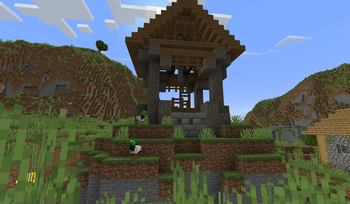
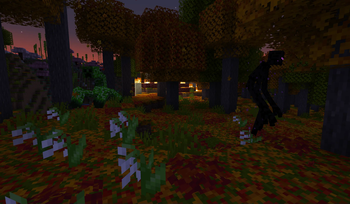
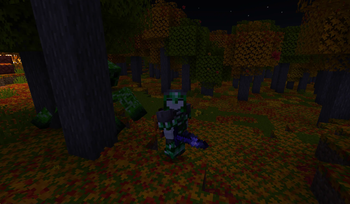
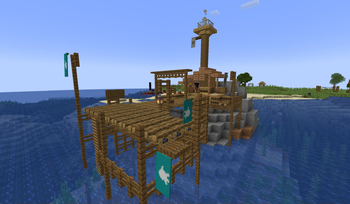
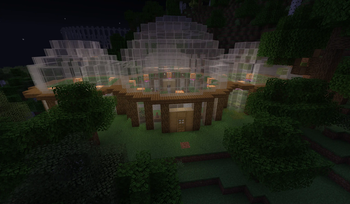
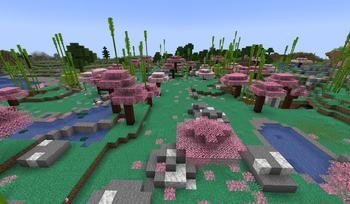
Über dieses Modpack
RandomCraft
Welcome, fellow adventurers!
Get ready to experience a world of magic, exploration, and exciting new features, all designed to enhance your gameplay.
Let's dive in and discover the enchanting mods that await you!
Embrace the Magic
Immerse yourself in the mystical arts with the Bewitchment mod.
Learn powerful spells, wield magical wands, and encounter ancient creatures as you explore the world of witchcraft.
A Feast Awaits
Indulge in a delightful variety of foods, wines, and beverages from mods like Farmer's Delight, Let's do: Candlelight, Let's do: Vinery, and Culinairy.
Savor the tastes of a rich culinary world, adding depth to your Minecraft experience.
Soar the Skies
Take to the skies with immersive aircraft from the mod "Immersive Aircraft."
Experience the thrill of flying and exploring your world from a whole new perspective.
Random Fun
Our modpack includes a selection of random mods that add unexpected twists and surprises to your adventures.
Prepare for the unexpected and let the randomness add excitement to your gameplay.
Music to Your Ears
Enjoy a custom music experience with the "iammusicplayer" mod.
Access music from Y0uT?b3 using cassettes and personalize your Minecraft soundtrack like never before.
Uncover the Past
Dive into the world of archeology with the "Better Archeology" mod.
Discover ancient artifacts, fossils, and lost civilizations buried within the Minecraft world.
Slide 9: Masterful Combat - Better Combat
Engage in thrilling battles with the "Better Combat" mod
Experience a revamped combat system, bringing more depth and strategy to your fights.
Quality of Life Mods
We've included several quality of life mods to enhance your overall Minecraft experience.
These mods streamline gameplay, improve performance, and add convenience to your adventures.
Installation and Compatibility
Installing our modpack is easy, with step-by-step instructions provided.
Rest assured, our modpack is designed for compatibility across various systems.
Conclusion
Our Minecraft Modpack for version 1.20.1 offers an enchanting experience, full of magic, exploration, and culinary delights.
Embark on thrilling adventures, soar the skies, and uncover the secrets of the past.
Download the pack now and immerse yourself in a world of wonder and excitement!
Q&A
Feel free to ask any questions about our modpack and its fascinating features.
Verfügbare Versionen
RandomCraft Server einrichten
Server bestellen
Wähle mindestens 6 GB RAM (8 GB empfohlen für RandomCraft). Je nach Spieleranzahl: +1 GB pro 5 Spieler.
Modpack im Dashboard installieren
Öffne den Modpack-Browser im Dashboard, suche nach "RandomCraft" und klicke "Installieren". Der fabric-Loader und Minecraft 1.20.1 werden automatisch konfiguriert.
Server starten & spielen
Starte den Server – alle Mods werden automatisch geladen. Teile die Server-IP mit Freunden und spielt zusammen!
Häufige Fragen
RandomCraft Server crasht oder startet nicht – was tun?
Häufigste Ursachen: zu wenig RAM oder falscher fabric-Loader. Prüfe latest.log auf "OutOfMemoryError" → erhöhe RAM auf mindestens 8 GB. Bei "Mixin" oder "ClassNotFoundException": Modpack-Version und Loader stimmen nicht überein. Bei Mado Hosting werden Loader und Minecraft-Version beim Modpack-Install automatisch konfiguriert – das verhindert die meisten Startprobleme.
Wie viel RAM braucht ein RandomCraft Server wirklich?
Minimum 6 GB, empfohlen 8 GB für stabile Performance. +1 GB pro 5 Spieler. Wichtig: Minecraft-Modpacks brauchen mehr RAM als Vanilla – plane pro zusätzlichem Spieler extra ein. Bei Mado Hosting kannst du den RAM jederzeit live hochskalieren, ohne Datenverlust (ab €7.800000000000001/Monat).
Kann ich eigene Mods zu RandomCraft hinzufügen, ohne Konflikte?
Ja, aber achte auf die Kompatibilität: Nutze nur Mods für den gleichen Loader (fabric) und die gleiche Minecraft-Version (1.20.1). Häufige Probleme: ID-Konflikte bei Rezept-Mods und inkompatible Coremod-Versionen. Im Mado Dashboard zeigt der Mod-Browser nur kompatible Mods an und warnt bei bekannten Konflikten.
RandomCraft Server laggt – Performance-Tipps
1) RAM auf 8 GB+ erhöhen. 2) Server-View-Distance auf 8 reduzieren (server.properties). 3) Pre-Generiere Chunks mit dem "Chunky" Plugin. 4) Prüfe mit /spark profiler welche Mods die meiste Tick-Time verbrauchen. Bei Mado Hosting laufen alle Server auf NVMe-SSDs mit dedizierten CPU-Kernen – das eliminiert Hardware als Engpass.
Ähnliche Modpacks
![Cobblemon Official Modpack [Fabric]](https://cdn.modrinth.com/data/5FFgwNNP/e7f9ee2e9d361623847853fe2ddce42f519ee64f.png)
![COBBLEVERSE - Pokemon Adventure [Cobblemon]](https://cdn.modrinth.com/data/Jkb29YJU/581ecf54530972afb18a04660afd820f2f24f6c7.png)
![Better MC [FABRIC] - BMC2](https://cdn.modrinth.com/data/shFhR8Vx/a19c2bcb51d38f32f138d3607e91cb2b7b8e387f_96.webp)


![Better MC [FORGE] - BMC4](https://cdn.modrinth.com/data/4BV47HRn/7f5ef7cc61b2593609aabef3ed07a866a4f11b73_96.webp)
RandomCraft Server mieten
Starte deinen eigenen Server mit automatischer Modpack-Installation.
Details
- Lizenz
- LicenseRef-All-Rights-Reserved
- Server-seitig
- Erforderlich
- Client-seitig
- Erforderlich
Unterstützte Versionen
Starte deinen RandomCraft Server jetzt
Ab €7.80/Monat; für die beste Performance werden 8 GB RAM empfohlen.
Server konfigurieren →