
Realistic Adventures
Realistic Adventures with seasons, new tools, biomes, and everything with the least possible performance impact - All in this modpack!
Screenshots
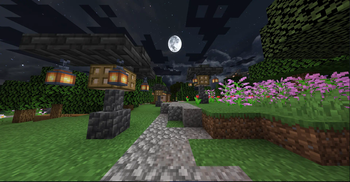
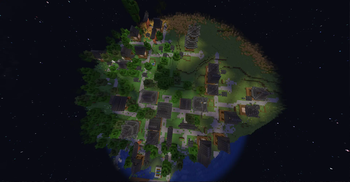
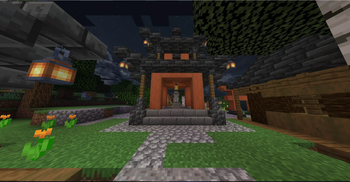
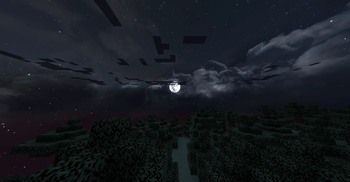
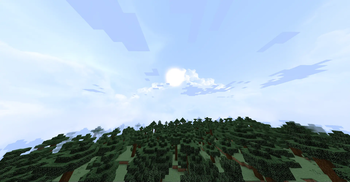
Über dieses Modpack
This modpack is full of Adventure! It adds new biomes, new tools. Rarely seen structures but much rarer loots. Bigger biomes, and Seasons for planting, and much more!
Netherite armor "levels" and custom "abilities" from what material do you upgrade it with.
It upgrades villages to be bigger, and to contain more loot. It adds new nether and end biomes! And more thing you can explore!
All of this with minimal performance impact.
You should download this pack if you want new, more fun, more extended version of minecraft.
If you download, you must know, that on lower hardwares it cloud be laggy, so set render, shadow distances to approx. 10-5 chunks.
If you generate a world, but you don't want the pack's worldgen, you can select normal one, so biomes will be as normal as in game. But structures, loots can be the same as in the custom worldgen.
Version tagging:
- Singleplayer is Release
- Multiplay(er) is Beta
THANK YOU FOR 5000 DOWNLOADS!
This motivates me to continue this project and to support it! I hope you enjoy it!
Next achievement: 10000 DOWNLOADS
Contact me at Discord: zyvrec.
Verfügbare Versionen
Realistic Adventures Server einrichten
Server bestellen
Wähle mindestens 6 GB RAM (8 GB empfohlen für Realistic Adventures). Je nach Spieleranzahl: +1 GB pro 5 Spieler.
Modpack im Dashboard installieren
Öffne den Modpack-Browser im Dashboard, suche nach "Realistic Adventures" und klicke "Installieren". Der fabric-Loader und Minecraft 1.19.2 werden automatisch konfiguriert.
Server starten & spielen
Starte den Server – alle Mods werden automatisch geladen. Teile die Server-IP mit Freunden und spielt zusammen!
Häufige Fragen
Realistic Adventures Server crasht oder startet nicht – was tun?
Häufigste Ursachen: zu wenig RAM oder falscher fabric-Loader. Prüfe latest.log auf "OutOfMemoryError" → erhöhe RAM auf mindestens 8 GB. Bei "Mixin" oder "ClassNotFoundException": Modpack-Version und Loader stimmen nicht überein. Bei Mado Hosting werden Loader und Minecraft-Version beim Modpack-Install automatisch konfiguriert – das verhindert die meisten Startprobleme.
Wie viel RAM braucht ein Realistic Adventures Server wirklich?
Minimum 6 GB, empfohlen 8 GB für stabile Performance. +1 GB pro 5 Spieler. Wichtig: Minecraft-Modpacks brauchen mehr RAM als Vanilla – plane pro zusätzlichem Spieler extra ein. Bei Mado Hosting kannst du den RAM jederzeit live hochskalieren, ohne Datenverlust (ab €7.800000000000001/Monat).
Kann ich eigene Mods zu Realistic Adventures hinzufügen, ohne Konflikte?
Ja, aber achte auf die Kompatibilität: Nutze nur Mods für den gleichen Loader (fabric) und die gleiche Minecraft-Version (1.19.2). Häufige Probleme: ID-Konflikte bei Rezept-Mods und inkompatible Coremod-Versionen. Im Mado Dashboard zeigt der Mod-Browser nur kompatible Mods an und warnt bei bekannten Konflikten.
Realistic Adventures Server laggt – Performance-Tipps
1) RAM auf 8 GB+ erhöhen. 2) Server-View-Distance auf 8 reduzieren (server.properties). 3) Pre-Generiere Chunks mit dem "Chunky" Plugin. 4) Prüfe mit /spark profiler welche Mods die meiste Tick-Time verbrauchen. Bei Mado Hosting laufen alle Server auf NVMe-SSDs mit dedizierten CPU-Kernen – das eliminiert Hardware als Engpass.
Ähnliche Modpacks
![Cobblemon Official Modpack [Fabric]](https://cdn.modrinth.com/data/5FFgwNNP/e7f9ee2e9d361623847853fe2ddce42f519ee64f.png)
![COBBLEVERSE - Pokemon Adventure [Cobblemon]](https://cdn.modrinth.com/data/Jkb29YJU/581ecf54530972afb18a04660afd820f2f24f6c7.png)
![Better MC [FABRIC] - BMC2](https://cdn.modrinth.com/data/shFhR8Vx/a19c2bcb51d38f32f138d3607e91cb2b7b8e387f_96.webp)


![Better MC [FORGE] - BMC4](https://cdn.modrinth.com/data/4BV47HRn/7f5ef7cc61b2593609aabef3ed07a866a4f11b73_96.webp)
Realistic Adventures Server mieten
Starte deinen eigenen Server mit automatischer Modpack-Installation.
Details
- Lizenz
- GNU General Public License v3.0 or later
- Server-seitig
- Nicht unterstützt
- Client-seitig
- Erforderlich
Unterstützte Versionen
Starte deinen Realistic Adventures Server jetzt
Ab €7.80/Monat; für die beste Performance werden 8 GB RAM empfohlen.
Server konfigurieren →