Sodium Pack Simple (Client Optimization)
A pack containing lightweight and useful mods. Optimize the client.
Screenshots
Über dieses Modpack
Sodium Pack Simple (Client Optimization)
Have you ever noticed that Minecraft is running slowly?
This ModPack solves that problem! (Although it may not be very effective in some cases...)
Since this is a hobby project run by 1510ty, there may be delays in responding to new versions and in providing support.
↓I'll leave the old explanation here for now.
Old description
Added September 2, 2025I have decided to continue publishing and updating this modpack.
However, I will no longer release it as a zip file; I will only release it as an mrpack.
Please understand that this decision was made after considering the storage load on Modrinth.
Added June 30, 2025
Retracted explanation
This modpack is no longer available on Modrinth.Modrinth is a very useful Minecraft modding platform.
However, it is not suitable for publishing modpacks.
Previously, this modpack was distributed in zip format, but due to various reasons, including the load on Modrinth, this became difficult to do.
Going forward, I will distribute it in script format, which will download mods from various servers, such as Modrinth, when executed.
This method is less likely to cause copyright issues.
Therefore, I will continue to release it this way.
However, I will leave the existing modpack as is.
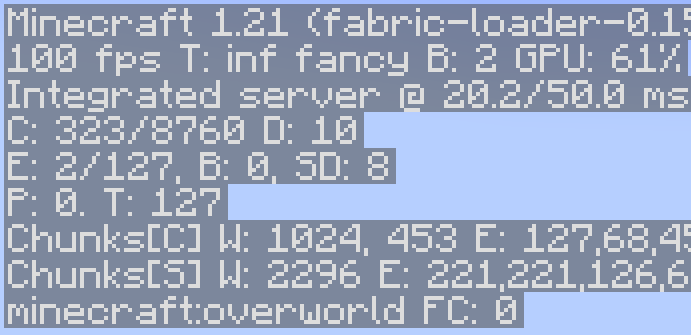
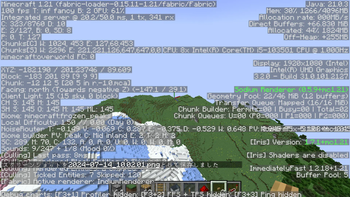
Depending on your specs, you can even achieve 400 FPS.
You can now comfortably play Minecraft even on mid- to low-end PCs.
The modpack also includes the Iris shader, so you can enjoy shaders while speeding up Minecraft with Sodium.
This modpack can be easily installed using the modrinth app.
For those who prefer to use a different app, we also distribute a zip file for easy installation on other launchers.
Due to the high load on Modrinth, new distribution of the zip version has been discontinued.
You can download all jar files from the Modrinth launcher.
This modpack was recently created, so it may not yet include all mods.
Also, the author of this modpack (1510ty) is Japanese and is not very fluent in English, so we use translations.
Please rate this modpack and provide feedback.
postscript:These forms will no longer be checked.
https://forms.gle/P6fpgHRfLzrYbALa9
If you have a version you'd like to add, please click here.
https://forms.gle/UQkcWPFUsme5QKbd9
August 20, 2024
This modpack has been re-released.
Verfügbare Versionen
Sodium Pack Simple (Client Optimization) Server einrichten
Server bestellen
Wähle mindestens 4 GB RAM (6 GB empfohlen für Sodium Pack Simple (Client Optimization)). Je nach Spieleranzahl: +1 GB pro 8 Spieler.
Modpack im Dashboard installieren
Öffne den Modpack-Browser im Dashboard, suche nach "Sodium Pack Simple (Client Optimization)" und klicke "Installieren". Der fabric-Loader und Minecraft 1.21.10 werden automatisch konfiguriert.
Server starten & spielen
Starte den Server – alle Mods werden automatisch geladen. Teile die Server-IP mit Freunden und spielt zusammen!
Häufige Fragen
Sodium Pack Simple (Client Optimization) Server crasht oder startet nicht – was tun?
Häufigste Ursachen: zu wenig RAM oder falscher fabric-Loader. Prüfe latest.log auf "OutOfMemoryError" → erhöhe RAM auf mindestens 6 GB. Bei "Mixin" oder "ClassNotFoundException": Modpack-Version und Loader stimmen nicht überein. Bei Mado Hosting werden Loader und Minecraft-Version beim Modpack-Install automatisch konfiguriert – das verhindert die meisten Startprobleme.
Wie viel RAM braucht ein Sodium Pack Simple (Client Optimization) Server wirklich?
Minimum 4 GB, empfohlen 6 GB für stabile Performance. +1 GB pro 8 Spieler. Wichtig: Minecraft-Modpacks brauchen mehr RAM als Vanilla – plane pro zusätzlichem Spieler extra ein. Bei Mado Hosting kannst du den RAM jederzeit live hochskalieren, ohne Datenverlust (ab €5.2/Monat).
Kann ich eigene Mods zu Sodium Pack Simple (Client Optimization) hinzufügen, ohne Konflikte?
Ja, aber achte auf die Kompatibilität: Nutze nur Mods für den gleichen Loader (fabric) und die gleiche Minecraft-Version (1.21.10). Häufige Probleme: ID-Konflikte bei Rezept-Mods und inkompatible Coremod-Versionen. Im Mado Dashboard zeigt der Mod-Browser nur kompatible Mods an und warnt bei bekannten Konflikten.
Sodium Pack Simple (Client Optimization) Server laggt – Performance-Tipps
1) RAM auf 6 GB+ erhöhen. 2) Server-View-Distance auf 8 reduzieren (server.properties). 3) Pre-Generiere Chunks mit dem "Chunky" Plugin. 4) Prüfe mit /spark profiler welche Mods die meiste Tick-Time verbrauchen. Bei Mado Hosting laufen alle Server auf NVMe-SSDs mit dedizierten CPU-Kernen – das eliminiert Hardware als Engpass.
Ähnliche Modpacks

![Cobblemon Official Modpack [Fabric]](https://cdn.modrinth.com/data/5FFgwNNP/e7f9ee2e9d361623847853fe2ddce42f519ee64f.png)
![COBBLEVERSE - Pokemon Adventure [Cobblemon]](https://cdn.modrinth.com/data/Jkb29YJU/581ecf54530972afb18a04660afd820f2f24f6c7.png)
![Better MC [FABRIC] - BMC2](https://cdn.modrinth.com/data/shFhR8Vx/a19c2bcb51d38f32f138d3607e91cb2b7b8e387f_96.webp)


Sodium Pack Simple (Client Optimization) Server mieten
Starte deinen eigenen Server mit automatischer Modpack-Installation.
Unterstützte Versionen
Starte deinen Sodium Pack Simple (Client Optimization) Server jetzt
Ab €5.20/Monat; für die beste Performance werden 6 GB RAM empfohlen.
Server konfigurieren →