
Speed Of Light FPS Booster (SOL)
A Minecraft modpack to give you the best FPS/Performance possible.
Screenshots

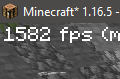
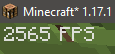
Über dieses Modpack
All video settings are set to the absolute lowest settings by default to provide the best FPS out of the box.
Once you are in the game turn up your video settings to your liking (preferably starting with view distance first).
Mods in this modpack optimise things like better entity/block culling for more fps, faster lighting calculations, cached game assets for faster loading, memory usage optimisations/fixes, optimised networking packets, and other core game mechanic optimisations (game physics, mob AI, block ticking, etc). This is all achieved without majorly changing the core game, so everything should still work and play like the vanilla game, just with better overall performance.
- - - - - - - - - - MOD LIST - - - - - - - - - -
BadOptimizations (by thosea)
Cull Leaves (by Motschen)
MoreCulling (by FX_PR0CESS)
Sodium/Embeddium Options API (by Txni)
Lithium (Fabric/NeoForge) (by JellySquid)
Very Many Players (Fabric) (by ishlandmc)
Krypton (by tuxed)
ImmediatelyFast (by RaphiMC)
Entity Culling Fabric/Forge (by tr7zw)
Cloth Config API (Fabric/Forge/NeoForge) (by shedaniel)
Sodium Extra (by FlashyReese)
Mod Menu (by Prospector)
Ksyxis (by VidTu)
Text Placeholder API (by Patbox)
ModernFix (by embeddedt)
Sodium/Embeddium Extras (by Txni)
Fabric API (by modmuss50)
Sodium (by JellySquid)
FerriteCore (Fabric) (by malte0811)
lazy-language-loader (Fabric) (by chachylmao)
Reese's Sodium Options (by FlashyReese)
Redirectionor [Retro] (by Hileb)
Clumps (by Jaredlll08)
Enhanced Block Entities (by FoundationGames)
Entity View Distance (by Patbox)
- - - - - - - - - - LINKS - - - - - - - - - -
Modpack Homepage

❤️ Click here to help support my modpacks ❤️
- - - - - - - - - - DISCLAIMERS - - - - - - - - - -
This modpack may contain a single in-game advertisement in the server list and a custom Minecraft server (which can easily be removed).
All information found in the description may not always be up to date, but is accurate at the time of writing.
Verfügbare Versionen
Speed Of Light FPS Booster (SOL) Server einrichten
Server bestellen
Wähle mindestens 4 GB RAM (6 GB empfohlen für Speed Of Light FPS Booster (SOL)). Je nach Spieleranzahl: +1 GB pro 8 Spieler.
Modpack im Dashboard installieren
Öffne den Modpack-Browser im Dashboard, suche nach "Speed Of Light FPS Booster (SOL)" und klicke "Installieren". Der fabric-Loader und Minecraft 1.21.4 werden automatisch konfiguriert.
Server starten & spielen
Starte den Server – alle Mods werden automatisch geladen. Teile die Server-IP mit Freunden und spielt zusammen!
Häufige Fragen
Speed Of Light FPS Booster (SOL) Server crasht oder startet nicht – was tun?
Häufigste Ursachen: zu wenig RAM oder falscher fabric-Loader. Prüfe latest.log auf "OutOfMemoryError" → erhöhe RAM auf mindestens 6 GB. Bei "Mixin" oder "ClassNotFoundException": Modpack-Version und Loader stimmen nicht überein. Bei Mado Hosting werden Loader und Minecraft-Version beim Modpack-Install automatisch konfiguriert – das verhindert die meisten Startprobleme.
Wie viel RAM braucht ein Speed Of Light FPS Booster (SOL) Server wirklich?
Minimum 4 GB, empfohlen 6 GB für stabile Performance. +1 GB pro 8 Spieler. Wichtig: Minecraft-Modpacks brauchen mehr RAM als Vanilla – plane pro zusätzlichem Spieler extra ein. Bei Mado Hosting kannst du den RAM jederzeit live hochskalieren, ohne Datenverlust (ab €5.2/Monat).
Kann ich eigene Mods zu Speed Of Light FPS Booster (SOL) hinzufügen, ohne Konflikte?
Ja, aber achte auf die Kompatibilität: Nutze nur Mods für den gleichen Loader (fabric) und die gleiche Minecraft-Version (1.21.4). Häufige Probleme: ID-Konflikte bei Rezept-Mods und inkompatible Coremod-Versionen. Im Mado Dashboard zeigt der Mod-Browser nur kompatible Mods an und warnt bei bekannten Konflikten.
Speed Of Light FPS Booster (SOL) Server laggt – Performance-Tipps
1) RAM auf 6 GB+ erhöhen. 2) Server-View-Distance auf 8 reduzieren (server.properties). 3) Pre-Generiere Chunks mit dem "Chunky" Plugin. 4) Prüfe mit /spark profiler welche Mods die meiste Tick-Time verbrauchen. Bei Mado Hosting laufen alle Server auf NVMe-SSDs mit dedizierten CPU-Kernen – das eliminiert Hardware als Engpass.
Ähnliche Modpacks

![Cobblemon Official Modpack [Fabric]](https://cdn.modrinth.com/data/5FFgwNNP/e7f9ee2e9d361623847853fe2ddce42f519ee64f.png)
![COBBLEVERSE - Pokemon Adventure [Cobblemon]](https://cdn.modrinth.com/data/Jkb29YJU/581ecf54530972afb18a04660afd820f2f24f6c7.png)
![Better MC [FABRIC] - BMC2](https://cdn.modrinth.com/data/shFhR8Vx/a19c2bcb51d38f32f138d3607e91cb2b7b8e387f_96.webp)


Speed Of Light FPS Booster (SOL) Server mieten
Starte deinen eigenen Server mit automatischer Modpack-Installation.
Details
- Lizenz
- LicenseRef-All-Rights-Reserved
- Server-seitig
- Nicht unterstützt
- Client-seitig
- Erforderlich
Unterstützte Versionen
Starte deinen Speed Of Light FPS Booster (SOL) Server jetzt
Ab €5.20/Monat; für die beste Performance werden 6 GB RAM empfohlen.
Server konfigurieren →