
Solo Craft
A modpack that brings the world of Solo Leveling to minecraft
Screenshots
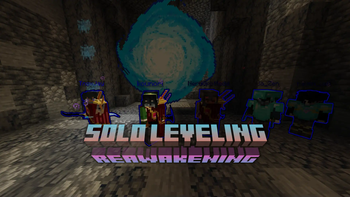
Über dieses Modpack
This modpack brings the Manwha/Anime Solo Leveling to minecraft

You have the power of the "system" so you can keep leveling up and increase your stats to get stronger!
There are:
Vitality (Increases your maximum health and reduces damage you take)
Strength (Increases your attack strength)
Intelligence (Increases your mana capacity)
Sense (Increases the chance of dodging attacks and awareness of mobs around)
Agility (Increases the sprint speed)

There are daily quests that are present in system's "Active Quests" Tab.
Make sure to do your daily quests else you will be teleported into Punishment Zone
If you successfully complete a daily quest you will be awarded with 1 of the 3 Rewards of Choice
Them being:
Full Recovery (Resets your fatigue and heals you up to maximum health while removing negative effects)
Random Lootbox (Gives you a random item <You will need to select this to progress through some quests.>
10 Skill Points (Gives you 10 skill points for you to spend on system
If you manage to survive the punishment zone you will be awarded with the same rewards as well.
Be careful if your daily quest becomes a secret quest!!

There are gates spawning out in the world that connects our world to another dimensions.
These gates can vary in size but larger size doesn't mean it holds more dangerous dungeons.
Gates have limited time so be carefull!
If you dont close a gate before its rime runs out There will be a Dungeon Break
There are currently:
- Igris
- Beru
- Baruka
- Kamish
- Goblin King
- Gem Golem
- Giant Spider
- Kasaka
As Bosses
Verfügbare Versionen
Solo Craft Server einrichten
Server bestellen
Wähle mindestens 6 GB RAM (8 GB empfohlen für Solo Craft). Je nach Spieleranzahl: +1 GB pro 5 Spieler.
Modpack im Dashboard installieren
Öffne den Modpack-Browser im Dashboard, suche nach "Solo Craft" und klicke "Installieren". Der forge-Loader und Minecraft 1.20.1 werden automatisch konfiguriert.
Server starten & spielen
Starte den Server – alle Mods werden automatisch geladen. Teile die Server-IP mit Freunden und spielt zusammen!
Häufige Fragen
Solo Craft Server crasht oder startet nicht – was tun?
Häufigste Ursachen: zu wenig RAM oder falscher forge-Loader. Prüfe latest.log auf "OutOfMemoryError" → erhöhe RAM auf mindestens 8 GB. Bei "Mixin" oder "ClassNotFoundException": Modpack-Version und Loader stimmen nicht überein. Bei Mado Hosting werden Loader und Minecraft-Version beim Modpack-Install automatisch konfiguriert – das verhindert die meisten Startprobleme.
Wie viel RAM braucht ein Solo Craft Server wirklich?
Minimum 6 GB, empfohlen 8 GB für stabile Performance. +1 GB pro 5 Spieler. Wichtig: Minecraft-Modpacks brauchen mehr RAM als Vanilla – plane pro zusätzlichem Spieler extra ein. Bei Mado Hosting kannst du den RAM jederzeit live hochskalieren, ohne Datenverlust (ab €7.800000000000001/Monat).
Kann ich eigene Mods zu Solo Craft hinzufügen, ohne Konflikte?
Ja, aber achte auf die Kompatibilität: Nutze nur Mods für den gleichen Loader (forge) und die gleiche Minecraft-Version (1.20.1). Häufige Probleme: ID-Konflikte bei Rezept-Mods und inkompatible Coremod-Versionen. Im Mado Dashboard zeigt der Mod-Browser nur kompatible Mods an und warnt bei bekannten Konflikten.
Solo Craft Server laggt – Performance-Tipps
1) RAM auf 8 GB+ erhöhen. 2) Server-View-Distance auf 8 reduzieren (server.properties). 3) Pre-Generiere Chunks mit dem "Chunky" Plugin. 4) Prüfe mit /spark profiler welche Mods die meiste Tick-Time verbrauchen. Bei Mado Hosting laufen alle Server auf NVMe-SSDs mit dedizierten CPU-Kernen – das eliminiert Hardware als Engpass.
Ähnliche Modpacks
![Cobblemon Official Modpack [Fabric]](https://cdn.modrinth.com/data/5FFgwNNP/e7f9ee2e9d361623847853fe2ddce42f519ee64f.png)
![COBBLEVERSE - Pokemon Adventure [Cobblemon]](https://cdn.modrinth.com/data/Jkb29YJU/581ecf54530972afb18a04660afd820f2f24f6c7.png)
![Better MC [FABRIC] - BMC2](https://cdn.modrinth.com/data/shFhR8Vx/a19c2bcb51d38f32f138d3607e91cb2b7b8e387f_96.webp)


![Better MC [FORGE] - BMC4](https://cdn.modrinth.com/data/4BV47HRn/7f5ef7cc61b2593609aabef3ed07a866a4f11b73_96.webp)
Solo Craft Server mieten
Starte deinen eigenen Server mit automatischer Modpack-Installation.
Details
- Lizenz
- LicenseRef-All-Rights-Reserved
- Server-seitig
- Erforderlich
- Client-seitig
- Erforderlich
Unterstützte Versionen
Starte deinen Solo Craft Server jetzt
Ab €7.80/Monat; für die beste Performance werden 8 GB RAM empfohlen.
Server konfigurieren →