
Sonic The Hedgehog Craft
Adds Chaos Emeralds, Eggman, Metal Sonic, Sonic.exe, and Custom Dimensions based on Mobius
Screenshots
Über dieses Modpack
Speed through dimensions in the ultimate Sonic-inspired modpack!
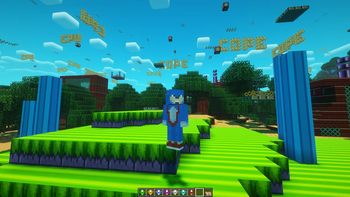
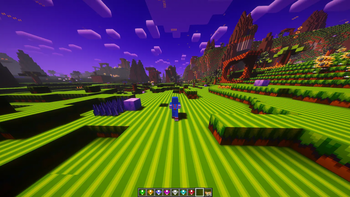
Sonic The Hedghog Craft merges the high-speed action of Sonic the Hedgehog with immersive gameplay mechanics, bringing Sonic’s universe to Minecraft in a thrilling way. Race through iconic zones, collect Chaos Emeralds, and master Sonic’s abilities as you explore expansive biomes filled with adventure!
Press B for Boost and Z for Homing Attack by default.
🌀 Sonicraft Integration – Add more modpacks made by the Author enderpreston https://enderpreston.wixsite.com/sonicraft/downloads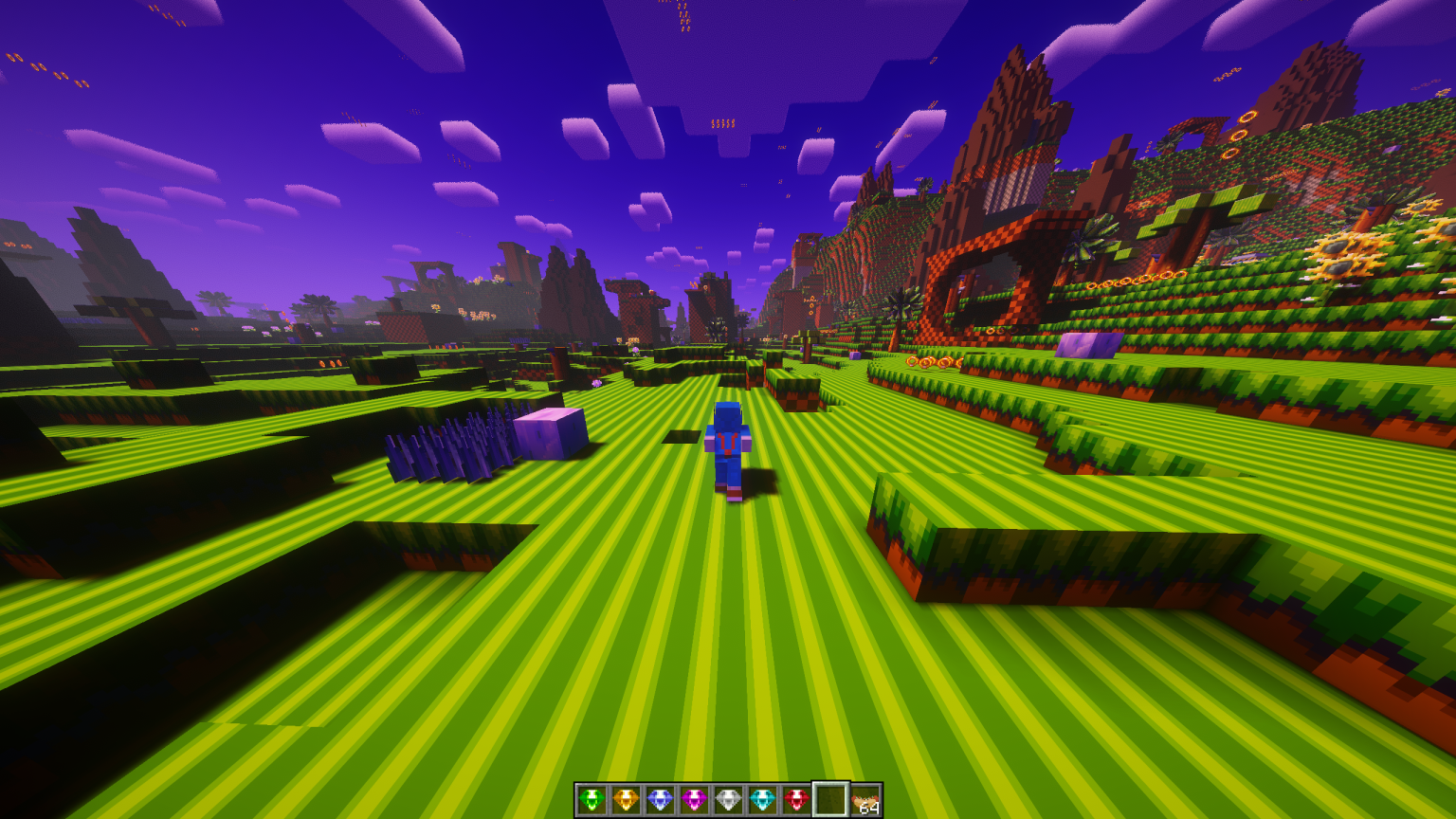
⚙️ Enhanced Movement – Homing Attack, Boost, No Falling Damage (When wearing sonic's shoes), and StepItUp to ensure smooth traversal
💎 Chaos Emerald Mechanics – Unleash powerful transformations when collecting all seven!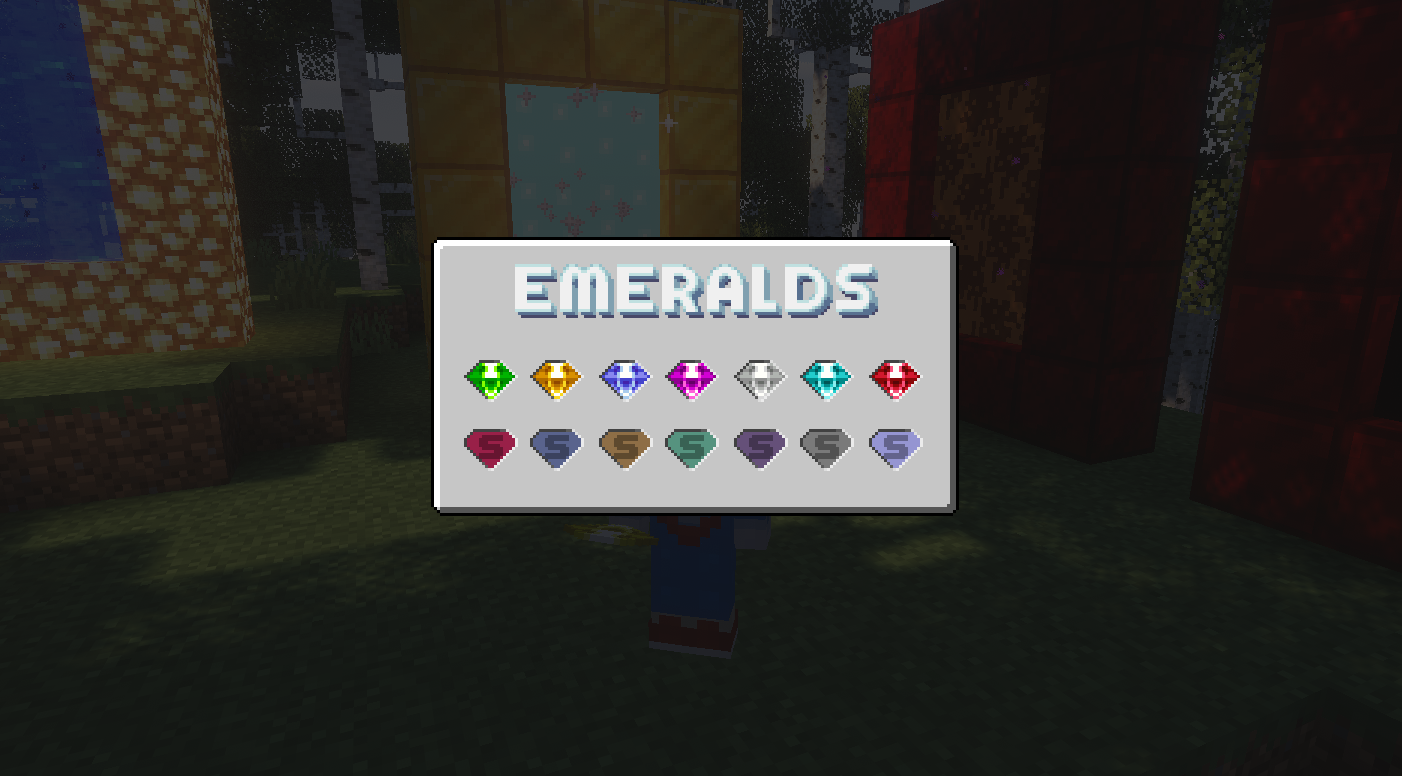
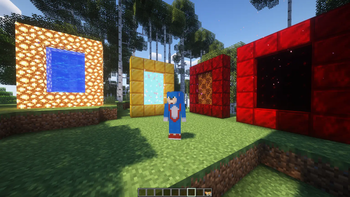
🌍 Dimensional Expansion – Craft a Golden Ring and Use a Flint and Ring to Explore realms beyond the Green Hill Zone, like The Aether and Blood Gold Ring Zone.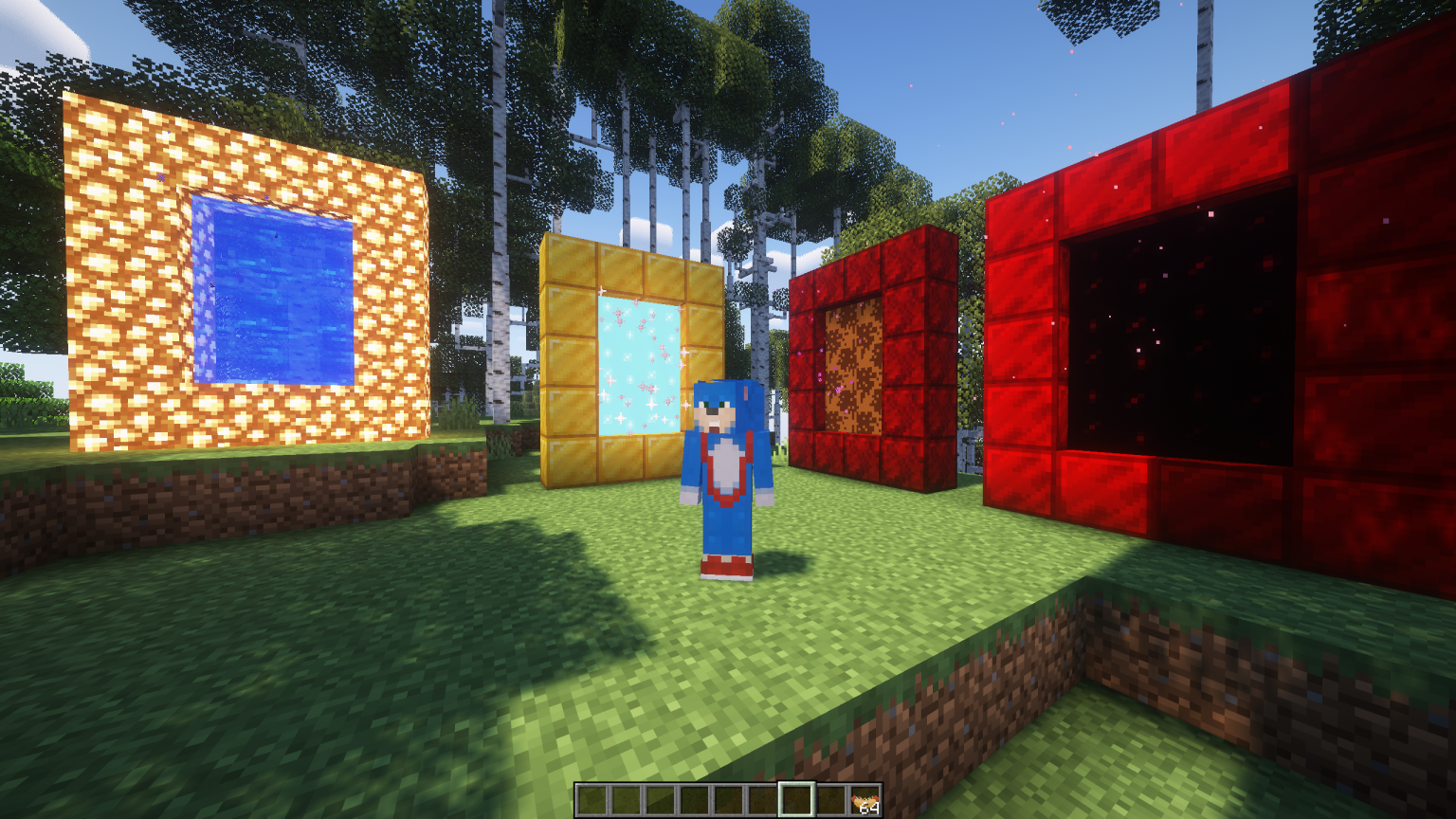
🎶 Immersive Soundtrack – Custom sound effects and music capture the essence of Sonic.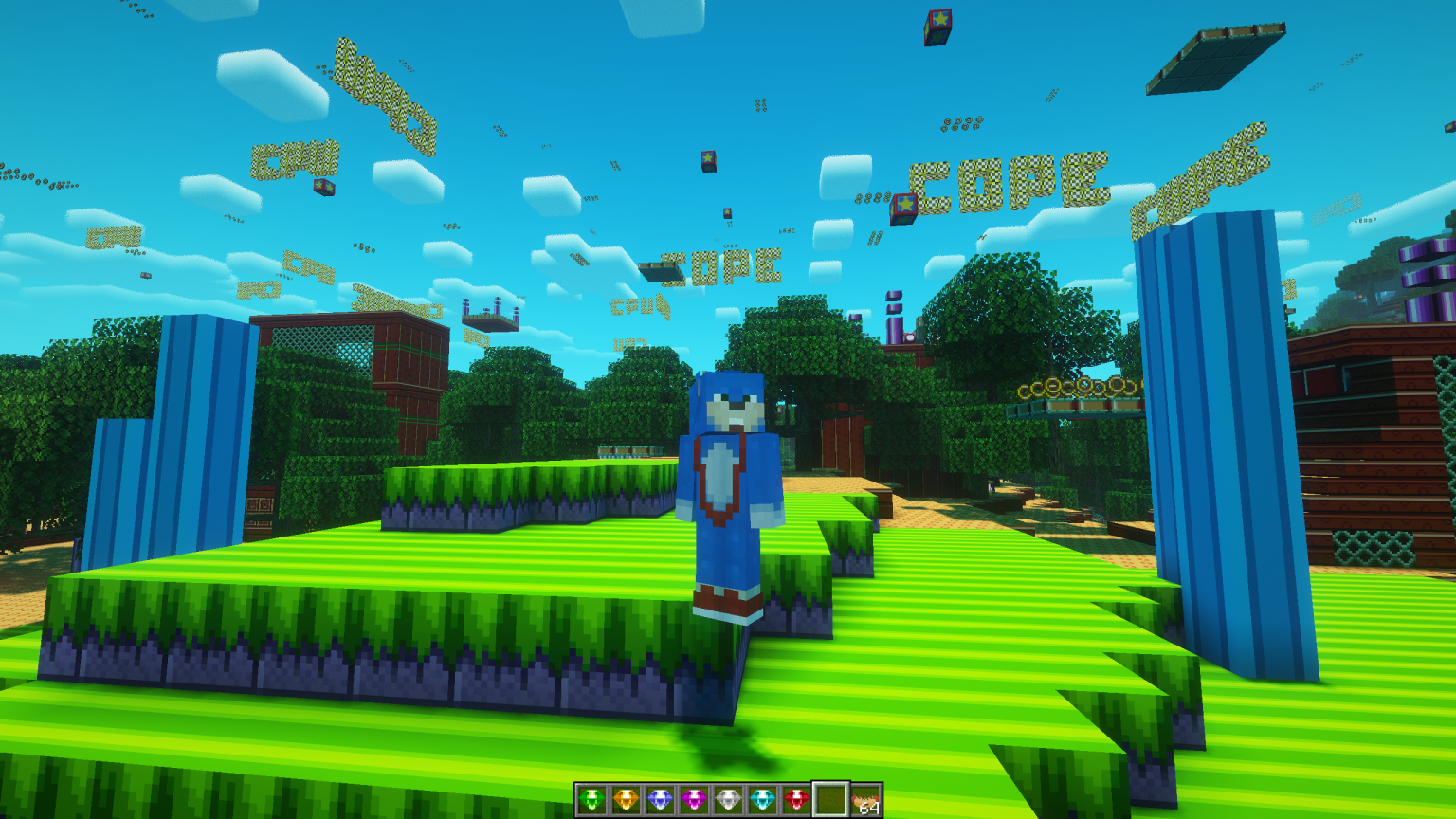
🔧 Optimized Performance – Tweaked configs ensure a seamless, fast-paced experience.
Get Ready to Dash!
Whether you’re speeding through landscapes or battling against familiar foes, Sonic the Hedgehog Craft delivers an exhilarating Sonic-themed adventure in Minecraft. Grab your rings, rev up your spin dash, and let the fun begin!
Verfügbare Versionen
Sonic The Hedgehog Craft Server einrichten
Server bestellen
Wähle mindestens 6 GB RAM (8 GB empfohlen für Sonic The Hedgehog Craft). Je nach Spieleranzahl: +1 GB pro 5 Spieler.
Modpack im Dashboard installieren
Öffne den Modpack-Browser im Dashboard, suche nach "Sonic The Hedgehog Craft" und klicke "Installieren". Der neoforge-Loader und Minecraft 1.20.1 werden automatisch konfiguriert.
Server starten & spielen
Starte den Server – alle Mods werden automatisch geladen. Teile die Server-IP mit Freunden und spielt zusammen!
Häufige Fragen
Sonic The Hedgehog Craft Server crasht oder startet nicht – was tun?
Häufigste Ursachen: zu wenig RAM oder falscher neoforge-Loader. Prüfe latest.log auf "OutOfMemoryError" → erhöhe RAM auf mindestens 8 GB. Bei "Mixin" oder "ClassNotFoundException": Modpack-Version und Loader stimmen nicht überein. Bei Mado Hosting werden Loader und Minecraft-Version beim Modpack-Install automatisch konfiguriert – das verhindert die meisten Startprobleme.
Wie viel RAM braucht ein Sonic The Hedgehog Craft Server wirklich?
Minimum 6 GB, empfohlen 8 GB für stabile Performance. +1 GB pro 5 Spieler. Wichtig: Minecraft-Modpacks brauchen mehr RAM als Vanilla – plane pro zusätzlichem Spieler extra ein. Bei Mado Hosting kannst du den RAM jederzeit live hochskalieren, ohne Datenverlust (ab €7.800000000000001/Monat).
Kann ich eigene Mods zu Sonic The Hedgehog Craft hinzufügen, ohne Konflikte?
Ja, aber achte auf die Kompatibilität: Nutze nur Mods für den gleichen Loader (neoforge) und die gleiche Minecraft-Version (1.20.1). Häufige Probleme: ID-Konflikte bei Rezept-Mods und inkompatible Coremod-Versionen. Im Mado Dashboard zeigt der Mod-Browser nur kompatible Mods an und warnt bei bekannten Konflikten.
Sonic The Hedgehog Craft Server laggt – Performance-Tipps
1) RAM auf 8 GB+ erhöhen. 2) Server-View-Distance auf 8 reduzieren (server.properties). 3) Pre-Generiere Chunks mit dem "Chunky" Plugin. 4) Prüfe mit /spark profiler welche Mods die meiste Tick-Time verbrauchen. Bei Mado Hosting laufen alle Server auf NVMe-SSDs mit dedizierten CPU-Kernen – das eliminiert Hardware als Engpass.
Ähnliche Modpacks
![Cobblemon Official Modpack [Fabric]](https://cdn.modrinth.com/data/5FFgwNNP/e7f9ee2e9d361623847853fe2ddce42f519ee64f.png)
![COBBLEVERSE - Pokemon Adventure [Cobblemon]](https://cdn.modrinth.com/data/Jkb29YJU/581ecf54530972afb18a04660afd820f2f24f6c7.png)
![Better MC [FABRIC] - BMC2](https://cdn.modrinth.com/data/shFhR8Vx/a19c2bcb51d38f32f138d3607e91cb2b7b8e387f_96.webp)


![Better MC [FORGE] - BMC4](https://cdn.modrinth.com/data/4BV47HRn/7f5ef7cc61b2593609aabef3ed07a866a4f11b73_96.webp)
Sonic The Hedgehog Craft Server mieten
Starte deinen eigenen Server mit automatischer Modpack-Installation.
Details
- Lizenz
- GNU General Public License v3.0 or later
- Server-seitig
- Erforderlich
- Client-seitig
- Erforderlich
Unterstützte Versionen
Starte deinen Sonic The Hedgehog Craft Server jetzt
Ab €7.80/Monat; für die beste Performance werden 8 GB RAM empfohlen.
Server konfigurieren →