
Syncretic
Beta, preserved just as it was intended, with modern fixes.
Screenshots

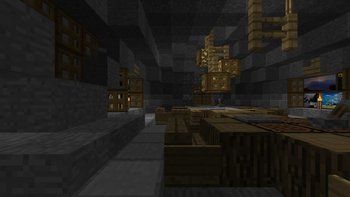
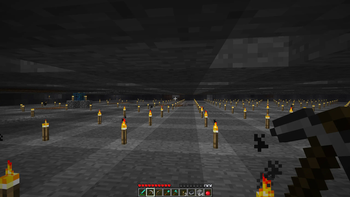
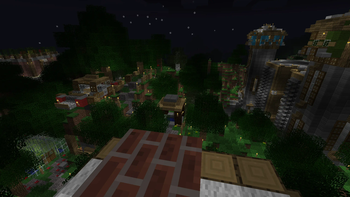
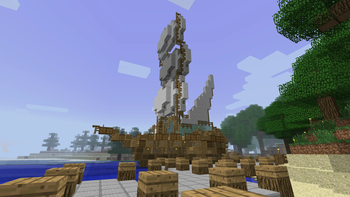
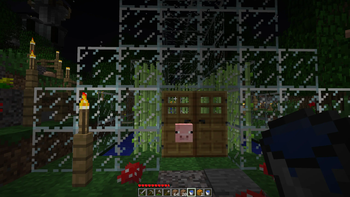
Über dieses Modpack
Minecraft Beta 1.7.3 - released in 2011, this is the most popular version from Minecraft's "golden age." Many are drawn to it due to the simplicity and charm it holds - a small thought-out collection of items and blocks, whimsical terrain generation and a retro aesthetic, yet many are deterred by its somewhat clunky playstyle. As with any beta release of a game, it is buggy and lacks many features that keep fans of modern Minecraft from giving it a real chance.
This modpack aims to change that. Running on a modified version of Fabric specifically for Beta 1.7.3, this modpack fixes many of those bugs, backports features loved by modern Minecrafters, and polishes gameplay (with complete customizability!) - all while maintaining compatibility with existing vanilla worlds.
Features
- Completely configurable through Mod Menu
- Modern GUI, QOL features, configs and controls
- Skin and authentication fixes
- Modern F5 mode
- Cloud height adjustment
- Alpha cobble texture parity texture pack
- Place otherwise unsupported trapdoors
- Boat fixes
- Chests can open with a block above them
- Fence shape and connection fixes
- Slab placement fixes
- Modern and QOL crafting recipes
- Tools all break correct blocks
- World hosting
- Creative mode added
- Creative mode spawn eggs added
- Creative mode music plays in survival
- C418 nether-specific music added
- C418 main menu themes added
- Main menu panorama added
- Better sound mixing
- Major performance optimizations
- Font rendering fix
- Translations added
- Configurable F3 screen
- Freecam added
- Discord RPC
- Apple Silicon colors and windows fix
- Hotbar placement fix
- Customizable HUD
- Commands system (see below)
- And much more...
Pre-install notes
- Always back-up your saves! - this is a heavily modified version of a very old game :)
- As of MacOS Tahoe, Syncretic will not launch due to a StationAPI bug - until it is fixed, the only way to play Syncretic on Apple silicon devices is through Asahi Linux
- Designed specifically for use with Prism Launcher
Installation
- Install the latest release of Syncretic in Prism Launcher
- Download Syncretic Babric Patches, found in "files" under the latest release of Syncretic, and extract the downloaded folder into Syncretic's instance folder, replacing any existing files
- Navigate to Syncretic's instance "Settings" tab and select Java 17 under "Java installation"
Post-install notes
- Make sure Java 17 is up-to-date from time to time
- Each time Syncretic is updated, Syncretic Babric Patches will need to be re-installed
- A mod called "Retro Commands" is included, disabled by default - when enabled, it will grant global operator permissions
Multiplayer
To host a save using the integrated hosting mod (BetaLan), first copy your Java 17 file path, then navigate to the "Mods" menu in game, open BetaLan's config, and paste your Java 17 file path under "Java Path"
Now Syncretic can host a local game - load into any save and select "Open to Lan"
Connecting players on devices outside of your local network requires you either port forward or use a mesh VPN such as Tailscale
Syncretism - the practice of combining different beliefs and various schools of thought.
Verfügbare Versionen
Syncretic Server einrichten
Server bestellen
Wähle mindestens 6 GB RAM (8 GB empfohlen für Syncretic). Je nach Spieleranzahl: +1 GB pro 5 Spieler.
Modpack im Dashboard installieren
Öffne den Modpack-Browser im Dashboard, suche nach "Syncretic" und klicke "Installieren". Der fabric-Loader und Minecraft b1.7.3 werden automatisch konfiguriert.
Server starten & spielen
Starte den Server – alle Mods werden automatisch geladen. Teile die Server-IP mit Freunden und spielt zusammen!
Häufige Fragen
Syncretic Server crasht oder startet nicht – was tun?
Häufigste Ursachen: zu wenig RAM oder falscher fabric-Loader. Prüfe latest.log auf "OutOfMemoryError" → erhöhe RAM auf mindestens 8 GB. Bei "Mixin" oder "ClassNotFoundException": Modpack-Version und Loader stimmen nicht überein. Bei Mado Hosting werden Loader und Minecraft-Version beim Modpack-Install automatisch konfiguriert – das verhindert die meisten Startprobleme.
Wie viel RAM braucht ein Syncretic Server wirklich?
Minimum 6 GB, empfohlen 8 GB für stabile Performance. +1 GB pro 5 Spieler. Wichtig: Minecraft-Modpacks brauchen mehr RAM als Vanilla – plane pro zusätzlichem Spieler extra ein. Bei Mado Hosting kannst du den RAM jederzeit live hochskalieren, ohne Datenverlust (ab €7.800000000000001/Monat).
Kann ich eigene Mods zu Syncretic hinzufügen, ohne Konflikte?
Ja, aber achte auf die Kompatibilität: Nutze nur Mods für den gleichen Loader (fabric) und die gleiche Minecraft-Version (b1.7.3). Häufige Probleme: ID-Konflikte bei Rezept-Mods und inkompatible Coremod-Versionen. Im Mado Dashboard zeigt der Mod-Browser nur kompatible Mods an und warnt bei bekannten Konflikten.
Syncretic Server laggt – Performance-Tipps
1) RAM auf 8 GB+ erhöhen. 2) Server-View-Distance auf 8 reduzieren (server.properties). 3) Pre-Generiere Chunks mit dem "Chunky" Plugin. 4) Prüfe mit /spark profiler welche Mods die meiste Tick-Time verbrauchen. Bei Mado Hosting laufen alle Server auf NVMe-SSDs mit dedizierten CPU-Kernen – das eliminiert Hardware als Engpass.
Ähnliche Modpacks
![Cobblemon Official Modpack [Fabric]](https://cdn.modrinth.com/data/5FFgwNNP/e7f9ee2e9d361623847853fe2ddce42f519ee64f.png)
![COBBLEVERSE - Pokemon Adventure [Cobblemon]](https://cdn.modrinth.com/data/Jkb29YJU/581ecf54530972afb18a04660afd820f2f24f6c7.png)
![Better MC [FABRIC] - BMC2](https://cdn.modrinth.com/data/shFhR8Vx/a19c2bcb51d38f32f138d3607e91cb2b7b8e387f_96.webp)


![Better MC [FORGE] - BMC4](https://cdn.modrinth.com/data/4BV47HRn/7f5ef7cc61b2593609aabef3ed07a866a4f11b73_96.webp)
Syncretic Server mieten
Starte deinen eigenen Server mit automatischer Modpack-Installation.
Unterstützte Versionen
Starte deinen Syncretic Server jetzt
Ab €7.80/Monat; für die beste Performance werden 8 GB RAM empfohlen.
Server konfigurieren →