
Modrinth · Fabric
UltraCraft modpack Server mieten
Dein eigener UltraCraft modpack Server auf AMD Ryzen 9 ohne Thread-Limit. Der Server ist in der Regel unter 60 Sekunden bereit, das Pack installierst du danach mit einem Klick im Modpack-Browser.
This modpack created for comfortable playing with ultracraft mod
- Downloads
- 4.6K
- Follower
- 0
- Loader
- Fabric
- Minecraft
- 1.20.1
- Aktualisiert
- –
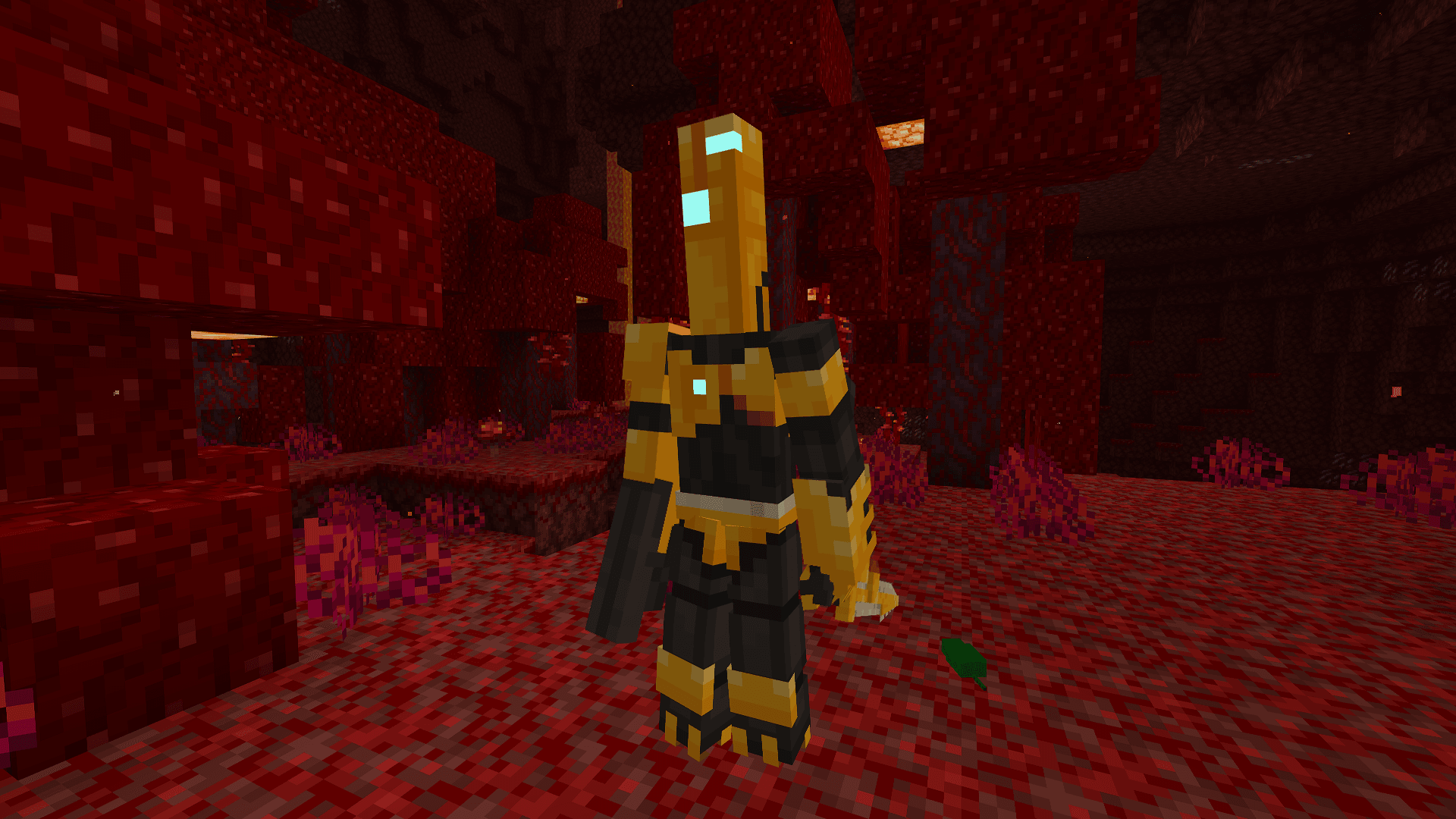
Screenshots
So sieht UltraCraft modpack aus


Bilder: UltraCraft modpack auf Modrinth, vom Projektteam veröffentlicht.
Einrichtung
In vier Schritten zum UltraCraft modpack Server
Prüfe bei Fehlern zuerst Startprotokoll, Java-Version, Loader und Abhängigkeiten. Erhöhe RAM nur bei Hinweisen auf Speichermangel. Behalte vor Updates eine Kopie der funktionierenden Installation.
- 01
Konfigurieren
6 GB RAM sind vorausgewählt und UltraCraft modpack ist im Konfigurator vorgemerkt. Laufzeit und Add-ons wählst du selbst.
- 02
Bezahlen
Per Kreditkarte oder PayPal. Der Server ist in der Regel unter 60 Sekunden bereit.
- 03
Pack installieren
Öffne den Modpack-Browser im Panel, wähle Modrinth, prüfe die Projekt-ID und installiere die gewünschte Pack-Version. Sichere eine bestehende Welt vorher.
- 04
Verbinden
Alle Spieler installieren dieselbe Pack-Version in einem kompatiblen Launcher und verbinden sich über die Serveradresse aus dem Panel.
Modrinth-Projekt-ID: 2dOburPA
Das Panel
Pack installieren, Fehler finden.
Echte Screenshots aus dem Mado Panel. Beides ist bei jedem Minecraft Server enthalten.
Modpack-Browser
Modrinth und CurseForge direkt im Panel.
Pack suchen, Version wählen, installieren. Loader und Serverdateien musst du nicht von Hand hochladen.

KI-Crash-Analyse
Wenn ein Mod crasht, liest die Analyse das Log.
Große Modpacks scheitern oft an einer einzelnen Mod, Java-Version oder fehlenden Abhängigkeit. Die Analyse nennt eine wahrscheinliche Ursache und einen Lösungsvorschlag.

Versionen
Veröffentlichte Pack-Versionen
Server und Spieler brauchen dieselbe Pack-Version. Wähle sie im Modpack-Browser passend zu den Clients deiner Gruppe.
UltraCraft modpack · ModrinthOriginalbeschreibung des Projektautors
ULTRACRAFT modpack
Stable1.20.1 Fabric only
- Based on Neon
About
This modpack created for comfortable playing with ultracraft mod
Community
We are an open community, always ready to help. We have our own discord server with a forum, a github page where you can leave noticed bugs or your suggestions.
Steam deck and controllers compatibility
- Using Controlify
- Controlify comes with a huge range of settings to fine-tune each of your controllers individually, including vibration strength, every single controller input bind (no hardcoding!) and more.
Performance
We recommend allocate minimum 5GB of ram for singleplayer game and 3GB for playing on server. And dual core cpu is strongly recommended.
Video

This modpack works on fabric!
https://fabricmc.net/


Tip: install our icon to install in the launcher (icon.png)
Tip: use Aikar´s launch options, they will help you to be more efficient :)
Tip: use the latest version of fabric
Tip: this modpack will be work better if you using Linux. But MacOS/Windows still compatible
Also: We prefer the Foss mods.
Other mods
Ähnliche Packs
Weitere server-fähige Modpacks
 Server-fähig

Zombie Invade 100 Days
von FlameFire
僵尸入侵 100 天(高版本惊变重制)—— Same as Forge Labs 100 Days Zombie Apocalypse in new Minecraft
 Server-fähig

COBBLEVERSE - Pokemon Adventure [Cobblemon]
von LUMYVERSE
Start a true Pokémon adventure in Minecraft: Cobblemon 1.8.4 | ALL 1025 Pokémon! | Mega Evolutions | Gyms & Badges | Starter Kit | Unique Structures | Custom Music | Shaders | Optimized | So much more! [1.21.1]
 Server-fähig

Slimes Adventure
von NotWindx
Tensura: that time i got reincarnated as a slime modpack with many features
 Server-fähig

Aged
von xR4YM0ND
realistic / medieval / progression based modpack for Fabric 1.21.1
Bereit für deinen UltraCraft modpack Server?
6 GB RAM ab 12,00 € im Monat. 35 % auf den 1. Monat mit MADO35.