
Valhelsia: Infinite
Embark on an infinite Minecraft experience with our 1.20.1 modpack, featuring a blend of technology, magic, exploration and adventure specially designed for Modrinth.
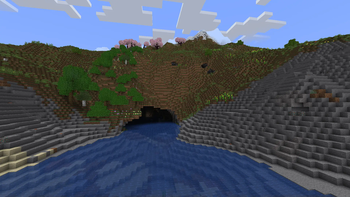
Screenshots
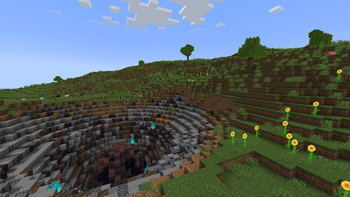
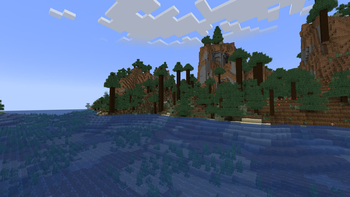
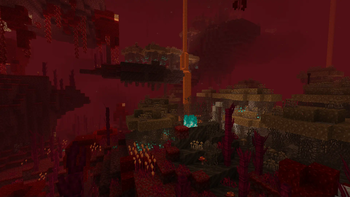
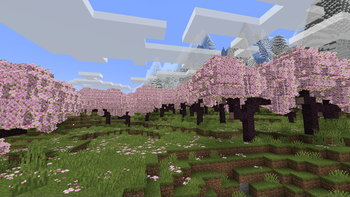
Über dieses Modpack
Valhelsia: Infinite offers something for every Minecraft player, no matter your play style. Builders will love the huge selection of gorgeous decorative blocks to expand the palette they can work with. Engineers and technical players have access to powerful automation and machinery. Adventurers will find plenty of structures to discover throughout the world, plentiful caves and underground dungeons, and even more when traveling into other dimensions.




Join us on our Discord server to get the latest news, changelog and to get support if you have any problems. We also have an extremely active chat channel and an image gallery submitted by members of the community.

📦 Features
- Stunning new terrain generation with mountain ranges, underground rivers, and more with Tectonic.
- Create fully automatic factories via Create.
- Embark on a space adventure with Ad Astra and discover new planets.
- Built-in shaders, client-side optimization and visual improvements.
🎯 Our goal
We aim to provide a pack that appeals to a broad range of players, while being very selective about the quality of the mods that we include, resulting in a refined pack of the very best mods that the modding community has to offer, to give you the best possible experience.
📄 Credits
Resource Packs List
- xali's Bushy Leaves by xalixilax
Shaders List
- Complementary Reimagined by EminGT
- Complementary Shaders v4 by EminGT
Verfügbare Versionen
Valhelsia: Infinite Server einrichten
Server bestellen
Wähle mindestens 6 GB RAM (8 GB empfohlen für Valhelsia: Infinite). Je nach Spieleranzahl: +1 GB pro 5 Spieler.
Modpack im Dashboard installieren
Öffne den Modpack-Browser im Dashboard, suche nach "Valhelsia: Infinite" und klicke "Installieren". Der forge-Loader und Minecraft 1.20.1 werden automatisch konfiguriert.
Server starten & spielen
Starte den Server – alle Mods werden automatisch geladen. Teile die Server-IP mit Freunden und spielt zusammen!
Häufige Fragen
Valhelsia: Infinite Server crasht oder startet nicht – was tun?
Häufigste Ursachen: zu wenig RAM oder falscher forge-Loader. Prüfe latest.log auf "OutOfMemoryError" → erhöhe RAM auf mindestens 8 GB. Bei "Mixin" oder "ClassNotFoundException": Modpack-Version und Loader stimmen nicht überein. Bei Mado Hosting werden Loader und Minecraft-Version beim Modpack-Install automatisch konfiguriert – das verhindert die meisten Startprobleme.
Wie viel RAM braucht ein Valhelsia: Infinite Server wirklich?
Minimum 6 GB, empfohlen 8 GB für stabile Performance. +1 GB pro 5 Spieler. Wichtig: Minecraft-Modpacks brauchen mehr RAM als Vanilla – plane pro zusätzlichem Spieler extra ein. Bei Mado Hosting kannst du den RAM jederzeit live hochskalieren, ohne Datenverlust (ab €7.800000000000001/Monat).
Kann ich eigene Mods zu Valhelsia: Infinite hinzufügen, ohne Konflikte?
Ja, aber achte auf die Kompatibilität: Nutze nur Mods für den gleichen Loader (forge) und die gleiche Minecraft-Version (1.20.1). Häufige Probleme: ID-Konflikte bei Rezept-Mods und inkompatible Coremod-Versionen. Im Mado Dashboard zeigt der Mod-Browser nur kompatible Mods an und warnt bei bekannten Konflikten.
Valhelsia: Infinite Server laggt – Performance-Tipps
1) RAM auf 8 GB+ erhöhen. 2) Server-View-Distance auf 8 reduzieren (server.properties). 3) Pre-Generiere Chunks mit dem "Chunky" Plugin. 4) Prüfe mit /spark profiler welche Mods die meiste Tick-Time verbrauchen. Bei Mado Hosting laufen alle Server auf NVMe-SSDs mit dedizierten CPU-Kernen – das eliminiert Hardware als Engpass.
Ähnliche Modpacks
![Cobblemon Official Modpack [Fabric]](https://cdn.modrinth.com/data/5FFgwNNP/e7f9ee2e9d361623847853fe2ddce42f519ee64f.png)
![COBBLEVERSE - Pokemon Adventure [Cobblemon]](https://cdn.modrinth.com/data/Jkb29YJU/581ecf54530972afb18a04660afd820f2f24f6c7.png)
![Better MC [FABRIC] - BMC2](https://cdn.modrinth.com/data/shFhR8Vx/a19c2bcb51d38f32f138d3607e91cb2b7b8e387f_96.webp)


![Better MC [FORGE] - BMC4](https://cdn.modrinth.com/data/4BV47HRn/7f5ef7cc61b2593609aabef3ed07a866a4f11b73_96.webp)
Valhelsia: Infinite Server mieten
Starte deinen eigenen Server mit automatischer Modpack-Installation.
Details
- Lizenz
- LicenseRef-All-Rights-Reserved
- Server-seitig
- Erforderlich
- Client-seitig
- Erforderlich
Unterstützte Versionen
Starte deinen Valhelsia: Infinite Server jetzt
Ab €7.80/Monat; für die beste Performance werden 8 GB RAM empfohlen.
Server konfigurieren →